Lific - MCP-native issue tracker for AI agents
Self-hosted issue tracker for coding agents. One ~25MB binary, SQLite, native MCP across 11 AI clients. Plans and issues outlive the session.
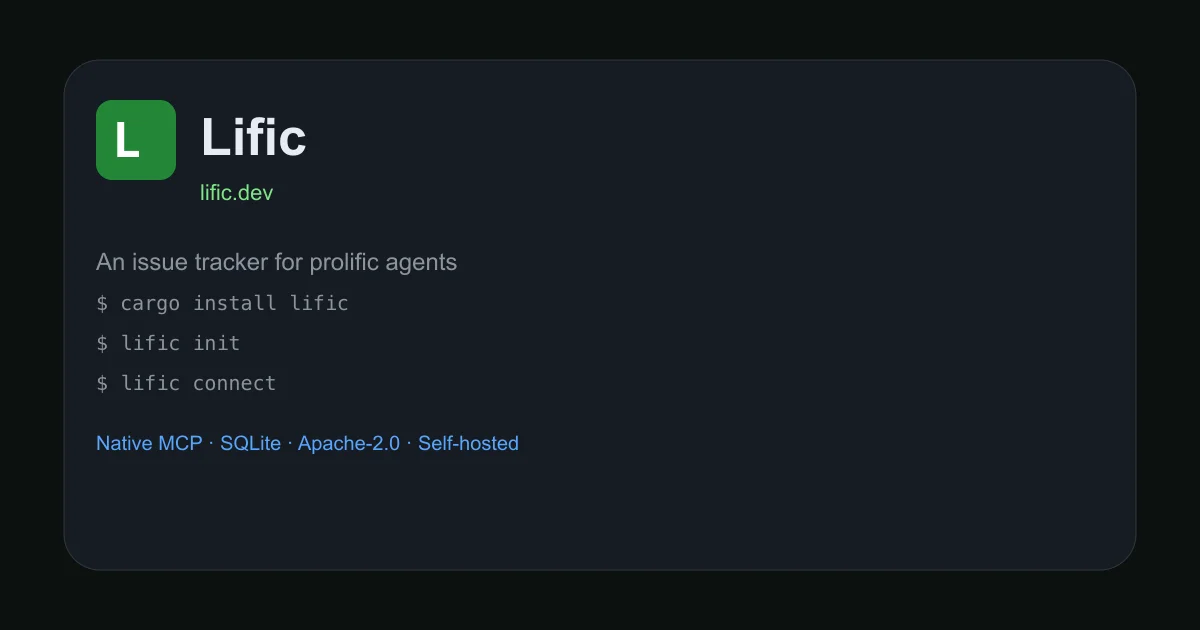
TL;DR
TL;DR: Lific is a self-hosted, single-binary issue tracker with native MCP support. One
cargo installcommand gets you a SQLite-backed tracker with 30 MCP tools that 11 different AI coding clients can use directly.
Source and Accuracy Notes
- Project page: lific.dev — verified via site HTML
- Source repository: github.com/VoidNullable/lific — verified via GitHub API
- License: Apache-2.0 — verified from
LICENSEfile in repo tree - HN launch thread: news.ycombinator.com/item?id=41549797 — 7 points, Show HN, 2026-07-23
- Stars: 37 (GitHub API
stargazers_count)
What Is Lific?
Lific describes itself as an issue tracker for the agentic coding era. The core problem it solves: when an AI agent finishes a session, its memory of plans, TODOs, and work-in-progress disappears unless that information lives somewhere persistent outside the context window.
The product’s own description from the README:
“Issue tracking for the agentic coding era. One binary. One SQLite database (plus an attachments dir). MCP built in.”
Three numbers the README uses to describe the scale:
- 30 MCP tools in 7,563 tokens — the measured size of the full
tools/listresponse, roughly one long file read - One ~25 MB binary — embedded SQLite, embedded web UI, no Docker or Postgres required
- 11 AI clients configured by one command —
lific connectwrites MCP config into OpenCode, Claude Code, Cursor, VS Code, Codex, Zed, and more
The web UI runs at localhost:3456 by default. Dark mode is the default theme.
Setup Workflow
Step 1: Install
cargo install lific
```bash

Static binaries for Linux and macOS (x86\_64 and arm64) and Windows x86\_64 are available on the [releases page](https://github.com/VoidNullable/lific/releases).

### Step 2: Initialize the server

```bash
lific init
```bash

This creates the config, SQLite database, and an API key (printed once and not stored in plaintext). It also registers a background service with your OS so the server survives a reboot:

- **Linux**: systemd user unit
- **macOS**: launchd agent

To run the server in the foreground instead (for containers or supervisors):

```bash
lific init --no-service
lific start
```bash

### Step 3: Connect AI clients

```bash
lific connect
```bash

This detects installed AI tools on your machine and writes MCP config for each one you select. Supported clients out of the box:

`opencode` · `claude-code` · `claude-desktop` · `cursor` · `vscode` · `codex` · `zed` · `gemini` · `windsurf` · `goose` · `crush`

Non-interactive mode for CI or scripts:

```bash
lific connect --client opencode --client cursor --yes
```bash

To preview what would be written without making changes:

```bash
lific connect --dry-run --client vscode
```bash

### Step 4: Verify the setup

```bash
lific doctor
```bash

This runs health checks on config, database, server connectivity, OAuth discovery, and a real MCP round-trip. **Exits nonzero if anything is broken**, so agents and CI pipelines can gate on it.

## Deeper Analysis

### How agents use it

Once connected, the agent gets 30 MCP tools covering the full issue tracker surface. Key capabilities:

- **`list_issues(project="APP", workable=true)`** — returns only issues with every blocker resolved, so the agent can ask "what can I work on right now?" in one call without a graph query
- **`get_plan`** — resumes a persistent, nestable step tree from where the last session left off, so planning survives context window rotations
- **`create_issue`**, **`edit_issue`**, **`blocks`**, **`relates_to`**, **`duplicate`** — full issue management with dependency tracking
- **`get_activity`** — audit log showing who changed what, when, and through which tool (web, MCP, API, or CLI)
- **`agents-md`** — generates tracker instructions for your repo's `AGENTS.md` so a fresh session knows where the work lives before reading any files

Each connected client gets its own bot identity (`opencode-blake`, `cursor-blake`, ...), so the audit log attributes actions to the correct harness. Revoking one tool's key does not affect the others.

### For humans

The web UI at `localhost:3456` includes an issue list, kanban board, document pages with Mermaid diagram support, modules, and comment threads where humans and agents can discuss work in the same thread.

### Self-hosting details

The data set is the SQLite database and a content-addressed `attachments/` directory beside it. Both are covered by automatic backups built into the binary. No Postgres, no Redis, no reverse proxy.

Default data locations (Linux):
- Config: `~/.config/lific/`
- Data: `~/.local/share/lific/`

For directory-local instances:

```bash
lific init --here   # creates ./lific.toml + ./lific.db
The binary enforces project-scoped roles (viewer, maintainer, lead) on every project-scoped REST and MCP call. Instance administrators and operator-trusted credentials bypass project membership checks.
Licensing and telemetry
License is Apache-2.0. The footer on the site reads “no telemetry” — the binary does not phone home.
Practical Evaluation Checklist
-
cargo install lificcompletes without error -
lific initstarts the server on port 3456 -
lific connectdetects at least one installed AI client -
lific doctorexits with code 0 - MCP tools appear in connected AI client
- Creating an issue from the AI client appears in the web UI at
localhost:3456 - Closing an issue from the AI client updates the web UI kanban board
Security Notes
- Each connected AI tool gets a separate per-client API key, scoped to that tool
- Project-scoped roles (viewer, maintainer, lead) are enforced on all REST and MCP calls
- Operator-trusted credentials (from shell-issued keys) bypass project membership checks
- No telemetry confirmed in site footer — verify from source before trusting in production
- OAuth 2.1 support available if you prefer browser-based auth over per-tool keys
FAQ
Q: Does Lific require an internet connection? A: No. Once installed, it runs entirely on your local machine or private server. There is no telemetry and no external dependencies beyond the operating system’s service manager.
Q: Can multiple agents work on the same project simultaneously? A: Yes. Each agent connects with its own bot identity, and the audit log records which harness made every change. Project-scoped roles control what each agent can see and do.
Q: How does Lific compare to GitHub Issues? A: GitHub Issues is designed for humans; Lific is designed from the ground up for AI agents as the primary user. Lific’s MCP interface gives agents full tracker access for around 5.8k tokens — about one long file read. It also persists plans across sessions in a way GitHub Issues cannot without custom tooling.
Q: What happens to the data if I stop using Lific?
A: The lific export command turns issues, pages, or entire projects into portable markdown. The database is SQLite — a single file you can open with any standard SQLite client.
Q: Is there a hosted or cloud version? A: No. Lific is purely self-hosted. There is no hosted tier, no SaaS offering, and no cloud offering mentioned in the README or on the site.
Conclusion
Lific fills the gap that every developer hits when they start working with AI coding agents: the agent finishes, the context window closes, and all memory of what it was doing is gone. By giving agents their own persistent, MCP-native issue tracker, work survives session boundaries.
The setup story is unusually clean for a self-hosted tool — one cargo install, one lific init, one lific connect. No Docker Compose, no Postgres admin, no environment variables to manage. The ~25 MB binary is worth trying if you run AI coding agents (Claude Code, OpenCode, Cursor, or similar) and want your agents to remember what they were working on between sessions.
Try it at lific.dev or grab a binary from github.com/VoidNullable/lific/releases.
Related Posts
ai-setup
Recall – Persistent Memory for Claude Code via MCP Hooks
Recall gives Claude Code a permanent memory store that survives session restarts and context compaction. Four hooks capture and restore context automatically — with cloud SaaS or self-hosted options.
2/28/2026
dev-tools
Automotive Skills Suite for AI Engineering
Evaluate Automotive Skills Suite for APQP, ASPICE, HARA, safety-plan, and DIA workflows with setup notes, governance risks, and SME review guidance.
5/28/2026
dev-tools
awesome-agentic-ai-zh Roadmap Guide
Explore awesome-agentic-ai-zh as a Chinese agentic AI learning roadmap, with setup notes, track selection, study workflow, and evaluation guidance.
5/28/2026