liblab MCP Generator - API to MCP Server in 30 Seconds
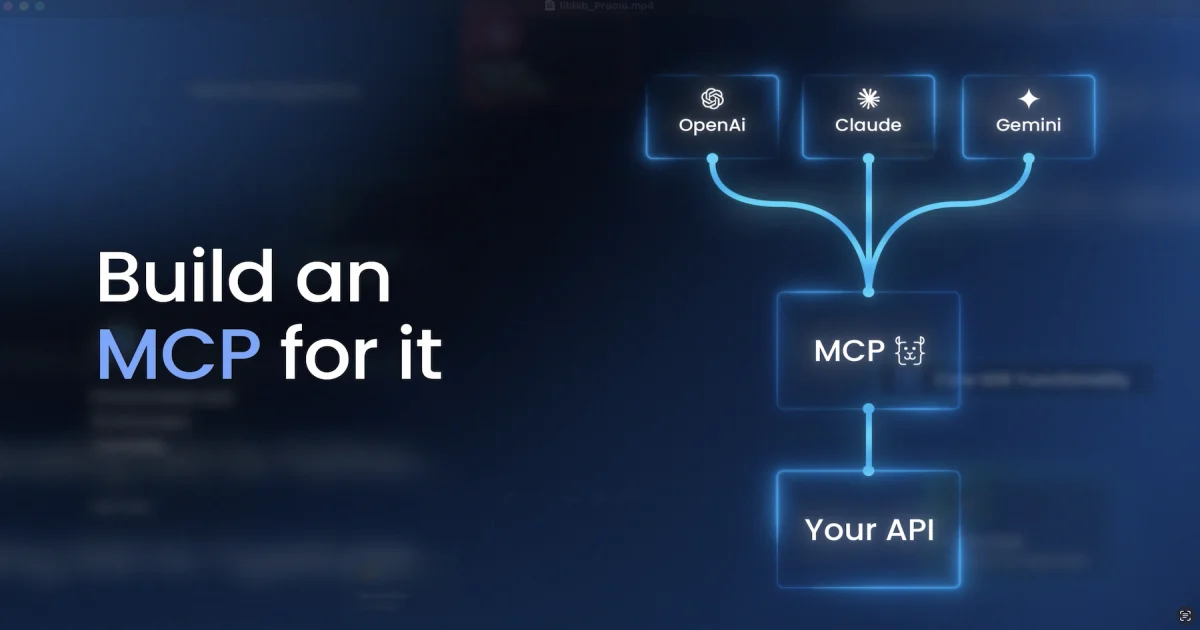
liblab MCP Generator turns any OpenAPI spec into a deployed, hosted Model Context Protocol server in 30 seconds, ready to plug into Claude, ChatGPT, or Cursor.
TL;DR
TL;DR: liblab’s MCP Generator takes your OpenAPI spec and produces a hosted, ready-to-use Model Context Protocol server in roughly 30 seconds, so any LLM client (Claude, ChatGPT, Cursor, etc.) can call your API through natural language without writing glue code.
Source and Accuracy Notes
- Official site: https://mcp.liblab.com
- HN launch thread: Show HN: MCP Generator for Your API (17 points, Jun 2025)
- Founder: Sagiv (liblab team) — same company behind the OpenAPI-to-SDK generator
- This post is based on the launch post and the live product page; some internal pricing/limits may have changed.
What Is liblab MCP Generator?
Model Context Protocol (MCP) is the open standard that lets LLM clients discover and call external tools over a structured JSON-RPC interface. Every MCP server is essentially a typed wrapper around one or more APIs that exposes them to AI assistants in a way the model can call safely and predictably.
Writing one by hand is tedious. You need to spin up a server, define tool schemas, wire up authentication, handle parameter validation, and keep the whole thing in sync as the underlying API evolves. liblab already has a mature engine that ingests OpenAPI specs and generates SDKs in half a dozen languages. The MCP Generator is the same engine pointed at a different target: a hosted MCP server that speaks the protocol out of the box.
Drop an OpenAPI file in, get back a URL your AI client can connect to in roughly 30 seconds. The hosted server is regenerated automatically as your spec changes, so the LLM never drifts away from the real API surface.
Setup Workflow
Step 1: Prepare your OpenAPI specification
You need a valid OpenAPI 3.x document, in JSON or YAML. liblab accepts files up to a few megabytes; for very large specs, prune unused paths first.
# Validate the spec locally before uploading
npx @apidevtools/swagger-cli validate api.yaml
```bash

### Step 2: Upload to the generator

Open [https://mcp.liblab.com](https://mcp.liblab.com) and either paste the spec, point at a hosted URL, or drag the file into the dropzone. The generator parses the spec, picks reasonable defaults for tool names from each operationId, and produces a preview of the tool catalogue.

### Step 3: Review the generated tool set

Before deployment, the UI shows every operation that will become an MCP tool, with the inferred name, description, and input schema. You can rename tools, hide any you don't want exposed, and add human-friendly descriptions that help the model pick the right tool.

### Step 4: Deploy to liblab's hosted runtime

Click deploy. Within roughly 30 seconds, you get:

- A hosted HTTPS endpoint (with auth) that speaks the MCP JSON-RPC protocol
- A connection snippet for Claude Desktop, Cursor, Continue, and other MCP-aware clients
- A download option for self-hosting the same server locally

### Step 5: Wire it into your AI client

Paste the connection URL into your client's MCP config. For Claude Desktop, this goes in `claude_desktop_config.json`:

```json
{
  "mcpServers": {
    "my-api": {
      "url": "https://mcp.liblab.com/your-server-id",
      "transport": "streamable-http"
    }
  }
}
Restart the client, and your API surfaces in the model as a set of named tools.
Deeper Analysis
Where the 30-second claim actually comes from
The generation is fast because liblab is not doing novel LLM work per request. They parse the spec, walk every operation, and emit a static MCP server with handler stubs that call your API. The “30 seconds” is the wall clock for spec parse + tool catalogue + container deploy, not inference. This is a meaningful difference from “AI-generate-an-MCP-server” tools that produce a different server each run; the liblab output is deterministic given the same spec.
Regeneration as the API evolves
The single biggest pain point when you hand-roll an MCP server is keeping it in sync with the underlying API. Add a new endpoint, change a parameter, deprecate a field — the MCP tool catalogue needs to update, otherwise the model hallucinates or fails. Because liblab re-derives the server from the spec on every deploy, regeneration is the same 30-second job every time. You can hook the generator to your CI pipeline and push on every commit to main if you want zero-touch.
Authentication is handled, but be aware of the surface
The hosted server proxies requests through liblab’s runtime, so authentication to your real API is brokered by the server, not by the LLM client directly. That keeps secrets off the client but means liblab is in the request path. For internal APIs this is convenient; for regulated workloads you may want the self-hosted download instead and run the server on your own infrastructure.
What it is not
This is not a no-code MCP builder where you describe your API in prose. It is spec-driven: you need a working OpenAPI document, and the quality of the generated tool catalogue tracks the quality of your spec. Operations with vague descriptions become tools the model picks inconsistently. If you already maintain a clean OpenAPI file, this is a near-zero-effort path to MCP exposure. If you don’t, the first step is fixing that.
Practical Evaluation Checklist
- I have a maintained OpenAPI 3.x spec for the API I want exposed
- All operations have clear summaries and parameter descriptions (these become tool descriptions for the model)
- Authentication to the underlying API uses a scheme liblab’s runtime can broker (OAuth2, API key, bearer)
- I have decided whether to use the hosted runtime or self-host
- I have wired the connection URL into at least one MCP-aware client and confirmed a tool call round-trips
- I have a regeneration step in CI for when the spec changes
Security Notes
- Treat the MCP server URL as a secret — anyone with it can call the wrapped API as the configured identity
- Audit which operations you expose; an overly broad spec becomes a broad attack surface via natural-language injection
- For self-hosted deployments, keep the generated server on a private network and front it with your own auth if needed
- liblab’s hosted runtime logs requests for debugging; check their retention policy if your API handles regulated data
FAQ
Q: Does liblab MCP Generator work with any OpenAPI spec? A: It targets OpenAPI 3.x. Swagger 2.0 specs need to be converted first using a tool like swagger2openapi. Very large or circular specs may need pruning before the generator accepts them.
Q: Can I edit the generated MCP server’s code? A: The hosted runtime is regenerated from your spec on every change, so manual edits would be overwritten. For custom logic, download the self-hosted version and modify the source — but you then own the regeneration story.
Q: How does this compare to FastMCP or building one by hand? A: FastMCP and similar libraries are the right answer if you want fine control and enjoy writing the server. liblab is the right answer if you already have a spec and want a deployed MCP server today with zero boilerplate. The trade-off is flexibility versus time-to-running.
Q: Will the model actually use my tools correctly? A: It depends more on your spec quality than on liblab. Operations with clear summaries, named parameters, and example values become tools the model picks well. Vague operations become tools the model misuses. Invest in the spec.
Q: Can I expose the same MCP server to multiple clients at once? A: Yes. The hosted endpoint is just an HTTPS URL; any MCP-aware client (Claude Desktop, Cursor, Continue, custom agents) can connect to it concurrently. There is no per-client server.
Q: What happens to my data? A: The hosted runtime proxies API calls and holds them in transit logs. Your data does not train any model. For sensitive workloads, run the self-hosted build.
Conclusion
If you already keep an OpenAPI spec, liblab MCP Generator is the fastest path from “I have an API” to “Claude and Cursor can call my API.” The 30-second deploy is real, the regeneration story solves the maintenance pain, and the hosted runtime removes the operational lift. For prototypes and internal tools it is a clear win; for regulated or high-volume production workloads, the self-hosted download keeps you in control of the request path.
Related Posts
ai-setup
Recall – Persistent Memory for Claude Code via MCP Hooks
Recall gives Claude Code a permanent memory store that survives session restarts and context compaction. Four hooks capture and restore context automatically — with cloud SaaS or self-hosted options.
2/28/2026
dev-tools
Automotive Skills Suite for AI Engineering
Evaluate Automotive Skills Suite for APQP, ASPICE, HARA, safety-plan, and DIA workflows with setup notes, governance risks, and SME review guidance.
5/28/2026
dev-tools
awesome-agentic-ai-zh Roadmap Guide
Explore awesome-agentic-ai-zh as a Chinese agentic AI learning roadmap, with setup notes, track selection, study workflow, and evaluation guidance.
5/28/2026