Kvlar - Policy engine for securing AI agent tool calls
Kvlar is an open-source Rust-based policy engine that intercepts AI agent tool calls via MCP, evaluating every action against YAML policies before execution. Fail-closed security with audit logging.
TL;DR
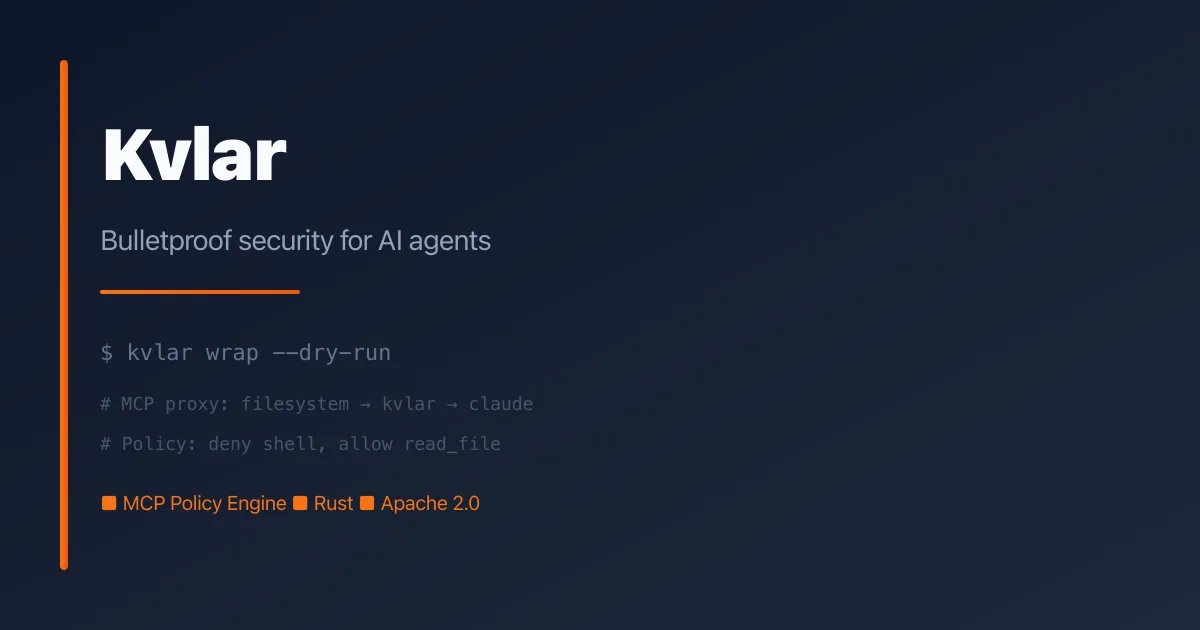
TL;DR: Kvlar is an open-source Rust policy engine that sits between AI agents and their tools via the Model Context Protocol, blocking or allowing tool calls based on human-readable YAML policies — fail-closed by default.
Source and Accuracy Notes
- Project page: kvlar.io
- Source repository: github.com/kvlar-io/kvlar
- License: Apache 2.0
- HN launch thread: news.ycombinator.com/item?id=47255351 ← verified
What Is Kvlar?
AI agents can execute code, send emails, access databases, and interact with production systems — but there is no standardized security layer between the agent’s decision and the tool’s execution. Kvlar fills that gap.
Kvlar is a policy engine and runtime security layer for AI agents. It evaluates every tool call against YAML-based security policies before execution, ensuring agents only do what they are permitted to do. Built in Rust, it speaks the Model Context Protocol (MCP, spec 2024-11-05).
Core properties:
- Fail-closed by default — if no policy rule matches, the action is denied
- Policy-as-code — define security rules in human-readable YAML
- Protocol-native — built for MCP (Model Context Protocol)
- Deterministic — same action + same policy = same decision, every time
- Auditable — every decision is logged with full context
Setup Workflow
Step 1: Build and Install
Kvlar is a Rust project. Clone and build from source:
git clone https://github.com/kvlar-io/kvlar && cd kvlar
cargo build --release
# Binary at: target/release/kvlar-cli
```bash

The CLI is the primary interface for policy management, wrapping MCP servers, and running tests.

### Step 2: Initialize a Policy

Create a policy file from a starter template:

```bash
# Create ~/.kvlar/policy.yaml from a starter template
kvlar init                      # default template
kvlar init --template strict    # strict (deny-heavy)
kvlar init --template filesystem # filesystem MCP server demo
```bash

Policies are YAML files that define rules for which resources (tools) can be called under what conditions.

### Step 3: Wrap Your MCP Servers

Inject Kvlar between your MCP client and its servers. This works with Claude Desktop, Cursor, and other MCP-compatible clients:

```bash
# Automatically inject Kvlar into Claude Desktop's MCP config
kvlar wrap                    # auto-detect client
kvlar wrap --dry-run          # preview changes first
kvlar wrap --client cursor    # target Cursor instead
```bash

Restart your MCP client after wrapping. Every tool call now flows through Kvlar's policy engine before execution.

### Step 4: Write and Run Policy Tests

Verify your policy behaves as expected before deploying:

```yaml
# my-policy.test.yaml
policy: "../policy.yaml"
tests:
  - id: deny-bash
    action:
      resource: bash
    expect: deny
    rule: deny-shell

  - id: allow-read
    action:
      resource: read_file
    expect: allow
```bash

```bash
kvlar test -f my-policy.test.yaml           # human output
kvlar test -f my-policy.test.yaml --verbose  # show passing tests too
kvlar test -f my-policy.test.yaml --json     # JSON output for CI
```bash

### Step 5: Cloud Mode (Optional)

Connect to **SHIELD** (app.kvlar.io) for centralized policy management, real-time audit streaming, and human-in-the-loop escalation approvals:

```bash
# Get your API key and agent ID from the dashboard
kvlar init --cloud    # prints step-by-step setup instructions

# Wrap your MCP servers in cloud mode
kvlar wrap --api-key kvlar_sk_... --agent-id <uuid>
The local runtime works without SHIELD — cloud mode is optional for team workflows.
Deeper Analysis
Why MCP-Native Matters
The Model Context Protocol is becoming the standard way AI agents interface with tools. Rather than bolting on security as an afterthought, Kvlar is built into the protocol layer. This means every tool call — regardless of which agent framework (LangChain, LlamaIndex, etc.) sits above it — passes through Kvlar’s policy engine.
Policy Design Philosophy
Kvlar uses a deny-by-default model. A policy file contains a list of rules; if an action does not match any allow rule, it is blocked. This aligns with the principle of least privilege: assume everything is blocked unless explicitly permitted.
Rules can match on:
- Resource name (e.g.,
bash,read_file,stripe.refund) - Arguments passed to the tool
- Environment context (e.g.,
productionvsdevelopment)
Comparison with Alternatives
| Feature | Kvlar | Enforra | Prompt-based filtering |
|---|---|---|---|
| Runtime enforcement | Yes | Yes | No |
| MCP-native | Yes | MCP SDK | No |
| Fail-closed | Yes | Yes | No |
| Policy-as-code | YAML | TypeScript SDK | No |
| Local-first (no cloud required) | Yes | Yes | N/A |
| Language | Rust | TypeScript/Go | N/A |
Performance
Kvlar is built in Rust, which means the policy evaluation overhead is minimal. The policy engine does a simple rule lookup — O(n) where n is the number of rules, typically in the dozens for a given deployment. For most agents, the latency addition is imperceptible.
Practical Evaluation Checklist
- Clone and build from source (
cargo build --release) - Initialize a policy with
kvlar init - Wrap an MCP server with
kvlar wrap - Write a policy test and run it with
kvlar test - Verify fail-closed behavior: call an unwritten resource, confirm denial
- Check audit log output after a decision
- Evaluate whether cloud mode (SHIELD) adds value for your use case
Security Notes
- Fail-closed default means typos and unknown tools are blocked, not exploited
- Local-only mode requires no outbound network calls — all evaluation happens on-box
- Audit logs capture the full decision context including arguments and environment, useful for incident response
- SHIELD cloud mode sends telemetry off-box; review the privacy implications before enabling in production with sensitive data
FAQ
Q: Does Kvlar work with any agent framework? A: Kvlar operates at the MCP layer, which sits below most agent frameworks. As long as your agent uses MCP to call tools, Kvlar can intercept those calls regardless of whether you use LangChain, LlamaIndex, or a custom implementation.
Q: How is this different from a prompt-based instruction like “do not delete data”? A: System prompts are not a security boundary. An agent can ignore or misinterpret natural-language instructions. Kvlar enforces policy at runtime — the tool call is physically blocked if it violates a rule, regardless of what the prompt says.
Q: Can I use Kvlar without Claude Desktop or Cursor?
A: Yes. kvlar wrap targets the MCP config file directly. You can point it at any MCP client configuration file. The underlying mechanism is a proxy between the MCP client and server, which works with any compliant MCP implementation.
Q: What is the performance overhead? A: For local mode (no cloud), policy evaluation adds negligible latency — a simple rule lookup in Rust. Cloud mode introduces network round-trip time to SHIELD for each decision.
Q: Is there a hosted or managed option? A: SHIELD (app.kvlar.io) is the optional cloud service for centralized policy management, team workflows, and approval queues. The local runtime is fully open source and works without SHIELD.
Conclusion
Kvlar brings practical, runtime security to AI agents at the protocol level. By evaluating every tool call against YAML policies before execution — fail-closed by default — it closes the gap between what agents can do and what they should do. If you are deploying AI agents in environments where least-privilege access matters, Kvlar is worth evaluating.
Related Posts
ai-setup
Recall – Persistent Memory for Claude Code via MCP Hooks
Recall gives Claude Code a permanent memory store that survives session restarts and context compaction. Four hooks capture and restore context automatically — with cloud SaaS or self-hosted options.
2/28/2026
dev-tools
CodexPlusPlus Setup and Risk Guide
Evaluate CodexPlusPlus for Codex launcher enhancements, API relay mode, provider sync, local state handling, update flow, and rollback planning.
5/28/2026
dev-tools
RMUX Terminal Multiplexer Guide
Set up RMUX for detachable agent terminals, tmux-like sessions, Rust SDK control, diagnostics, migration checks, and terminal automation.
5/28/2026