Infracost – Cloud Cost Estimates Before You Deploy
See cloud cost estimates for Terraform before deploying. Infracost plugs into Claude Code, Cursor, CI/CD pipelines, and your terminal.
TL;DR
TL;DR: Infracost shows cloud cost estimates for Terraform and other IaC before you deploy, with native AI coding agent support so your agent knows about costs as it writes infrastructure code.
Source and Accuracy Notes
- Project page: infracost.io
- Source repository: github.com/infracost/infracost
- License: Apache-2.0 (verified via GitHub API)
- Stars: 12,384 (as of 2026-06-26, verified via GitHub API)
- HN launch thread: not available in current dataset
What Is Infracost?
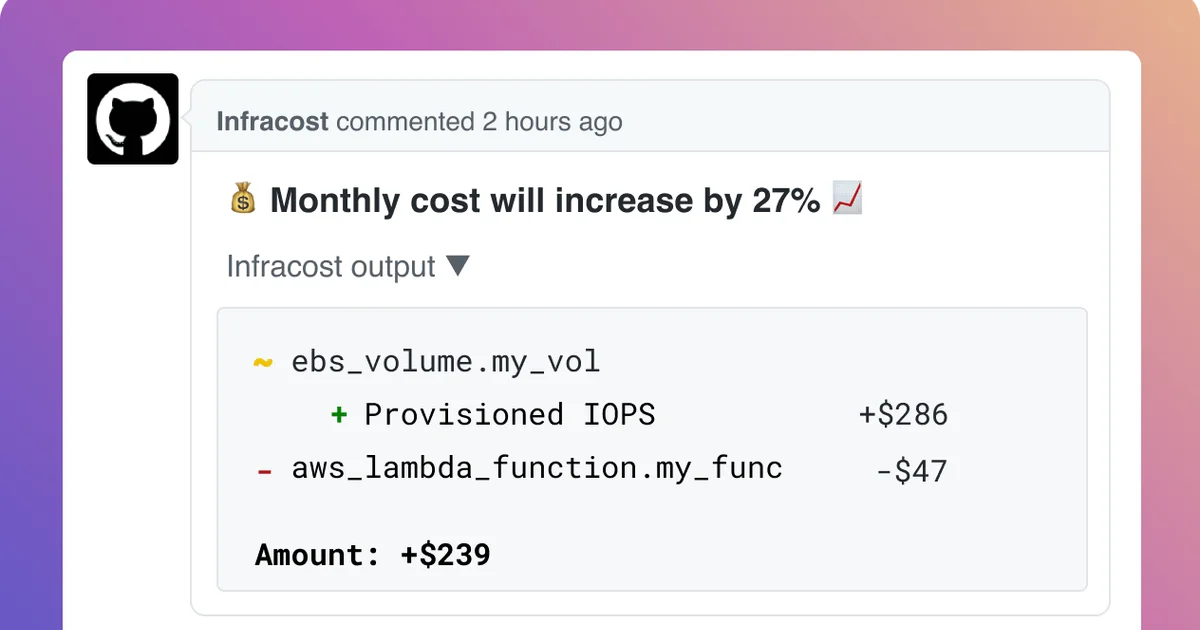
Infracost is an open-source cloud cost intelligence tool. Point it at a Terraform, Terragrunt, CloudFormation, or AWS CDK project and get a full cost breakdown before anything is deployed. It surfaces estimates directly in your terminal, your editor, your AI coding agent, and in pull requests.
The core philosophy is “shift FinOps left” — catch cost issues at code time, not after they hit your cloud bill.
Key Features
Multi-IaC support: Terraform, Terragrunt, CloudFormation, and AWS CDK all work out of the box. You do not need to rewrite existing configurations.
AI coding agent integration: The infracost/agent-skills repo ships three skills that plug into Claude Code, Cursor, and other AI coding agents:
iac-generation— keeps generated infrastructure compliant with your tagging, region, and budget policiesscan— analyzes an existing project for cost and policy violationsprice-lookup— answers natural language questions like “how much is anm7i.xlargeinus-east-1?” with no existing code needed
CI/CD integration: Run Infracost in pull requests to comment cost estimates on every infrastructure change. Teams use this to establish guardrails before provisioning.
IDE extensions: VS Code and JetBrains IDEs have official Infracost extensions that surface cost estimates inline as you write Terraform.
Setup Workflow
Step 1: Install the CLI
brew install infracost
```yaml

Linux:

```bash
curl -fsSL https://raw.githubusercontent.com/infracost/cli/master/scripts/install.sh | sh
```yaml

Windows:

```bash
choco install infracost
```bash

Or download the latest release from [GitHub Releases](https://github.com/infracost/cli/releases/latest).

### Step 2: Authenticate

```bash
infracost setup
```bash

The interactive setup walks through authenticating with your cloud provider, connecting your editor, configuring AI agent skills, and wiring up CI/CD.

### Step 3: Run a scan

```bash
infracost scan
```bash

Point it at a Terraform directory:

```bash
infracost scan --path ./terraform/
The output shows a table of resources with monthly cost estimates.
Step 4: Connect an AI coding agent
After setup, the AI coding agent integration is available via the infracost/agent-skills repository. Configure your agent to load the skills from that repo — the three skills (iac-generation, scan, price-lookup) are then available as native tools inside the agent session.
Practical Evaluation Checklist
- Terraform project with 10+ resources — run
infracost scanand compare vs. actual bill after 30 days - Set up a PR workflow:
infracost commenton a GitHub PR and verify the cost table posts correctly - Test
price-lookupwith a real instance type question to confirm it returns current pricing - Load
agent-skillsinto Claude Code and ask it to generate a Lambda function — verify it applies your tagging and region policies
Security Notes
- Infracost reads your Terraform state and configuration files locally. It does not make cloud API calls that could modify infrastructure.
- Authentication via
infracost setupuses cloud provider credentials you already hold. The tool does not create new credentials. - The
price-lookupskill queries Infracost’s pricing API (pricing data is sourced from public cloud provider pricing pages). - If self-hosting, the CLI works fully offline with a local price database (updated via
infracost update).
FAQ
Q: Does Infracost work with existing Terraform state?
A: Yes. The CLI reads .tf configuration files, not just state. It generates estimates by parsing the HCL directly.
Q: Which cloud providers are supported? A: AWS, Google Cloud, and Microsoft Azure are all supported. Terraform for any of these works with Infracost.
Q: Is there a self-hosted option? A: The CLI works fully offline using a local price database. There is also a self-hosted Infracost backend for teams that want centralized reporting.
Q: How accurate are the estimates? A: Infracost uses official cloud provider pricing APIs. Actual costs depend on usage — the estimates reflect on-demand pricing for the resources described in your configuration.
Conclusion
Infracost brings FinOps directly into the development workflow. With AI coding agent integration built in, it is a practical addition to any team using Terraform and wanting to catch cost issues before they hit production. The Apache-2.0 license means you can run it anywhere without licensing concerns.
Related Posts
ai-setup
Recall – Persistent Memory for Claude Code via MCP Hooks
Recall gives Claude Code a permanent memory store that survives session restarts and context compaction. Four hooks capture and restore context automatically — with cloud SaaS or self-hosted options.
2/28/2026
dev-tools
Automotive Skills Suite for AI Engineering
Evaluate Automotive Skills Suite for APQP, ASPICE, HARA, safety-plan, and DIA workflows with setup notes, governance risks, and SME review guidance.
5/28/2026
dev-tools
awesome-agentic-ai-zh Roadmap Guide
Explore awesome-agentic-ai-zh as a Chinese agentic AI learning roadmap, with setup notes, track selection, study workflow, and evaluation guidance.
5/28/2026