Housecat: an email inbox with a resident AI agent
Housecat is a bespoke email client where each account gets an AI agent, a private workspace VM, and checkpointed workflows, all reachable over MCP and a CLI.
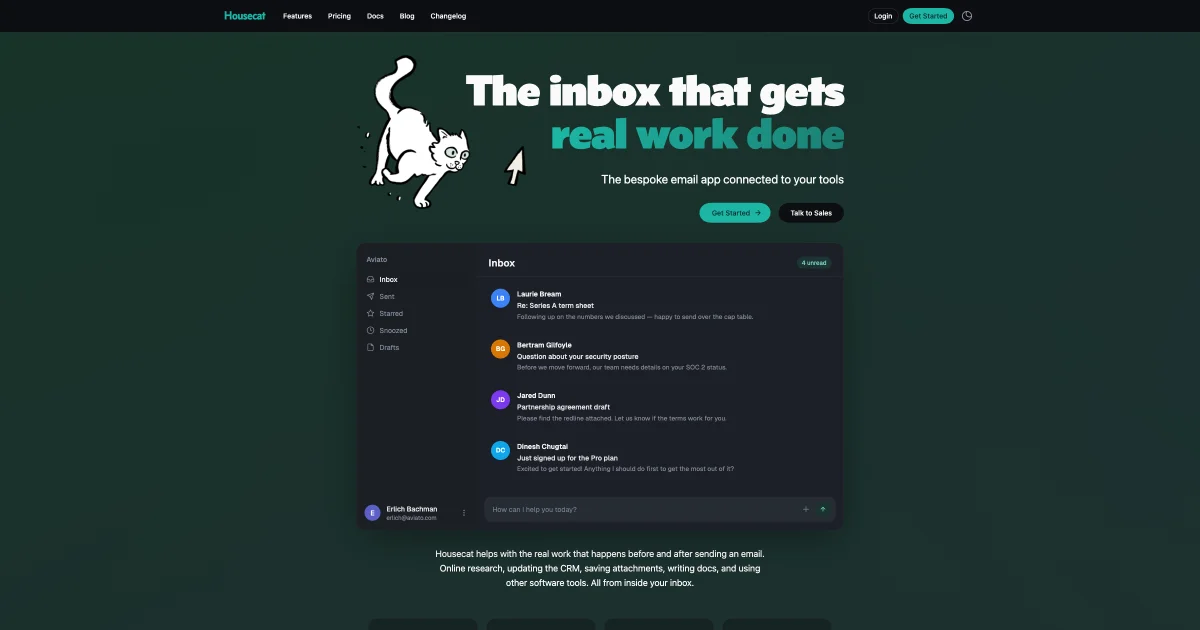
TL;DR: Housecat is a bespoke email client where the inbox is the unit of work. Every account gets its own AI agent, a dedicated cloud VM with persistent storage, and workflows that checkpoint at every step so a run survives a failed API call. The agent is reachable from Claude Code, Codex, and ChatGPT over an MCP server, and Housecat ships its own CLI for managing it. It is still in private beta and starts at $20 a month.
What it is
Housecat showed up on Hacker News in July 2026 as “Gmail + durable workflows + sandbox VM”. The product that exists now is a full email client. You connect Gmail accounts, read them in one view, and get an agent that treats the inbox as the place work actually happens rather than the place work is reported.
The founder laid out the design in the launch thread, and the framing matters more than the feature list. Housecat is not AI bolted onto search, draft, and send. It is a unified UX, API, SDK, and VM built around the concept of an inbox. The thread also explains where it came from: it started as a hosted claw of sorts, and the people who are not technical wanted more than a chat window and some markdown. That pushed the team toward a task list where the agent creates and updates action items out of email and Slack.
That puts Housecat in the opposite position from tools like AgentMail or AgentMBOX, which hand an agent its own address and get out of the way. Housecat is the human inbox where the agent does the typing, the filing, and the CRM updates.
The client itself is familiar territory: a unified inbox across accounts, smart inboxes that sort mail into Important, FYI, and Other, Gmail label support, snooze, drafts, undo send, and a command palette on Cmd K that is where most of the interesting actions live.
The agent gets its own machine
Each Housecat account runs on a private, dedicated workspace VM with persistent storage. The docs are specific about what that VM is for: a 24/7 place to reach the agent, run scheduled jobs, and keep business data, docs, and code. The VMs run on exe.dev, access goes through a central auth service plus a Google Workspace account, and the same setup can run on Google Cloud Platform or on-premise on request.
The agent is powered by Codex. If you want it to run on a ChatGPT subscription instead, there is a wrinkle worth knowing about before you connect anything: the workspace VM has no browser, so Housecat signs in to ChatGPT with a device code. It shows you a link and a one-time code, you sign in on your own machine, and you enter the code.
Device code sign-in is off by default in ChatGPT. You have to turn it on yourself under Settings, Security and login, “Enable device code sign-in for Codex”. On ChatGPT Business, Enterprise, and Edu accounts a workspace admin has to enable it for every member from Workspace settings, Permissions and roles. Until then, members see a message telling them to contact their admin.
Wiring it into Claude Code, Codex, and ChatGPT
Housecat exposes a Streamable HTTP MCP server that manages its internal Inbox and CRM data, which covers contacts, companies, deals, and configuration. Adding it to a coding tool takes one command.
claude mcp add --transport http --scope user housecat https://home.housecat.com/mcpcodex mcp add housecat --url https://home.housecat.com/mcpAfter adding it to Claude Code, run /mcp and follow the Housecat sign-in flow. With Codex, codex mcp list shows the configuration and the first thing worth trying is asking it to list your inboxes.
| Client | How to add it | Server URL in the docs |
|---|---|---|
| Claude Code | claude mcp add --transport http --scope user | https://home.housecat.com/mcp |
| Codex CLI | codex mcp add housecat --url | https://home.housecat.com/mcp |
| Claude Desktop | Settings, Connectors, Add custom connector | https://home.housecat.com/mcp |
| ChatGPT desktop | Settings, MCP servers, Add server | https://home.housecat.com/mcp/housecat |
Those URLs are not consistent, and that is worth flagging before you spend an afternoon on it. The MCP server page states the server lives at https://home.housecat.com/mcp/housecat, but the Claude Code, Codex CLI, and Claude Desktop examples all point at https://home.housecat.com/mcp with no trailing path, while the ChatGPT desktop instructions use the full path. One of those two forms is wrong. Try the one your client expects and fall back to the other if the connection fails.
One more remote-access note, since this bites people over SSH. The OAuth callback redirects to localhost on the remote machine, so your browser will report that localhost refused to connect. Copy the whole callback URL out of the browser address bar and paste it back into the OAuth prompt and the flow completes.
The Housecat CLI
Housecat also ships a command line tool that talks to the MCP services and manages OAuth connections.
$ housecat --help
A CLI tool to interact with Housecat MCP services and manage OAuth connections.

Usage:
  housecat [flags]
  housecat [command]

Examples:
  housecat -e [email protected] tools
  housecat -e [email protected] tools call connections --json
  housecat -e [email protected] projects list

Available Commands:
  help        Help about any command
  jobs        Manage scheduled jobs
  projects    Manage projects
  tools       List available MCP tools

Flags:
  -e, --email string   User email (required)
  -h, --help           help for housecat
      --json           Output as JSON
  -u, --url string     MCP server URL (default "https://hc-auth-dev.exe.xyz/")
Two things stand out. The default --url points at a host with dev in the name, so pass -u explicitly rather than trusting the default. And the documentation page for the CLI shows only this help output. There is no install command anywhere in the docs I could find, so treat the CLI as something you obtain from Housecat rather than something you install from a registry.
The --json flag and the tools call form are the useful part. Listing MCP tools and calling one directly is a reasonable way to script against the CRM without going through the email client.
Workflows that survive a restart
Workflows are the part of Housecat that goes beyond what a sidebar chat can do. Each workflow is checkpointed at every step, so it can retry on failure, sleep, wait for an approval, and pick up exactly where it left off if the system restarts mid-run. A flaky API or a deploy in the middle of a run does not mean starting over or doing the work twice.
| Trigger | What starts the run |
|---|---|
| An inbound email to a configured address, passing sender, subject, body, and attachments | |
| Slack | A message shortcut such as “Save to CRM” dispatching the workflow with the source message |
| Schedule | A cron schedule, treated like any other job |
Settings are tunable by an operator without touching code: prompt text, model choice, Notion database IDs and field mappings, and feature flags. Settings save per user, so your configuration survives across runs. There is also a dry-run mode that executes every analysis and diff step end to end while suppressing external writes, which is the sane way to preview what a workflow will do to your CRM before it sends a reply to a real prospect.
Building a workflow does not require writing it yourself. The docs say the AI coding agent can build workflows by forking existing examples and modifying them, and there is a playground that runs a workflow against example data before you take it live. From the command palette, the built-in workflows cover summarizing a thread, researching the people and companies involved, turning a thread into a GitHub issue, forwarding to Slack, pulling in a Granola note, saving attachments to Drive, opening a linked doc or sheet, and kicking off a multi-step email sequence.
Connection scopes and the approval gate
Housecat connects to Google Workspace, Slack, Notion, Attio, and a longer list of business tools through a central connection hub, and each connection gets one of four access levels.
| Scope | What it grants | Examples from the docs |
|---|---|---|
| read | List, search, and get data, with no ability to change anything | Search Gmail, get a Granola transcript, get a Notion database |
| draft | Create private data, but not publish or send it to others | Draft a Gmail message, create a private Notion doc, create an Attio company with a DRAFT label |
| write | Create real data or send things on your behalf | Send a Gmail message, create a calendar invite with external attendees, update an Attio company |
| archive | Remove data | Archive a Gmail message, cancel a calendar event, archive an Attio person |
Where a tool has no native draft or archive concept, Housecat emulates one. In Attio it adds a DRAFT label so you can filter those records out of business reports, and an ARCHIVED label so you can review records on a schedule before anything is deleted permanently.
The default posture is cautious, and it is worth understanding exactly how cautious. Every write or archive the agent performs on your behalf requires your explicit review and approval, and it is capped at 10 operations a day. The reasoning in the docs is blunt: an agent left unchecked will spam your leads or overwrite every URL in your CRM. If you are planning a bulk CRM sync, that daily cap is the first thing you will hit.
What it syncs into your CRM
Housecat keeps a lightweight CRM of the companies, contacts, and attachments that tasks reference, and syncs with Notion or Attio if you want it to. Notion sync covers contact and company pages, notes and conversation context, database properties including the relations between databases, and documents and attachments. It maps your existing databases and properties automatically, understands how your databases relate to each other, and asks you to confirm the mapping before it writes anything.
Attio sync adds custom fields, which means dropdowns, multi-selects, and linked records, plus custom objects such as deals and projects, and files pulled from DocSend decks or Google Drive links. Both connectors detect existing records and update them instead of creating duplicates.
The underlying API is documented with the usual care. Companies, contacts, and attachments have full v2 REST and MCP coverage.
/api/v2/companies   /api/v2/contacts   /api/v2/attachments
    cursor-paginated CRUD with a 256KB response cap

/mcp/companies      /mcp/contacts      /mcp/attachments
    *_list, *_get, *_create, *_update, *_archive
    under crm.* and task.* scopes
PATCH requests fold emails, phones, and roles through *_add and *_remove arrays so a partial update does not clobber values you did not mention, and every mutation is written to an activities table along with the name and version of the calling client.
Pricing
| Plan | Price | Email accounts | Workflows per day | Connections |
|---|---|---|---|---|
| Personal | $20 per month | 1 | 10 | Email, Slack, Notion |
| Business | $100 per month per seat | 3 | 100 | Email, Slack, Notion, SMS, LinkedIn |
| Enterprise | Talk to sales | Unlimited | Unlimited | Custom integrations, custom workflows |
Every plan includes a small allocation of LLM tokens, and the pricing page says you can bring your own API keys if you run past that allocation. The security FAQ draws a separate line: bringing your own models is not currently supported, and that is being explored as an enterprise feature. Own API key and own model are two different unlocks here, and only the first one is on the table today.
What to watch for
The biggest gate is simply getting in. Housecat is in private beta: you register on the setup site, sign in with a Google Workspace or Microsoft 365 login, then connect a Gmail account. A plain personal address is not the documented path in, which rules out a chunk of people who would otherwise want this.
Data handling is solid on paper but not free of tradeoffs. Housecat runs on Google Cloud Platform, uses Google, Anthropic, and OpenAI as AI providers, encrypts at rest and in transit, backs up daily, and is SOC 2 Type II compliant with Google CASA Tier 2. It states that third-party model providers do not train on your data. It does train on anonymized data itself, which you can switch off in settings. Notes and transcripts are retained indefinitely by default unless you delete them yourself, and custom retention periods only exist on Enterprise.
The founder’s own framing on trust is the most useful line in the thread: “I wouldn’t trust a agent chat or SKILL.md for numbers just yet. But I would trust having a coding agent code the workflow, then have real people review the code, operate the tool, and double check the numbers.” That is the right way to use it too. Let the agent build and run the workflow, but keep a human reading the outputs that touch money or contracts.
Finally, the product is closed. There is no public repository for the client or the agent, and the MCP URLs in the documentation do not agree with each other. Those are small things in isolation, but they add up to a service you depend on rather than a project you can read.
Source and Accuracy Notes
- Project page: https://housecat.com/ (verified via direct visit on 2026-11-02)
- Documentation index: https://housecat.com/docs
- MCP server setup: https://housecat.com/docs/features/mcp-server
- CLI reference: https://housecat.com/docs/cli/housecat
- Workflows, connections, and CRM behavior: https://housecat.com/docs/features/workflows, https://housecat.com/docs/features/connection-hub, https://housecat.com/docs/features/crm
- Pricing: https://housecat.com/docs/intro/pricing
- Security and compliance: https://housecat.com/security
- HN launch thread: https://news.ycombinator.com/item?id=49006149 (15 points, 2 comments)
- Thumbnail: the site’s own og/home.png, resized to 1200x630 WebP
Related Posts
ai-setup
Recall – Persistent Memory for Claude Code via MCP Hooks
Recall gives Claude Code a permanent memory store that survives session restarts and context compaction. Four hooks capture and restore context automatically — with cloud SaaS or self-hosted options.
2/28/2026
dev-tools
AgentMesh – Define AI Agent Teams in YAML
Define multi-agent AI workflows in YAML and run them locally with one command. AgentMesh brings Docker Compose patterns to AI agent orchestration.
5/28/2026
ai-setup
Sentrial – Catch AI Agent Failures Before Your Users Do
YC W26-backed AI agent observability platform. Trace sessions, detect silent regressions, and A/B test prompts in production before failures reach users.
5/28/2026