HoneyLabs – Public Honeypot Telemetry with MCP and HTTP API
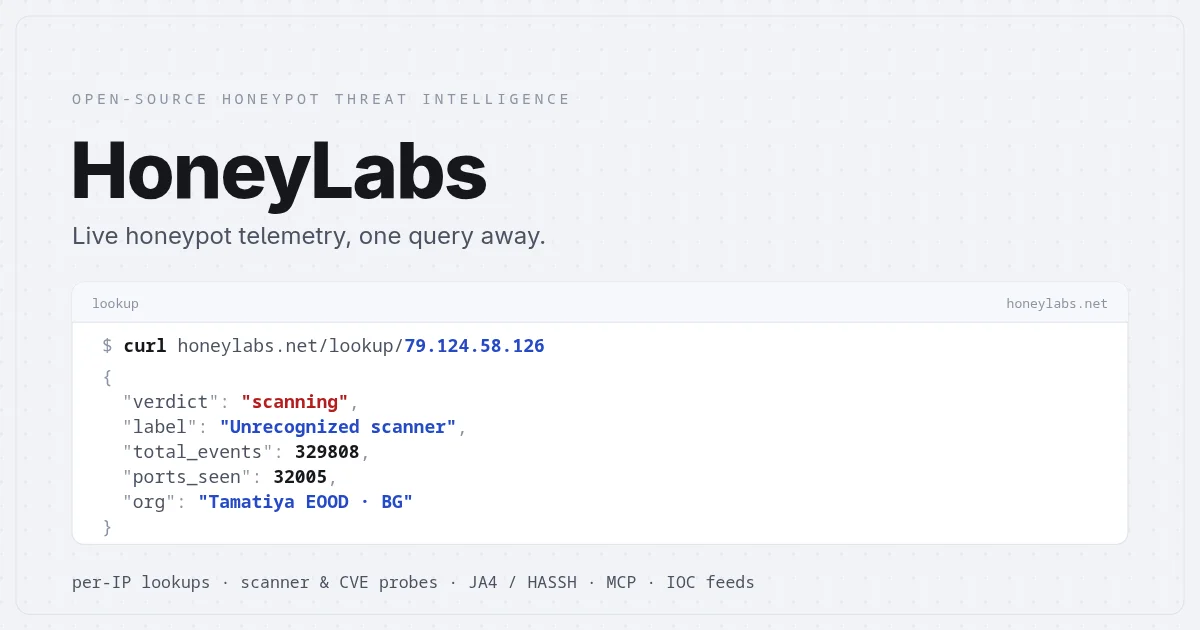
HoneyLabs runs open-source honeypot sensors on the public internet and serves 90 days of searchable attack telemetry — TLS fingerprints, raw payloads, CVE matches — over HTTP and an MCP server.
TL;DR
TL;DR: HoneyLabs runs open-source honeypots on the public internet and lets you query 90 days of attack telemetry — scanner IPs, TLS/HTTP/SSH fingerprints, CVE matches, and raw payloads — for free, via a web UI, curl, or an MCP server your AI agents can call directly.
Source and Accuracy Notes
- Project page: honeylabs.net — visited and verified
- Documentation: honeylabs.net/docs — visited and verified
- License: open-source honeypot sensors (specific license TBD — not verified from source)
- HN launch thread: not available (4 points on HN, insufficient signal)
What Is HoneyLabs?
HoneyLabs runs open-source honeypot sensors on the public internet. Every probe, scan, and exploit attempt that hits those sensors gets logged, fingerprinted, and stored with a 90-day rolling window. The service makes that telemetry queryable through a web UI, a plain HTTP API, and an MCP server.
The core product is a per-IP lookup: enter any public IPv4 address and get a full report covering:
- Event counts: total, last 24 hours, last 7 days, days active
- 90-day activity timeline
- Top ports hit, with 14-day sparklines per port
- TLS, HTTP, and SSH fingerprints and their frequency
- HTTP paths and user-agents the scanner used
- CVE exploit signature matches
- Related threat actors and raw events
All of this is available without an account on the web UI, or programmatically over HTTP and MCP.
Setup and Quick Start
Free Lookup (No Account Required)
The fastest way to get started is the search bar on any HoneyLabs page. Enter an IP address, ASN, CIDR block, or domain — the bar resolves directly to the full IP report.
HTTP API
For scripted access, the same lookup works over HTTP:
# Basic IP lookup (returns HTML page)
curl https://honeylabs.net/lookup/<ip>

# JSON format for automation
curl https://honeylabs.net/lookup/<ip>?format=json
```bash

No API key is required for basic lookups. Paid tiers raise the rate limit and extend the data window beyond 90 days.

### MCP Server

HoneyLabs also ships an MCP server so AI coding agents like Claude or Cursor can query honeypot data directly as a tool call. After configuring the MCP server with an API key, agents can look up scanner IPs and pivot to related actors as part of their normal tool-use workflow.

### Integrations

HoneyLabs supports direct integration with:

- Splunk
- Microsoft Sentinel
- Elastic (Elasticsearch / Kibana)
- MISP (Malware Information Sharing Platform)
- OpenCTI
- CrowdSec
- fail2ban
- pfSense
- n8n

Each integration lets you pipe live honeypot telemetry into your existing security tooling.

## Search Filters

The HoneyLabs search bar supports structured filters that AND together when combined. These let you query across the entire attacker dataset rather than a single IP:

| Filter | Matches |
|---|---|
| `port:445` | Destination port the attacker hit on the honeypot |
| `proto:bittorrent` | Application protocol identified by nDPI payload analysis |
| `asn:14061` | Autonomous System number (e.g., AS14061 = DigitalOcean) |
| `country:NL` | Two-letter ISO country code |
| `cidr:185.177.72.0/24` | IPv4 block to track scanner farms |
| `domain:censys` | Substring of the source IP's reverse DNS |
| `ua:ZGrab` | Substring of the HTTP User-Agent |
| `header:x-forwarded-for` | Substring of captured request headers |
| `banner:SSH-2.0-Go` | Protocol greeting banner or raw probe string |
| `path:/.env` | Substring of the HTTP URL path |
| `cve:CVE-2024-4577` | Payload matched a public exploit pattern |

Example combined query:
```yaml
country:NL port:445 cve:CVE-2024-4577 since:24h
Practical Evaluation Checklist
- Free tier covers basic analyst use
- No signup required for web lookups
- MCP server enables direct agent integration
- 90-day rolling window of telemetry
- CVE-in-wild tracker with pre-disclosure detection
- Integrates with common SIEM and security tooling
Security Notes
HoneyLabs telemetry data is entirely from their own honeypot sensors — intentionally exposed, non-production endpoints. The data reflects what scanners are actively probing for across the public internet, not your internal network. Using this data for blocklists and threat intelligence is straightforward via the integrations listed above.
FAQ
Q: Is the honeypot data free to use? A: Yes, the basic tier is free with no account required. Paid tiers raise rate limits and extend the data retention window beyond 90 days.
Q: How is the MCP server authenticated? A: The MCP server uses an API key. You generate it from the HoneyLabs dashboard after signing up for a paid tier.
Q: What protocols do the honeypots capture? A: The sensors log TLS, HTTP, SSH, and other application-layer protocols. nDPI performs protocol identification from payload bytes, labeling services correctly even when they run on non-standard ports.
Q: Can I contribute my own honeypot sensor? A: The sensors are open source, but whether external contributions feed into the HoneyLabs cloud dataset is not specified in the current documentation.
Conclusion
HoneyLabs fills a specific niche: actionable internet background radiation data without the operational overhead of running your own honeypot sensor network. The free tier is generous enough for individual security research, and the MCP server integration makes it natural to use from AI coding agents and security automation pipelines.
If you want to understand what scanners are probing for on your network segment, or want to feed real-world exploitAttempt telemetry into your SIEM, HoneyLabs is worth a look.
URL: honeylabs.net
Related Posts
ai-setup
Recall – Persistent Memory for Claude Code via MCP Hooks
Recall gives Claude Code a permanent memory store that survives session restarts and context compaction. Four hooks capture and restore context automatically — with cloud SaaS or self-hosted options.
2/28/2026
dev-tools
Automotive Skills Suite for AI Engineering
Evaluate Automotive Skills Suite for APQP, ASPICE, HARA, safety-plan, and DIA workflows with setup notes, governance risks, and SME review guidance.
5/28/2026
dev-tools
awesome-agentic-ai-zh Roadmap Guide
Explore awesome-agentic-ai-zh as a Chinese agentic AI learning roadmap, with setup notes, track selection, study workflow, and evaluation guidance.
5/28/2026