Heynote: each block picks its own language
Heynote is a desktop scratchpad built around one persistent text buffer split into blocks, each with its own syntax highlighting, math mode, and language.
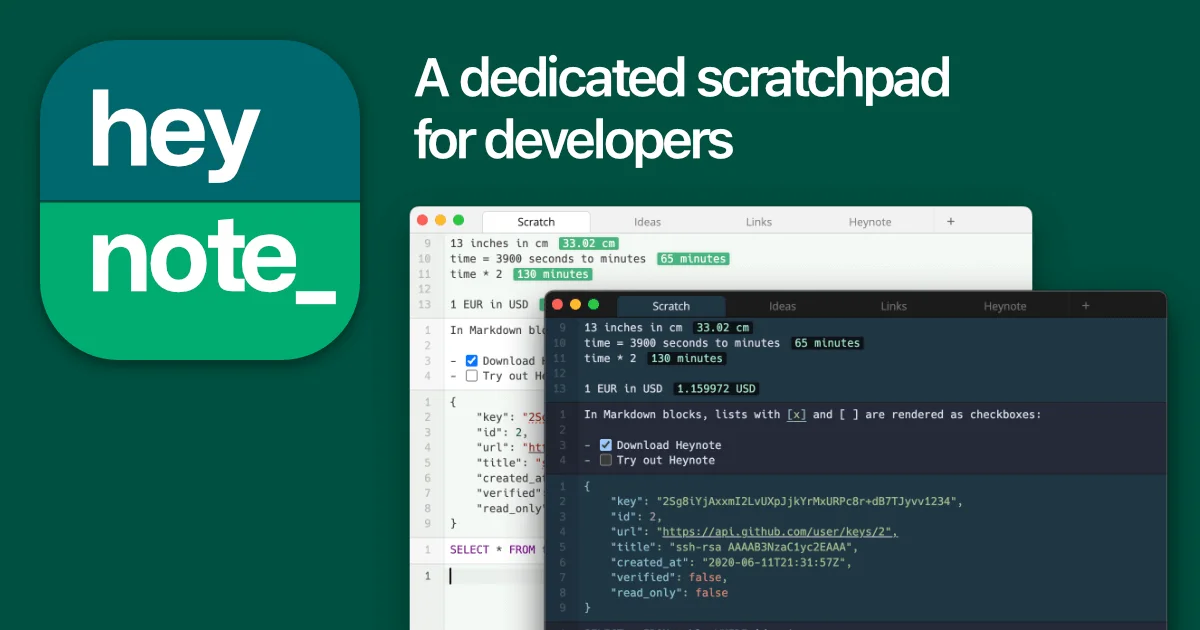
TL;DR: Heynote is a desktop scratchpad built around one persistent text buffer divided into blocks, and each block carries its own language. A JSON response, a SQL query, and a meeting note can share one window without fighting over a single highlighter. It is free, cross-platform, and every note lands on disk as plain text you can read without the app.
What it is
Heynote is an Electron app that shows one large text buffer and chops it into blocks. Each block has its own mode, which means its own syntax highlighting and its own auto-format. Press Cmd+Enter and you get a new block below the current one. Press Cmd+L and you change that block’s language on the spot.
The idea came from a problem developers hit daily. You have a JSON response from an API, a chunk of SQL, and a half-written Slack message, and all three want to be in front of you at once. A normal text editor gives you one language per document. Heynote gives you one language per paragraph.
Around that core it has grown into a real notes application:
- Multiple buffers, organised in a sidebar tree with directories
- Global search across every buffer in the library
- Inline images, plus a drawing tool for annotating them
- A math mode that doubles as a calculator with unit and currency conversion
- Syntax highlighting and auto-format for around thirty languages, with automatic language detection
The block model in practice
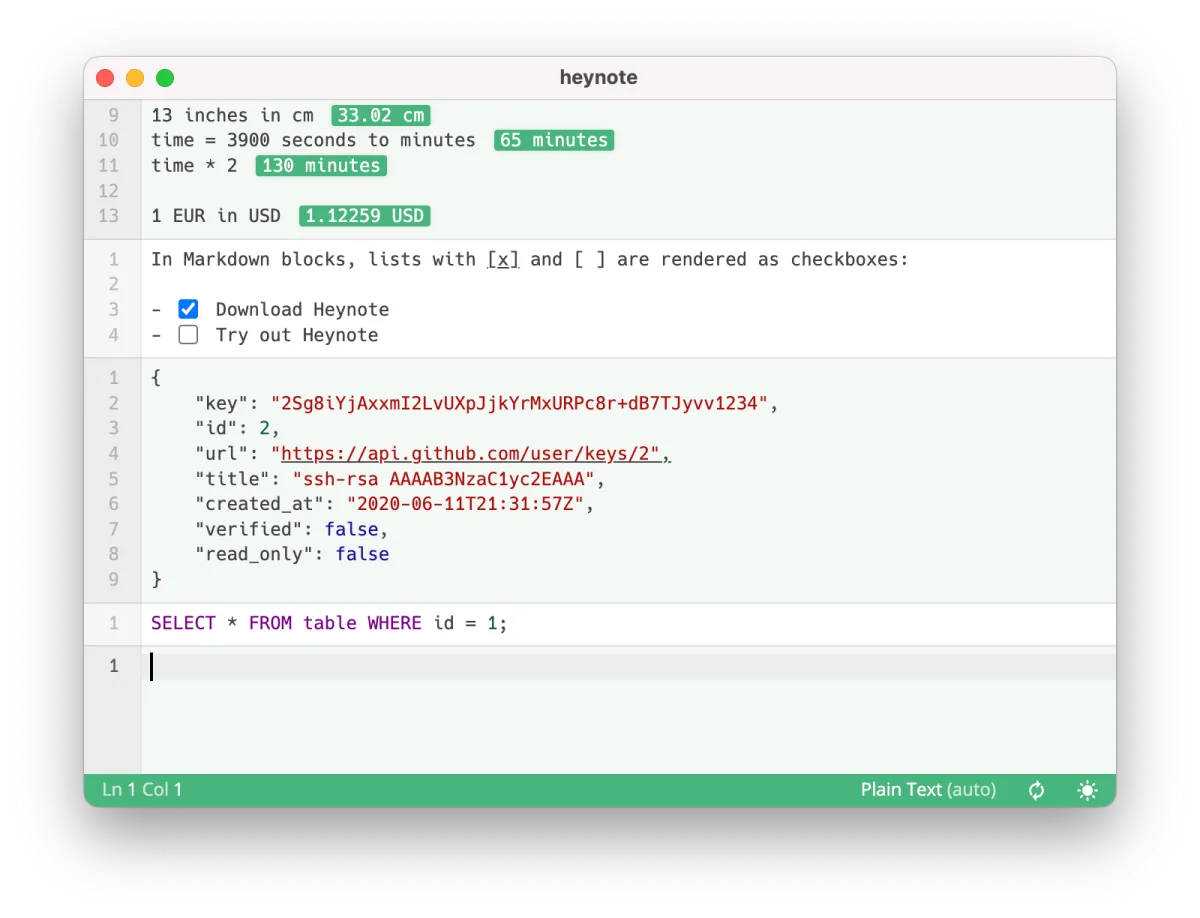
The screenshot shows the part that makes the idea land. One buffer, four unrelated kinds of content, each rendered on its own terms: a math block converting 13 inches to centimetres, a Markdown block with task checkboxes, a JSON block holding a GitHub SSH key, and a SQL block. A plain-text block sits at the bottom for whatever does not fit a mode.
Under the hood the buffer is a list of blocks carrying their modes and folded ranges. Folding a long block collapses it to a header, so a bulky JSON payload does not push your notes off screen.
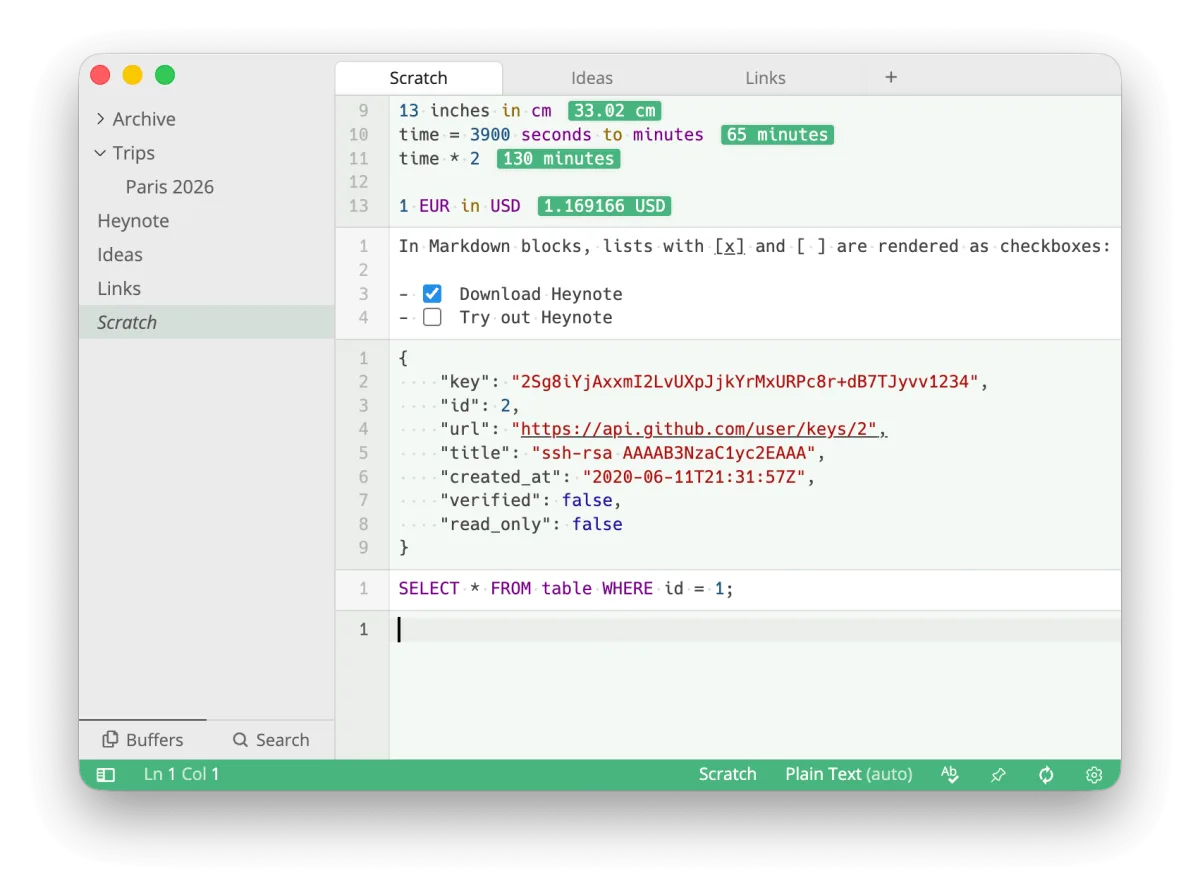
The sidebar tree added in 2.9.0 keeps buffers organised in directories, which is what you want once one scratchpad is no longer enough. The panel also carries a global search across every buffer in the library, so a half-remembered note is a few keystrokes away rather than a hunt through tabs.
Getting it running
Homebrew ships a cask, which is the shortest path on macOS:
brew install --cask heynoteOn Linux there is a Snap and an AppImage, but nothing in the main Debian or Ubuntu repositories, and no arm64 Linux build at all. The published assets for 2.9.1 cover x86_64 only:
# x86_64 only
curl -L -o Heynote.AppImage \
  https://github.com/heyman/heynote/releases/download/v2.9.1/Heynote_2.9.1_x86_64.AppImage
chmod +x Heynote.AppImage
./Heynote.AppImage
Windows gets an .exe installer. macOS gets a universal DMG plus separate zip archives for Apple silicon and Intel, all from the same release page. The project also builds from source with npm if you want to work on it, and the repository carries an npm test suite covering unit tests and Playwright end-to-end runs.
The key bindings you will actually use
| Action | macOS | Windows and Linux |
|---|---|---|
| New block below | Cmd+Enter | Ctrl+Enter |
| New block above | Option+Enter | Alt+Enter |
| Split block at cursor | Cmd+Option+Enter | Ctrl+Alt+Enter |
| Change block language | Cmd+L | Ctrl+L |
| Select block, then whole buffer | Cmd+A, twice | Ctrl+A, twice |
| New note buffer | Cmd+N | Ctrl+N |
| Move block to another buffer | Cmd+S | Ctrl+S |
| Switch buffer | Cmd+P | Ctrl+P |
| Command palette | Cmd+Shift+P | Ctrl+Shift+P |
| Search across all buffers | Cmd+Shift+F | Ctrl+Shift+F |
The double-tap on select is the small detail that makes the whole model work. Cmd+A grabs only the current block the first time, so you can copy a JSON payload without dragging the surrounding notes along with it. Press it again and you get the entire buffer.
Where the files live
Your notes are plain text on disk, and you do not need Heynote running to read them. The default library sits under the Electron user data directory, which on macOS is inside ~/Library/Application Support/Heynote/notes. You can point the app at any directory and it becomes the library root.
Each note file is plain text with a JSON metadata header, separated from the body by a line holding an infinity sign:
{"formatVersion":"2.0.0","cursors":[1,4]}
∞∞∞
13 inches in cm
The header carries the format version along with things like cursor positions and which ranges are folded. Everything after the separator is exactly what you typed. Images pulled into a buffer are written next to it in an .images subfolder, and unreferenced ones are cleaned up at startup.
Version 2.9.0 also added an Archive action for the default Scratch buffer. It moves the current contents into a new buffer and starts a fresh one, which the changelog recommends once Scratch grows large, since a single buffer accumulating megabytes of text is what slows down rendering.
What to watch for
The license needs reading carefully. It is MIT with a Commons Clause, which means you can use, modify and self-host it freely, but you cannot sell it, and the definition of sell is broad enough to cover charging for hosting or consulting built around it. That rules out a commercial hosted Heynote, and it also means this is not an OSI open source license even though the repository reports MIT in its metadata.
Currency conversion in math mode makes network calls to fetch exchange rates, so that one feature needs connectivity. The 2.9.1 release tightened search for Chinese, Japanese and Korean text, where searching previously needed three characters before it fired.
Then there is the age of the thing. The launch thread on Hacker News is from December 2023 and still sits at just over a thousand points and three hundred comments. The project is not abandoned, but it moves at the pace of a settled utility rather than an actively growing one, with 2.9.1 arriving in July 2026.
Source and Accuracy Notes
- Project page: https://heynote.com, verified via direct visit on 2026-10-30
- Source repository: https://github.com/heyman/heynote, JavaScript and Electron, 5,380 stars at time of check
- License: MIT with the Commons Clause v1.0 condition, verified from the LICENSE file in the repository
- Latest release: 2.9.1, published 2026-07-15, with 19 release assets
- Homebrew cask: https://formulae.brew.sh/cask/heynote, reporting version 2.9.1 at time of check
- HN launch thread: https://news.ycombinator.com/item?id=38733968, posted 2023-12-22 with 1,063 points and 303 comments
Related Posts
ai-setup
Recall – Persistent Memory for Claude Code via MCP Hooks
Recall gives Claude Code a permanent memory store that survives session restarts and context compaction. Four hooks capture and restore context automatically — with cloud SaaS or self-hosted options.
2/28/2026
dev-tools
Automotive Skills Suite for AI Engineering
Evaluate Automotive Skills Suite for APQP, ASPICE, HARA, safety-plan, and DIA workflows with setup notes, governance risks, and SME review guidance.
5/28/2026
dev-tools
awesome-agentic-ai-zh Roadmap Guide
Explore awesome-agentic-ai-zh as a Chinese agentic AI learning roadmap, with setup notes, track selection, study workflow, and evaluation guidance.
5/28/2026