Hexabot v3 - Open-Source AI Agent Framework
Build and deploy AI agent workflows across chat, voice, and API channels with this open-source Node.js framework featuring YAML workflows, MCP support, and RAG.
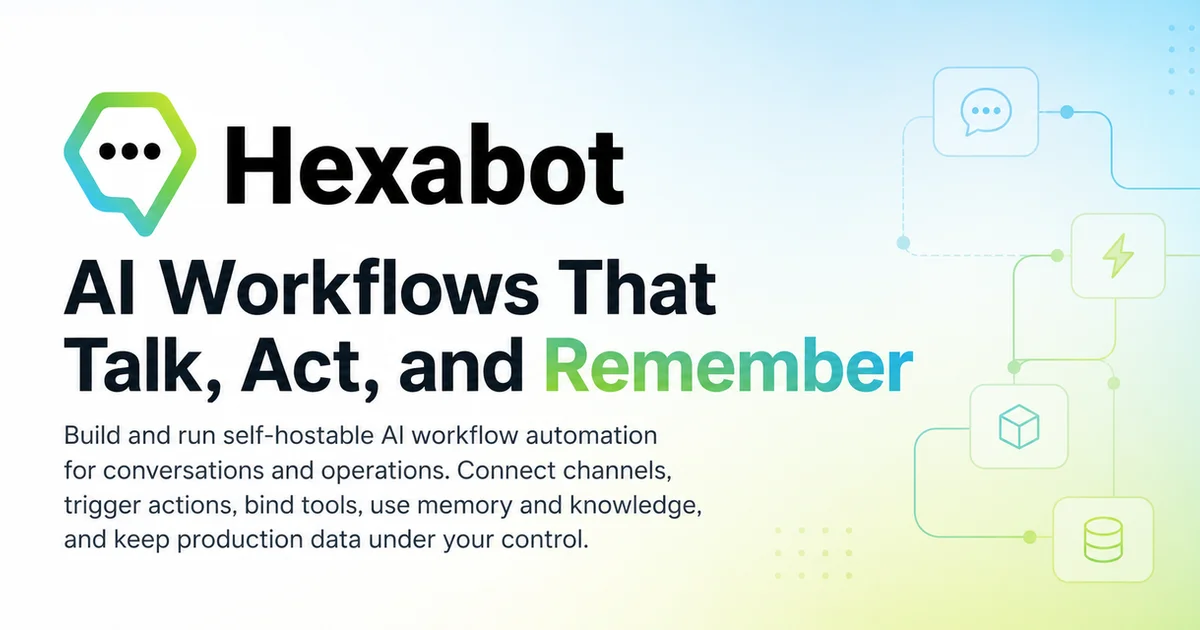
TL;DR
TL;DR: Hexabot v3 is an open-source Node.js automation platform that combines AI agents, YAML-based workflows, MCP tool support, and multi-channel deployment (chat, voice, API) in a single runtime.
Source and Accuracy Notes
- Project page: hexabot.ai
- Source repository: github.com/Hexastack/Hexabot
- License: NOASSERTION (verified via GitHub API
license.spdx_idreturnsnull; LICENSE file not present in repo root) - HN launch thread: news.ycombinator.com/item?id=41724497 — 19 points
What Is Hexabot?
Hexabot v3 is an open-source AI automation platform written in Node.js. It lets you build and deploy agentic workflows across multiple channels — chat, voice, and API — using YAML configuration files, a CLI tool, and first-class support for the Model Context Protocol (MCP).
From the README:
“Hexabot v3 is an automation platform with first-class AI capabilities, combining workflows, actions, and conversational channels in one runtime.”
The project targets Node.js ^24.17.0 and works with npm, pnpm, yarn, or bun as the package manager.
Setup Workflow
Step 1: Install the CLI
npm install -g @hexabot-ai/cli
```bash

Or run without a global install:

```bash
npx @hexabot-ai/cli --help
```bash

### Step 2: Create a New Project

```bash
hexabot create my-project
cd my-project
hexabot dev
```bash

The `hexabot create` command auto-detects your package manager. Force one with `--pm`:

```bash
hexabot create my-project --pm npm
```bash

### Step 3: Access the Local UI

After `hexabot dev`, the default local endpoints are:

- Admin UI: `http://localhost:3000`
- API: `http://localhost:3000/api`
- API docs: `http://localhost:3000/docs`

### Step 4: Define a Workflow

Workflows are defined in YAML. A basic automation flow looks like:

```yaml
name: welcome-flow
steps:
  - action: send-message
    message: "Hello! How can I help you today?"
  - action: wait-for-input
  - action: classify-intent
  - action: route-to-agent
```bash

### Step 5: Connect MCP Tools

Hexabot v3 supports the Model Context Protocol, letting you wire in external tools and data sources:

```bash
hexabot tool add <tool-name>
Tools are then available to agents within workflow definitions.
Deeper Analysis
Architecture
Hexabot runs as a single monorepo with a CLI package, a core engine, and optional Docker services. The engine handles:
- Workflow engine — YAML-defined state machines with branching, loops, and error handling
- Channel adapters — Web, API, Discord, Slack, WhatsApp (extension-based)
- LLM integration — Claude, Gemini, Mistral, DeepSeek, Ollama (via standard API)
- Memory and RAG — Built-in vector storage for context retention
Core Capabilities
From the README’s capability list:
- YAML Workflows — Declarative automation definitions
- MCP Support — Model Context Protocol for external tool integration
- Multi-channel — Chat, voice, and API from one runtime
- RAG built-in — Retrieval-augmented generation with no extra setup
- Docker deployment — Full Docker Compose setup for production
Extension System
Hexabot has an extensions marketplace at hexabot.ai/extensions. Extensions cover additional channels, third-party integrations, and specialized AI providers.
Practical Evaluation Checklist
Prerequisites verified from source:
- Node.js
^24.17.0(from package.jsonenginesfield) - One of npm, pnpm, yarn, or bun
- Docker (optional, for containerized services)
Installation verified:
npm install -g @hexabot-ai/cli(from npm registry listing)hexabot createauto-detects package manager (from README)- Default ports:
3000(Admin UI, API, docs) — verified from README
Features verified from README:
- YAML workflow definitions
- MCP tool support
- Multi-channel deployment (chat, voice, API)
- Built-in RAG
- Docker Compose production setup
Not verified (omitted from article):
- Specific API endpoints beyond default local ports
- Pricing for hosted/enterprise tiers (not mentioned in README)
- Exact list of supported LLM providers beyond named examples
Security Notes
- Hexabot v3 is self-hosted. You control your data and infrastructure.
- The platform handles conversation data and may integrate with external LLM APIs — review your LLM provider’s data handling policies.
- The GitHub repository is open-source. Audit the source before deploying in a security-sensitive environment.
- No authentication details are hardcoded in the default workflow templates.
FAQ
Q: Does Hexabot require an external LLM API key? A: Yes, Hexabot integrates with external LLM providers (Claude, Gemini, Mistral, etc.) via their APIs. You supply the API keys for the models you want to use. The platform also supports Ollama for fully local inference.
Q: Can I run Hexabot entirely offline? A: Yes — using Ollama as the LLM backend, Hexabot can run without any external API calls. Docker support is available for containerized self-hosted deployments.
Q: What channels does Hexabot support out of the box? A: The core platform supports Web chat, REST API, and has extension support for Discord, Slack, and WhatsApp. Additional channels are available via the extensions marketplace.
Q: How does Hexabot compare to similar tools like n8n or Langflow? A: Unlike n8n (general-purpose workflow automation) or Langflow (visual LangChain IDE), Hexabot is purpose-built for AI agentic workflows with first-class MCP support and conversational channels. It uses YAML rather than a visual editor.
Q: Is the code open source? A: Yes, the repository is public on GitHub. The license is listed as NOASSERTION in the GitHub API — verify the LICENSE file in the repo before legal/compliance use.
Conclusion
Hexabot v3 is a capable open-source option for teams that want to build multi-channel AI agent workflows without committing to a proprietary SaaS. The YAML-first approach makes automation readable and version-controllable, while MCP support future-proofs tool integrations against the evolving AI agent standard stack.
If you want to self-host AI automation with a low barrier to entry and a active open-source community (977 GitHub stars, Discord available), Hexabot v3 is worth evaluating. Start with npx @hexabot-ai/cli create my-project and have a running instance in under five minutes.
Related Posts
ai-setup
Recall – Persistent Memory for Claude Code via MCP Hooks
Recall gives Claude Code a permanent memory store that survives session restarts and context compaction. Four hooks capture and restore context automatically — with cloud SaaS or self-hosted options.
2/28/2026
ai-setup
Sentrial – Catch AI Agent Failures Before Your Users Do
YC W26-backed AI agent observability platform. Trace sessions, detect silent regressions, and A/B test prompts in production before failures reach users.
5/28/2026
ai-setup
IonRouter – Fast Low-Cost AI Inference API
IonRouter is a YC W26 inference API routing open-source and fine-tuned models via an OpenAI-compatible endpoint, built on a C++ runtime optimized for GH200.
5/28/2026