GrowthBook – Open-Source Feature Flags and A/B Testing
Self-host a full-featured experimentation platform with GrowthBook. Supports 24 SDKs, warehouse-native analytics, and Bayesian experiment stats — MIT licensed.
TL;DR
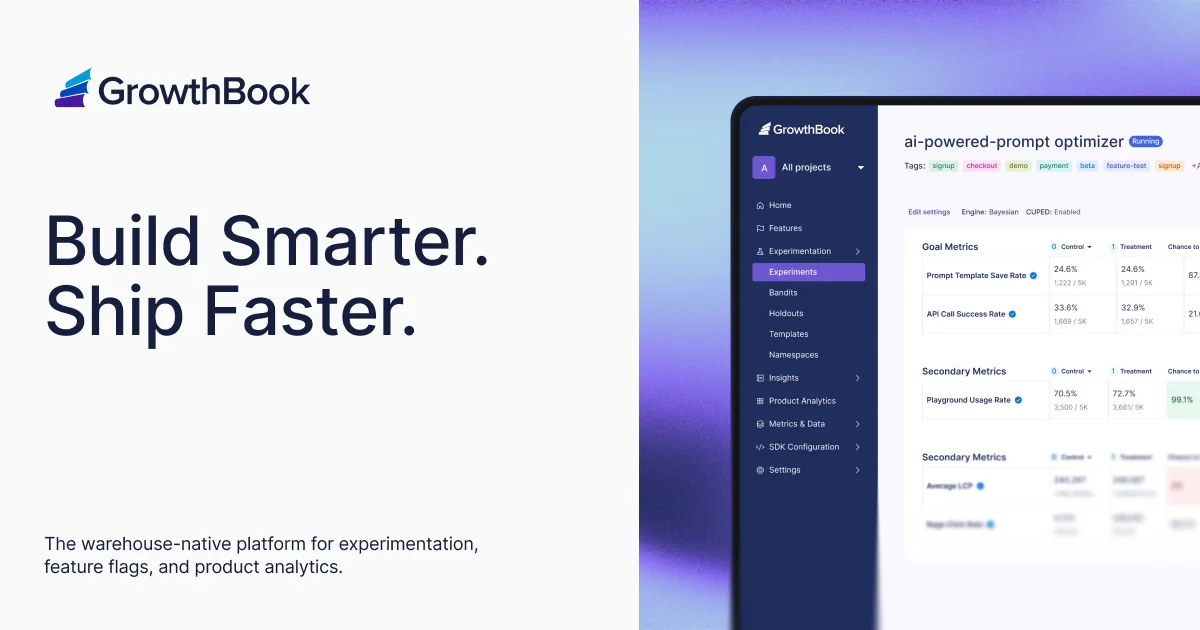
TL;DR: GrowthBook is an open-core experimentation platform that gives you feature flags, Bayesian A/B testing, and product analytics — deployable in one
docker compose upcommand.
Source and Accuracy Notes
- Project page: growthbook.io
- Source repository: github.com/growthbook/growthbook — verified README, LICENSE, and latest release
- License: MIT Expat (open core, enterprise directories under separate commercial license) — verified via
LICENSEfile onmain - Latest release: v5.0.1 (2026-08-19) — verified via GitHub Releases API
- Stars: 8,333 — verified via GitHub REST API
- HN launch thread: news.ycombinator.com/item?id=31237368 — GrowthBook YC W22 launch
What Is GrowthBook?
GrowthBook is an open-source feature flagging and experimentation platform built by Y Combinator W22. The project describes itself as:
“Open Source Feature Flags, Experimentation, and Product Analytics”
The core value proposition from the README:
“The top 1% of companies spend thousands of hours building their own in-house experimentation, feature flagging, and analytics platforms. The other 99% are left paying for expensive 3rd party SaaS tools or hacking together unmaintained open source libraries. We want to give all companies the flexibility and power of a fully-featured in-house platform without needing to build it themselves.”
It sits in the same space as LaunchDarkly, Statsig, and Optimizely, but with warehouse-native analytics, Bayesian statistics, and a self-hosted option under a permissive MIT license.
Setup Workflow
Prerequisites
- Docker and Docker Compose installed
- 4GB RAM minimum for local development
- (Optional) A data warehouse: BigQuery, Snowflake, Redshift, Postgres, ClickHouse, or DuckDB for warehouse-native experiment analysis
Step 1: Deploy with Docker
git clone https://github.com/growthbook/growthbook.git
cd growthbook
docker compose up -d
```bash

Then visit `http://localhost:3000`. The first visit shows a setup wizard to create your admin account.

### Step 2: Connect a Data Source (Optional)

From the GrowthBook docs, the platform natively supports these warehouse connections:

- BigQuery
- Snowflake
- Redshift
- Postgres
- ClickHouse
- DuckDB
- Athena
- Spark
- Presto
- Trino
- MySQL
- MS SQL Server
- MongoDB

Navigate to **Settings → Data Sources** and add your warehouse. GrowthBook runs SQL queries against your existing data rather than requiring you to instrument events separately.

### Step 3: Install an SDK

GrowthBook provides 24 official SDKs. Install the one matching your stack:

```bash
# JavaScript / TypeScript
npm install @growthbook/growthbook-sdk

# Python
pip install growthbook

# Go
go get github.com/growthbook/growthbook-golang

# Java / Android
# See docs.growthbook.io/lib/kotlin

# iOS / Swift
# See docs.growthbook.io/lib/swift
```bash

Full SDK list at [docs.growthbook.io/lib](https://docs.growthbook.io/lib).

### Step 4: Create Your First Feature Flag

1. In the GrowthBook UI, go to **Features** → **New Feature**
2. Set a key (e.g. `new-checkout-flow`)
3. Add targeting rules: rollout percentage, user attributes, or experiment assignment
4. Integrate in code using the SDK:

```javascript
import { GrowthBook } from "@growthbook/growthbook-sdk";

const gb = new GrowthBook({
  apiHost: "http://localhost:3000",
  clientKey: "your-client-key",
});

const enabled = gb.isOn("new-checkout-flow");
console.log("Feature enabled:", enabled);
Step 5: Run an Experiment
- Create a new experiment in the UI under Experiments
- Assign a hypothesis and pick a metric (conversion rate, revenue, etc.)
- GrowthBook handles random assignment, statistical significance (CUPED, Sequential, Bayesian, Post-Strat, Bandits, SRM checks), and automatically surfaces results in the dashboard.
Deeper Analysis
Statistical Engine
GrowthBook ships with what it calls a “world class experiment stats engine.” The README specifically mentions support for:
- CUPED — variance reduction using pre-experiment data
- Sequential testing — valid inference without fixed-horizon assumptions
- Bayesian — probability distributions over outcomes rather than just p-values
- Post-Stratification — adjusts for sample ratio mismatch
- Bandits — multi-armed bandit mode for adaptive experiments
- SRM checks — detects sample ratio mismatch issues
MCP Server
The README notes an MCP server for creating features, starting experiments, and cleaning up stale flags programmatically. The MCP server documentation is at docs.growthbook.io.
Open Core Model
GrowthBook uses an “Open Core” model:
- Core platform: MIT licensed
- Enterprise directories (
packages/back-end/src/enterprise,packages/front-end/enterprise,packages/shared/src/enterprise): governed under a separate GrowthBook Enterprise License
For most teams self-hosting, the MIT core covers feature flags, basic experiments, and the built-in analytics suite.
Practical Evaluation Checklist
- Feature flags with gradual rollouts and user targeting
- Bayesian and frequentist experiment stats with CUPED
- Warehouse-native — query your existing BigQuery/Snowflake data without a separate event pipeline
- 24 SDKs across major languages and frameworks
- Built-in product analytics dashboards
- REST API and webhooks for custom integrations
- MCP server for programmatic control
- Self-hosted with one
docker compose up - MIT licensed (open core)
Security Notes
- The self-hosted deployment requires no external service calls — your experiment data stays in your own infrastructure
- SDK client keys should be treated as environment variables and not committed to source control
- If using the enterprise features, review the GrowthBook Enterprise License separately
FAQ
Q: How does GrowthBook compare to LaunchDarkly? A: LaunchDarkly is SaaS-only with a commercial license. GrowthBook is self-hostable under MIT, warehouse-native, and open source. The trade-off is that LaunchDarkly offers more managed infrastructure and SLA guarantees.
Q: Do I need a data warehouse to use GrowthBook? A: No. GrowthBook can run in a fully self-contained mode using its built-in event tracking. Connecting a warehouse unlocks the warehouse-native experiment analysis (CUPED, Bayesian, sequential) but is optional.
Q: What is the minimum team size for GrowthBook? A: GrowthBook works for solo developers up to enterprise teams. The self-hosted option is particularly attractive for teams that want full control and data ownership.
Q: Does GrowthBook have a hosted/cloud option? A: Yes — GrowthBook Cloud at app.growthbook.io for teams that don’t want to self-host.
Q: What statistical methods does GrowthBook use for experiment results? A: GrowthBook supports Bayesian, frequentist, CUPED, sequential testing, post-stratification, bandit mode, and SRM checks. The default view shows Bayesian probability distributions with a p-value fallback.
Conclusion
GrowthBook brings the experimentation capabilities of Netflix, Airbnb, or Google down to any team willing to run a Docker container. The MIT license, warehouse-native analytics, and 24-SDK ecosystem make it the most capable open-source option for feature flags and A/B testing. If you are already running Snowflake or BigQuery, GrowthBook slots in without requiring a separate event-tracking pipeline.
Deploy it with docker compose up at github.com/growthbook/growthbook and read the full docs at docs.growthbook.io.
Related Posts
ai-setup
Recall – Persistent Memory for Claude Code via MCP Hooks
Recall gives Claude Code a permanent memory store that survives session restarts and context compaction. Four hooks capture and restore context automatically — with cloud SaaS or self-hosted options.
2/28/2026
dev-tools
Automotive Skills Suite for AI Engineering
Evaluate Automotive Skills Suite for APQP, ASPICE, HARA, safety-plan, and DIA workflows with setup notes, governance risks, and SME review guidance.
5/28/2026
dev-tools
awesome-agentic-ai-zh Roadmap Guide
Explore awesome-agentic-ai-zh as a Chinese agentic AI learning roadmap, with setup notes, track selection, study workflow, and evaluation guidance.
5/28/2026