GitAgent - Open Standard for Git-Native AI Agents
GitAgent turns any git repo into a portable AI agent definition. Framework-agnostic, version-controlled, with Claude Code, OpenAI, and CrewAI adapters.
TL;DR
TL;DR: GitAgent (formerly Gitclaw) is a git-native, framework-agnostic open standard that defines an AI agent as a directory of version-controlled files. It exports the same agent to Claude Code, OpenAI Agents SDK, CrewAI, Google ADK, LangChain, OpenClaw, and Nanobot — and adds free versioning, branching, audit trails, and human-in-the-loop review through git.
Source and Accuracy Notes
- Official spec: gitagent.sh
- GitHub repo: open-gitagent/gitagent (523 stars, MIT, TypeScript)
- Show HN launch: 147 points, 39 comments, March 14 2026
- The npm CLI is
@open-gitagent/gitagent; the voice/web UI is the separate@open-gitagent/voicepackage - All commands and code blocks below are reproduced from the project’s public README and confirmed against the current main branch
What Is GitAgent?
GitAgent is a specification and runtime that treats an AI agent the same way we already treat code: as a directory of files inside a git repository. Instead of scattering agent configuration across your application, the agent’s identity, personality, rules, memory, tools, and skills all live as plain files in a single repo that you can fork, branch, diff, and review.
The core insight: every agent framework (Claude Code, OpenAI Agents SDK, CrewAI, Google ADK, LangChain) defines agents differently, so switching frameworks means rewriting everything. GitAgent defines one canonical schema — three core files plus optional directories — and provides adapters that compile that schema into the format each framework expects.
my-agent/
├── agent.yaml      # model, tools, runtime config
├── SOUL.md         # personality and identity
├── RULES.md        # behavioral constraints
├── memory/         # git-committed memory with full history
├── tools/          # declarative YAML tool definitions
├── skills/         # composable skill modules
├── hooks/          # lifecycle hooks (script or programmatic)
├── workflows/      # multi-step workflow definitions
├── agents/         # sub-agent definitions
├── plugins/        # local plugins
├── knowledge/      # knowledge base entries
├── config/         # environment-specific overrides
└── compliance/     # audit and risk config
```bash

The spec is at version 0.1.0 (`spec_version: "0.1.0"` in `agent.yaml`) and the project publishes both the spec and a reference CLI/SDK implementation on GitHub under MIT.

## Why a Git-Native Agent?

Three things come for free by representing an agent as a git repo:

1. **Version control for agent behavior.** Roll back a bad prompt the same way you revert a bad commit. `git log memory/` shows exactly what the agent learned and when.
2. **Branching for environment promotion.** A `dev` branch for experimental skills, a `staging` branch for review, and `main` for the production personality. The same workflow you use for code.
3. **Human-in-the-loop via PRs.** When the agent learns a new skill, it opens a branch, writes the new `SKILL.md`, and waits for a human to review and merge — exactly the code-review loop developers already trust.

You also get an audit trail via `git blame` and `git diff` for free, agent forking and remixing (fork a public agent, customize it, PR improvements back), and CI/CD by running `gitagent validate` inside GitHub Actions.

## Setup Workflow

### Step 1: Install the CLI

The fastest path is the one-command installer. It walks you through API key setup and launches a local web UI on port 3333.

```bash
bash <(curl -fsSL "https://raw.githubusercontent.com/open-gitagent/gitagent/main/install.sh?$(date +%s)")
```bash

For sandboxed or CI environments where supply-chain scanners reject larger bundles, install the slim CLI and SDK only:

```bash
npm install -g @open-gitagent/gitagent
```bash

To get the voice mode and the web UI that the installer launches, add the second package:

```bash
npm install -g @open-gitagent/voice
```bash

Set `GITAGENT_SLIM=1` before the curl-bash to skip the voice install entirely. The split between core and voice was made in 2.0 specifically to drop the slim-core tarball from around 180 kB to around 85 kB and to remove scanner triggers from a 3,800-line `dist/voice/ui.html` file.

### Step 2: Configure an LLM Provider

GitAgent works with any LLM provider supported by the underlying `pi-ai` runtime. Set at least one API key in your environment:

```bash
export OPENAI_API_KEY="sk-..."
# or
export ANTHROPIC_API_KEY="sk-ant-..."
```bash

The `agent.yaml` manifest declares a preferred model and a fallback chain:

```yaml
model:
  preferred: "anthropic:claude-sonnet-4-5-20250929"
  fallback:
    - "openai:gpt-4o"
    - "google:gemini-2.0-flash"
  constraints:
    temperature: 0.7
    max_tokens: 4096
```bash

Supported providers include `anthropic`, `openai`, `google`, `xai`, `groq`, and `mistral`.

### Step 3: Run Your First Agent

The CLI auto-scaffolds `agent.yaml`, `SOUL.md`, and `memory/` on first run.

```bash
gitagent --dir ~/my-project "Explain this project and suggest improvements"
```bash

To run an agent against a remote GitHub repository (clones it, works on a session branch, auto-commits):

```bash
gitagent --repo https://github.com/org/repo --pat ghp_xxx "Fix the login bug"
```bash

Resume an existing session by passing the session branch name:

```bash
gitagent --repo https://github.com/org/repo --pat ghp_xxx --session gitagent/session-a1b2c3d4 "Continue"
```bash

The `GITHUB_TOKEN` environment variable is also accepted instead of the `--pat` flag.

### Step 4: Pick a Framework Adapter

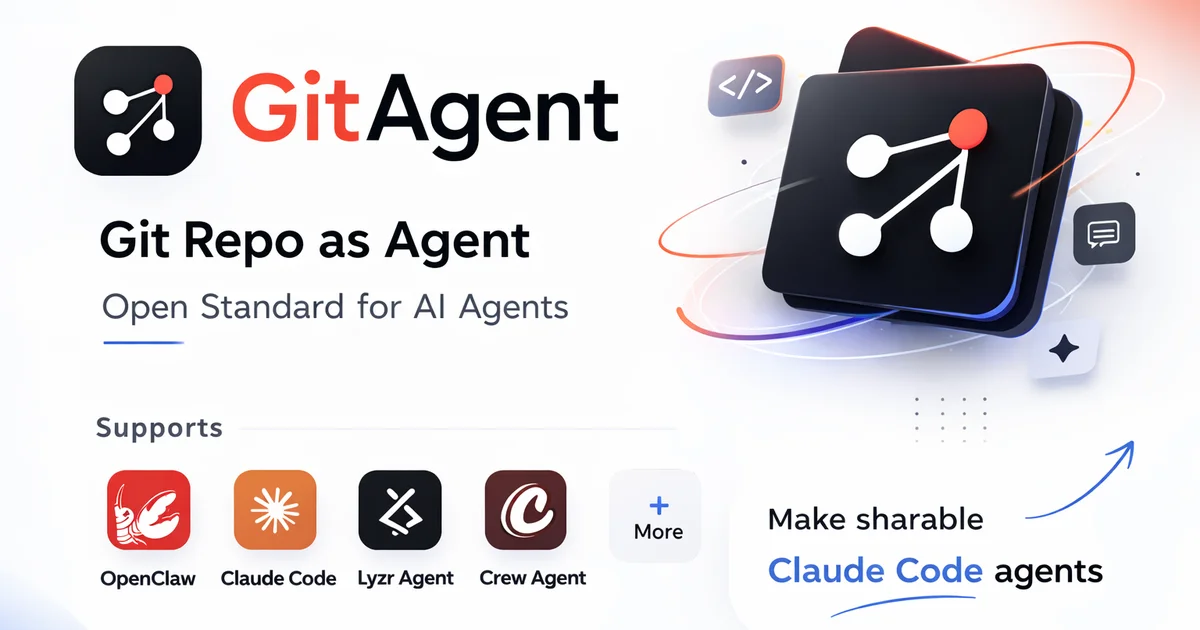
GitAgent ships with eight adapters. The most common ones covered in the spec and shown in the product OG banner are:

```text
OpenClaw       — Gitclaw/GitAgent's open agent runtime
Claude Code    — Anthropic's Claude Code SDK
Lyzr Agent     — Lyzr's agent framework
Crew Agent     — CrewAI
```bash

The CLI form to switch frameworks is just a flag:

```bash
npx @open-gitagent/gitagent run -r https://github.com/user/agent -a claude
```bash

Swap `-a claude` for `-a openai`, `-a crewai`, `-a openclaw`, `-a nanobot`, `-a lyzr`, or `-a github-models` and the same agent runs unchanged on a different runtime.

## The agent.yaml Schema in Detail

The manifest is intentionally small. Most agents need only a handful of fields.

```yaml
spec_version: "0.1.0"
name: my-agent
version: 1.0.0
description: An agent that does things

model:
  preferred: "anthropic:claude-sonnet-4-5-20250929"
  fallback: ["openai:gpt-4o"]
  constraints:
    temperature: 0.7
    max_tokens: 4096

tools: [cli, read, write, memory]

runtime:
  max_turns: 50
  timeout: 120

# Optional composition
extends: "https://github.com/org/base-agent.git"
skills: [code-review, deploy]
delegation:
  mode: auto

# Optional compliance
compliance:
  risk_level: medium
  human_in_the_loop: true
  regulatory_frameworks: [SOC2, GDPR]
```bash

The `extends` field lets one agent inherit from another repo — fork a public base agent, change the personality in `SOUL.md`, and push your variant. The `delegation.mode: auto` setting enables sub-agents defined in the `agents/` directory.

## Tools, Hooks, and Skills

### Built-in tools

The runtime ships four built-in tools: `cli` (shell commands), `read` (paginated file reads), `write` (file creation and edits), and `memory` (load/save git-committed memory).

### Declarative tools

Custom tools live as YAML files in `tools/`. The agent loads them automatically.

```yaml
# tools/search.yaml
name: search
description: Search the codebase
input_schema:
  properties:
    query:
      type: string
      description: Search query
    path:
      type: string
      description: Directory to search
  required: [query]
implementation:
  script: search.sh
  runtime: sh
```bash

The script receives args as JSON on stdin and returns output on stdout.

### Hooks

Hooks are lifecycle scripts declared in `hooks/hooks.yaml`. They run on `on_session_start`, `pre_tool_use`, `post_response`, and `on_error`.

```yaml
hooks:
  on_session_start:
    - script: validate-env.sh
      description: Check environment is ready
  pre_tool_use:
    - script: audit-tools.sh
      description: Log and gate tool usage
  post_response:
    - script: notify.sh
  on_error:
    - script: alert.sh
```bash

Each script receives context as JSON on stdin and returns one of:

```json
{ "action": "allow" }
{ "action": "block", "reason": "Not permitted" }
{ "action": "modify", "args": { "modified": "args" } }
```bash

Programmatic hooks (TypeScript) are also supported through the `hooks` field on the `query()` call:

```typescript
for await (const msg of query({
  prompt: "Deploy the service",
  hooks: {
    preToolUse: async (ctx) => {
      if (ctx.toolName === "cli" && ctx.args.command?.includes("rm -rf"))
        return { action: "block", reason: "Destructive command blocked" };
      return { action: "allow" };
    },
  },
})) {
  // ...
}
```bash

### Skills

Skills are composable instruction modules in `skills/<name>/`. Each skill is a folder with a `SKILL.md` and optional `scripts/`:

```text
skills/
  code-review/
    SKILL.md
    scripts/
      lint.sh
```bash

The `SKILL.md` is markdown with YAML frontmatter:

```markdown
---
name: code-review
description: Review code for quality and security
---

# Code Review

When reviewing code:
1. Check for security vulnerabilities
2. Verify error handling
3. Run the lint script for style checks
```bash

Invoke from the CLI with `/skill:code-review Review the auth module`.

## SDK and Programmatic Use

The SDK mirrors the Claude Agent SDK pattern but runs **in-process** — no subprocess, no IPC.

```typescript
import { query } from "gitagent";

for await (const msg of query({
  prompt: "Refactor the auth module",
  dir: "/path/to/agent",
  model: "anthropic:claude-sonnet-4-5-20250929",
})) {
  switch (msg.type) {
    case "delta":       process.stdout.write(msg.content); break;
    case "assistant":   console.log(`\nTokens: ${msg.usage?.totalTokens}`); break;
    case "tool_use":    console.log(`Tool: ${msg.toolName}(${JSON.stringify(msg.args)})`); break;
    case "tool_result": console.log(`Result: ${msg.content}`); break;
    case "system":      console.log(`[${msg.subtype}] ${msg.content}`); break;
  }
}
```bash

The streaming message types are `delta` (text chunk), `assistant` (full response with token usage), `tool_use` (tool invocation), `tool_result` (tool output), `system` (lifecycle events), and `user` (multi-turn input).

## Plugins

Plugins extend an agent with tools, hooks, skills, prompts, and memory layers. A plugin is a directory with a `plugin.yaml` manifest.

```yaml
id: my-plugin                    # Required, kebab-case
name: My Plugin
version: 0.1.0
description: What this plugin does
author: Your Name
license: MIT
engine: ">=0.3.0"

provides:
  tools: true
  skills: true
  prompt: prompt.md
  hooks:
    pre_tool_use:
      - script: hooks/audit.sh
        description: Audit tool calls

config:
  properties:
    api_key:
      type: string
      env: MY_API_KEY
  required: [api_key]

entry: index.ts
```bash

Install from a git URL with `gitagent plugin install https://github.com/org/my-plugin.git`, list with `gitagent plugin list`, enable/disable with `plugin enable` and `plugin disable`. Plugins with an `entry` field get a full programmatic API:

```typescript
import type { GitagentPluginApi from "gitagent";

export async function register(api: GitagentPluginApi) {
  api.registerTool({ name: "search_docs", /* ... */ });
  api.registerHook("pre_tool_use", async (ctx) => ({ action: "allow" }));
  api.addPrompt("Always check docs before answering questions.");
  api.registerMemoryLayer({ name: "docs-cache", path: "memory/docs-cache.md" });
}
```bash

Discovery order: local `<agent-dir>/plugins/<name>/` first, then global `~/.gitagent/plugins/<name>/`, then the project-local `<agent-dir>/.gitagent/plugins/<name>/`. First match wins.

## OpenTelemetry and Audit

GitAgent ships with built-in OpenTelemetry instrumentation. Set `OTEL_EXPORTER_OTLP_ENDPOINT` and telemetry is on; leave it unset and the runtime cost is zero.

Three layers of signals are emitted:

1. **HTTP-level** — `@opentelemetry/instrumentation-undici` auto-patches `fetch`/`undici`, so every LLM provider call gets a client span with URL, status, and timing.
2. **`gen_ai.chat` spans** — emitted on every assistant `message_end`. Carry `gen_ai.system`, `gen_ai.request.model`, `gen_ai.usage.input_tokens`, `gen_ai.usage.output_tokens`, and `gitagent.cost_usd`. Spans never contain the prompt or completion text.
3. **`gitagent.tool.execute` spans** — wrap every tool call with `tool.name`, `tool.call_id`, `tool.status` (`ok`/`error`), and `tool.error_message` on failure.

A root `gitagent.agent.session` span opens at construction and closes on every exit path (success, hook-block, SIGINT, error). Audit logs are written to `.gitagent/audit.jsonl` with full tool invocation traces for compliance use cases.

For local debugging without a collector:

```bash
OTEL_TRACES_EXPORTER=console gitagent -p "test"
```bash

For Jaeger in Docker:

```bash
docker run --rm -p 16686:16686 -p 4318:4318 jaegertracing/all-in-one:latest
OTEL_EXPORTER_OTLP_ENDPOINT=http://localhost:4318 gitagent -p "test"
# Open http://localhost:16686 -> service "gitagent"
```bash

## Compliance Layer

The compliance block in `agent.yaml` covers the regulated use cases (FINRA, SEC, SR 11-7):

```yaml
compliance:
  risk_level: high
  human_in_the_loop: true
  data_classification: confidential
  regulatory_frameworks: [SOC2, GDPR]
  recordkeeping:
    audit_logging: true
    retention_days: 90
The gitagent audit subcommand produces audit reports from the .gitagent/audit.jsonl file, including risk tiers and a regulatory-mapping report.
Deeper Analysis
The pitch for git-native agents is not that git is the perfect runtime for AI — it is that the workflows developers already trust (PRs, branches, code review, git blame) happen to map almost perfectly onto the problems agent developers are running into right now. Audit trails, human review of new skills, environment promotion, and the ability to fork a public agent and customize it are all things people want, and git gives you all of them without inventing a new tool.
The trade-off is the same one git itself makes: the abstraction is simple (files in a directory) but the model is opinionated. The spec commits to a specific file layout (agent.yaml, SOUL.md, RULES.md, memory/, tools/, skills/, hooks/) and a spec_version field so the format can evolve without breaking existing agents. Adapters do the work of mapping that layout to Claude Code, OpenAI Agents SDK, CrewAI, Google ADK, LangChain, OpenClaw, Nanobot, and Lyzr.
The 523-star count and 147-point Show HN suggest the framing resonates with developers who are tired of rewriting their agent stack every time a new framework appears.
Practical Evaluation Checklist
Use this list when deciding whether GitAgent is the right fit for a project:
- You need to switch agent frameworks without rewriting agent definitions
- You want code-review style human-in-the-loop for new agent skills
- You need a real audit trail (who changed what, when, with what tool calls)
- You want to fork and remix public agents without forking their runtime
- You have Node.js 20+ available in the runtime environment
- Your LLM provider is in the supported list (OpenAI, Anthropic, Google, xAI, Groq, Mistral, or OpenAI-compatible)
- You are comfortable with the
agent.yaml/SOUL.md/RULES.md/memory/layout as your canonical agent representation - You do not need a Python runtime (the SDK is TypeScript-first)
Security Notes
A few things to keep in mind before adopting GitAgent in a production environment:
- PAT scope. The
--patflag andGITHUB_TOKENenv var should be a fine-grained personal access token scoped only to the repos the agent needs. Do not reuse a global admin token. - Tool gating. The default
pre_tool_usehook should block destructive shell commands likerm -rfanddd. Add an explicit allowlist for the directorieswriteis allowed to touch. - Supply-chain. The 2.0 split between
@open-gitagent/gitagent(slim, around 85 kB) and@open-gitagent/voice(larger bundle) was made specifically so supply-chain scanners that flagged the 3,800-linedist/voice/ui.htmland the unusedbaileysdependency would not block the core install. UseGITAGENT_SLIM=1or skip the voice package in CI. - Audit storage. The
.gitagent/audit.jsonlfile contains tool invocation traces but explicitly excludes prompt and completion text. Store the audit log in a write-once location (S3 Object Lock, an append-only DB) if you need a tamper-evident trail. - Compliance declarations are documentation, not enforcement. The
compliance:block inagent.yamlrecords intent but does not by itself prevent violations. Pair it with hooks that fail-closed on policy violations.
FAQ
Q: What is GitAgent?
A: GitAgent (formerly Gitclaw) is a git-native, framework-agnostic open standard for defining AI agents. The agent lives in a git repo — agent.yaml, SOUL.md, RULES.md, memory/, tools/, skills/, hooks/ — and exports to Claude Code, OpenAI Agents SDK, CrewAI, Google ADK, LangChain, OpenClaw, Nanobot, Lyzr, and GitHub Models.
Q: How is GitAgent different from LangChain, CrewAI, or the OpenAI Agents SDK? A: LangChain, CrewAI, and the OpenAI Agents SDK are runtimes that define agents in their own way. GitAgent is a portable spec that compiles to all of them, plus git-native workflows (branches, PRs, audit) for free. The closest analog is “Dockerfile for AI agents” — one canonical format, many runtimes.
Q: Do I need to know TypeScript?
A: For the simplest use cases (running gitagent --dir <path> "prompt"), no. For custom tools, programmatic hooks, and SDK usage, yes — the SDK is TypeScript-first and runs on Node.js 18+ (20+ recommended).
Q: Can I use GitAgent with a non-OpenAI model?
A: Yes. The supported providers include anthropic, openai, google, xai, groq, and mistral, plus any OpenAI-compatible provider. Use the --model flag to override the default per run.
Q: How does local repo mode work?
A: Pass --repo <github-url> --pat <token> "prompt" and GitAgent clones the repo, runs the agent on a session branch (gitagent/session-<hash>), auto-commits, and pushes. Resume with --session <branch-name> "Continue".
Q: Does GitAgent phone home?
A: No, by default. Telemetry is opt-in via the OTEL_EXPORTER_OTLP_ENDPOINT env var; leave it unset and the runtime cost is zero. Force-disable with GITAGENT_OTEL_ENABLED=false even when the endpoint is set.
Q: What license is GitAgent under? A: MIT. The spec, CLI, and SDK are all open source.
Conclusion
GitAgent is a pragmatic bet: that the right place to define an AI agent is the same place you already define code, and that the workflows developers trust for code review, branching, and audit will turn out to be the workflows agent developers need too. The spec is small, the adapters cover the most-used runtimes, and the git-native model gives you versioning and human-in-the-loop for free.
Try the one-command installer to get a feel for the loop, then look at the public registry at registry.gitagent.sh to see what other people have built and to fork a starter agent. If the git-native framing fits your team’s mental model, it is worth an afternoon of prototyping; if it does not, the SDK still works as a thin wrapper over Claude Code, OpenAI, and CrewAI without locking you in.
Related Posts
ai-setup
Recall – Persistent Memory for Claude Code via MCP Hooks
Recall gives Claude Code a permanent memory store that survives session restarts and context compaction. Four hooks capture and restore context automatically — with cloud SaaS or self-hosted options.
2/28/2026
dev-tools
Automotive Skills Suite for AI Engineering
Evaluate Automotive Skills Suite for APQP, ASPICE, HARA, safety-plan, and DIA workflows with setup notes, governance risks, and SME review guidance.
5/28/2026
dev-tools
awesome-agentic-ai-zh Roadmap Guide
Explore awesome-agentic-ai-zh as a Chinese agentic AI learning roadmap, with setup notes, track selection, study workflow, and evaluation guidance.
5/28/2026