FlowRipple: trigger workflows from your backend in one call
FlowRipple turns events emitted by your backend into visual workflows with delays, branching, email, Slack and HTTP actions, plus a trace of every run.
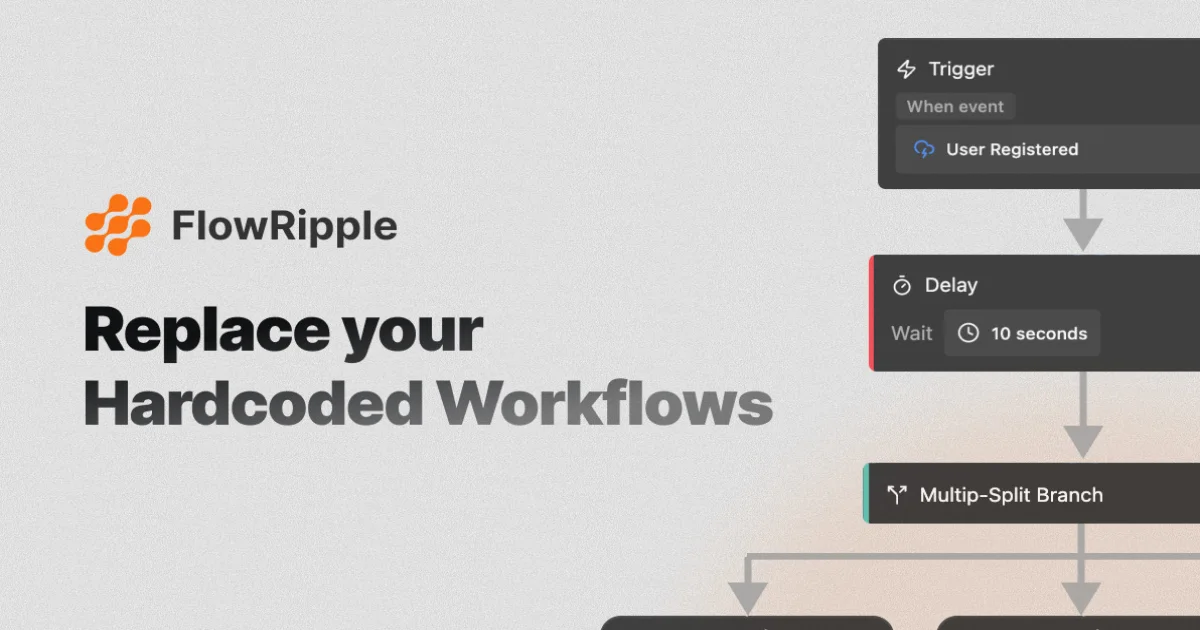
TL;DR: FlowRipple is a hosted workflow engine for SaaS backends. Your code emits an event with one SDK call or HTTP request, and a visual builder turns that event into a flow of delays, conditional branches, emails, Slack messages and outbound HTTP calls. Every run is traced step by step, and the free tier covers 1,000 executions a month with no card required.
What it is
FlowRipple splits a workflow into two halves. The first half lives in your application: you call trigger with an event name and a JSON payload. The second half lives in a visual canvas where someone, usually not an engineer, wires that event to a chain of steps.
The building blocks are ordinary enough. Triggers are either an event arriving from your backend or a schedule written as a cron expression. Actions cover sending an email, posting to Slack, and firing an HTTP request at any API with method, headers and body under your control. Between them sit the parts that usually end up as hand-rolled state machines: a time delay that pauses a run, and a branch that routes down one of two paths, with a multi-split variant when one condition is not enough.
Payload variables are extracted automatically. When you define an event with an expected payload shape, the fields become variables your team can drop into an email template or a Slack block without hand-wiring a mapping step for each one.
Why it matters
Transactional logic tends to accumulate in the code that happens to be near the feature. A signup handler grows an email template, a support ticket branch, and a Slack ping. Two years later nobody wants to touch that handler because the notification code and the business logic are tangled together.
FlowRipple moves that half out of the request path. Your backend stops knowing what a welcome email looks like and starts knowing only that a user signed up. The workflow itself becomes something a product or support person can read and change in a builder, with the delay and retry behaviour you would otherwise have to write in a job queue.
The comparison table on the FlowRipple homepage pitches it against Zapier and n8n, and it is worth reading as marketing rather than as benchmark. Its argument is that both competitors make you pick a side: pay per task on a consumer-grade platform that polls your app, or run the automation stack yourself as infrastructure. FlowRipple wants to be neither, a managed engine billed on executions with an HTTP endpoint your backend can hit directly.
Getting it running
The path of least resistance is the Node.js SDK. Install it, hand it a key, and trigger your first event:
npm install @flowripple/sdkimport { FlowrippleClient } from '@flowripple/sdk';
const flowripple = new FlowrippleClient({
apiKey: process.env.FLOWRIPPLE_API_KEY
});
await flowripple.trigger('user.signup', {
userId: 'usr_123',
email: '[email protected]',
name: 'John Doe'
});That call is the whole integration from the application side. The event identifier user.signup is auto-created the first time it fires, so you can trigger before anyone has drawn the workflow, then build the workflow against real payloads.
The client takes a few options. baseUrl points at a different API host, version defaults to v1, and silent decides whether a failed trigger throws or returns false. Silent mode is the one to reach for in a request path where a failed notification should not fail the request:
const flowripple = new FlowrippleClient({
  apiKey: process.env.FLOWRIPPLE_API_KEY,
  silent: true
});

const result = await flowripple.trigger('user.signup', { userId: 'usr_123' });

if (result === false) {
  console.log('Event trigger failed silently');
}
Any other language goes over HTTP instead. The endpoint is a single POST with the key in an x-api-key header:
curl -X POST https://api.flowripple.com/api/v1/trigger \
  -H "Content-Type: application/json" \
  -H "x-api-key: YOUR_API_KEY" \
  -d '{
    "identifier": "user.signup",
    "data": {
      "userId": "usr_123",
      "email": "[email protected]"
    },
    "idempotencyKey": "signup-usr_123"
  }'
What the builder gives you
| Piece | What it does |
|---|---|
| Event trigger | Starts a workflow when a named event arrives from your backend |
| Schedule trigger | Runs on a cron expression or a simple interval |
| Time delay | Pauses a run for a fixed duration, the part cron jobs are bad at |
| True/false branch | Routes down one of two paths, with multiple conditions and AND/OR logic |
| Multi-split branch | Routes down one of several paths at once |
| Send email | HTML, plain text or JSON templates, with workflow variables |
| Slack message | Rich messages with blocks, formatting and variables |
| HTTP request | Any endpoint, with method, headers and body you control |
HTTP actions are reusable rather than per-workflow. You configure a request template once, with its own input variables, authentication and output mappings, then reuse that template across every workflow that needs to call the same service.
Retries without duplicates
The detail that decides whether you can trust this in production is idempotency. A trigger that times out and gets retried can fire your welcome email twice, and there is no way to fix that from inside a visual builder later.
FlowRipple handles it with an idempotency key on the trigger:
await flowripple.trigger('order.created', {
  orderId: 'ord_456',
  amount: 99.99
}, {
  idempotencyKey: 'order-ord_456-creation'
});
Keys are scoped per event identifier, so the same key can be reused for a different event type without collision. The limit is 256 characters and the allowed characters are alphanumerics plus dashes, underscores, colons and periods. A matching request returns the cached response immediately with cached: true in the body and creates no new event. Cached responses are held for 24 hours, which covers a retry loop but not a retry next week.
Pricing
| Plan | Executions per month | Includes |
|---|---|---|
| Free | 1,000 | Basic workflow features, standard processing speed |
| Starter | 10,000 | All workflow features, email support, priority processing |
| Pro | 100,000 | All workflow features, priority support, custom integrations |
Billing is on executions rather than on tasks or seats, and the free tier needs no credit card. That model gets less attractive when a single flow runs many steps, since it is the number of executions that counts rather than the number of individual actions inside one.
What to watch for
The platform is closed source. The SDK repository on GitHub is public and TypeScript, but it carries no license file, and only the two documentation repositories are marked MIT. You are consuming a service and an API, not adopting something you can fork.
The SDK is Node.js only. The HTTP API covers everything else, but if you are not on Node you are assembling requests by hand and losing the type-safe client.
The SDK itself moves slowly. It was first published to npm in February 2025 and the current release is 3.1.0, last published in January 2026, across five versions in total. That is a steady pace rather than a fast one, and worth knowing if you are planning to depend on new features.
FlowRipple is run by SKI Automation, a company registered in New Delhi, and it was launched on Hacker News in February 2025 with 92 points on the first thread and a second, much quieter thread a year later. The product is young, focused narrowly on event-driven backend flows, and the free tier is generous enough to find out whether it fits before you pay for anything.
Source and Accuracy Notes
- Project page: https://flowripple.com/ (verified via direct visit)
- Documentation: https://docs.flowripple.com/ (verified via direct visit)
- Quickstart: https://docs.flowripple.com/quickstart (verified via direct visit)
- Source repository: https://github.com/FlowRipple/sdk (TypeScript SDK, 7 stars at time of writing)
- npm package: https://www.npmjs.com/package/@flowripple/sdk (version 3.1.0, first published 2025-02-08)
- License: no license file in the SDK repository; the FlowRipple/docs and FlowRipple/mintlify-docs repositories are MIT
- API endpoint: POST https://api.flowripple.com/api/v1/trigger, documented at https://docs.flowripple.com/events/triggering-events
- HN launch thread: https://news.ycombinator.com/item?id=43139138 (92 points, 2025-02-22)
- Second HN thread: https://news.ycombinator.com/item?id=46667375 (1 point)
- Company: SKI Automation Pvt Ltd, New Delhi, listed in the site footer
Related Posts
ai-setup
Recall – Persistent Memory for Claude Code via MCP Hooks
Recall gives Claude Code a permanent memory store that survives session restarts and context compaction. Four hooks capture and restore context automatically — with cloud SaaS or self-hosted options.
2/28/2026
dev-tools
Automotive Skills Suite for AI Engineering
Evaluate Automotive Skills Suite for APQP, ASPICE, HARA, safety-plan, and DIA workflows with setup notes, governance risks, and SME review guidance.
5/28/2026
dev-tools
awesome-agentic-ai-zh Roadmap Guide
Explore awesome-agentic-ai-zh as a Chinese agentic AI learning roadmap, with setup notes, track selection, study workflow, and evaluation guidance.
5/28/2026