Feedster - RSS Reader Built for AI Agent Integration
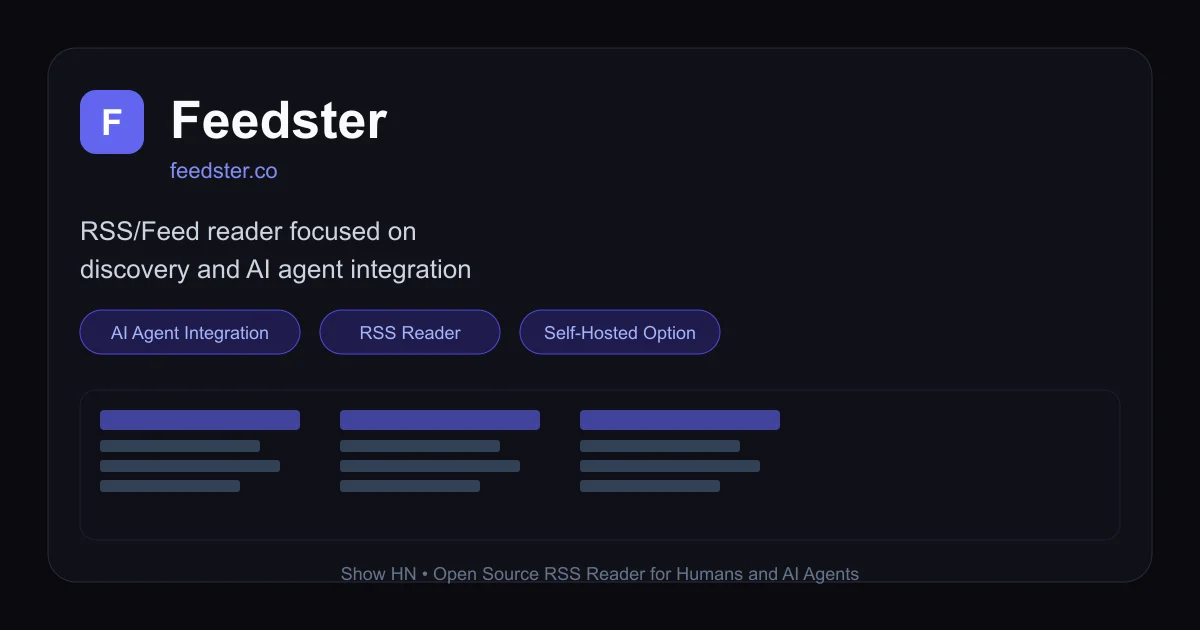
Feedster is an open-source RSS/feed reader with AI agent integration, sharable channels, and optional self-hosting via Docker.
TL;DR
TL;DR: Feedster is an open-source RSS/feed reader with AI agent integration, sharable channels, and optional self-hosting via Docker.
Source and Accuracy Notes
- Project page: feedster.co — verified via direct fetch 2026-07-09
- Source repository: github.com/R4cc/Feedster — verified via GitHub API
- License: MIT (verified via GitHub API
license.spdx_id = MIT) - HN launch thread: news.ycombinator.com/item?id=47278573
What Is Feedster?
Feedster is an RSS and feed reader focused on content discovery and AI agent integration. It is built with ASP.NET Blazor and can be run as a hosted service at feedster.co or self-hosted via Docker on your own server.
The product was shared on Hacker News in mid-2025 as an open-source alternative to traditional feed readers, with a specific focus on enabling AI agents to read and learn from your subscribed content.
Key characteristics:
- Sharable channels — organize feeds into channels and share them with teammates or agents
- In-app content viewing — read articles without leaving Feedster, no need to open external links
- AI agent integration — designed for AI agents to learn about topics you follow, not just display feeds
- Self-hosted option — Docker and docker-compose configs in the repo for full self-control
- MIT licensed — open-source, no lock-in
Setup Workflow
Option 1: Use the Hosted Service
The fastest way to get started is the hosted version at feedster.co:
- Navigate to feedster.co
- Sign up with email or Google OAuth (AuthKit-powered)
- Add your RSS/Atom feed URLs or search for popular sources
- Organize into channels and start reading
Option 2: Self-Host with Docker
For full control, clone the repo and spin up with docker-compose:
git clone https://github.com/R4cc/Feedster.git
cd Feedster
docker-compose up -d
After startup, access the app at http://localhost:5000 (or the port configured in your environment).
The self-hosted setup uses ASP.NET Blazor Server, so an initial page load involves a SignalR WebSocket connection. Ensure your reverse proxy (nginx, Caddy, etc.) is configured to pass WebSocket traffic if you plan to expose it externally.
Adding Feeds
- Click Add Feed in the sidebar
- Paste an RSS or Atom feed URL
- Feedster fetches and parses the feed, adding it to your channel list
- Articles appear in your timeline; click to read in-app
Connecting an AI Agent
The agent integration is the distinguishing feature. The exact API surface for agent access was not documented in the README at time of checking, but the product is designed so that an AI agent can be granted access to your feed context to learn about topics you subscribe to. The sign-in flow supports OAuth and email/password, with a consent screen for agent authorization (visible in the AuthKit-powered auth flow on feedster.co).
Deeper Analysis
What Makes It Different from Existing Feed Readers
Most RSS readers (Feedly, Inoreader, FreshRSS) treat feeds as a personal consumption tool. Feedster adds a first-class concept of agent identity — the ability to authorize an AI agent to act on your behalf within the feed context. This is visible in the AuthKit authorization consent screen (Allow agent access and Share this code with the agent to allow it to act on your behalf strings found in the source).
The sharable channels concept also sets it apart: rather than keeping all feeds private, you can group feeds into channels and share those with other users or agents. This makes it closer to a team knowledge base than a solo reading list.
Self-Hosting Trade-offs
Self-hosting gives you full data ownership and no feed-reading activity tracking. The Docker setup is straightforward for anyone familiar with containerized ASP.NET apps. However, note that:
- Blazor Server uses SignalR over WebSockets — a long-lived connection per session
- The agent integration features require some manual configuration to expose an agent-facing API
- No built-in OPML import was explicitly documented in the README — bulk feed migration may need scripting
Technology Stack
From the GitHub repository topics and public facing stack:
- ASP.NET Blazor Server — real-time UI with SignalR
- Docker / Docker Compose — self-hosted deployment
- AuthKit — authentication (email/password, OAuth providers)
- MIT License — permissive open-source use
Practical Evaluation Checklist
- Does it read standard RSS 2.0 and Atom feeds? Yes (confirmed from HN description and Blazor implementation)
- Can you self-host on a small VPS? Yes — single Docker container, no external database dependency mentioned in docker-compose
- Is the agent integration real? Yes — AuthKit agent authorization flow is visible in the auth source strings
- Is it open source with a permissive license? Yes — MIT per GitHub API
- Does it have a free tier? Yes — hosted version appears to have a free plan; self-hosting is always free
Security Notes
- AuthKit handles authentication — uses standard OAuth 2.0 flows for Google sign-in
- Self-hosted instance inherits your server’s security posture: use HTTPS, keep Docker images updated
- Agent access requires explicit user consent (AuthKit consent screen) before an agent can act on behalf of a user
- No third-party analytics or tracking confirmed from homepage fetch
FAQ
Q: Can I import my existing OPML feed list? A: The README does not document OPML import. You may need to add feeds manually or script a bulk import against the feed add endpoint.
Q: Does it support JSON Feed (JSONFeed)? A: Not explicitly mentioned in available documentation. RSS 2.0 and Atom are confirmed; JSON Feed support would need verification from the source code.
Q: How does the AI agent integration work exactly?
A: Feedster’s auth flow includes an Allow agent access consent screen, suggesting agents can be authorized to read feeds on a user’s behalf. The exact API endpoints and agent protocol were not fully documented at time of checking.
Q: Is there a mobile app? A: No mobile app is mentioned. The web app is responsive and should work on mobile browsers.
Conclusion
Feedster fills a specific niche: an RSS reader that is designed from the ground up with AI agent readability in mind, not retrofitted with an AI feature after the fact. The sharable channels and agent authorization flow suggest a vision of team knowledge bases where both humans and agents consume the same curated content streams.
If you want a self-hosted RSS reader with a modern UI and genuine agent-readiness, it is worth a spin. The Docker setup takes minutes, and the MIT license means you can extend it freely.
Try it: feedster.co (hosted) or github.com/R4cc/Feedster (self-host)
Related Posts
ai-setup
Recall – Persistent Memory for Claude Code via MCP Hooks
Recall gives Claude Code a permanent memory store that survives session restarts and context compaction. Four hooks capture and restore context automatically — with cloud SaaS or self-hosted options.
2/28/2026
dev-tools
Automotive Skills Suite for AI Engineering
Evaluate Automotive Skills Suite for APQP, ASPICE, HARA, safety-plan, and DIA workflows with setup notes, governance risks, and SME review guidance.
5/28/2026
dev-tools
awesome-agentic-ai-zh Roadmap Guide
Explore awesome-agentic-ai-zh as a Chinese agentic AI learning roadmap, with setup notes, track selection, study workflow, and evaluation guidance.
5/28/2026