TL;DR
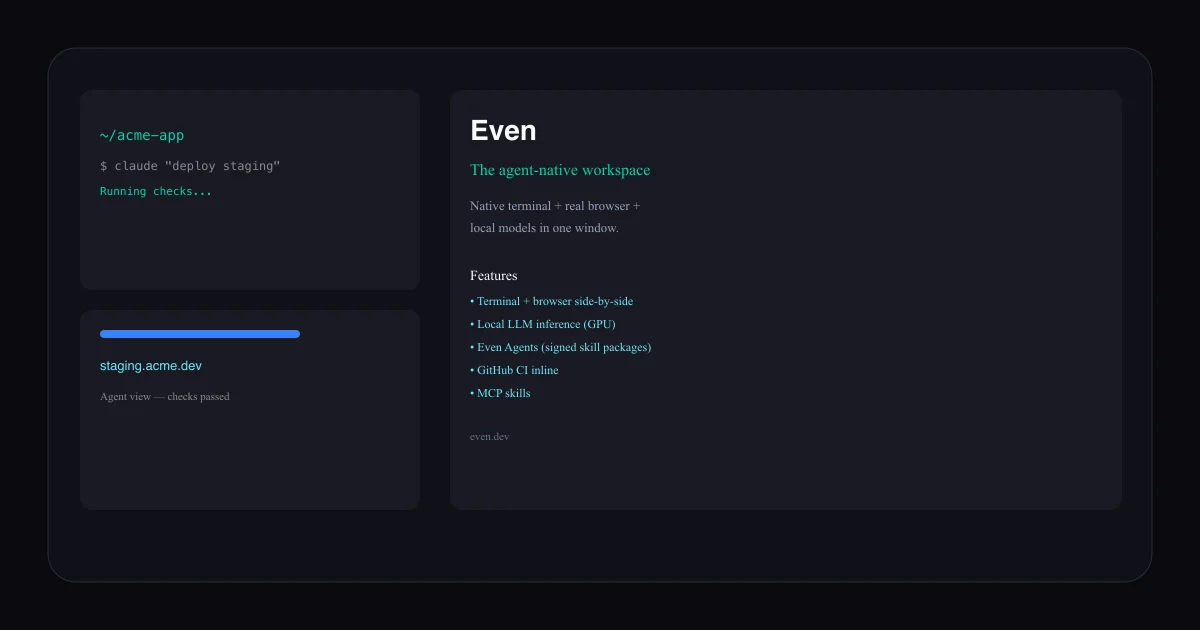
TL;DR: Even is a desktop workspace that puts a native terminal, a real browser, and local LLM inference in a single window — letting you and your AI agents operate the same surfaces side by side.
Source and Accuracy Notes
- Project page: even.dev
- GitHub releases: github.com/leox255/even-releases (private source; only release binaries here)
- License: Proprietary (free to download and use)
- HN launch thread: news.ycombinator.com/item?id=48692321
What Is Even?
Even describes itself as “the agent-native workspace” — a desktop application that merges four tools developers typically keep in separate windows:
- Native terminal — a full Linux/macOS shell
- Real browser — not a web view emulator, an actual Chromium instance your agents can drive
- One-click services — pull up staging environments, dev servers, or cloud VMs from the same UI
- Local models — run LLMs on your own hardware with GPU acceleration
The core idea is that your agents use the same surfaces you do. When a terminal command opens a URL, the browser pane loads it. When an agent reads a page, you see exactly what it saw. There is no context switching between a headless agent environment and your own workflow.
Setup Workflow
Even distributes pre-built binaries for macOS and Linux. The source is private; only compiled releases are publicly available.
Step 1: Download Even
Visit even.dev/download and grab the installer for your platform. The site detects your OS automatically.
Step 2: Install and Launch
# macOS — open the downloaded .app
open Even-*.dmg

# Linux — extract and run
tar -xzf Even-*.tar.gz
./Even
Step 3: Connect GitHub
Even has a GitHub integration that shows CI runs and pull requests inline. After installing, open Settings → GitHub and authenticate. Your agents can then read check statuses, open issues, and comment on PR failures without leaving the workspace.
Step 4: Configure a Local Model (Optional)
Even includes an Even LLMs panel for running local inference. It detects compatible GPU hardware and shows estimated performance:
- Open Even LLMs from the sidebar
- Select your model (supports GGUF-format local models)
- Even reports expected speed and VRAM usage before launching
For Apple Silicon Macs, this uses the Neural Engine. For NVIDIA GPUs, it uses CUDA acceleration.
Core Features
Even Agents
Agents are signed, versioned skill packages installed in a single click. Each agent declares exactly which surfaces it can access — terminal, browser, files, GitHub — before it runs. This is a deliberate trust model: no ambient agent permissions, only explicit grants per agent.
Even Stacks
Even Stacks are reproducible service configurations. Spin up a staging environment, a database, or a cloud VM from the sidebar without leaving the window.
Even Skills and MCP
Even supports the Model Context Protocol. Connect external tools and data sources through the MCP skill interface. Skills are listed in the sidebar and can be pinned or toggled per session.
Inline AI Editor
A code-aware AI assistant embedded directly in the editor pane. Not a chat sidebar — it reads the open file and offers targeted edits, similar to a pair-programming session.
GitHub CI Inline
When you connect your GitHub account, Even shows:
- CI run status for the current branch
- PR descriptions and review comments
- Check results from individual jobs
Agents can read these and act on failures, such as opening an issue or re-running a job.
Practical Evaluation Checklist
- Install time: Under 5 minutes (pre-built binary, no build step)
- Privacy: All model inference runs locally; no data leaves your machine by default
- Agent isolation: Each agent package declares its permissions upfront
- Browser fidelity: Uses a real Chromium instance, not an embedded web view — agents see the same DOM you do
- GPU acceleration: Reports expected model speed before loading, so you can choose a model that fits your hardware
- Cross-platform: macOS and Linux at launch; Windows not yet documented
FAQ
Q: Is the source code open? A: No. Even’s source is private. Only release binaries are public. The even-releases GitHub repo contains only installers and the auto-update manifest.
Q: How does Even differ from opening a terminal and browser side by side? A: Even synchronizes state between the terminal and browser. When an agent runs a command that opens a URL, the browser pane loads it automatically. You see the same page the agent sees. In a standard multi-window setup, you would manually switch between them and the agent operates in a separate, headless context.
Q: Can I run my own LLM with Even? A: Yes. Even supports local GGUF-format models and uses GPU acceleration when available. It reports expected speed and VRAM requirements before launching a model.
Q: What MCP servers does Even support? A: Even has an MCP skill interface for connecting external tools. The exact list of supported servers depends on the MCP specification version bundled with each Even release.
Q: Is Even free? A: Even is free to download and use. The pricing model for teams or commercial use had not been announced at time of publication.
Security Notes
- Agents are signed packages — Even verifies the signature before installing an agent, preventing unsigned or tampered packages
- Agent permissions are declared upfront — an agent that has no browser permission cannot read or interact with the browser pane
- Local model inference stays on your machine — no API calls to external LLM providers unless you explicitly configure one
- GitHub integration uses OAuth — Even does not store GitHub tokens; it delegates authentication to your browser session
Conclusion
Even is a focused attempt to solve the agent-desktop separation problem. Instead of running headless agents in the cloud or juggling multiple windows with no shared context, it brings everything into one surface where you and your agents occupy the same workspace. The permission model (agents declare what they can touch) is the most deliberate security design choice in this category.
If you want a single environment where a local LLM, a terminal, a browser, and your CI pipeline coexist with explicit agent permissions — Even is worth the download.
HN thread: news.ycombinator.com/item?id=48692321
Related Posts
ai-setup
Recall – Persistent Memory for Claude Code via MCP Hooks
Recall gives Claude Code a permanent memory store that survives session restarts and context compaction. Four hooks capture and restore context automatically — with cloud SaaS or self-hosted options.
2/28/2026
dev-tools
Automotive Skills Suite for AI Engineering
Evaluate Automotive Skills Suite for APQP, ASPICE, HARA, safety-plan, and DIA workflows with setup notes, governance risks, and SME review guidance.
5/28/2026
dev-tools
awesome-agentic-ai-zh Roadmap Guide
Explore awesome-agentic-ai-zh as a Chinese agentic AI learning roadmap, with setup notes, track selection, study workflow, and evaluation guidance.
5/28/2026