docs.dev – Self-Hosted AI Docs on Cloudflare Workers
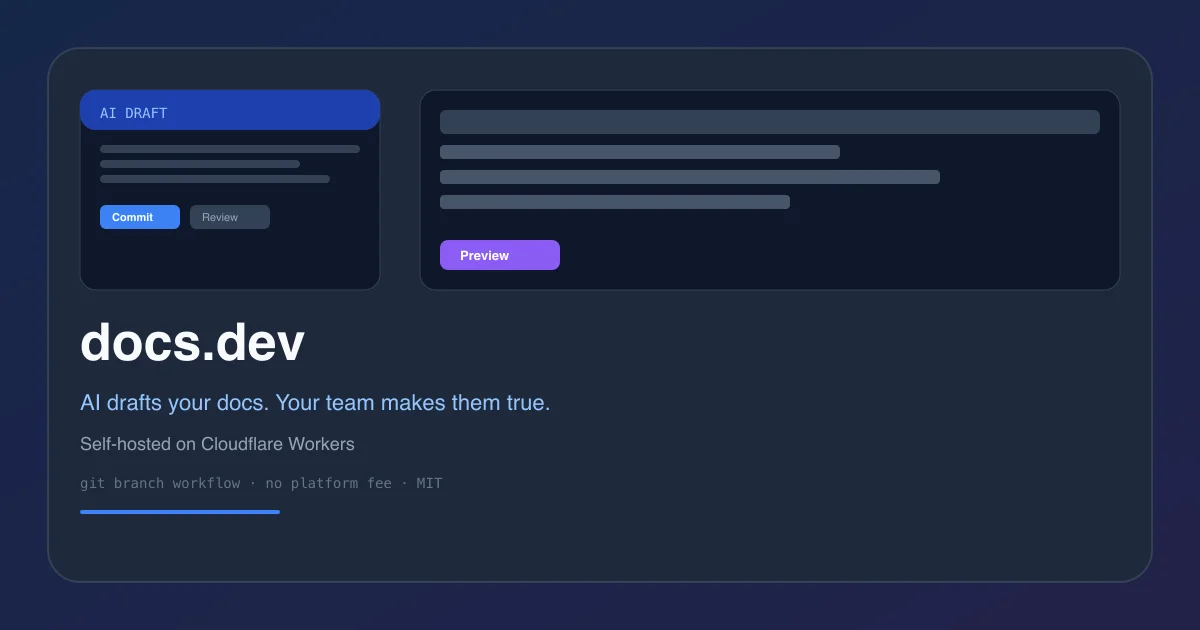
Point your coding agent at your repo and docs; it opens a docs branch, your team reviews on the rendered page, publishing is a commit. Runs on Cloudflare Workers with no platform fee.
TL;DR
TL;DR: docs.dev is an open-source documentation platform that uses AI agents to draft docs from your codebase, with a Git branch review workflow, self-hosted on Cloudflare Workers at no cost.
What Is docs.dev?
docs.dev is an open-source documentation framework built on Cloudflare Workers. Instead of writing docs manually, you point a coding agent at your repository and your docs folder; the agent opens a new Git branch, drafts the content on that branch, and your team reviews the rendered page before merging.
The core idea: publishing is a commit. No separate CMS, no copy-paste workflow, no platform lock-in.
From the product description:
Point your coding agent at your repo and your docs; it opens a docs branch, your team reviews on the rendered page, publishing is a commit. Runs on your Cloudflare — no platform fee, no metered AI.
Source and Accuracy Notes
- Project page: docs.dev
- Source repository: github.com/keyboard-dev/docs.dev
- License: MIT ← verified via GitHub API
license.spdx_id - HN launch thread: news.ycombinator.com/item?id=48935975
How It Works
docs.dev consists of two parts:
- The CI workflow — a GitHub Action or similar trigger that fires when you want to generate or update docs
- The Workers app — renders the doc site, handles the branch creation and review UI
When you request a doc update, the agent works against your codebase and opens a pull request against your docs branch. Your team reviews the rendered result (not raw Markdown), approves, and merges.
Deployment
docs.dev deploys to Cloudflare Workers. You connect it to a GitHub repository and it handles:
- Branch creation for each doc update request
- Rendering the doc site from Markdown/MDX
- A review UI for comparing AI-generated changes
Prerequisites
- A Cloudflare Workers project (free tier works for low traffic)
- A GitHub repository with docs in a designated folder
- Node.js 18+ for local development
Step 1: Deploy the Worker
Use the Cloudflare Workers deployment URL:
https://deploy.workers.cloudflare.com/?url=https://github.com/keyboard-dev/docs.dev
```bash

Or clone and deploy manually:

```bash
git clone https://github.com/keyboard-dev/docs.dev
cd docs.dev
npx wrangler deploy
Step 2: Connect Your Repository
- Point your coding agent (Cursor, Claude, etc.) at your repo and the docs folder
- Configure the agent to send doc requests to your docs.dev Worker URL
- The Worker opens a feature branch and creates a draft PR for review
Step 3: Review and Publish
Your team reviews rendered docs at the preview URL. Approve the PR to publish. The entire workflow lives in Git — no separate dashboard.
Architecture
docs.dev is built on:
- Cloudflare Workers — edge runtime for the app itself
- Fumadocs — open-source documentation framework for the rendering layer
- Git branch workflow — each AI-assisted doc update is a PR
The rendering stack isfumadocs, which is also open-source. The Workers app wraps fumadocs with the agent-driven branch workflow.
Practical Evaluation Checklist
- Deployed a Worker using the one-click URL
- Connected a test repository
- Triggered a doc generation request via agent
- Verified a Git branch and PR were created
- Reviewed the rendered doc site
- Merged and verified published output
- Checked no platform fees or metered AI costs
Security Notes
- All data stays in your Cloudflare Workers instance — no third-party doc platform
- GitHub credentials are handled via standard OAuth, not stored by docs.dev
- Branch workflow means no direct writes to production; everything goes through PR review
- MIT license — audit the source at github.com/keyboard-dev/docs.dev
FAQ
Q: Does docs.dev generate full documentation or just update existing docs? A: It works with an existing docs folder. You define the scope by pointing the agent at specific directories or files you want documented.
Q: Is there a hosted version or is it self-hosted only? A: It is self-hosted only. You deploy your own Worker and manage your own Cloudflare resources.
Q: What does it cost to run? A: Cloudflare Workers has a generous free tier. Beyond that, costs depend on your Cloudflare plan. There is no separate platform fee from docs.dev itself.
Q: Does it work with any AI agent or only specific ones? A: The Worker exposes an API endpoint. Any coding agent that can make HTTP requests and has access to your repository can integrate with it.
Conclusion
docs.dev solves the documentation debt problem by making AI-assisted doc generation part of a normal Git workflow. Instead of a separate CMS that gets out of sync, every doc update is a reviewed commit. For teams already living in GitHub, this feels natural — and for self-hosting enthusiasts, the Cloudflare Workers deployment is lightweight and predictable.
If you want a zero-platform-fee alternative to ReadMe AI or Mintlify’s AI features, docs.dev is worth a look. The source is on GitHub and the deployment is a single URL click.
Project page: docs.dev
GitHub: github.com/keyboard-dev/docs.dev
Related Posts
ai-setup
Recall – Persistent Memory for Claude Code via MCP Hooks
Recall gives Claude Code a permanent memory store that survives session restarts and context compaction. Four hooks capture and restore context automatically — with cloud SaaS or self-hosted options.
2/28/2026
dev-tools
AgentMesh – Define AI Agent Teams in YAML
Define multi-agent AI workflows in YAML and run them locally with one command. AgentMesh brings Docker Compose patterns to AI agent orchestration.
5/28/2026
dev-tools
Superset – Orchestrate 100+ Coding Agents in Parallel
Superset runs Claude Code, Codex, Cursor, and other AI coding agents simultaneously in parallel workspaces. Orchestrate agents, automated workflows, and code.
5/28/2026