TL;DR
TL;DR: DeepReel is an AI video agent that transforms blog posts, documents, and prompts into polished videos with AI avatars and voiceovers — no editing experience needed.
Source and Accuracy Notes
- Official site: deepreel.com
- HN launch: Show HN: DeepReel – AI Video Agent that turns blogs/docs into polished videos
What Is DeepReel?
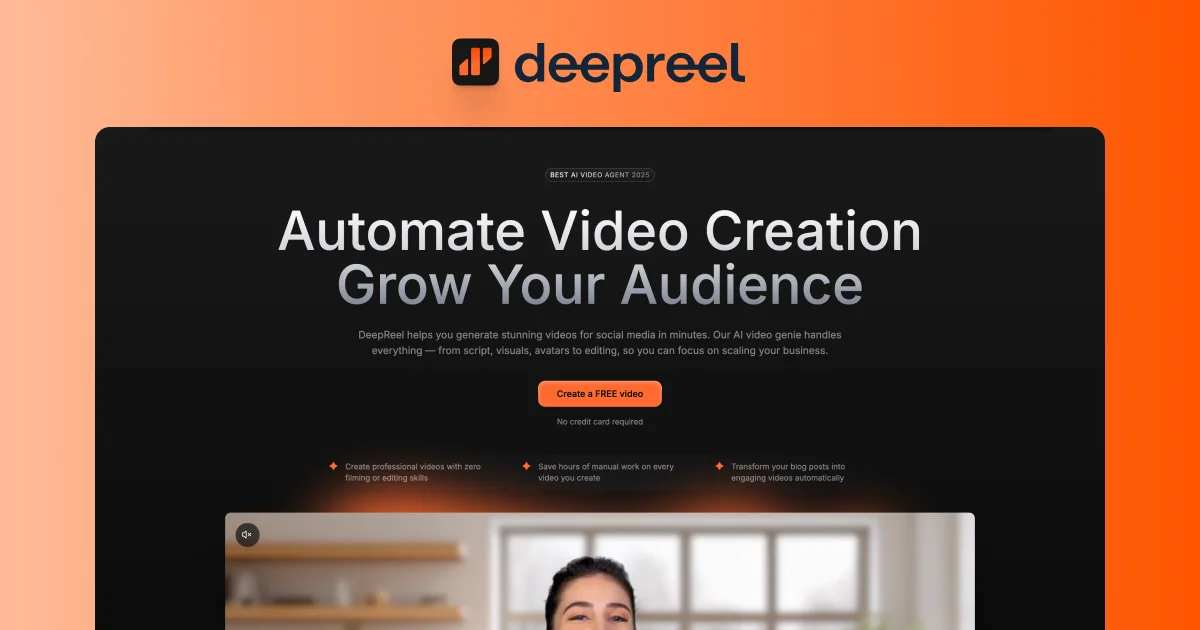
DeepReel is an AI-powered video creation platform designed for content marketers, bloggers, and businesses that want to expand their written content into video format. Instead of hiring a video editor or learning editing software, you paste a blog post or document and DeepReel handles the rest — generating an AI avatar, syncing voiceover, composing visuals, and adding background music.
The platform targets B2B content teams who need to scale video production without a dedicated video department. It positions itself as a “video-first content strategy” tool rather than a general-purpose editor.
Setup Workflow
Step 1: Create Your DeepReel Account
Visit deepreel.com and sign up. The free tier includes a limited number of video generations; paid plans unlock more avatars and longer videos.
# No CLI — DeepReel is a web-based tool
# Access at: https://app.deepreel.com
```bash

### Step 2: Connect Your Content Source

DeepReel supports multiple input methods:

- **Direct text input** — paste your blog post or article directly into the editor
- **URL import** — paste a public URL and DeepReel will extract and summarize the content
- **Document upload** — upload PDF or Word documents for processing

```text
Supported formats:
  - Plain text (.txt)
  - PDF documents (.pdf)
  - Word documents (.docx)
  - Public web URLs
Step 3: Select Your Avatar and Voice
Choose from DeepReel’s library of AI avatars. Each avatar has multiple voice options across different languages and tones. You can preview how the avatar reads your content before generating the final video.
Step 4: Customize Visual Style
DeepReel lets you pick a visual theme for the video — brand colors, layout style, and background music from their royalty-free library. You can also upload a custom background if you have brand assets.
Step 5: Generate and Download
Click “Generate Video” and wait for the AI to compose the final output. Processing time depends on video length and current queue volume. Once ready, download in MP4 format or share directly via a DeepReel-hosted link.
Deeper Analysis
Where DeepReel Excels
- Speed — a 1,000-word blog post converts to a 2-minute video in under 5 minutes, versus hours with traditional editing
- No learning curve — the interface is straightforward enough for a non-technical content marketer to use immediately
- Multilingual — avatar and voice options cover major languages, making it viable for global content teams
Limitations to Consider
- Avatar realism — current AI avatars still have a subtle “synthetic” feel compared to human-recorded footage. For high-end brand content, you may find the output needs another pass in a traditional editor
- Content understanding — complex technical articles sometimes get oversimplified in the AI summarization step; you may need to edit the auto-generated script before producing
- Customization ceiling — while you can adjust colors and music, the underlying video composition logic is not fully controllable. Fine-grained timing adjustments are limited
Pricing Context
DeepReel operates on a credit-based model. Entry-level plans start at approximately $29/month for a limited number of video minutes. Higher tiers add more avatars, longer videos, and priority rendering. Compare this to hiring a freelance video editor at $50–150/hour for similar output quality.
Practical Evaluation Checklist
Use this when evaluating DeepReel for your content workflow:
- Does your content strategy prioritize video distribution (YouTube, LinkedIn, TikTok)?
- Is your team comfortable with AI-generated voice rather than a human narrator?
- Do you have existing blog content that could be repurposed without significant rework?
- Is the synthetic avatar quality acceptable for your brand positioning?
- Are the credit limits sufficient for your production volume?
Security Notes
DeepReel processes your content on their cloud infrastructure. Review their privacy policy regarding data retention and content ownership before uploading sensitive internal documents. For highly confidential material, confirm whether on-premise processing is available.
FAQ
Q: Can I use my own voice instead of an AI avatar? A: Currently DeepReel focuses on AI avatar + voiceover synthesis. Custom voice cloning is on their roadmap but not yet available.
Q: What video resolutions are supported? A: Standard output is 1080p MP4, suitable for YouTube and social platforms. 4K export is available on higher-tier plans.
Q: How long can each video be? A: Free and entry-tier plans cap at 2 minutes per video. Pro plans support up to 10-minute videos.
Q: Can I edit the auto-generated script before video production? A: Yes, DeepReel provides a script editor where you can refine the AI-generated narration before rendering.
Q: Does DeepReel support subtitles and captions? A: Auto-generated captions are included by default. You can edit or disable them in the export settings.
Conclusion
DeepReel fills a real gap for content teams that want to test video without committing to a full video production workflow. The blog-to-video conversion is genuinely useful for repurposing SEO content into a second distribution channel. The avatar quality is good enough for most B2B use cases, though it won’t replace high-production brand videos yet.
If you have a library of blog posts gathering dust, DeepReel is a low-effort way to give them a second life as video content. Try the free tier first to gauge output quality before committing to a paid plan.
Alternatives worth comparing: InVideo, Synthesia, and HeyGen offer similar blog-to-video capabilities with different avatar styles and pricing structures.
Related Posts
ai-setup
Recall – Persistent Memory for Claude Code via MCP Hooks
Recall gives Claude Code a permanent memory store that survives session restarts and context compaction. Four hooks capture and restore context automatically — with cloud SaaS or self-hosted options.
2/28/2026
ai-setup
Sentrial – Catch AI Agent Failures Before Your Users Do
YC W26-backed AI agent observability platform. Trace sessions, detect silent regressions, and A/B test prompts in production before failures reach users.
5/28/2026
ai-setup
IonRouter – Fast Low-Cost AI Inference API
IonRouter is a YC W26 inference API routing open-source and fine-tuned models via an OpenAI-compatible endpoint, built on a C++ runtime optimized for GH200.
5/28/2026