Dashwave - AI-Powered Android Development in the Cloud
Build, test and deploy Android apps via AI chat. Dashwave adds cloud build acceleration, collaborative emulators and Figma-to-code to your workflow.
TL;DR
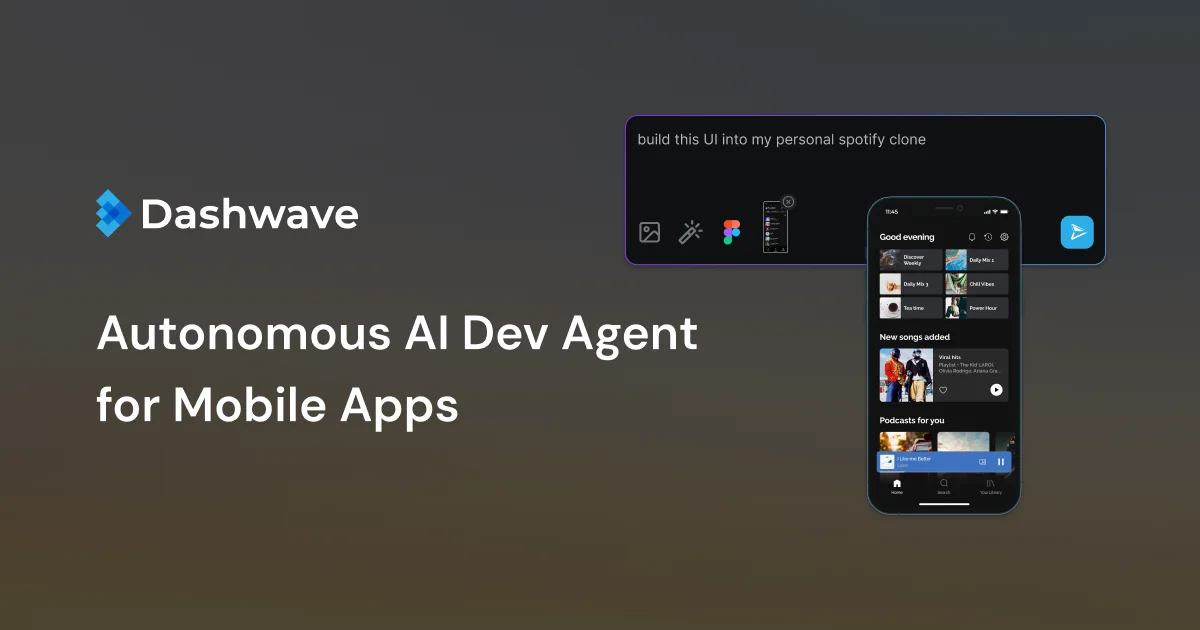
TL;DR: Dashwave is a cloud-based Android development platform with AI chat-to-code, distributed build caching, collaborative emulators, and Figma-to-native-code export — all in one browser-accessible workspace.
Source and Accuracy Notes
- Project page: dashwave.io
- Source repository: No public source repository found — Dashwave is a closed-source commercial product.
- HN launch thread: news.ycombinator.com/item?id=45262658 (41 points, Show HN)
What Is Dashwave?
Dashwave is a browser-based Android development environment that combines AI-assisted code generation with cloud-accelerated build infrastructure. Rather than installing Android Studio and its heavy runtime locally, you work entirely through the Dashwave console — writing prompts that generate components and screens, with builds running on remote servers.
The product pitch from the homepage:
“Mobile Apps at the Speed of a Thought. Prompt chat to build, test and deploy mobile applications in legacy stacks with DashwaveAI.”
It supports Kotlin, React Native, Flutter, and iOS Native projects. A key differentiator is the collaborative emulator — multiple team members can interact with a shared Android device session in real time, which is useful for async code review and design QA.
Setup Workflow
Step 1: Create a Dashwave Account
Sign up at console.dashwave.io. The platform offers a free tier — no credit card required for initial access.
Step 2: Create a New Project
From the dashboard, click New Project and choose your target stack:
- New project — start from scratch with a blank Android or cross-platform app
- Existing app — connect a repository or import an APK for cloud building
Supported stacks: Kotlin (Android Native), React Native, Flutter, iOS Native.
Step 3: Connect a Repository
Dashwave can import from a GitHub repository or accept direct file uploads. For existing projects, connecting your repo enables the distributed build cache — Dashwave stores incremental build artifacts remotely and reuses them across team members and CI runs.
Step 4: Use AI Chat to Generate Code
The core interface is a chat-based prompt box. Type a description of the screen or component you want:
"Add a login screen with email and password fields and a 'forgot password' link"DashwaveAI generates the code, inserts it into the project tree, and runs a build to verify it compiles. You can prompt for:
- Single components (e.g., a settings toggle, a bottom navigation bar)
- Full screens (e.g., a product detail page with image carousel)
- App-wide changes (e.g., “add dark mode to all screens”)
Step 5: Test with Collaborative Emulators
Dashwave provides persistent Android emulator sessions hosted in the cloud. Open the emulator from the project view, interact with your app, and share the session link with teammates. No local AVD or emulator setup required.
Step 6: Build and Distribute
When ready to ship, use Dashwave’s distribution pipeline — it handles keystore signing and delivers APKs or app bundles to test devices or a configured store endpoint.
Deeper Analysis
Build Acceleration
The most technically interesting part of Dashwave is its build runtime. It is described as being built on “distributed cache and selectively burstable compute.” In practice, this means:
- Incremental caching: Only changed modules are rebuilt. Subsequent builds of unchanged code are near-instant because Dashwave retrieves artifacts from the remote cache.
- Burst compute: CPU-intensive compilation steps can burst to additional cloud workers, reducing wait time on large projects.
For teams, this also means build artifacts are shared across all collaborators — a clean build run by one developer benefits everyone else on the team.
Figma to Code
Dashwave includes a Figma-to-native-code export. Paste a Figma component URL, and Dashwave converts it to platform-specific code (Kotlin for Android, Swift for iOS, etc.). This is a handoff step that removes the manual translation between design and development.
Console and Live Collaboration
The console at console.dashwave.io serves as the primary workspace — it is where you chat with AI, manage projects, and access emulators. The collaboration features (shared emulator sessions, shared build state) are all accessed from this console.
Practical Evaluation Checklist
- Cloud-based development: no local Android Studio or heavy SDK required
- AI chat-to-code: generate components and screens from natural language prompts
- Collaborative emulators: shared device sessions accessible from a browser link
- Distributed build cache: incremental builds shared across team members
- Figma-to-code: import Figma components and export platform-native code
- Multi-platform support: Kotlin, React Native, Flutter, iOS Native
- Distribution pipeline: keystore signing and APK/app bundle delivery built in
Security Notes
- Keystore and signing credentials are stored in Dashwave’s pipeline infrastructure. Evaluate whether this is acceptable for your production signing keys.
- Source code is stored in Dashwave’s cloud environment. Review their data retention and access policies before using it with proprietary projects.
- The collaborative emulator session shares your app’s runtime state with anyone you give the link to. Treat session links as sensitive.
FAQ
Q: Does Dashwave require a local development environment? A: No. The entire workflow runs in the browser through the Dashwave console. No Android Studio, JDK, or local emulator installation is required on your machine.
Q: What frameworks does Dashwave support? A: As of the current launch, Dashwave supports Kotlin (Android Native), React Native, Flutter, and iOS Native projects.
Q: Is there a free tier? A: Dashwave offers a free tier with no credit card required to start. Specific limits on build minutes, storage, and team size are available on the pricing page at dashwave.io.
Q: Can I use Dashwave with an existing GitHub repository? A: Yes. Dashwave can connect to an existing repository and apply its build cache and AI generation tools to the project.
Q: How does the Figma-to-code export work? A: Paste a Figma component URL into Dashwave and it exports platform-native code — Kotlin for Android, Swift for iOS, etc. — directly into your project.
Conclusion
Dashwave targets mobile developers who want to offload the heavyweight local toolchain to the cloud. The AI chat-to-code interface is the headline feature — it lets you describe a screen and have code generated and compiled without touching an IDE. Combined with collaborative emulators and a distributed build cache, it covers the full inner loop from idea to tested APK.
The main limitation is that it is a closed-source, hosted product — you cannot self-host Dashwave, and you are trusting the platform with your source code and signing keys. For small teams and indie developers who want to move fast without maintaining CI infrastructure, it is worth evaluating. For teams with strict data sovereignty requirements, the closed nature of the platform may be a blocker.
Try it at dashwave.io or access the console directly at console.dashwave.io.
Related Posts
ai-setup
Recall – Persistent Memory for Claude Code via MCP Hooks
Recall gives Claude Code a permanent memory store that survives session restarts and context compaction. Four hooks capture and restore context automatically — with cloud SaaS or self-hosted options.
2/28/2026
dev-tools
Automotive Skills Suite for AI Engineering
Evaluate Automotive Skills Suite for APQP, ASPICE, HARA, safety-plan, and DIA workflows with setup notes, governance risks, and SME review guidance.
5/28/2026
dev-tools
awesome-agentic-ai-zh Roadmap Guide
Explore awesome-agentic-ai-zh as a Chinese agentic AI learning roadmap, with setup notes, track selection, study workflow, and evaluation guidance.
5/28/2026