Dashwave – Cloud Android Builds with Collaborative Emulators
Prompt your way through Android builds, tests, and deploys using Dashwave AI, a cloud-based mobile CI platform with collaborative emulators and fast incremental builds.
TL;DR
TL;DR: Dashwave is a cloud-based Android build platform where you prompt chat to trigger builds, test runs, and deploys — with collaborative emulators so your whole team can interact with the same device session in real time.
Source and Accuracy Notes
- Project page: dashwave.io — verified
- Source repository: Android Studio plugin only (1 star); core platform is proprietary
- HN launch thread: Show HN: Dashwave – Fast Android cloud build tool with collaborative emulators
- License: Proprietary (free tier available)
What Is Dashwave?
Dashwave is a cloud-native mobile CI platform purpose-built for Android development teams. Instead of waiting for a local Gradle daemon and managing emulator state yourself, you push a build to Dashwave’s cloud infrastructure and interact with the results through a chat-like prompt interface or a shared emulator session your entire team can see and touch simultaneously.
The core pitch from the product page:
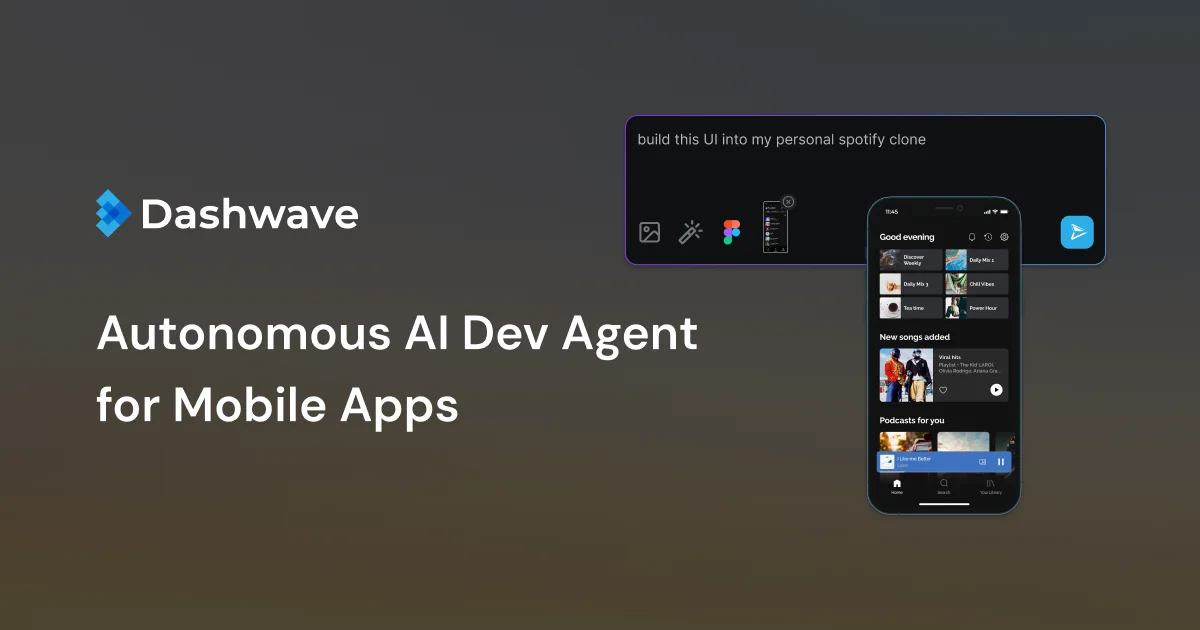
“Prompt chat to build, test and deploy mobile applications in legacy stacks with DashwaveAI”
This means you can type “build the debug APK for the auth feature branch” or “run instrumented tests on API 34” and Dashwave orchestrates the cloud build pipeline behind the scenes — no YAML configuration for build matrix, no managing ephemeral VM farm.
Setup Workflow
Step 1: Install the Android Studio Plugin
Dashwave provides a plugin for Android Studio (IntelliJ-based IDEs) that surfaces cloud build status inline.
# From the JetBrains Marketplace or inside Android Studio:
# Preferences → Plugins → Search "Dashwave" → Install
```bash

The plugin connects to `dashwave.io` using your account credentials (sign up at [dashwave.io](https://dashwave.io)).

### Step 2: Configure Your Project

No special Gradle plugins required for most workflows. The plugin communicates with the Dashwave cloud agent via a lightweight background service that streams build log tokens back to the IDE.

For existing CI setups, you can point Dashwave at your existing Gradle wrapper:

```bash
# Inside Android Studio with Dashwave plugin active:
# Dashwave panel → New Build → Select module → "Use cloud build"
```bash

### Step 3: Trigger Builds via Prompt or UI

From the Dashwave panel inside Android Studio:

- **Prompt mode:** Type `build debug APK for feature/login` — the AI agent parses intent and schedules the appropriate Gradle task on Dashwave cloud workers.
- **UI mode:** Click "▶ Run" on any build variant to send it to the cloud.

### Step 4: Use Collaborative Emulators

Once a build is running or completed, open the emulator view:

```bash
Dashwave panel → "Open Emulator" → Shared session link
Team members open the link and see the same emulator state. Any tap, scroll, or input is synchronized in real time — useful for code reviews, QA sign-offs, and debugging reproduction.
Deeper Analysis
Build Infrastructure
Dashwave runs your Gradle builds on pre-warmed cloud VMs. It uses incremental build caching to avoid re-executing unchanged tasks — similar to how Bazel or Buck work, but applied to the Android Gradle plugin lifecycle.
For projects with many modules or large dependency graphs, this can cut build times significantly compared to a fresh CI runner that starts cold every job.
Collaborative Emulator Share
The collaborative emulator feature is the differentiator. Traditional cloud emulators (Firebase Test Lab, AWS Device Farm) give you a recorded video or log output. Dashwave gives you a live, interactive session that multiple people can drive simultaneously.
This is practical for:
- QA engineers who need to reproduce a bug a developer is looking at
- Design reviews where someone wants to tap through a flow without having the full Android SDK installed
- Client demos where you want to show progress without shipping a debug APK first
Pricing
Dashwave’s site does not publish public pricing. A free tier appears to exist (based on the JetBrains Marketplace listing). For team/org usage, you would need to contact them directly. Comparable services like Firebase Test Lab charge per minute, so cost management for large teams is a real consideration.
Practical Evaluation Checklist
- Build speed: cloud VMs vs local — typically 2-4x faster for full builds; incremental much better
- Gradle compatibility: works with standard AGP projects; legacy/non-Gradle Android projects less clear
- Collaborative emulator: real-time sync; supports multi-touch gestures
- IDE integration: Android Studio (IntelliJ) plugin; no VS Code or CLI-first workflow
- Security: builds run on Dashwave infrastructure; review their data handling policy before using with proprietary code
Security Notes
Because your code is uploaded to Dashwave’s cloud for building, review their data retention and access policy before using the service with proprietary or security-sensitive applications. The Android Studio plugin communicates with their backend over HTTPS, but the specific encryption and access control details are not documented on the landing page.
For teams with strict IP policies, consider whether a fully self-hosted CI pipeline (like Jenkins on GKE or GitHub Actions self-hosted runners) better meets your compliance requirements.
FAQ
Q: Does Dashwave work with Kotlin Multiplatform or Flutter projects? A: The primary integration is Android (Gradle-based). KMP and Flutter are not explicitly called out on the product page — check with Dashwave support for roadmap or beta access.
Q: How is this different from Firebase Test Lab? A: Firebase Test Lab runs instrumented tests on pre-defined device configurations. Dashwave combines cloud building with interactive, collaborative emulator sessions — it’s closer to a full cloud development environment than a test runner.
Q: Can I self-host Dashwave? A: No. Dashwave is a hosted service. There is no open-source or self-hosted version mentioned.
Conclusion
Dashwave targets Android teams who want fast builds without managing CI infrastructure, plus a genuinely useful twist: shared emulator sessions that let the whole team look at the same device at the same time. If your team spends significant time on Android build wait times or has a distributed workflow that would benefit from synchronous emulator access, it is worth a look — especially if the free tier is sufficient for your team size.
For teams already on a well-optimized Gradle setup with good incremental build hygiene, the marginal gain may be smaller. The collaborative emulator is the standout differentiator if your workflow involves frequent synchronous code review or QA checkpoints.
Related Posts
ai-setup
Recall – Persistent Memory for Claude Code via MCP Hooks
Recall gives Claude Code a permanent memory store that survives session restarts and context compaction. Four hooks capture and restore context automatically — with cloud SaaS or self-hosted options.
2/28/2026
dev-tools
Automotive Skills Suite for AI Engineering
Evaluate Automotive Skills Suite for APQP, ASPICE, HARA, safety-plan, and DIA workflows with setup notes, governance risks, and SME review guidance.
5/28/2026
dev-tools
awesome-agentic-ai-zh Roadmap Guide
Explore awesome-agentic-ai-zh as a Chinese agentic AI learning roadmap, with setup notes, track selection, study workflow, and evaluation guidance.
5/28/2026