CraftBot - Autonomous AI Agent That Builds Its Own SaaS
CraftBot is an open-source AI agent that builds, evolves, and operates its own SaaS tools while working alongside you. Self-hosted, MIT licensed, with 40-plus agent profiles and 120 automation
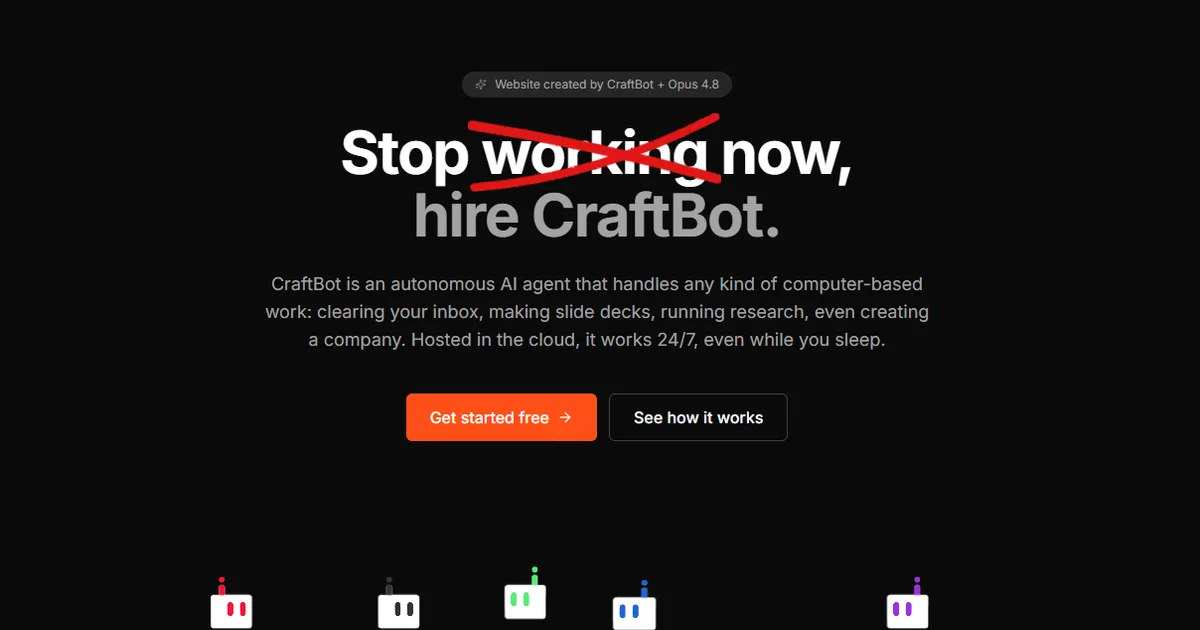
TL;DR
TL;DR: CraftBot is an open-source autonomous AI agent that can build, deploy, and operate its own SaaS tools in addition to handling tasks like a remote employee would. Self-hosted with BYOK LLM support, MIT licensed, and runs on Python 3.10 plus Node.js 18.
Source and Accuracy Notes
- Project page: craftbot.live — verified product site
- Source repository: github.com/CraftOS-dev/CraftBot — read README end-to-end
- License: MIT — verified via LICENSE file
- HN mention: news.ycombinator.com/item?id=44725306 — 11 points, 2026-06-09
What Is CraftBot?
Most AI agent frameworks stop at chat interfaces and tool-calling APIs. CraftBot takes a different approach: it can build, evolve, and operate its own SaaS tools, then use that tool layer to communicate and automate workflows with you.
From the official README:
“Most agent harnesses stop at chat and tool calls. CraftBot goes further than that. It builds, evolves, and operates its own SaaS tools, then uses that tool layer to communicate and automate with you.”
Beyond custom tool building, CraftBot functions as a general-purpose agent harness. It executes tasks the way a remote employee would, remembers preferences and goals across sessions, and proactively suggests or initiates tasks to help you reach your objectives.
Core Feature Groups
Agent Profiles — More than 40 pre-built agent personas (CEO, Finance, Marketing, DevOps, Video Producer, and others) ready to deploy. Profiles are available from the CraftBot Agent Bundles repository and import with a single click.
Playbook Catalogue — 120 automation playbooks across 19 categories. Open the playbook picker, select one, and it starts running a structured task sequence immediately.
Living UI — Build, import, or evolve custom web applications that live inside CraftBot. The agent stays aware of the UI state and can read, write, and act on application data directly.
Memory System — Local RAG-based knowledge base built from your interactions. Includes an agent file system and a nightly consolidation routine (“the agent dreams”) that distills the day’s events.
External Integrations — Connects to Google Workspace, Slack, Notion, Zoom, LinkedIn, Discord, Telegram, and more via OAuth or your own API keys.
Skills and MCP — 150-plus MCP (Model Context Protocol) integrations and 170-plus skills pre-configured. New ones install in one click. The agent can also generate new skills from completed tasks automatically.
Browser Interface and CLI — Use the browser UI for everyday interaction, or the CLI for scripting and headless server deployments.
Setup Workflow
Prerequisites
- Python 3.10 or higher
- Node.js 18 or higher (required for browser mode)
Step 1: Clone the Repository
git clone https://github.com/CraftOS-dev/CraftBot.git
cd CraftBot
```bash

### Step 2: Install and Launch

```bash
python craftbot.py install
```bash

The `install` command sets up CraftBot, registers auto-start, and launches the application. After installation, you configure your LLM provider (OpenAI, Google Gemini, Anthropic Claude, OpenRouter, or a local Ollama instance).

### Step 3: Choose Your LLM Provider

CraftBot supports bring-your-own-key (BYOK) for all major providers:

- OpenAI GPT series
- Google Gemini
- Anthropic Claude
- OpenRouter (aggregated model access)
- Ollama (self-hosted, zero token cost)

To use Ollama for completely local inference:

```bash
# Install Ollama, then set the provider to localhost
ollama serve
In the CraftBot config, point the LLM endpoint to your local Ollama instance. The agent runs entirely offline with no data leaving your machine.
Step 4: Configure External Integrations (Optional)
From the browser UI, navigate to Settings → Integrations to connect:
- Google Workspace (Calendar, Drive, Gmail)
- Slack
- Notion
- Discord
- Telegram
OAuth flows handle authentication for most services. Alternatively, provide your own API keys under Settings → API Keys.
Step 5: Import an Agent Profile or Playbook
From the top bar playbook picker, browse the 19 categories and select a playbook to run. For a specific role, import an agent profile from the CraftBot Agent Bundles repository and assign it in the dashboard.
Deeper Analysis
What Sets CraftBot Apart
The defining capability is self-built SaaS tools. While most agents can call APIs or run scripts, CraftBot can construct full web applications — complete with a user interface — and then use those applications as part of its own workflow. This closes the loop between “agent reasoning” and “agent-delivered product.”
The Living UI system is the mechanical foundation. It is a lightweight web app framework that the agent can inspect and manipulate at runtime. The agent is aware of UI state, not just API responses.
The playbook system also lowers the activation barrier significantly. Rather than writing a prompt from scratch, a user picks a pre-built automation sequence. This makes CraftBot accessible to non-developers while remaining scriptable for power users.
Self-Hosting Model
CraftBot is MIT licensed and fully self-hosted. The managed cloud service (CraftBot Live) is a separate commercial offering with its own pricing tiers. The open-source core runs on your own infrastructure with no recurring cost beyond compute.
For privacy-sensitive workflows, the Ollama backend means prompts and context never leave your network. This is meaningfully different from agents that route all traffic through a vendor’s servers.
Practical Evaluation Checklist
- Clone and run
python craftbot.py installon a clean Ubuntu 22.04 VM with Python 3.10 and Node.js 18 - Configure at least one external integration (Slack or Notion) to verify OAuth flow
- Run a playbook from the picker (e.g., “Research Task” or “Meeting Prep”)
- Observe whether the agent correctly resumes a multi-step task after a simulated interruption
- Test BYOK with a local Ollama instance for a zero-cost offline run
Security Notes
- All external integrations use OAuth or API keys stored locally — no credentials pass through CraftBot-managed cloud infrastructure unless you are using the commercial CraftBot Live service
- The memory system stores interaction history and RAG embeddings locally by default
- If using Ollama, no prompts or data leave your network at any point
- Review the GitHub repository security policy before deploying in a high-stakes environment
Pricing
CraftBot itself is MIT licensed and free. CraftBot Live offers managed hosting:
| Plan | Price | Agents | Workspace | Managed LLM Rate Limit |
|---|---|---|---|---|
| Free | $0 | 1 | 1 GB | 6 calls/min |
| Pro | $19.90/mo | 3 | 5 GB | 30 calls/min |
| Max | $79.90/mo | 10 | 15 GB | 60 calls/min |
| Max+ | $199.90/mo | 25 | 100 GB | 120 calls/min |
All plans support bring-your-own LLM key (BYOK). Managed LLM is provided by CraftBot Live on the paid tiers.
FAQ
Q: Is CraftBot affiliated with Y Combinator? A: No. CraftBot does not appear in any Y Combinator batch. It is developed by CraftOS, a separate entity. The project has no disclosed institutional funding.
Q: How does CraftBot compare to OpenAI’s Operator or Anthropic’s computer use? A: OpenAI Operator and Anthropic’s computer use are cloud-hosted, proprietary agent runtimes. CraftBot is open-source, self-hosted, and can build its own tool interfaces rather than only controlling existing applications. The tradeoff is setup complexity versus control and cost.
Q: Can I run CraftBot on a Raspberry Pi? A: The browser UI requires Node.js 18, which is ARM-compatible. A Raspberry Pi 4 with 4 GB RAM can run the CLI and memory services, but the browser interface and multi-agent workloads benefit from more headroom.
Q: Does CraftBot support Windows? A: Yes. The the project docs show Windows, macOS, and Linux badges. The Python CLI and Node.js browser mode both run on Windows via WSL2 or natively.
Q: How does the nightly “dream” consolidation work? A: The memory system distills the day’s interactions into structured memory entries at midnight (local time). This is a RAG-based process that compresses context while retaining decision-relevant details across sessions.
Conclusion
CraftBot occupies a specific niche: an autonomous agent that can build its own tool layer rather than relying solely on pre-existing APIs. For developers who want a self-hosted agent with memory, structured automation playbooks, and the ability to generate new skills or interfaces on the fly, it is worth evaluating against more static alternatives.
The MIT license and Ollama support make it one of the more accessible long-term options for self-hosting a capable AI agent on personal hardware or a low-cost VPS.
Project page: craftbot.live
Source: github.com/CraftOS-dev/CraftBot
Related Posts
ai-setup
Recall – Persistent Memory for Claude Code via MCP Hooks
Recall gives Claude Code a permanent memory store that survives session restarts and context compaction. Four hooks capture and restore context automatically — with cloud SaaS or self-hosted options.
2/28/2026
dev-tools
AgentMesh – Define AI Agent Teams in YAML
Define multi-agent AI workflows in YAML and run them locally with one command. AgentMesh brings Docker Compose patterns to AI agent orchestration.
5/28/2026
ai-setup
Sentrial – Catch AI Agent Failures Before Your Users Do
YC W26-backed AI agent observability platform. Trace sessions, detect silent regressions, and A/B test prompts in production before failures reach users.
5/28/2026