Context Saver – Save and Restore AI Chat Context
Browser extension that saves, bookmarks, and restores AI chat contexts across ChatGPT, Claude, and Gemini. Free plan available, no account required.
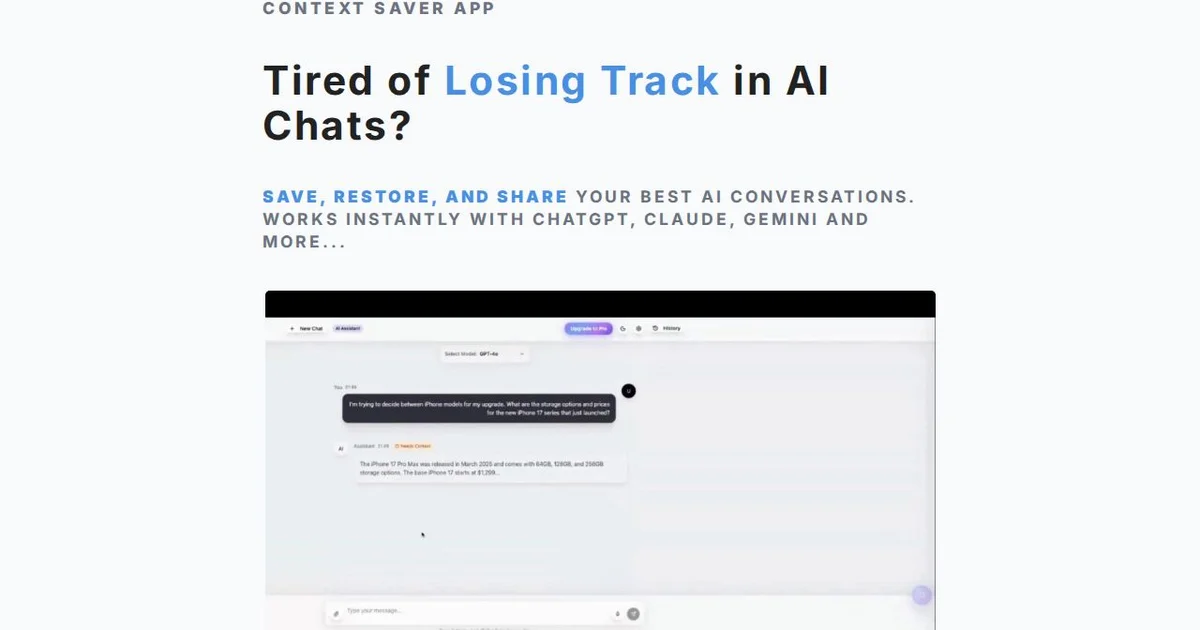
TL;DR
TL;DR: Context Saver is a minimal browser extension that lets you save, bookmark, and restore AI chat contexts across ChatGPT, Claude, and Gemini — no account required, free plan available.
Source and Accuracy Notes
- Project page: contextsaver.app — verified by direct fetch
- Chrome Web Store listing: Context Saver – Chrome Extension — verified accessible
- License: Proprietary SaaS (free tier available, no open-source repo found)
- HN launch thread: not found via HN Algolia search for “contextsaver show hn”
What Is Context Saver?
Long AI conversations are fragile. Re-explaining your stack, requirements, or preferences every time you return to a project wastes time and breaks flow. Context Saver is a lightweight Chrome extension that solves this by letting you save, bookmark, and restore chat contexts across sessions.
The core product is the Context Bubble — a bookmarkable snapshot of a conversation’s key context. You can organize bubbles visually, restore them with one click, and share them with teammates.
No account is required to get started. The free plan gives you three context bubbles with manual bookmarking for ChatGPT.
Setup Workflow
Step 1: Install the Extension
Open the Chrome Web Store and install Context Saver:
# Direct link (verified 2026-08-10)
# Visit: https://chromewebstore.google.com/detail/context-saver/jjplfjfkigdkobkkfehindoeijfilfkh
Step 2: Pin the Extension
After installation, pin the Context Saver icon to your Chrome toolbar for quick access.
Step 3: Save Your First Context Bubble
- Have an active conversation in ChatGPT, Claude, or Gemini.
- Click the Context Saver icon in your toolbar.
- Click “Save” to bookmark the current conversation context.
- Give it a label so you can find it later.
Step 4: Restore a Saved Context
- Click the Context Saver icon.
- Select the bubble you want to restore.
- The context is restored to your active chat session.
Step 5: Export and Share
Context Saver lets you export and import bubble libraries. This is useful for:
- Backing up your context collection
- Sharing context snapshots across devices
- Onboarding teammates to ongoing projects
Pricing
| Plan | Price | Bubbles | Features |
|---|---|---|---|
| Free | $0 / month | 3 | Manual bookmarking, ChatGPT only |
| Pro | $19 / month | Unlimited | Auto-detection, all LLM platforms, priority support |
| Team | $49 / month per user | Unlimited | Everything in Pro + shared bubble libraries, admin controls |
Key Features
- Visual bookmarks for any conversation — never forget the essentials
- One-click context restoration — instantly recover your focus
- Works with ChatGPT, Claude, Gemini, and more AI platforms (Pro plan)
- Export and import your contexts for team sharing and device switching
- Minimal browser extension — zero account needed on free plan
- Mind Map and Multi-LLM support available in Premium (coming soon)
FAQ
Q: Does this work with Claude and Gemini on the free plan? A: No. The free plan is limited to ChatGPT. The Pro plan ($19/month) adds auto-detection and all LLM platforms.
Q: Is there a GitHub repo? A: No open-source repo was found. The project appears to be a proprietary SaaS product with a free tier.
Q: Does Context Saver read my chat messages? A: The extension needs access to page content to save and restore context. Review the extension’s privacy policy before installing if this is a concern.
Q: Can I use it on mobile? A: Context Saver is a Chrome browser extension. Mobile Chrome has limited extension support.
Q: Is my data stored on Context Saver’s servers? A: The free plan works without an account. Specific server-side storage details are not clearly documented on the product page — check the extension’s privacy policy for your threat model.
Conclusion
Context Saver addresses a real pain point for anyone who works extensively with AI coding assistants: the constant need to re-establish context. Its free tier is genuinely useful for individual ChatGPT users, and the Pro plan extends that utility across all major LLM platforms.
The minimal, no-account-required onboarding lowers the barrier to trying it. If you find yourself repeatedly re-explaining your codebase or project context to AI tools, a context bookmarking workflow like this is worth adding to your stack.
Try the free plan at contextsaver.app.
Related Posts
ai-setup
Recall – Persistent Memory for Claude Code via MCP Hooks
Recall gives Claude Code a permanent memory store that survives session restarts and context compaction. Four hooks capture and restore context automatically — with cloud SaaS or self-hosted options.
2/28/2026
dev-tools
Automotive Skills Suite for AI Engineering
Evaluate Automotive Skills Suite for APQP, ASPICE, HARA, safety-plan, and DIA workflows with setup notes, governance risks, and SME review guidance.
5/28/2026
dev-tools
awesome-agentic-ai-zh Roadmap Guide
Explore awesome-agentic-ai-zh as a Chinese agentic AI learning roadmap, with setup notes, track selection, study workflow, and evaluation guidance.
5/28/2026