TL;DR
TL;DR: Context Saver lets you save, organize, and restore AI chat context across ChatGPT, Claude, and Gemini with a privacy-first model — no account required on the free plan.
Source and Accuracy Notes
- Project page: contextsaver.app — verified
- HN launch thread: news.ycombinator.com/item?id=45501466 — verified
- Pricing verified from product page: Free (3 bubbles), Pro $19/month, Team $49/month per user
- License: Proprietary (no open-source repo)
What Is Context Saver?
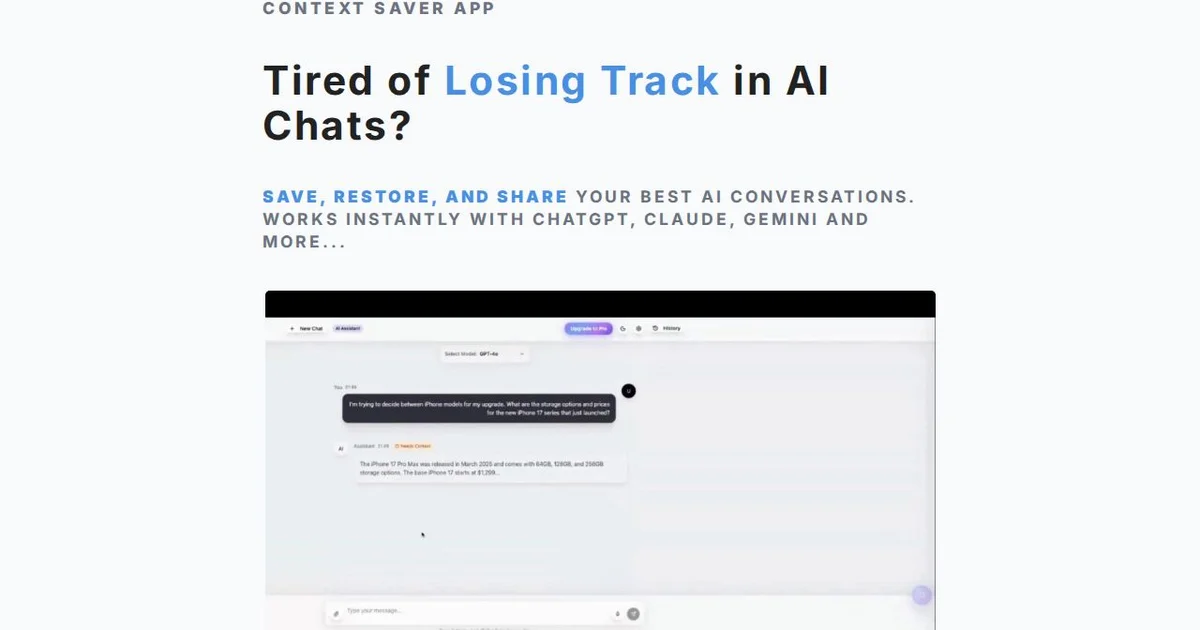
Context Saver is a web-based tool that solves a specific problem: AI chats lose their context when you close the window, switch devices, or start a new conversation. Instead of re-explaining your project, codebase, or requirements to every new chat session, you bookmark key context and restore it instantly.
The core concept is a context bubble — a saved snapshot of a conversation or prompt context that you can reload into any new chat. The free plan gives you 3 bubbles with manual bookmarking. The Pro plan ($19/month) offers unlimited bubbles with auto-detection across all LLM platforms including ChatGPT, Claude, Gemini, and more.
The product is privacy-first: the landing page emphasizes no account required and data stays local. The vendor’s own copy reads:
“No account required. Works with ChatGPT, Claude, Gemini & more.”
Setup Workflow
No installation required — Context Saver runs in the browser.
Step 1: Open the Web App
Navigate to contextsaver.app. No sign-up for the free plan.
Step 2: Save a Context Bubble
When you have a useful ChatGPT (or Claude, Gemini) conversation:
- Copy the key context from your chat — goals, constraints, architecture decisions
- Open Context Saver in a new tab
- Paste and save as a named bubble
- Assign it a short label for quick recall
Step 3: Restore Context in a New Chat
Before starting a new conversation on any supported platform:
- Open your saved bubble in Context Saver
- Copy the context into your new chat prompt
- Continue where you left off without re-explaining
Step 4: Upgrade for Auto-Detection
Pro users ($19/month) get auto-detection across all LLM platforms, eliminating manual copy-paste. Team plans ($49/month per user) add priority support and shared team bubbles.
Practical Evaluation Checklist
- Does it work without an account? Yes — free plan is account-less
- Which LLMs are supported? ChatGPT, Claude, Gemini, and more (vendor states “all LLM platforms” for Pro)
- Is there a self-hosted option? No — cloud-only
- Is the source code open? No — proprietary
- Data privacy model? Vendor claims local-first; no third-party servers for free plan context
- Pricing friction? Free tier is usable but limited to 3 bubbles. Pro at $19/month unlocks unlimited
- Browser-based? Yes — no desktop app or extension required
Security Notes
Context Saver is a web app, so consider the following:
- Data residency: Vendor states privacy-first but context bubbles transit their servers on the free plan — verify with the vendor directly if you handle sensitive IP
- No E2E encryption mentioned on the landing page
- Account model: Free plan is account-less; paid plans presumably require an account (vendor was not explicit about auth model at the time of writing)
- Third-party LLM APIs: Your prompts are sent to OpenAI/Anthropic/Google directly, not through Context Saver
FAQ
Q: Is there a browser extension? A: No extension is mentioned on the product page. The tool is purely web-based.
Q: Can I use it with Claude API or other providers beyond the big three? A: The Pro plan mentions “all LLM platforms.” For specific provider support, check the vendor’s docs.
Q: Does the free plan expire? A: The vendor’s page shows free plan features without an expiration limit. Review their terms for any fair-use restrictions.
Q: Is there an API? A: No API is documented on the product page.
Conclusion
Context Saver addresses a real pain point — losing AI chat context across sessions — with a simple, account-free free tier. The Pro plan at $19/month adds the auto-detection and unlimited bubbles that make it practical for daily use. If you regularly work with AI assistants across multiple projects and find yourself re-explaining context constantly, it is worth a try.
The privacy-first framing is appealing, but verify the exact data model with the vendor if you work with sensitive code or proprietary information.
- Project page: contextsaver.app
- HN thread: news.ycombinator.com/item?id=45501466
Related Posts
ai-setup
Recall – Persistent Memory for Claude Code via MCP Hooks
Recall gives Claude Code a permanent memory store that survives session restarts and context compaction. Four hooks capture and restore context automatically — with cloud SaaS or self-hosted options.
2/28/2026
ai-setup
Sentrial – Catch AI Agent Failures Before Your Users Do
YC W26-backed AI agent observability platform. Trace sessions, detect silent regressions, and A/B test prompts in production before failures reach users.
5/28/2026
ai-setup
IonRouter – Fast Low-Cost AI Inference API
IonRouter is a YC W26 inference API routing open-source and fine-tuned models via an OpenAI-compatible endpoint, built on a C++ runtime optimized for GH200.
5/28/2026