ContextFort - Secure Your Browser Against AI Agent Risks
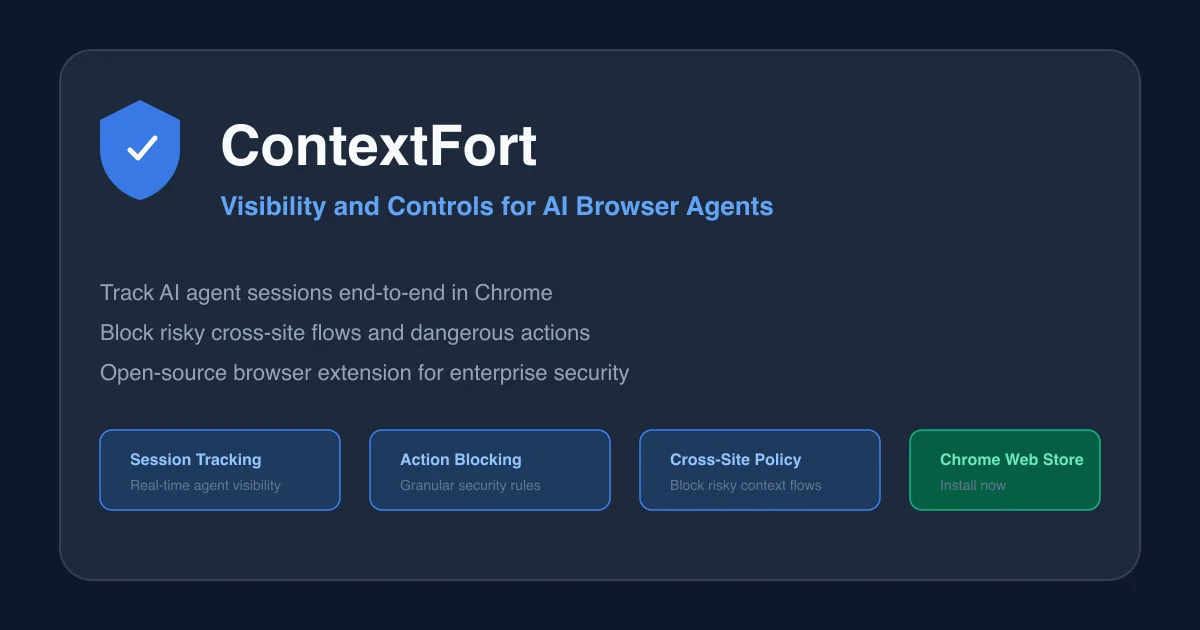
ContextFort is an open-source Chrome extension that gives security teams visibility and granular controls over AI browser agents like Claude in Chrome.
TL;DR
TL;DR: ContextFort is an open-source Chrome extension that detects AI browser agents in real-time, tracks their sessions end-to-end, and lets security teams block risky actions and cross-site data flows.
Source and Accuracy Notes
This post is based on the ContextFort Show HN launch, the GitHub repository, and the official website. The extension is available on the Chrome Web Store.
What Is ContextFort?
AI browser agents are changing how we work. Tools like Claude in Chrome, Comet, and Atlas can autonomously navigate websites, fill forms, click buttons, and extract information on your behalf. They handle tasks that traditional API integrations cannot reach, like searching through Google Groups threads for a bug fix or pulling invoices from legacy billing systems.
But this power comes with serious security risks. When an AI agent controls your browser, it can access every site you are logged into, read sensitive data, and take actions you did not intend. Indirect prompt injection attacks can trick agents into exfiltrating data from one site to another. Security teams have no visibility into what these agents are doing, let alone the ability to set guardrails.
ContextFort solves this by reverse-engineering how browser agent extensions work and building a visibility and control layer on top. It detects when an AI agent takes control of the browser, records every page visited and every action taken, and gives security teams policy controls to block dangerous behaviors.
How Browser Agent Attacks Work
Before understanding the solution, you need to understand the threat model. Browser agents operate with your full session credentials. When Claude in Chrome or a similar tool navigates your browser, it has access to:
- Every SaaS application you are logged into
- Internal tools behind corporate SSO
- Email, documents, code repositories, and financial systems
- Cookies, tokens, and session state across all domains
An indirect prompt injection attack works like this: a malicious webpage contains hidden instructions that the AI agent reads and follows. The agent might be told to navigate to your email, find specific messages, and send their contents to an external endpoint. Because the agent operates within your authenticated browser session, it can do all of this without you noticing.
Simon Willison has written extensively about these risks, particularly in the context of Claude for Chrome. The core problem is that browser agents blur the line between helpful automation and security vulnerability.
What ContextFort Actually Does
ContextFort operates as a Chrome extension that sits between the browser agent and the browser itself. It has two main components: a visibility layer and a control layer.
Visibility Layer
When a browser agent takes control, ContextFort detects it immediately. It then records the entire session:
- Which pages the agent visited
- What elements were clicked on each page
- Where text was input
- The sequence of actions across domains
All of this data is stored locally on your machine. ContextFort does not transmit session data to external servers. The dashboard gives you a timeline view of every agent session, similar to how DevTools shows network requests.
Control Layer
On top of visibility, ContextFort provides policy controls for security teams:
Action blocking. You can block specific actions on specific pages. For example, prevent the agent from clicking “Submit” on email composition pages, or block form submissions on financial applications.
Cross-site flow blocking. You can block risky navigation patterns within a single session. For example, block the agent from navigating to your internal Atlassian instance after visiting StackOverflow. This prevents data exfiltration chains where an agent reads sensitive data from one site and brings it to another.
Context isolation. A stricter policy mode blocks bringing any external context into trusted internal applications entirely. The agent can work within your internal tools, but it cannot carry information from external sites into them.
Installation and Setup
ContextFort is available on the Chrome Web Store, which means no developer mode or manual loading is required for standard use.
Chrome Web Store Installation
# Search "ContextFort" in Chrome Web Store
# Or install directly:
# https://chromewebstore.google.com/detail/contextfort/jkocglijncodiiljpdnoiegfcgeadllg
```bash

After installation, click the ContextFort icon in your toolbar to access the dashboard. The extension starts tracking agent sessions immediately.

### Building from Source

For development or security review, you can build the extension from source:

```bash
git clone https://github.com/ContextFort-AI/ContextFort.git
cd ContextFort
./build-all.sh
# Built extension will be in chrome-extension/dist/
```bash

To load the unpacked extension:

1. Open `chrome://extensions/`
2. Enable "Developer mode" (top-right toggle)
3. Click "Load unpacked"
4. Select the `chrome-extension/dist/` folder

### Disabling Analytics

ContextFort uses PostHog for anonymous usage analytics (session events, blocking events, rule changes). To disable:

```javascript
// In background.js, line 2:
const ENABLE_POSTHOG = false;  // Change from true to false
```bash

## Architecture and Security Model

ContextFort's architecture is designed around a local-first security model:

```text
Browser Agent Extension
        |
        v
ContextFort Detection Layer
        |
        v
Session Recorder (local storage)
        |
        v
Policy Engine (rules evaluation)
        |
        v
Dashboard (local visualization)
Key security properties:
- Local storage only. No session data is transmitted to external servers. All recordings, screenshots, and event logs stay on your machine.
- No third-party cloud. The extension does not require any cloud backend to function.
- Open source. The full codebase is available for review on GitHub.
- Protected branches. Code changes require pull request review.
The enterprise roadmap includes SOC2 Type 2 compliance, ISO 27001 certification, GDPR documentation, and a centralized dashboard for fleet deployment.
Practical Evaluation Checklist
Before deploying ContextFort in your organization, evaluate these areas:
- Agent detection coverage. Test with Claude in Chrome, Comet, Atlas, and any other browser agents your team uses. Verify that ContextFort detects all of them.
- Policy granularity. Define your blocking rules based on your threat model. Start with cross-site flow blocking, then add action-specific rules for sensitive applications.
- Performance impact. Monitor browser memory and CPU usage with the extension enabled. Session recording adds overhead proportional to agent activity.
- Local storage capacity. Session recordings include screenshots and event logs. Plan for storage growth if agents are used heavily.
- Compliance requirements. If you need centralized logging or SIEM integration, note that the enterprise dashboard is still on the roadmap.
Who Should Use ContextFort
ContextFort is most valuable for:
Security teams evaluating browser agent adoption. Before allowing employees to use AI browser agents, you need to know what they are doing. ContextFort provides the visibility layer that makes informed policy decisions possible.
Enterprise IT administrators who need to approve or block AI tools. Instead of a blanket ban on browser agents, ContextFort enables conditional approval with specific guardrails.
Individual developers who use browser agents and want to audit their own sessions. The local dashboard gives you a complete history of what the agent did, which is useful for debugging and understanding agent behavior.
Compliance officers who need to demonstrate that AI tool usage is monitored and controlled. The session logs provide an audit trail.
Limitations and Considerations
ContextFort is an early-stage project with some important limitations:
- Detection relies on known agent patterns. The extension reverse-engineered how Claude in Chrome works. New agents or updated agent implementations may require extension updates to detect.
- No centralized management yet. The enterprise dashboard for fleet-wide policy deployment is on the roadmap but not yet available.
- Chrome-only. The extension works in Chrome and Chromium-based browsers. Firefox and Safari support is not mentioned.
- Low GitHub stars. The project has 6 stars on GitHub, indicating it is very early stage. Evaluate the code yourself before relying on it for production security.
- PostHog analytics enabled by default. While you can disable it, the default configuration sends anonymous usage data. Security-sensitive environments should disable this immediately.
FAQ
Q: Does ContextFort work with all AI browser agents? A: ContextFort currently detects agents based on reverse-engineered patterns from Claude in Chrome. It may not detect all browser agents, especially new or obscure ones. The team updates detection as new agents emerge.
Q: Is my session data sent to external servers? A: No. All session recordings, screenshots, and event logs are stored locally on your machine. ContextFort does not transmit session data to any external server.
Q: Can I use ContextFort to block agents entirely? A: ContextFort focuses on visibility and granular controls rather than blanket blocking. You can block specific actions or cross-site flows, but the extension is designed to enable controlled agent use rather than prevent it entirely.
Q: How does ContextFort detect browser agents? A: The extension reverse-engineers the communication patterns that browser agent extensions use to control the browser. When these patterns are detected, ContextFort activates session recording and policy enforcement.
Q: Is ContextFort free to use? A: Yes. The extension is open-source and available for free on the Chrome Web Store. The enterprise dashboard with centralized management is planned for a future release.
Q: Does ContextFort slow down my browser? A: The extension adds some overhead for session recording and policy evaluation. The impact depends on how actively browser agents are used. For typical use cases, the overhead is minimal.
Conclusion
AI browser agents are a powerful new category of tools, but they introduce security risks that most organizations are not prepared for. ContextFort addresses the most critical gap: visibility. Without knowing what browser agents are doing, security teams cannot make informed decisions about whether to allow them, restrict them, or ban them entirely.
The extension is early-stage and has limitations, but the approach is sound. Local-first storage, open-source code, and granular policy controls are the right foundations for a browser agent security tool. If your organization is evaluating AI browser agent adoption, ContextFort is worth testing as part of your security assessment.
The broader lesson is that AI tool security cannot be an afterthought. As agents gain more autonomy and access to more sensitive systems, the tools for monitoring and controlling them need to exist before adoption scales. ContextFort is one of the first open-source attempts to fill that gap.
Related Posts
dev-tools
Automotive Skills Suite for AI Engineering
Evaluate Automotive Skills Suite for APQP, ASPICE, HARA, safety-plan, and DIA workflows with setup notes, governance risks, and SME review guidance.
5/28/2026
dev-tools
awesome-agentic-ai-zh Roadmap Guide
Explore awesome-agentic-ai-zh as a Chinese agentic AI learning roadmap, with setup notes, track selection, study workflow, and evaluation guidance.
5/28/2026
dev-tools
Baguette iOS Simulator Automation Guide
Set up Baguette for iOS Simulator automation, web dashboards, device farms, gesture input, streaming, and camera testing with Xcode caveats.
5/28/2026