Context.dev Review – YC S26 Web Data API for AI Agents
One REST API to scrape, crawl, extract structured data, screenshot, and identify brands from any URL. Free tier included. Built for AI agents.
TL;DR
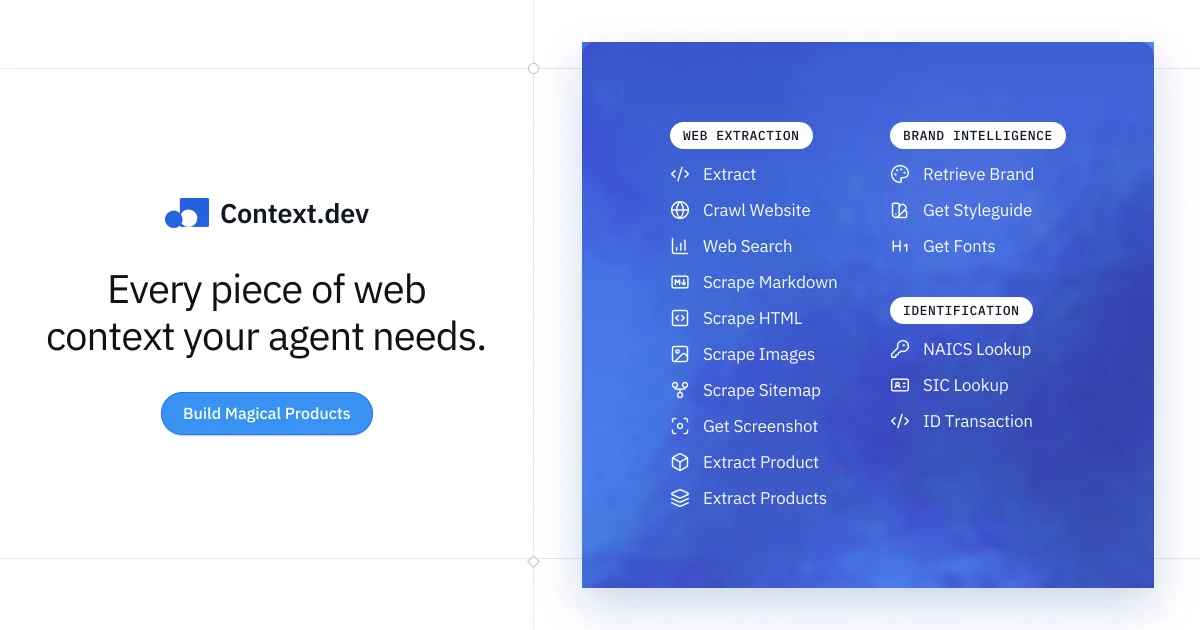
TL;DR: Context.dev is a unified REST API for scraping web pages to markdown, crawling entire sites, extracting structured data via Zod schemas, capturing screenshots, and identifying brands — all through a single authenticated endpoint.
Source and Accuracy Notes
- Project page: context.dev
- Documentation: docs.context.dev
- HN launch thread: news.ycombinator.com/item?id=48847562
What Is Context.dev?
Context.dev is a web data extraction API launched at YC Summer 2026 (S26). It provides a single REST API that handles multiple web data needs: converting pages to clean markdown, crawling entire websites, extracting structured JSON data via user-defined Zod schemas, generating screenshots, and identifying brands from domain or transaction strings.
The core value proposition is unification — instead of stitching together a scraping library, a headless browser, a screenshot service, and a brand lookup API, you call one endpoint with your API key and get back typed, structured data.
Setup Workflow
Step 1: Get an API Key
Sign up at context.dev to receive your CONTEXT_DEV_API_KEY. The free tier includes a generous allocation to get started.
Step 2: Install the SDK
npm install context.dev
# or
pip install context-dev
```bash

### Step 3: Scrape a Page to Markdown

```javascript
import ContextDev from 'context.dev';

const client = new ContextDev({ apiKey: process.env['CONTEXT_DEV_API_KEY'] });

const { markdown } = await client.web.webScrapeMd({
  url: 'https://news.ycombinator.com'
});

console.log(markdown);
```bash

### Step 4: Crawl an Entire Site

```javascript
const { results, metadata } = await client.web.webCrawlMd({
  url: 'https://docs.stripe.com',
  maxPages: 50,
  maxDepth: 3,
  useMainContentOnly: true
});

console.log(`Crawled ${results.length} pages`);
```bash

### Step 5: Extract Structured Data with Zod

```javascript
import { z } from 'zod';

const schema = z.object({
  company_name: z.string(),
  pricing_tiers: z.array(z.object({
    tier_name: z.string(),
    tier_price: z.number(),
    tier_currency: z.string(),
    tier_billing_model: z.enum(['monthly', 'yearly', 'one_time', 'usage_based']),
  })),
});

const result = await client.web.extract({
  url: 'https://www.context.dev',
  schema: schema.toJSONSchema(),
});

console.log(result.data.pricing_tiers);
Deeper Analysis
API Design
Context.dev’s SDK is available in TypeScript/JavaScript and Python. All endpoints return typed objects — no raw HTML parsing required on the client side. Authentication is API key via environment variable, consistent with standard developer tool practice.
Feature Breakdown
- Web scraping (
webScrapeMd) — Renders JavaScript-heavy pages via a headless engine, returns clean markdown. HandlesmaxPagesandmaxDepthfor large sites. - Structured extraction (
web.extract) — Takes a Zod schema, converts it to JSON Schema server-side, and returns typed data matching your schema shape. This is the most differentiated feature — it eliminates the fragile regex/XPath scraping pattern. - Screenshots (
web.screenshot) — Returns a hosted CDN screenshot URL in viewport or full-page mode. - Brand intelligence (
brand.retrieve) — Identifies a company by domain, name, email, ticker, or direct URL. Useful for building brand databases or enriching user profiles. - Styleguide extraction (
web.extractStyleguide) — Returns color palette, typography, and element inventory for any domain. - Product extraction (
ai.extractProducts) — Scrapes product listings or individual product pages, returning structured price, description, and feature data.
Free Tier
The free tier provides enough API credits to evaluate the full feature set. Paid plans scale by credits consumed per month.
Practical Evaluation Checklist
- Clean markdown output from JavaScript-rendered pages
- Zod schema validation works for custom extraction
- Crawl respects
maxPagesandmaxDepthlimits - Screenshots render correctly in viewport and full-page modes
- Brand lookup returns data for well-known domains
- SDK is well-typed and error messages are actionable
Security Notes
API keys are passed via environment variable — never hardcode them in source code or client-side applications. Context.dev’s serverside processing means raw HTML never touches your infrastructure, reducing exposure to malicious payloads from scraped pages.
FAQ
Q: Does this replace Puppeteer or Playwright? A: For data extraction, yes. Context.dev handles JavaScript rendering server-side. For interactive browser automation (filling forms, clicking elements, testing), you still need Puppeteer or Playwright.
Q: How does it handle rate limiting or large sites?
A: The crawl endpoint respects maxPages and maxDepth to prevent runaway crawling. For production-scale crawling, paid plans offer higher throughput.
Q: Is there a Python SDK? A: Yes. The Python SDK covers all the same endpoints as the JavaScript/TypeScript version.
Q: Can I extract data from pages that require login? A: No. Context.dev scrapes publicly accessible pages only. Authenticated content is not supported.
Conclusion
Context.dev solves the fragmented web scraping stack problem by providing a single API that scrapes, crawls, extracts structured data, screenshots, and identifies brands. The Zod schema extraction feature is the standout — it makes fragile XPath/regex scraping obsolete. If your AI pipeline needs reliable web data, this is worth evaluating on the free tier first.
Source and Accuracy Notes
- Project page: context.dev
- Documentation: docs.context.dev
- HN launch thread: news.ycombinator.com/item?id=48847562
- License: Proprietary (API service, no open-source license)
Related Posts
ai-setup
Recall – Persistent Memory for Claude Code via MCP Hooks
Recall gives Claude Code a permanent memory store that survives session restarts and context compaction. Four hooks capture and restore context automatically — with cloud SaaS or self-hosted options.
2/28/2026
dev-tools
Automotive Skills Suite for AI Engineering
Evaluate Automotive Skills Suite for APQP, ASPICE, HARA, safety-plan, and DIA workflows with setup notes, governance risks, and SME review guidance.
5/28/2026
dev-tools
awesome-agentic-ai-zh Roadmap Guide
Explore awesome-agentic-ai-zh as a Chinese agentic AI learning roadmap, with setup notes, track selection, study workflow, and evaluation guidance.
5/28/2026