TL;DR
TL;DR: Context.dev is a web context API that lets AI agents scrape pages, extract brand data (logos, colors, typography), pull structured product info, take screenshots, and monitor websites for changes — all through a single API with SDKs in TypeScript, Python, Go, Ruby, and PHP.
Source and Accuracy Notes
- Project page: context.dev
- Documentation: docs.context.dev
- HN launch thread: news.ycombinator.com/item?id=61573230 (119 points, 2026-07-09)
- License: Proprietary (free tier available, no open-source license listed)
What Is Context.dev?
Most AI agents hit a wall when they need to act on information from the live web. They can reason and generate code, but fetching and parsing actual web content — a competitor’s pricing page, a job posting, a product catalog — requires plumbing that is tedious to build and maintain.
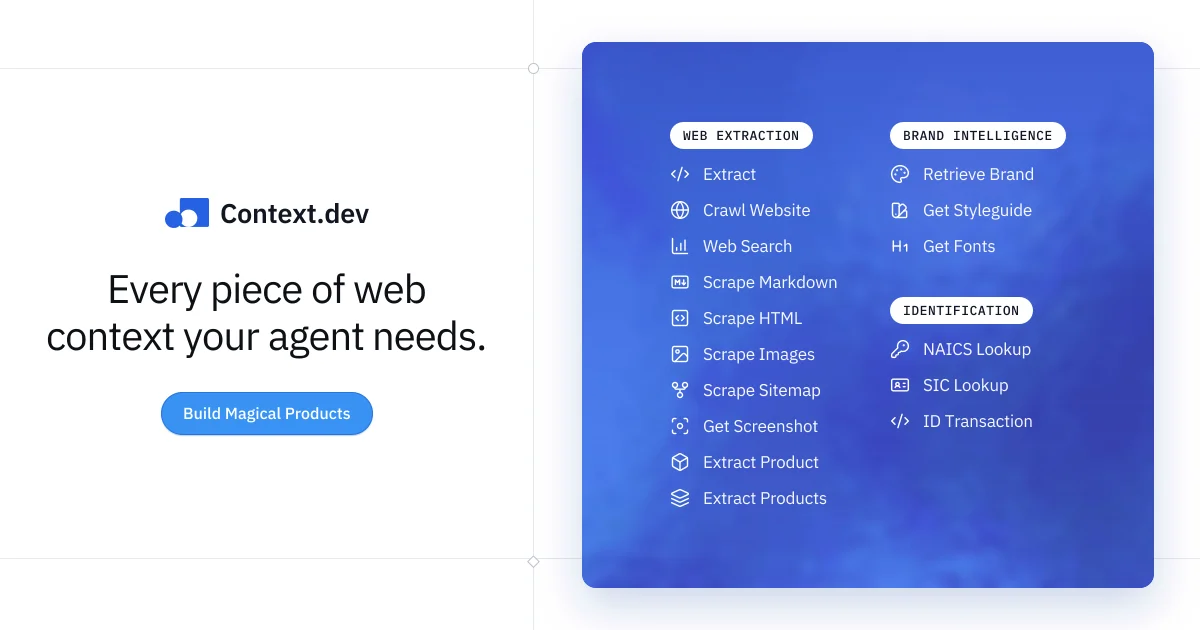
Context.dev solves this by giving coding agents a single API surface for everything web-related. The product is organized around four core capability groups:
Web Scraping — Convert any URL into clean Markdown or HTML. Handles PDFs, DOCX, XLSX, PPTX, and CSV natively. You can crawl a full domain, list sitemap URLs, or extract all images from a page.
Brand Intelligence — Enrich a domain, company name, or work email into a structured brand profile. Returns logos, primary/secondary colors, typography, social links, industry classification (EIC, NAICS, SIC), and company metadata.
Product Extraction — Detect product pages and return a normalized record with name, price, billing frequency, features, images, and SKU.
Website Monitoring — Watch any page, sitemap, or extracted dataset on a schedule. Get signed webhooks when changes are detected, with text diffs and semantic evidence.
A Batch API lets you submit up to 25,000 URLs or crawl large sites asynchronously. All responses include structured JSON shaped to your schema via the Extract API, making it drop-in ready for RAG pipelines and agentic workflows.
Setup Workflow
Step 1: Get an API Key
Sign up at context.dev to receive your API key. The free tier includes 1,000 credits per month.
Step 2: Install an SDK
Pick your language. The SDK handles authentication, retries, and rate-limit backoff automatically.
# TypeScript / Node.js
npm install context-dev

# Python
pip install context-dev

# Go
go get github.com/contextdotdev/context-dev-go

# Ruby
gem install context_dev

# PHP
composer require contextdotdev/context-dev-php
```bash

### Step 3: Make Your First Call

```typescript
import { ContextDev } from "context-dev";

const ctx = new ContextDev({ apiKey: process.env.CONTEXT_DEV_API_KEY });

// Scrape a page to markdown
const page = await ctx.web.scrapeMarkdown("https://example.com/product");
console.log(page.content);

// Get brand data for a domain
const brand = await ctx.brand.get("github.com");
console.log(brand.data.logos[0].url);

// Take a screenshot
const screenshot = await ctx.web.screenshot("https://example.com");
console.log(screenshot.url);
Step 4: Connect via MCP Server
For agents that support the Model Context Protocol (Claude, Cursor, Codex, ChatGPT, VS Code), you can connect Context.dev through OAuth without embedding the API key in your agent’s prompts. See docs.context.dev/install-mcp.
Deeper Analysis
vs. Firecrawl / Crawl4AI: Firecrawl and Crawl4AI focus on general-purpose web crawling for RAG workloads. Context.dev adds brand intelligence (logos, colors, industry codes), product extraction, and scheduled monitoring — capabilities aimed specifically at enriching agentic workflows rather than building search indexes.
vs. Clearbit / Crunchbase: Clearbit and Crunchbase are company enrichment APIs backed by curated databases. Context.dev derives its brand data from live web pages, so it works for any domain including small businesses and new companies not in commercial databases. The tradeoff is that Context.dev requires a live URL to look up, while Clearbit can resolve a person or email to a company record.
Pricing: The free tier includes 1,000 credits per month. Paid plans start at $49/month for 25,000 credits (as of August 2026). See context.dev/pricing for current rates.
Practical Evaluation Checklist
- Install the SDK and make a live scrape call to verify API key works
- Test brand lookup for a known domain and inspect the returned logo URLs and color values
- Try the Batch API with 5–10 URLs to confirm async behavior
- If using in a commercial product, check the Fair Use policy at docs.context.dev/optimization/fair-use
- Verify rate limits match your expected request volume before going to production
Security Notes
- API key is passed to the SDK client — never embed it in frontend code or agent prompts that may be exposed to users
- Zero Data Retention opt-out is available per-request for sensitive lookups (see docs.context.dev/optimization/zero-data-retention)
- MCP server connection uses OAuth, keeping credentials out of the agent’s environment entirely
FAQ
Q: Does Context.dev work for websites behind authentication? A: No. The scraping API fetches publicly accessible pages only. Authenticated content requires a different approach such as browser automation.
Q: What output formats are available? A: Markdown (default), HTML, plain text, and structured JSON via the Extract API. Screenshots return PNG. Brand data and product extraction return typed JSON.
Q: How fast is the scraping API? A: Single-page scrapes typically return in under 2 seconds. Batch jobs run asynchronously with status polling and webhook callbacks on completion.
Q: Is there a usage dashboard? A: Yes. Your account dashboard shows credit usage, API call logs, and per-endpoint breakdowns at app.context.dev.
Conclusion
Context.dev fills a specific gap in the AI agent toolchain: giving agents the ability to fetch and make sense of live web content without you building scrapers, handling anti-bot detection, or maintaining brand databases. The SDKs are straightforward, the API surface is coherent, and the MCP server integration is a clean way to give frontier models web access without key leakage.
If you are building coding agents that need to look up competitor pricing, enrich CRM records, monitor job boards, or pull product data — Context.dev handles the web layer so your agent can focus on reasoning and decision-making.
Try the free tier at context.dev.
Related Posts
ai-setup
Recall – Persistent Memory for Claude Code via MCP Hooks
Recall gives Claude Code a permanent memory store that survives session restarts and context compaction. Four hooks capture and restore context automatically — with cloud SaaS or self-hosted options.
2/28/2026
dev-tools
Automotive Skills Suite for AI Engineering
Evaluate Automotive Skills Suite for APQP, ASPICE, HARA, safety-plan, and DIA workflows with setup notes, governance risks, and SME review guidance.
5/28/2026
dev-tools
awesome-agentic-ai-zh Roadmap Guide
Explore awesome-agentic-ai-zh as a Chinese agentic AI learning roadmap, with setup notes, track selection, study workflow, and evaluation guidance.
5/28/2026