Construct Computer - Agentic Cloud OS for Daily Work
Construct gives your AI agent a persistent work OS — memory, files, browser, terminal, schedules, workflows, and 1,000+ connected apps in one supervised cloud workspace.
TL;DR
TL;DR: Construct Computer is a cloud-based AI work OS that gives your AI employee persistent memory, a full desktop environment with browser and terminal, schedules, workflows, and 1,000+ app integrations — starting at $9/month.
Source and Accuracy Notes
⚠️ This section is MANDATORY. All links must be verified from actual source, not guessed.
- Project page: construct.computer — verified
- Source repository: github.com/construct-computer — verified (multiple repos)
- License: Not confirmed as open source from available README/docs
- HN launch thread: news.ycombinator.com/item?id=47231734 — 21 points, 8 comments
- Source last checked: 2026-07-21
What Is Construct Computer?
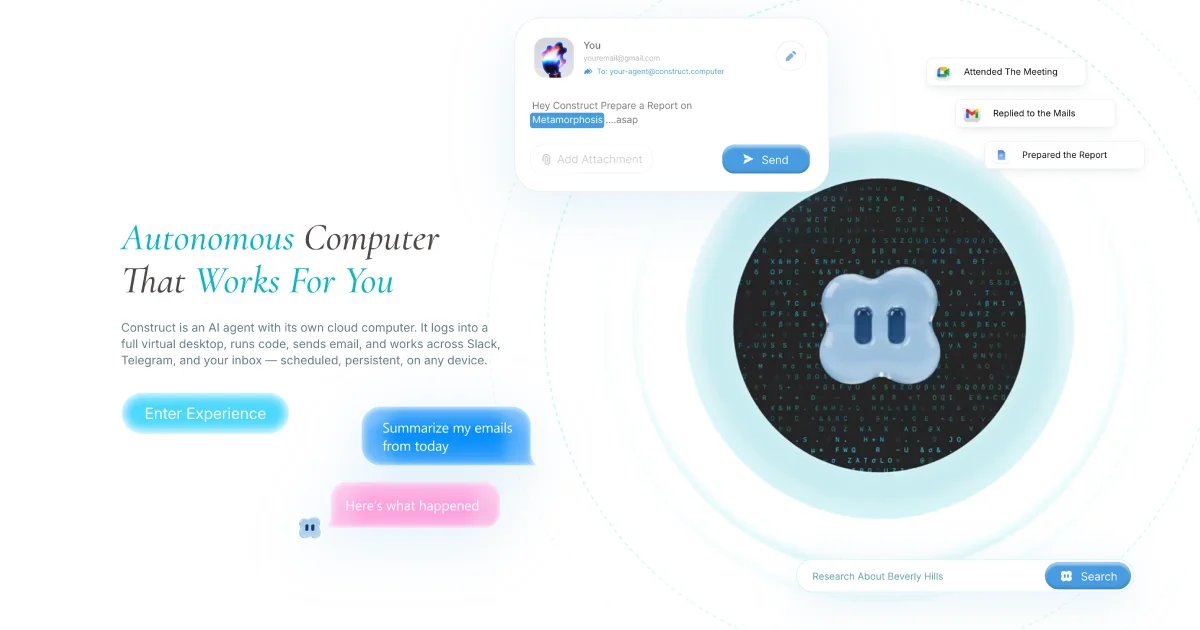
Construct Computer is an AI employee platform — a persistent cloud workspace where an AI agent operates with memory, files, browser, terminal, schedules, and workflows. The agent works in a full web-based desktop OS that you watch in real time, can take over at any moment, and collaborate with mid-task.
The core premise is an “agentic computer”: instead of prompting a model and forgetting about it, you give the AI a persistent work environment that remembers context across sessions, has access to tools (browser, terminal, file system), and can be interrupted or supervised at any point.
The platform positions itself between a pure API-based AI assistant and a full remote desktop. The agent runs continuously in a cloud workspace rather than on your local machine.
Key Features
Persistent Agent Memory
The agent maintains memory across sessions — it remembers your projects, preferences, ongoing tasks, and past actions without you re-explaining context each time.
Full Desktop Environment
Construct ships a web-based OS with windowed apps:
- Spotlight — floating AI chat with slash commands and voice input
- Terminal — agent has terminal access for CLI tasks
- Browser — agent can browse the web and interact with sites
- Files, Email, Calendar — standard desktop apps
- Dock, Menu Bar, Mission Control — macOS-style chrome
The desktop is built with React 19, Tailwind CSS 4, Zustand, and Vite 7, with real-time WebSocket communication between the agent and the UI.
Schedules and Workflows
Agents can be scheduled to run tasks on a cadence (daily standups, weekly reports, recurring research) or triggered by workflow rules.
App Integrations
The platform connects to 1,000+ apps natively. A sample integration for MercadoLibre shows 21 tools covering product search, seller management, and orders — suggesting a plugin/app registry model for third-party services.
Supervised Autonomy
You watch the agent work in real time. At any point you can take over the keyboard, approve or reject an action, or ask it to pivot. The agent is not a black box — it streams tool calls and reasoning as it works.
Pricing
Construct offers three tiers:
| Plan | Price | Notes | |---|---|---| | Lite | $9/month | Entry tier | | Starter | $59/month | Increased task steps, parallel jobs, storage | | Pro | $299/month | Higher limits, native agent emulation |
Plans increase task step limits, parallel agent job capacity, storage, and scheduled-job quotas as you move up.
Setup and Installation
The web desktop is open source and can be self-hosted (the GitHub org contains all component repos). However, the platform itself runs as a hosted cloud service with subscription gating.
To run the web desktop locally:
# Install dependencies
pnpm install

# Copy environment config
cp .env.example .env

# Start development server
pnpm dev
The dev server runs at http://localhost:5173 and proxies API requests to the backend worker.
How It Compares
vs. Remote Desktop (TeamViewer, AnyDesk): Those mirror a physical screen. Construct runs the agent in a cloud OS — no local machine required, no screen-sharing latency.
vs. AI API Calls (OpenAI function calling, Anthropic tools): Those are stateless per-session. Construct gives the agent persistent context, file storage, and a GUI environment across sessions.
vs. Browser Automation (Playwright, Puppeteer): Those are developer tools for scripted interactions. Construct is an autonomous agent that decides which tools to use based on goals you set.
Practical Evaluation Checklist
- [ ] Sign up and complete onboarding wizard
- [ ] Connect at least one app integration (email, calendar, or Slack)
- [ ] Set a recurring task via Schedules
- [ ] Watch the agent execute a multi-step task and observe real-time streaming
- [ ] Take keyboard control mid-task and redirect the agent
- [ ] Test memory persistence — ask about something from a previous session
Security Notes
- Agent runs in Construct’s cloud infrastructure, not locally
- You supervise all actions in real time before they complete
- App integrations require OAuth or API credentials — review what access you grant
- For sensitive workflows, the supervised autonomy model means no action happens without the ability to intercept
FAQ
Q: Is Construct open source? A: Components are on GitHub (github.com/construct-computer), but the backend agent runtime and hosted service are proprietary. The open repos cover the web desktop, app SDK, and app registry.
Q: What can the AI agent actually do? A: The agent has persistent memory, file access, browser, terminal, email, calendar, and workflow tools. It can browse the web, run CLI commands, send emails, update calendars, and execute app-specific actions through integrations.
Q: Can I self-host it? A: The web desktop UI is open source and can be self-hosted. The agent runtime and cloud infrastructure are hosted by Construct. Full self-hosting of the agent would require access to their backend which is not currently open source.
Q: How does the agent decide what to do? A: You set goals and schedules. The agent plans steps, executes them, streams its reasoning and tool calls back to you in real time, and waits for supervision at decision points.
Conclusion
Construct Computer is an “AI employee work OS” — a cloud desktop where an AI agent operates with persistent memory, full tool access, and 1,000+ app integrations. The supervised autonomy model (you watch and can intervene) makes it more trustworthy than a fire-and-forget API call while being more persistent than a stateless chatbot.
If you want an AI agent that remembers context across weeks, can browse, write code, send emails, and run scheduled workflows — without setting up your own agent infrastructure — Construct is worth evaluating. The $9 Lite plan is a low-friction entry point to test the model before committing to a higher tier.
For developers who want to extend the platform, the app SDK and open web desktop repo provide a starting point for building custom integrations.
- Project page: construct.computer
- HN thread: news.ycombinator.com/item?id=47231734
Related Posts
ai-setup
Recall – Persistent Memory for Claude Code via MCP Hooks
Recall gives Claude Code a permanent memory store that survives session restarts and context compaction. Four hooks capture and restore context automatically — with cloud SaaS or self-hosted options.
2/28/2026
dev-tools
Automotive Skills Suite for AI Engineering
Evaluate Automotive Skills Suite for APQP, ASPICE, HARA, safety-plan, and DIA workflows with setup notes, governance risks, and SME review guidance.
5/28/2026
dev-tools
awesome-agentic-ai-zh Roadmap Guide
Explore awesome-agentic-ai-zh as a Chinese agentic AI learning roadmap, with setup notes, track selection, study workflow, and evaluation guidance.
5/28/2026