Codify – Dev Environment as Code
Declare your dev setup in a JSONC file and let its AI agent install Homebrew, VS Code, Node, and more across Mac and Linux in one command.
TL;DR
TL;DR: Codify brings Infrastructure-as-Code thinking to your local machine — define your dev environment in a
codify.jsoncfile and replicate it across any Mac or Linux host with a singlecodify apply.
Source and Accuracy Notes
- Project page: codifycli.com
- Source repository: github.com/codifycli/codify
- License: Apache 2.0
- HN launch thread: news.ycombinator.com/item?id=48553760 ← verified via Algolia API
What Is Codify?
Every developer knows the pain: new machine, hours of installing Homebrew, Node, Python, VS Code extensions, Docker — then repeating it all for the next laptop. Codify (codifycli.com) brings the Terraform mental model to local development environments.
Instead of a shell script you hope works once, you write a declarative codify.jsonc configuration that lives in version control:
[
  {
    "type": "homebrew",
    "formulae": ["git", "node", "[email protected]"]
  },
  {
    "type": "vscode",
    "extensions": ["dbaeumer.vscode-eslint", "esbenp.prettier-vscode"]
  },
  {
    "type": "docker"
  }
]
```bash

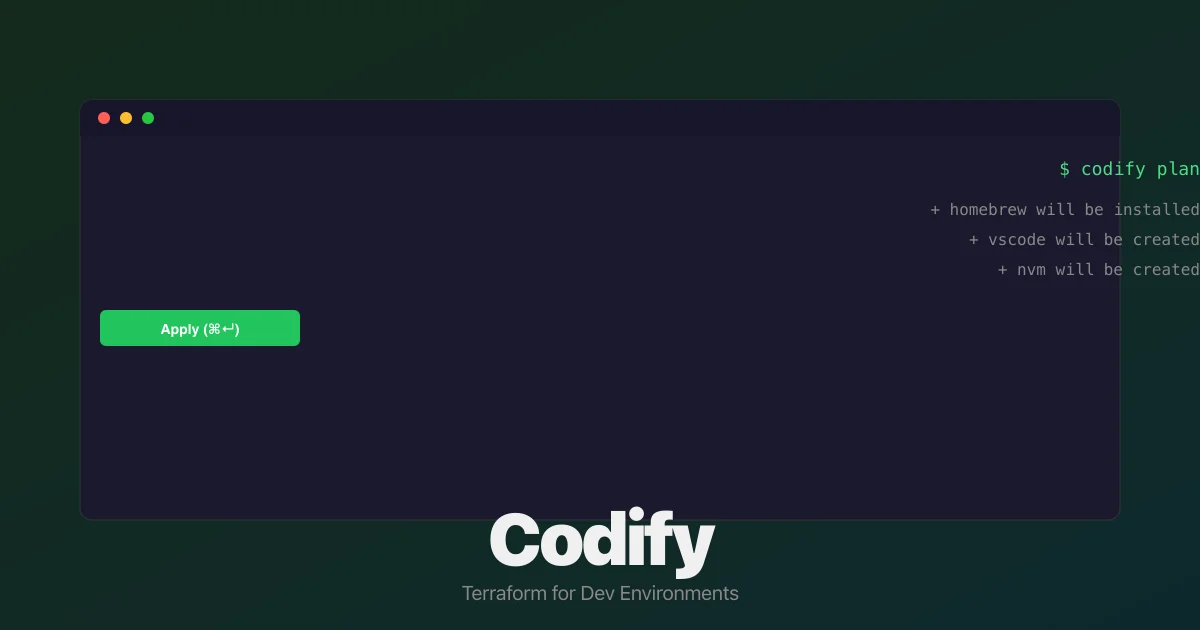
Run `codify plan` to preview changes before applying them. Run `codify apply` to execute. The tool handles dependency ordering, idempotency, and drift detection — just like Terraform does for cloud infrastructure.

## Setup Workflow

### Step 1: Install Codify

On macOS or Linux, the fastest route is the install script:

```bash
curl -fsSL https://releases.codifycli.com/install.sh | bash
```bash

This installs the `codify` CLI via [oclif](https://oclif.io) (the same framework that powers Stripe's CLI). After installation, verify:

```bash
codify --version
```bash

### Step 2: Initialize from an Existing Machine

If you already have a configured machine, `codify init` scans it and generates a configuration file automatically:

```bash
codify init
```bash

It detects installed tools — Homebrew packages, global npm modules, asdf versions, Docker, Git configuration — and presents an interactive selector so you choose which ones to include in your base template.

### Step 3: Write or Edit Your Configuration

Create `codify.jsonc` (or `codify.json`) in your repo root. The README documents these core resource types:

| Type | What it manages |
|---|---|
| `homebrew` | Brew formulae and casks |
| `vscode` | Extensions and workspace settings |
| `npm` | Global npm packages |
| `macos` | System preferences (trackpad, dock, etc.) |
| `git` | Global `.gitconfig` keys |
| `docker` | Docker Desktop or Colima |
| `asdf` | Language version managers |

Full plugin list at [codifycli.com/docs/plugins](https://codifycli.com/docs/plugins).

### Step 4: Plan and Apply

```bash
# Preview what will change
codify plan

# Apply all the things
codify apply
The plan output shows a structured diff before touching your system — you can say “no” and nothing runs.
How the AI Agent Works
Codify has a built-in AI chat interface that lets you describe changes in plain English:
“I want Python 3.11 via pyenv, the latest Docker, and VS Code with ESLint and Prettier extensions.”
The agent translates this into the correct codify.jsonc entries and runs codify apply. This is surfaced in the web editor at dashboard.codifycli.com and the CLI blocks view.
Deeper Analysis
Why this is different from a dotfiles repo:
Dotfiles (~/.bashrc, ~/.zshrc) manage your shell config, not the packages and apps installed on the machine. Codify captures the full stack — Homebrew casks, GUI apps, language runtimes, editor plugins — things dotfiles can’t express.
The codify import angle:
If your team already has a “works on my machine” culture, codify init is a one-command bootstrap. Point it at a working machine, get a reproducible config, commit it, share it.
Self-hosted angle:
Codify itself is the CLI you install. There’s no SaaS requirement — the web editor at dashboard.codifycli.com is optional for visual editing, but all core functionality (plan, apply, init) runs entirely offline from the CLI. Your codify.jsonc stays in your repo.
Practical Evaluation Checklist
- Install on a fresh macOS or Linux VM
- Run
codify init— confirm it detects Homebrew, Git, Docker - Add one plugin (e.g.,
vscode) and runcodify plan - Run
codify applyand verify the resource is installed - Test
codify planon a second machine using the same config file - Check the AI chat in the web editor for plain-English config generation
- Verify the config is idempotent (apply twice → second run is a no-op)
Security Notes
- The install script (
curl | bash) is a standard pattern but always inspect it first:curl -fsSL https://releases.codifycli.com/install.sh | less - Codify executes Homebrew and system package managers — it needs the same privileges any dev tool requires
- The
codify.jsonclives in your repo — treat it like any other infrastructure code: review PRs before applying - The web editor requires authentication; the CLI is fully local and offline-capable
FAQ
Q: Does Codify work on Windows? A: Currently macOS and Linux only. WSL is supported (the tool runs inside WSL on a Windows host).
Q: Can I use this to manage servers, not just local machines? A: The primary target is local developer machines. For server provisioning, Terraform, Ansible, or NixOS are more appropriate.
Q: What happens if a package installation fails mid-apply?
A: Codify is idempotent — re-running codify apply picks up from where it left off. Already-installed resources are skipped.
Q: Is there a team/shared config feature?
A: You commit codify.jsonc to a Git repo and share it like any other code. There’s no built-in team state server — the model is “config in repo, apply locally.”
Q: Does it support Nix or Homebrew on Linux?
A: Homebrew on Linux is supported via the homebrew plugin. Nix is not yet in the official plugin list.
Conclusion
Codify tackles the “works on my machine” problem at the root: instead of documenting setup steps in a wiki, you declare the desired state and let the tool handle execution. The plan before apply workflow is borrowed from Terraform and makes the tool safe to run on machines you care about.
If your team spends more than an hour onboarding a new developer onto their environment, or if you maintain multiple machines and want them in sync, Codify is worth a look. The install is one command, the config is plain JSONC, and the tool runs entirely locally.
Related Posts
ai-setup
Recall – Persistent Memory for Claude Code via MCP Hooks
Recall gives Claude Code a permanent memory store that survives session restarts and context compaction. Four hooks capture and restore context automatically — with cloud SaaS or self-hosted options.
2/28/2026
dev-tools
Automotive Skills Suite for AI Engineering
Evaluate Automotive Skills Suite for APQP, ASPICE, HARA, safety-plan, and DIA workflows with setup notes, governance risks, and SME review guidance.
5/28/2026
dev-tools
awesome-agentic-ai-zh Roadmap Guide
Explore awesome-agentic-ai-zh as a Chinese agentic AI learning roadmap, with setup notes, track selection, study workflow, and evaluation guidance.
5/28/2026