TL;DR
TL;DR: ChartDB Agent is a free AI tool that designs databases from scratch or refactors existing schemas using natural language — exports SQL, generates ER diagrams, and integrates directly into Cursor.
Source and Accuracy Notes
- Project page: chartdb.io/ai
- Source repository: github.com/chartdb/chartdb
- License: AGPL-3.0 (verified via GitHub API)
- HN launch thread: news.ycombinator.com/item?id=45437594
What Is ChartDB Agent?
ChartDB Agent is an AI-powered database schema design tool built on top of the open-source ChartDB project (22.6k GitHub stars). It lets you create, modify, and export database schemas using natural language — no SQL knowledge required.
The core capabilities, as described by the founders in their HN launch:
- Generate schemas from English — describe your data model in plain text and the agent produces a full schema
- Brainstorm tables and relationships — iterate on schema design with AI feedback
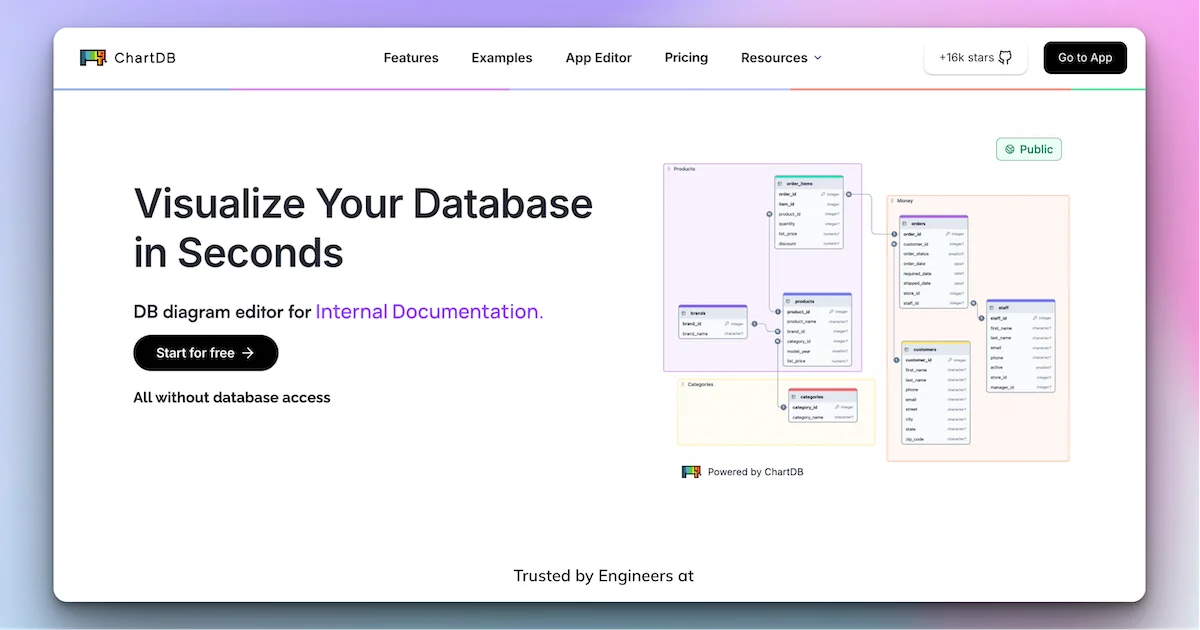
- Visual ERD editing — see changes rendered as an interactive entity-relationship diagram
- Deterministic SQL export — produce migration-ready DDL scripts for PostgreSQL, MySQL, SQL Server, SQLite, MariaDB, CockroachDB, or ClickHouse
You can use it directly in your browser at app.chartdb.io/ai (no signup required) or integrate it into Cursor via the ChartDB Agent extension.
Setup Workflow
Option 1: Browser (no install)
Open app.chartdb.io/ai and start describing your database. No account, no API key, no database password needed.
Option 2: Cursor IDE Integration
- Open Cursor Settings → Features → AI Agents
- Add the ChartDB Agent plugin
- Start a new chat and describe your schema
Option 3: Self-Hosted
docker run -e OPENAI_API_KEY=<YOUR_KEY> -p 8080:80 ghcr.io/chartdb/chartdb:latest
```bash

Then open `http://localhost:8080/ai` in your browser.

For AI features, ChartDB uses OpenAI by default. You can also configure a custom inference endpoint:

```bash
docker build \
  --build-arg VITE_OPENAI_API_ENDPOINT=<YOUR_ENDPOINT> \
  --build-arg VITE_LLM_MODEL_NAME=<YOUR_MODEL_NAME> \
  -t chartdb .
Deeper Analysis
ChartDB Agent fills a specific gap in the AI-assisted development tooling landscape. Unlike general-purpose coding agents (Claude Code, Cursor Composer) that can reason about schemas but lack dedicated visualization, ChartDB Agent is purpose-built for database design — it produces ER diagrams as first-class output.
The workflow advantage: describe a schema in English, see it rendered as an ERD, export to your dialect of choice. For prototyping, this is significantly faster than writing DDL by hand or drawing diagrams in a separate tool.
Supported target dialects:
- PostgreSQL (including Supabase, Timescale)
- MySQL
- SQL Server
- MariaDB
- SQLite (including Cloudflare D1)
- CockroachDB
- ClickHouse
Practical Evaluation Checklist
- Describe a schema in plain English and verify the generated ERD matches intent
- Test exporting to a dialect you actually use (PostgreSQL, MySQL, etc.)
- If self-hosting: verify the
OPENAI_API_KEYenv var enables AI features - Check that the generated SQL is syntactically valid for your target dialect
- Evaluate readability of the ERD for a schema with 10+ tables
Security Notes
- ChartDB never requires a database password — it works from schema queries or natural language, not direct database access
- If self-hosting, protect your
OPENAI_API_KEYthe same way you protect any API credential - The self-hosted Docker image exposes port 8080; bind it to
localhostunless you need remote access
FAQ
Q: Does ChartDB Agent support existing production databases? A: Yes. You can connect ChartDB to an existing database to import the current schema, then use the AI agent to design changes or refactors on top of it.
Q: Is the AI feature free? A: The base tool is free to use in-browser with no signup. Self-hosted deployments require your own OpenAI API key or compatible inference endpoint.
Q: Can I use it without Cursor? A: Yes — the browser version at app.chartdb.io/ai has full functionality without any IDE plugin.
Q: What happens to my schema data? A: ChartDB is open-source (AGPL-3.0). The browser version processes schemas server-side; if you self-host, all data stays on your infrastructure.
Conclusion
ChartDB Agent is a focused, free AI tool for database schema design — faster than hand-writing DDL and more visual than general coding agents. If you prototype databases often, it’s worth keeping bookmarked at app.chartdb.io/ai.
Related Posts
ai-setup
Recall – Persistent Memory for Claude Code via MCP Hooks
Recall gives Claude Code a permanent memory store that survives session restarts and context compaction. Four hooks capture and restore context automatically — with cloud SaaS or self-hosted options.
2/28/2026
dev-tools
Automotive Skills Suite for AI Engineering
Evaluate Automotive Skills Suite for APQP, ASPICE, HARA, safety-plan, and DIA workflows with setup notes, governance risks, and SME review guidance.
5/28/2026
dev-tools
awesome-agentic-ai-zh Roadmap Guide
Explore awesome-agentic-ai-zh as a Chinese agentic AI learning roadmap, with setup notes, track selection, study workflow, and evaluation guidance.
5/28/2026