What Is Cekura? Voice and Chat AI Testing Platform
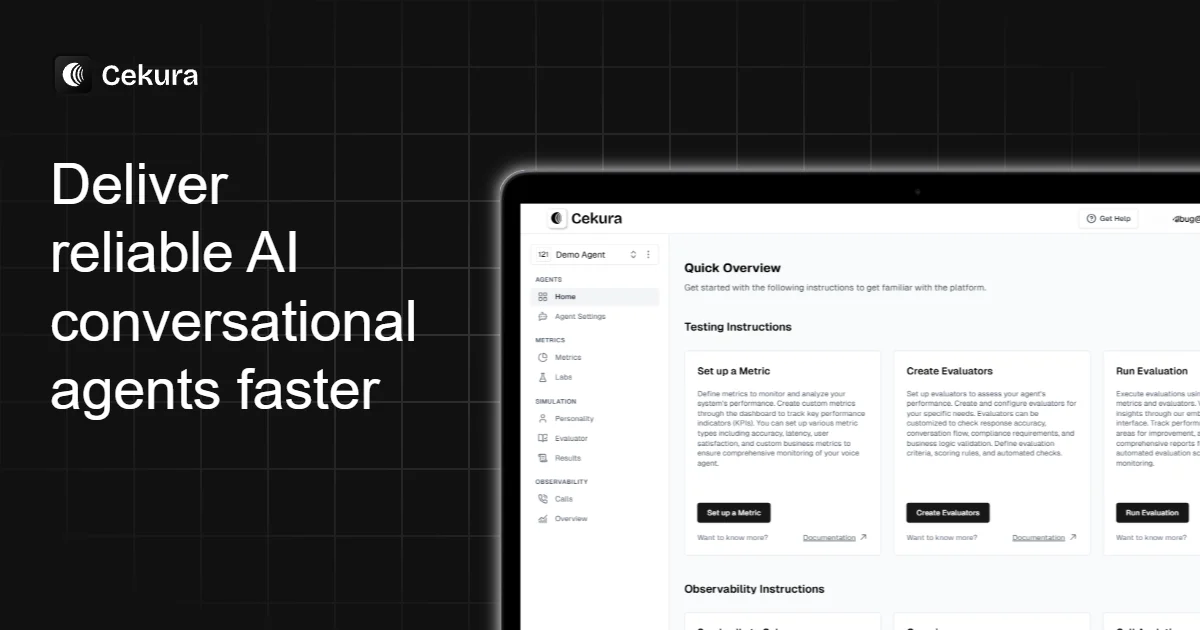
Cekura is a testing platform for voice and chat AI agents with simulated conversations, LLM-judge and code-based evaluators, production monitoring, and CI integration.
TL;DR
TL;DR: Cekura is a YC F24 testing and observability platform for voice and chat AI agents that runs simulated user conversations, scores them with LLM-judge and code-based metrics, and monitors live production calls.
Source and Accuracy Notes
- Product site: cekura.ai
- Documentation index (llms.txt): docs.cekura.ai/llms.txt
- HN launch: Launch HN thread (89 points, YC F24)
- Founders Tarush, Sidhant, and Shashij; 1.5 years running voice-agent simulation before extending to chat
What Is Cekura?
Cekura is a continuous testing and observability platform purpose-built for conversational AI. Where tracing tools like Langfuse and LangSmith inspect a single LLM call, Cekura evaluates the entire session as a unit so multi-turn failures surface instead of being hidden by green per-turn scores.
The core idea is simple: synthetic users talk to your agent the way real users do, and an evaluator scores whether the agent behaved correctly across the full arc. The platform ships with three things that make this work in practice:
- Scenario generation plus real-conversation import. A scenario-generation agent bootstraps your test suite from a description of the agent, and production transcripts are ingested so your coverage evolves as your users do.
- Mock tool platform. Simulated tool schemas, behaviors, and return values let evaluators exercise tool selection and decision-making without touching production APIs.
- Structured conditional-action evaluators. Rather than free-form prompts, evaluators are defined as conditional action trees with deterministic branching, so a passing test really means the agent passed, not that the LLM judge rolled favorably.
Cekura also monitors live traffic. The same evaluator that scores simulations scores production calls, so the boundary between “test” and “observe” disappears.
Why Voice Agents Need Their Own Testing Stack
Tracing platforms evaluate turn by turn, and that misses the most common conversational failure mode. Take a verification flow that asks for name, date of birth, and phone number before proceeding. If the agent skips DOB and moves on anyway, every individual turn looks fine. A trace marks step 3 (address confirmation) green because the right question was asked. The bug is invisible until you score the full session as a unit.
Cekura’s example from the launch thread: a banking agent where the user fails verification in step 1, but the agent hallucinates and proceeds. A turn-based evaluator sees step 3 and marks it green. A session-aware judge sees the full transcript and flags the failure because verification never succeeded. That single design decision is why a voice-agent team would pick Cekura over a general-purpose LLM tracer.
The platform was originally voice-only and was built around this session model. It was recently extended to chat using the same infrastructure, with the same evaluators and metrics running against text-based interactions.
Setup Workflow
You do not need any external API keys to try Cekura — the platform ships a built-in “Quick Overview” agent so you can run an end-to-end test in under five minutes. The real workflow starts when you connect a provider.
Step 1: Create an agent and pick a provider
From the dashboard, create a new agent. The provider selector supports the major voice and chat stacks:
Voice:   Retell, VAPI, ElevenLabs, LiveKit, Pipecat, SIP, custom
Chat:    Native chat endpoint, custom integration via webhook
Twilio / Plivo numbers can be brought in for inbound and outbound testing
```bash

Each integration has its own setup page. Retell, VAPI, ElevenLabs, LiveKit, and Pipecat each have a paired "Testing" and "Observability" doc that walks through the connection.

### Step 2: Define a metric

Metrics are how Cekura scores whether the agent behaved correctly. Three types are supported:

- **Pre-defined metrics** — standard checks for accuracy, conversation quality, customer experience, and speech quality.
- **LLM Judge metrics** — natural-language criteria scored by an LLM against the full transcript.
- **Python metrics** — custom code that returns a boolean, numeric, or categorical result.

A typical first metric is a Python boolean that checks for a specific phrase or tool call. A second is an LLM Judge that scores tone. Both run against the same evaluator.

### Step 3: Build an evaluator from a scenario

Evaluators are test cases. They combine a scenario (a synthetic user) with the metrics that score the result. The platform's scenario generator bootstraps an evaluator from a one-line description of the agent, then production transcripts are imported to expand coverage.

Conditional actions add deterministic branching:

```text
Scenario:  User asks for refund status
On intent = "refund_request":
    If order_age < 30 days   → expect agent offers refund
    If order_age >= 30 days → expect agent offers store credit
On agent says "I'll transfer you" → expect tool_call = transfer_to_human
```bash

This is the part that makes test runs reproducible. A free-form prompt would behave differently every run. A conditional action tree behaves the same way every run, so a green CI signal is real.

### Step 4: Run the evaluator and review results

Evaluators execute as Runs. Each Run produces a transcript, per-metric scores, and a pass/fail. From the dashboard, the Runs page lists recent evaluations with bulk operations for re-running failed cases. Test sets can be created from a run, which is useful for regression suites.

### Step 5: Wire into CI

Cekura ships a GitHub Actions tutorial and a Cron Job guide so the same evaluators run on every PR. A typical workflow:

```yaml
# .github/workflows/cekura-evals.yml
name: cekura-evals
on: [pull_request]
jobs:
  test:
    runs-on: ubuntu-latest
    steps:
      - uses: actions/checkout@v4
      - name: Run Cekura evaluators
        env:
          CEKURA_API_KEY: ${{ secrets.CEKURA_API_KEY }}
        run: |
          curl -X POST https://api.cekura.ai/v1/runs \
            -H "Authorization: Bearer $CEKURA_API_KEY" \
            -d '{"evaluator_ids": ["refund_flow", "kyc_verification"]}'
Failures block the PR. Cron jobs run the same evaluators nightly against the live agent so regressions surface even when no code has changed.
Deeper Analysis
Load testing for voice agents
Voice infrastructure is sensitive to concurrency in a way that chat isn’t. A spike of 50 simultaneous calls hits Twilio rate limits, LiveKit room creation latency, and LLM token budgets at once. Cekura’s load-testing guide covers:
- Concurrent call fan-out against a single agent
- Per-provider rate limit observation
- Latency percentile reporting across the full call
- Failure classification (busy, dropped, failed, voicemail)
This is genuinely different from k6 or Artillery. Those measure HTTP throughput; voice load testing measures whether the agent can carry 50 conversations at once without dropping, looping, or going silent.
Red-teaming multi-turn attacks
The Red Teaming guide documents multi-turn adversarial scenarios — prompts designed to make the agent reveal its system prompt, bypass verification, or call tools it shouldn’t. They run through the same evaluator infrastructure, which means a red-team result feeds back into the same dashboard as a regression test.
Observability for live traffic
Once the agent is in production, Cekura’s observability layer imports calls (Retell, VAPI, ElevenLabs, LiveKit, Pipecat, SIP, custom webhooks) and scores them with the same metrics used in pre-production. Sampling is configurable per metric — a critical safety check runs on 100% of calls, a tone check on 10%.
PII redaction is available for transcripts and audio, which matters when voice calls contain real customer data.
MCP and agent integration
Cekura ships an MCP server that exposes its docs and APIs to Claude Code, Cursor, and VS Code Copilot. The docs include a ready-to-use AGENTS.md template, which is the pattern to teach an AI coding agent how to run evaluators from inside the project. The Claude Code Guide walks through the full flow: spin up an evaluator, run it, read the result, and iterate.
For voice-agent teams that already use Claude Code or Cursor, this turns evaluator authoring into a chat-driven task.
Practical Evaluation Checklist
Before committing a voice-agent change, Cekura-style coverage means at minimum:
- A scenario for the primary happy path
- A scenario for the top 3 user intents by volume
- A scenario for the verification / KYC step (if any)
- A scenario that triggers each external tool the agent can call
- A scenario for accent variation if the agent serves a non-monolingual audience
- A scenario for the failure mode that has hurt you most in production
The first four are non-negotiable. The last two come from real incident data. Cekura’s import-from-conversations feature automates pulling these from production transcripts, so the test suite evolves with the user base.
Security Notes
- API keys are scoped per-project; enterprise tier adds role-based access control.
- IP whitelisting is available so Cekura’s webhook callbacks and presigned URLs are restricted to known ranges.
- PII redaction runs on transcripts and audio before they reach the dashboard.
- Voice calls are processed by the provider you connect (Retell, VAPI, ElevenLabs, LiveKit, Pipecat, Twilio) — Cekura does not sit in the audio path during live calls, only in scoring.
FAQ
Q: How is Cekura different from Langfuse or LangSmith? A: Langfuse and LangSmith trace individual LLM calls. Cekura evaluates the full session as a unit, which catches multi-turn bugs that turn-level scoring misses. They are complementary — a typical setup uses a tracer for debugging single calls and Cekura for regression testing sessions.
Q: Does Cekura work for chat agents, or only voice? A: Both. The voice product has been running for 1.5 years and the chat product was added on top of the same evaluator infrastructure. The same metrics, conditional actions, and run output work for both.
Q: How much does it cost? A: A 7-day free trial is available without a credit card. Paid plans start at $30 per month. Voice testing is metered at 5 credits per minute, chat testing at 0.5 credits per message, and observability metric evaluation at 0.2 credits per metric run.
Q: Can I run evaluators in CI? A: Yes. The GitHub Actions tutorial and Cron Job guide cover the standard patterns. Evaluators run as standard API calls and return a pass/fail per metric.
Q: Which voice providers are supported? A: Retell, VAPI, ElevenLabs, LiveKit, Pipecat, SIP, and a custom integration via webhook. Phone numbers from Twilio and Plivo can be brought in directly.
Q: Can I use Cekura with my own LLM-judge prompts? A: Yes. LLM Judge metrics accept a free-form natural-language criteria plus a model selector. Python metrics accept arbitrary code for cases that need deterministic logic.
Conclusion
Cekura is a focused tool: it does not try to be a generic LLM-observability platform, and that focus is the point. For voice and chat agents, the failure modes are conversational, and conversational failures need a session-aware scorer. The MCP server, AGENTS.md template, and CI integration mean a team using Claude Code or Cursor can author, run, and triage evaluators from inside their editor. If you ship a voice agent to real users, Cekura is the closest thing to a regression test suite that exists for this category.
Related Posts
ai-setup
Recall – Persistent Memory for Claude Code via MCP Hooks
Recall gives Claude Code a permanent memory store that survives session restarts and context compaction. Four hooks capture and restore context automatically — with cloud SaaS or self-hosted options.
2/28/2026
dev-tools
Automotive Skills Suite for AI Engineering
Evaluate Automotive Skills Suite for APQP, ASPICE, HARA, safety-plan, and DIA workflows with setup notes, governance risks, and SME review guidance.
5/28/2026
dev-tools
awesome-agentic-ai-zh Roadmap Guide
Explore awesome-agentic-ai-zh as a Chinese agentic AI learning roadmap, with setup notes, track selection, study workflow, and evaluation guidance.
5/28/2026