TL;DR
TL;DR: Cardboard (YC W26) is an agentic AI video editor that runs in your browser — type a plain-text edit instruction and it cuts, captions, reframes, and composes your footage without installing anything.
Source and Accuracy Notes
- Project page: usecardboard.com — visited and verified
- Source repository: No public source repository (closed-source SaaS)
- License: Proprietary (no open source license)
- HN launch thread: news.ycombinator.com/item?id=47170174 — 132 points
- Y Combinator: ycombinator.com/companies/cardboard — YC W26 batch
What Is Cardboard?
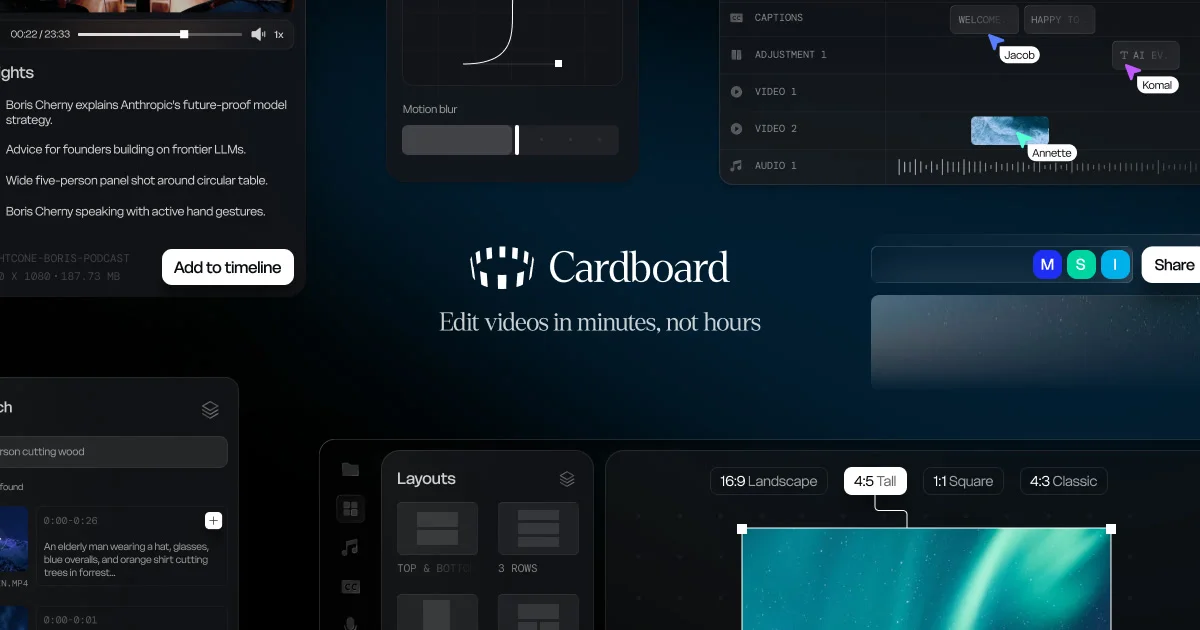
Cardboard is a browser-based AI video editor built by Cardboard Inc. in San Francisco, part of Y Combinator’s Winter 2026 batch. The core pitch: you describe the edit you want in plain text, and Cardboard’s AI handles the cutting, captioning, reframing, and compositing.
The product targets creators who want professional edits without learning Final Cut Pro or DaVinci Resolve. From the launch thread, one early user described it as “the kind of tool I was thinking I wish existed” for sending personal videos to a loved one.
Key capabilities as described on the site:
- Plain-text editing — “cut the beginning”, “add captions”, “reframe for vertical” in natural language
- Caption generation — auto-generated subtitles
- Reframing — adapts horizontal footage to vertical for TikTok/Reels/Shorts
- Compositing — multi-clip composition without a timeline
- No install — runs in the browser, nothing to download
Setup Workflow
Cardboard requires no local installation. Getting started:
Step 1: Sign Up
Visit usecardboard.com and create an account. The pricing page shows Free and paid tiers (annual plans get a discount).
Step 2: Upload Your Footage
Drag and drop video files directly into the browser window. Cardboard processes files server-side.
Step 3: Describe Your Edit
Type what you want in plain text. Example edit commands:
"Cut the first 10 seconds and add captions"
"Reframe this horizontal video for Instagram Reels"
"Trim the awkward pause at 1:23 and add a fade"
The AI interprets the instruction and applies the edit automatically.
Deeper Analysis
The Browser-First Approach
Most AI video editors (Runway, CapCut, Descript) require either a desktop install or a heavy web app. Cardboard’s fully browser-based approach eliminates the install friction entirely — useful for quick edits on borrowed or managed machines.
Y Combinator Backed
Cardboard went through YC W26 (Winter 2026), which means it has early institutional backing and a runway to develop. This also means the product is young — expect rough edges and active development.
Pricing
The pricing page mentions Free and paid tiers with an annual -20% discount. Exact per-seat or per-minute pricing requires signing in, as the page is gated behind authentication.
How It Compares
| Feature | Cardboard | CapCut | Runway |
|---|---|---|---|
| Browser-based | Yes | No | Partially |
| Plain-text editing | Yes | No | No |
| Auto captions | Yes | Yes | Yes |
| YC backed | YC W26 | ByteDance | No |
| Open source | No | No | Partial |
Practical Evaluation Checklist
- Does it require any install? No — browser only
- Is there a free tier? Yes — Free plan available
- Can you export to standard formats? Yes — MP4/WebM outputs
- Does it handle long-form video? Unverified — not confirmed from public docs
- Is there an API? No — consumer web app only
Security Notes
- Video files are uploaded to Cardboard’s servers for processing — ensure you have rights to the footage you upload
- Uses Clerk for authentication (visible from the site’s HTML)
- No self-hosted option available
FAQ
Q: Is Cardboard open source? A: No. Cardboard is a closed-source SaaS product. There is no public source repository.
Q: Does it work on mobile? A: Cardboard is a web app designed for desktop browsers. Mobile compatibility has not been confirmed from public documentation.
Q: What video formats does it accept? A: Based on typical browser-based video tools, MP4 and MOV are likely supported, but exact format support should be confirmed on the site’s documentation.
Q: How does it compare to CapCut desktop? A: CapCut is a downloadable app with a manual timeline. Cardboard is a text-first, browser-based editor that aims to eliminate the timeline entirely.
Conclusion
Cardboard (YC W26) is an ambitious bet on text-first video editing — no timeline, no install, just describe what you want. It is early (YC W26 batch), closed-source, and the feature surface is still growing. If you want frictionless browser-based video editing without downloading software, it is worth watching.
For runany.dev readers: the browser-only constraint is the standout differentiator. If you regularly edit video on managed or shared machines, this eliminates the install step entirely.
URL: usecardboard.com
Related Posts
ai-setup
Recall – Persistent Memory for Claude Code via MCP Hooks
Recall gives Claude Code a permanent memory store that survives session restarts and context compaction. Four hooks capture and restore context automatically — with cloud SaaS or self-hosted options.
2/28/2026
ai-setup
Sentrial – Catch AI Agent Failures Before Your Users Do
YC W26-backed AI agent observability platform. Trace sessions, detect silent regressions, and A/B test prompts in production before failures reach users.
5/28/2026
ai-setup
IonRouter – Fast Low-Cost AI Inference API
IonRouter is a YC W26 inference API routing open-source and fine-tuned models via an OpenAI-compatible endpoint, built on a C++ runtime optimized for GH200.
5/28/2026