TL;DR
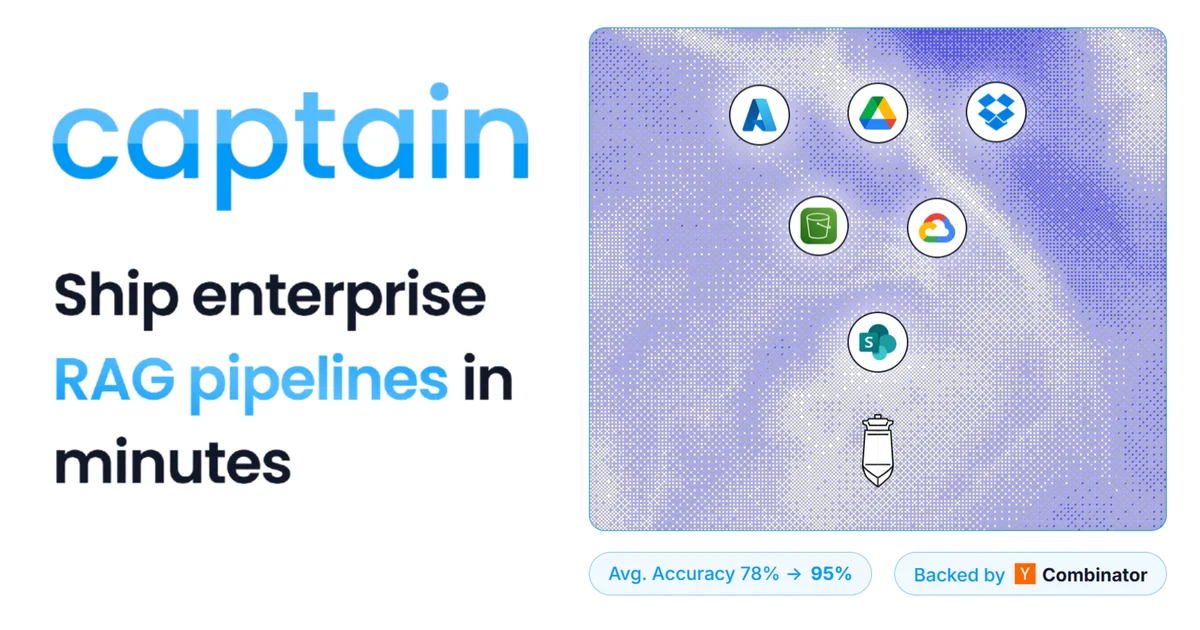
TL;DR: Captain is a multimodal RAG platform that indexes video, images, PDFs, audio, and handwriting into a single searchable API — deployable in minutes with an MCP server for Claude Code and Cursor.
Source and Accuracy Notes
- Project page: runcaptain.com — verified product page content
- Source repository: github.com/runcaptain — verified via GitHub API (org: runcaptain)
- License: MIT — verified via GitHub API
license.spdx_id - MCP server: github.com/runcaptain/captain-mcp — verified via GitHub API
- HN launch thread: news.ycombinator.com/item?id=47366011 — “Launch HN: Captain (YC W26) – Automated RAG for Files”
What Is Captain?
Captain is a multimodal RAG (retrieval-augmented generation) search platform built by RunCaptain Inc, a Y Combinator W26 batch company. It connects to over 20 data sources — S3, SharePoint, Google Drive, Dropbox, Confluence, Slack, Gmail, and more — and automatically indexes their contents into a unified search API.
Unlike text-only RAG, Captain handles video, images, handwriting, audio, and scanned PDFs via auto OCR and vision-language model (VLM) description. A single POST query returns ranked results across all modalities with relevance scores.
The platform is API-first, SOC 2 certified, and ships with an MCP server (captain-mcp) that powers direct integrations with Claude Code and Cursor.
Key Features
From the runcaptain.com product page and GitHub repos:
Multimodal indexing:
- Auto OCR and VLM description for images and scanned documents
- Video frame extraction and description
- Audio transcription indexing
- Multi-lingual content support (verified against Tagalog test corpus)
20+ source integrations:
- Cloud storage: S3, Google Cloud Storage, Azure Blob, Dropbox
- Productivity: SharePoint, Google Drive, Confluence, Notion
- Communication: Slack, Gmail
- Custom: REST API upload, webhook ingestion
Search and retrieval:
- Hybrid search (keyword + semantic/vector)
- Re-ranking for precision
- Per-result relevance scores per modality
- Filter by custom metadata, file type, or date
Agentic tooling:
- MCP server for Claude Code and Cursor integration
- Python SDK (
captain-py-sdk) - TypeScript SDK (
captain-ts-sdk) - REST API (
POST /v2/collections/{name}/query)
Benchmarks:
Captain’s captain-mrag-bench repo evaluates retrieval quality on MRAG-Bench (ICLR 2025), a 16,130-image benchmark. Results show 81.3% ContentHit@5 — outperforming end-to-end GPT-4o + RAG (69.0%), Gemini Pro + RAG (65.9%), and Claude 3.5 Sonnet + RAG (63.6%) on the same benchmark’s retrieval subtask.
Setup Workflow
Step 1: Get an API Key
Sign up at runcaptain.com to receive your CAPTAIN_API_KEY and CAPTAIN_ORG_ID.
Step 2: Install the Python SDK
pip install captain-py-sdk
```bash

Or use the REST API directly.

### Step 3: Index a Collection

```python
import captain

client = captain.Client(api_key="your_api_key", org_id="your_org_id")

# Upload a file
client.collections["my-docs"].index_file(
    file_path="./whitepaper.pdf",
    metadata={"source": "marketing", "quarter": "Q2-2026"}
)

# Or ingest from a URL
client.collections["my-docs"].index_url(
    url="https://example.com/report.pdf",
    metadata={"source": "web"}
)
```bash

### Step 4: Query Across Modalities

```python
# Search across video, images, PDFs, audio, and text
results = client.collections["my-docs"].query(
    query="Find the white rose",
    top_k=5
)

for result in results:
    print(result.score, result.file_name, result.modality)
    # 0.95  video/preview.mp4  video
    # 0.75  images/handwriting.jpg  image
    # 0.30  docs/white-rose.pdf  document
```bash

### Step 5: Connect via MCP (Claude Code / Cursor)

```bash
# Using the captain-mcp server
npx -y @runcaptain/captain-mcp
Configure your MCP client to point at the local server endpoint. Once connected, Claude Code and Cursor can query your Captain collections directly as a tool call.
Deeper Analysis
Where Captain excels:
- Heterogeneous document stacks (scanned PDFs + video +Confluence) where text-only RAG fails
- Scoped retrieval tasks where precision matters (internal knowledge bases, compliance archives)
- Rapid prototyping — no ops, no vector DB to manage
Where it may not be the right fit:
- Pure text corpora where a simpler embedding + FAISS stack is cheaper and faster
- Real-time streaming use cases (API is pull-based, not pub/sub)
- Very large-scale deployments that need full control over the embedding infrastructure
vs. established alternatives:
| Captain | pgvector / FAISS | Azure AI Search | |
|---|---|---|---|
| Multimodal (video/images) | ✅ Native | ❌ External VLM | ⚠️ Add-on |
| Managed vector DB | ✅ | ❌ Self-managed | ✅ |
| MCP server | ✅ | ❌ | ❌ |
| SOC 2 | ✅ | Self-assess | ✅ |
| Sources | 20+ | None (you build) | 10+ |
Practical Evaluation Checklist
- Sign up at runcaptain.com and get API credentials
- Run the quickstart with a sample PDF
- Test multimodal query (image + text in same query)
- Try the MCP server with Claude Code
- Benchmark against your current text-only RAG on the same corpus
- Check latency on your target corpus size (1K vs 100K files)
Security Notes
- SOC 2 Type II certified (independently audited)
- Role-based access control (RBAC) with custom metadata filtering
- Data never leaves your configured cloud storage unless you explicitly index it
- API key scoped to org ID — key rotation via dashboard
FAQ
Q: Does Captain store my files? A: Captain indexes metadata and VLM-generated descriptions. Raw files stay in your connected cloud storage (S3, SharePoint, etc.). You can also use client-side encryption before upload.
Q: What embedding model does Captain use?
A: Captain uses a proprietary multimodal embedding model. The benchmark repo (captain-mrag-bench) evaluates against MRAG-Bench using their production API endpoint.
Q: How does it compare to a custom RAG pipeline with GPT-4o? A: On MRAG-Bench’s retrieval subtask, Captain scores 81.3% ContentHit@5 vs. 69.0% for a GPT-4o + CLIP-retrieved RAG baseline. The gap is larger on visual reasoning tasks (100% vs. 68.3% on high-precision queries).
Q: Is there a self-hosted option? A: Currently Captain is cloud-only (managed). Self-hosting is not documented as of July 2026.
Q: What is the pricing? A: See runcaptain.com/pricing. A free tier with limited queries is available. Volume pricing is per-query after the free allocation.
Conclusion
Captain fills the gap between text-only RAG and full multimodal AI pipelines. With 20+ source connectors, native MCP support, SOC 2 certification, and strong benchmark numbers on visual retrieval tasks, it is worth evaluating if your knowledge base spans video, images, or scanned documents — not just PDFs.
If you are currently using a text-only RAG setup and hitting precision walls on non-text content, Captain could replace several custom pipelines with a single API call.
Related Posts
ai-setup
Recall – Persistent Memory for Claude Code via MCP Hooks
Recall gives Claude Code a permanent memory store that survives session restarts and context compaction. Four hooks capture and restore context automatically — with cloud SaaS or self-hosted options.
2/28/2026
dev-tools
Automotive Skills Suite for AI Engineering
Evaluate Automotive Skills Suite for APQP, ASPICE, HARA, safety-plan, and DIA workflows with setup notes, governance risks, and SME review guidance.
5/28/2026
dev-tools
awesome-agentic-ai-zh Roadmap Guide
Explore awesome-agentic-ai-zh as a Chinese agentic AI learning roadmap, with setup notes, track selection, study workflow, and evaluation guidance.
5/28/2026