TL;DR
TL;DR: CapaKit is a free CLI runtime that lets you build, run, and distribute AI app Kits — self-contained workloads exposing MCP tools, voice pipelines, or any other AI capability — via a single
capakit runcommand.
Source and Accuracy Notes
- Project page: capakit.com — verified via direct fetch
- Source repository: github.com/capakit/cli — verified README (proprietary runtime, free CLI)
- License: Proprietary (free to use under CapaKit Terms) — verified via README
- HN launch thread: news.ycombinator.com/item?id=48461287 — Show HN from July 2026
What Is CapaKit?
CapaKit is a sandboxed runtime and CLI toolkit for packaging and running AI application workloads called Kits. A Kit is a self-contained unit that bundles an AI workload (an MCP server, a voice agent, a code executor) with its dependencies, configuration, and exposed interfaces.
The core design goal is simple: give AI app developers a clean abstraction for distributing runnable AI components. Instead of publishing a Docker image or a npm package with complex setup instructions, a developer publishes a Kit that runs with a single command:
capakit run https://github.com/capakit/hello-world-demo-kit
```bash

The CLI handles sandboxing, dependency isolation, and protocol wiring — the Kit author declares what their workload exposes and what it needs, and CapaKit figures out the rest.

## Setup Workflow

### Install the CLI

**macOS/Linux via installer script:**

```bash
curl -fsSL https://capakit.com/install.sh | sh
```bash

**macOS via Homebrew:**

```bash
brew install capakit/tap/capakit
```bash

**Manual release archives** (Linux, macOS, Windows) are available on the [GitHub Releases page](https://github.com/capakit/cli/releases).

### Run Your First Kit

The [hello-world-demo-kit](https://github.com/capakit/hello-world-demo-kit) is a minimal starter that exposes a single MCP tool returning "hello world":

```bash
capakit run https://github.com/capakit/hello-world-demo-kit
```bash

### Install as a Global Skill

Register a Kit as a named skill available across all your projects:

```bash
capakit run https://github.com/capakit/hello-world-demo-kit --global-skill codex
```bash

### List Available Kits

The public Kit registry is at [github.com/capakit/registry](https://github.com/capakit/registry). Demo kits include:

- `hello-world` — minimal MCP starter (TypeScript/Bun)
- `llama-cpp-local` — local Llama inference with MCP interface
- `stable-diffusion-local` — local image generation via MCP
- `local-image-tagger` — vision model for image tagging
- `realtime-voice` — voice pipeline with MCP tools
- `kids-storybook-creator` — multi-modal story generation

### Test a Kit Locally

```bash
capakit test --kit /path/to/your/kit
Deeper Analysis
Architecture
A Kit is defined by a capability.yml manifest (or kit-meta.json in older kits) that declares:
- Public paths — the network endpoints a Kit exposes (e.g.
/mcpfor MCP protocol) - Secrets — named secrets the Kit needs at runtime (provisioned separately, never hardcoded)
- Host mounts — which host directories the Kit can read/write
- External services — third-party APIs the Kit calls
- Kit dependencies — other Kits this Kit depends on
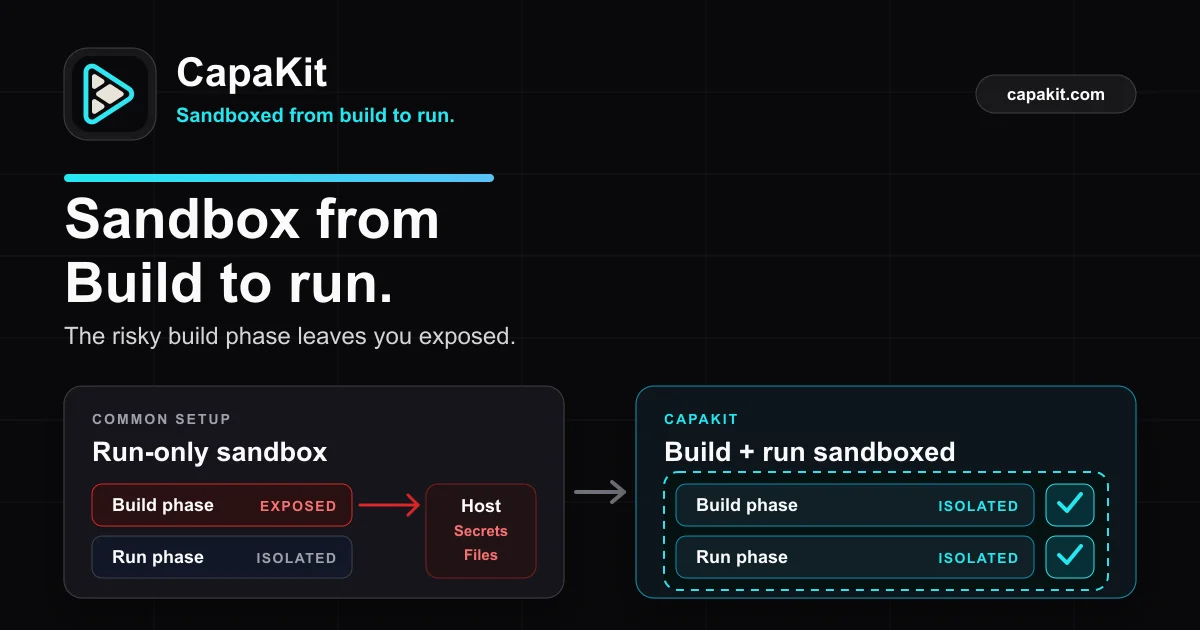
The runtime enforces these boundaries. A Kit cannot access host paths it didn’t declare, and secrets are injected at runtime rather than embedded in the package.
Demo Kits Show the Range
The publicly available demo kits illustrate the breadth of workloads CapaKit targets:
| Kit | Protocol | Use Case |
|---|---|---|
hello-world | MCP | MCP tool authoring starter |
llama-cpp-local | MCP | Local LLM inference |
stable-diffusion-local | MCP | Local image generation |
local-image-tagger | MCP | Vision model for tagging |
realtime-voice | Custom | Voice pipeline with tools |
kids-storybook-creator | Custom | Multi-modal storytelling |
The MCP-first design means many Kits expose a compatible tool interface out of the box.
SDK Support
The capakit-sdk-ts repository provides the TypeScript SDK for authoring workloads. The core runtime itself is proprietary (not open source), but the Kit authoring surface is documented and the SDK is available.
Practical Evaluation Checklist
- CLI installs via
curlscript without sudo (on macOS/Linux) -
capakit runpulls a GitHub-hosted Kit and starts it - MCP endpoint is reachable at declared path
-
capakit testruns the Kit’s test suite -
--global-skillflag persists a named skill
Security Notes
- Secrets are injected at runtime, not bundled in the Kit — secrets never leave the host’s secret store
- Host mount declarations are explicit; undeclared paths are inaccessible inside the sandbox
- Security vulnerabilities should be reported via capakit.com/security, not public GitHub issues
FAQ
Q: Is CapaKit open source? A: The runtime and CLI are proprietary and free to use under the CapaKit Terms. The SDK is on GitHub but the core runtime source is not publicly available.
Q: What does “free” mean if it’s not open source? A: CapaKit’s CLI and runtime are provided at no cost under the CapaKit Terms of Use. This is a free-as-in-beer model, not a free-as-in-freedom open source license.
Q: What’s the difference between a Kit and a Docker container? A: A Kit is a higher-level abstraction. It declares capabilities (MCP protocol, specific secrets, specific mounts) rather than raw OS-level isolation. CapaKit handles the wiring between Kits and the outside world, so you don’t write Dockerfile ENTRYPOINTs or manage network ports manually.
Q: Can I self-host the runtime? A: The CLI itself runs locally on your machine. The runtime behavior is enforced by the CLI binary, which you download and run. There is no hosted control plane.
Q: How does Kit distribution work?
A: Kits are Git repositories with a standard manifest. capakit run <git-url> clones and runs them. The public registry lives at github.com/capakit/registry.
Conclusion
CapaKit fills a specific gap in the AI developer toolchain: the middle ground between “publish an npm package” (which requires setup) and “deploy a container” (which requires infrastructure). By defining a Kit as a declarative unit with MCP-compatible interfaces, it lets AI app authors distribute working components that run in a single command — without the consumer needing to understand Docker, environment variables, or network configuration.
The tool is fresh from its Show HN launch (July 2026), and the ecosystem is still small — six demo Kits and a registry repo. But the core pitch is clean: if you’re building AI capabilities that could benefit from a standard MCP-shaped interface, CapaKit makes the packaging and distribution side almost trivial.
Try it with the hello-world Kit to get a feel for the CLI, then browse the registry to see if any of the demo Kits map to a workflow you actually need.
Related Posts
ai-setup
Recall – Persistent Memory for Claude Code via MCP Hooks
Recall gives Claude Code a permanent memory store that survives session restarts and context compaction. Four hooks capture and restore context automatically — with cloud SaaS or self-hosted options.
2/28/2026
dev-tools
Automotive Skills Suite for AI Engineering
Evaluate Automotive Skills Suite for APQP, ASPICE, HARA, safety-plan, and DIA workflows with setup notes, governance risks, and SME review guidance.
5/28/2026
dev-tools
awesome-agentic-ai-zh Roadmap Guide
Explore awesome-agentic-ai-zh as a Chinese agentic AI learning roadmap, with setup notes, track selection, study workflow, and evaluation guidance.
5/28/2026