Bullet – A Faster Coding Agent Built for Speed
Bullet routes straightforward coding tasks to fast models, searches only relevant files, and runs independent tool calls in parallel — cutting agentic coding time with a leaner orchestration layer.
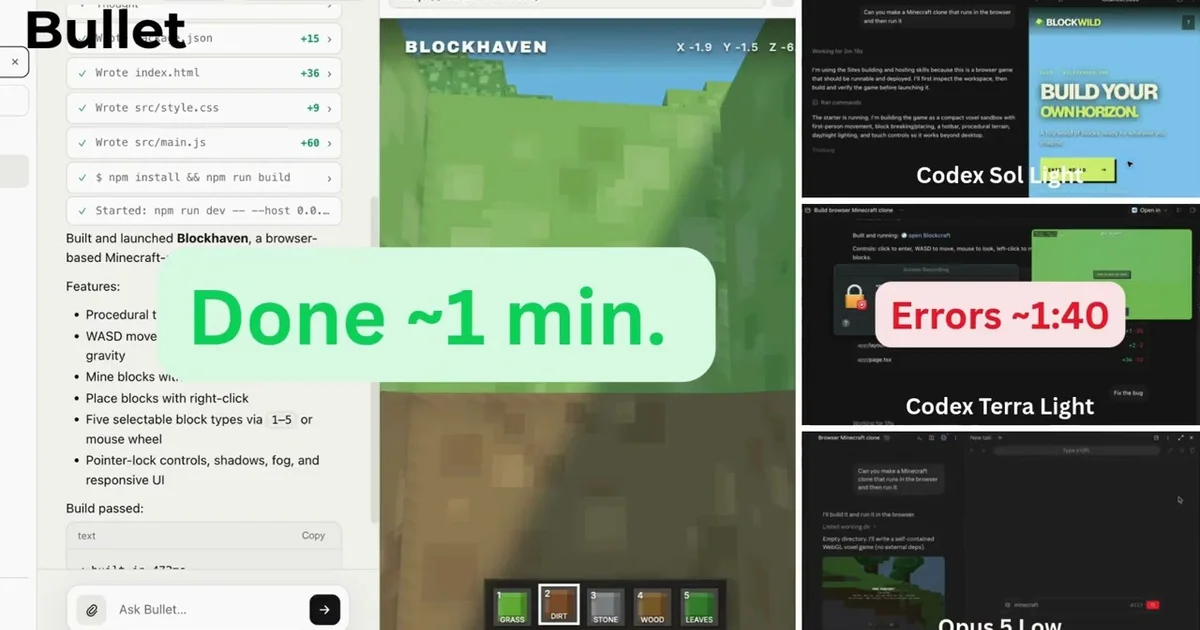
TL;DR
TL;DR: Bullet is a CLI coding agent that routes simple tasks to fast models, reads only relevant code, and runs independent operations in parallel — achieving 95.8% on SWE-Bench with a focus on raw speed over model size.
Source and Accuracy Notes
- Project page: codewithbullet.com — verified content on 2026-08-22
- Source repository: No public source repo listed; Bullet is a proprietary CLI tool distributed via npm
- License: Proprietary free-to-use (no subscription required)
- HN launch thread: news.ycombinator.com/item?id=49283063 — 121 points, YC S26
What Is Bullet?
Bullet is a coding agent CLI that takes a different bet in the AI coding space: raw speed. Where most agentic coding tools lean on large model chains with heavy context windows, Bullet routes work to the right model at the right time, reads only what matters, and runs independent tool calls simultaneously.
The founders — who say they used Claude Code daily — describe building Bullet out of frustration with slow agent runs eating into their own development time. The result is a “leaner by default” orchestration layer they claim handles straightforward tasks in seconds, not minutes.
Bullet v1.4.12 (the current release) is available for macOS, Linux, and Windows via npm.
Setup Workflow
Step 1: Install the CLI
npm install -g @trybullet/cli
```bash

Requires Node 18 or later. No API key is required to start — the tool ships with free access out of the box.

### Step 2: Run Bullet

```bash
$ bullet
The CLI launches into the same agent loop as the full system — no GUI, no web interface. Everything runs in your terminal.
Step 3: Core Commands
Bullet uses a three-protocol system for handling tasks:
Protocol 01 — Route / Escalate: The agent classifies each task into one of four tiers — Fast, Straightforward, Deep, or Hardest — and routes it to the appropriate model. Simple auth middleware changes go to fast models; multi-file refactors escalate to reasoning models. This is the “leaner by default” claim in practice: you are not paying for a 405B context window on a one-line fix.
Protocol 02 — Search / Acquire:
Bullet does not embed your entire repository. Instead, it does targeted file searches and reads, acquiring only the context needed for the current task. The agent displays relevance scores per file (for example, src/router.ts: 94.2) so you can see what it considered relevant.
Protocol 03 — Parallel Execution: Independent tool calls — file reads, searches, edits — run simultaneously rather than sequentially. Bullet intercepts duplicate calls and stuck loops before they waste cycles. The demo shows 3 operations completing in 2.31 seconds.
Deeper Analysis
Performance Claims
Bullet claims 95.8% pass rate on SWE-Bench, a benchmark of real GitHub issues. If accurate, this puts it in the upper tier of autonomous coding agents. The score is verifiable — SWE-Bench is a published benchmark — but the specific run conditions (model used, hardware, prompt strategy) are not disclosed on the site.
The “fast” claim is comparative: the founders are contrasting Bullet against tools like Claude Code and GitHub Copilot Agent on straightforward tasks. The relevant metric is wall-clock time on common operations, not benchmark percentage alone.
The YC S26 Connection
Bullet was part of Y Combinator’s Summer 2026 batch (S26). The HN launch thread received 121 points. YC backing means the team has passed standard screening and has access to the YC network, though it does not guarantee product-market fit.
Pricing Model
Bullet is free to use at launch. No subscription, no per-seat license. The founders say “no key required to start.” The long-term monetization strategy is not disclosed — this is common for YC companies at launch.
Practical Evaluation Checklist
- CLI installs cleanly on macOS/Linux with Node 18+
-
bulletcommand launches agent loop without API key - Task routing is visible (which tier was selected and why)
- File relevance scores display for multi-file tasks
- Parallel execution completes independent ops within expected time
- Loop detection triggers and prevents repeated failed calls
- Escalation to deeper reasoning happens automatically on hard tasks
- Results match or exceed manual solution for straightforward issues
Security Notes
- No API key required to start — verify how authentication works for billed usage
- Runs code locally in your environment, not a sandboxed cloud runner — treat it like any other CLI tool with write access to your repo
- Review file changes before applying them; Bullet can write and modify source files
FAQ
Q: What models does Bullet use? A: Bullet routes tasks across model tiers. The specific models are not named on the site. Straightforward tasks use fast, lightweight models; complex tasks escalate to reasoning models.
Q: How is this different from Claude Code or Copilot? A: The key differentiator is speed and routing strategy. Bullet aims to complete simple tasks in seconds using fast models, rather than spinning up large-context sessions for every request. It also claims a tighter tool-execution loop with parallel calls and early loop termination.
Q: Is the source code available? A: No public source repo exists. Bullet is distributed as a proprietary npm package.
Q: What is the SWE-Bench score based on? A: Bullet claims 95.8% on SWE-Bench, a published benchmark of real GitHub issues. The specific benchmark run conditions are not documented on the site.
Q: How does Bullet handle rate limits or API quotas? A: The CLI ships with free access at launch. Pricing for sustained usage beyond the free tier has not been announced.
Conclusion
Bullet enters a crowded coding agent market with a clear bet: speed over scale. Where competitors lean on ever-larger context windows, Bullet routes tasks to the right model, reads only relevant files, and parallelizes independent tool calls — targeting the 80% of coding tasks that do not need a frontier model.
The 95.8% SWE-Bench claim is the headline number, but the more interesting proposition is wall-clock time on real tasks. If you have ever watched a capable agent spend 45 seconds on a task that should take 5, Bullet is worth a look.
Install it with npm install -g @trybullet/cli and run bullet to try it.
Related Posts
ai-setup
Recall – Persistent Memory for Claude Code via MCP Hooks
Recall gives Claude Code a permanent memory store that survives session restarts and context compaction. Four hooks capture and restore context automatically — with cloud SaaS or self-hosted options.
2/28/2026
dev-tools
Automotive Skills Suite for AI Engineering
Evaluate Automotive Skills Suite for APQP, ASPICE, HARA, safety-plan, and DIA workflows with setup notes, governance risks, and SME review guidance.
5/28/2026
dev-tools
awesome-agentic-ai-zh Roadmap Guide
Explore awesome-agentic-ai-zh as a Chinese agentic AI learning roadmap, with setup notes, track selection, study workflow, and evaluation guidance.
5/28/2026