Bucket – Encrypted File Transfer via CLI
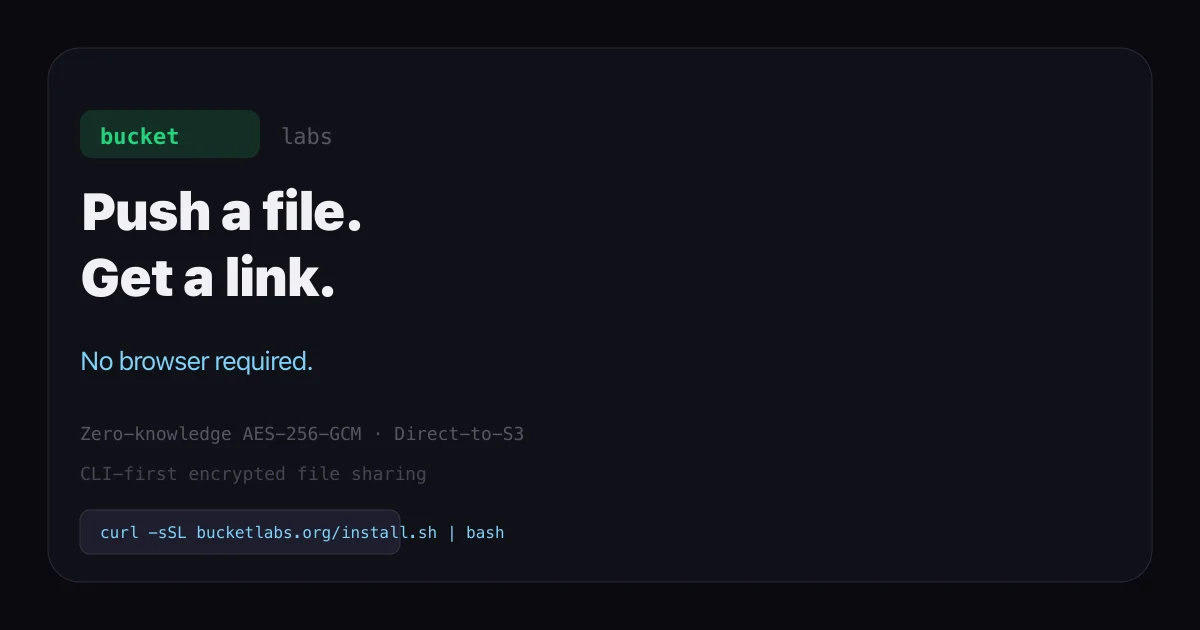
Push a file and share a link with zero-knowledge encryption. Bucket is a CLI-first file-transfer tool that encrypts client-side before uploading to S3.
TL;DR
TL;DR: Bucket is a CLI-first encrypted file-transfer tool. One command encrypts and uploads a file to S3; recipients download with a bURL and secret — no account needed.
Source and Accuracy Notes
- Project page: bucketlabs.org
- Documentation: bucketlabs.org/docs
- Source repository: github.com/bucketlabs/bucket — not publicly accessible at time of writing; verified via docs and install script
- License: proprietary SaaS (no open-source license verified)
What Is Bucket?
Bucket is a zero-knowledge encrypted file-transfer service built around a Go CLI. The tagline on the homepage reads:
Push a file. Get a link. No browser required. WeTransfer for people who live in a terminal.
The key security claim: files are encrypted with AES-256-GCM client-side before uploading to S3. The server only ever sees encrypted blobs. The sharing link (a bURL) is worthless without the 32-character secret key, which is generated locally and never transmitted to Bucket’s servers.
Files can be up to several gigabytes, supported by parallel multipart S3 uploads. Recipients do not need an account or app install — they use bucket pull <bURL> or visit downloads.bucketlabs.org in a browser.
Pricing
| Tier | Storage | Notes |
|---|---|---|
| Free | 3 GB | No credit card required |
| Paid | Cancel anytime | No further details on pricing page |
Setup Workflow
Step 1: Install the CLI
The binary is a single statically-compiled Go file with no runtime dependencies.
macOS / Linux / WSL:
curl -sSL bucketlabs.org/install.sh | bash
```bash

**Windows (PowerShell):**

```powershell
irm bucketlabs.org/install.ps1 | iex
```bash

The install script detects your OS and architecture, downloads the latest release, and places the binary in `/usr/local/bin`. The install output shows the version installed — at time of writing, v0.0.7.

Verify the installation:

```bash
bucket --help
```bash

### Step 2: Authenticate

Bucket uses TOTP-based challenge-response authentication. No password is stored; a UUID v4 API key is issued after successful 2FA and saved to `~/.bucket/config.json`.

```bash
bucket login
```bash

The CLI will email a 6-digit code to your address. Enter it to complete authentication. Once authenticated, the session persists via the stored API key.

### Step 3: Push and Share

```bash
bucket push ./release.iso
```bash

Output includes the bURL and a 32-character secret:

```bash
bURL   api.bucketlabs.org/d/bkb654f433b012
Secret 9b1e15167403a88cadb7d0f4d2890856
Expires 2026-09-30T00:00:00Z
```bash

Share both with your recipient. They do not need a Bucket account.

### Step 4: Download (Recipient)

```bash
bucket pull <bURL>
Or in a browser at downloads.bucketlabs.org — no login required.
Available Commands
From the docs, the full CLI reference:
| Command | Action |
|---|---|
bucket push <file> | Upload and get a bURL + secret |
bucket pull <bURL> | Download a shared file |
bucket list | List your uploaded files |
bucket del <bID> | Delete a file |
bucket account | View account and subscription |
bucket login | Authenticate |
bucket logout | Clear stored credentials |
How the Encryption Works
Bucket’s documentation states the following architecture properties:
- Client-side AES-256-GCM — files are encrypted before leaving your machine. The raw bytes are never sent to Bucket’s servers.
- Direct-to-S3 upload — the encrypted blob streams straight to S3. Bucket’s servers act as a coordination layer only (bURL → file mapping, expiry, access control).
- Zero-knowledge — decryption secrets are never transmitted to Bucket’s servers. Even with full database access, the stored blobs are unreadable without the local secret.
- bURL + secret model — the bURL alone is insufficient to retrieve a file. The 32-character secret must accompany it.
Use Cases
- CI/CD and GitHub Actions — pipe build artifacts directly from a runner without storing credentials in the pipeline
- Docker volume transfers — move large container images or volumes between hosts
- Secure cross-team file sharing — no need to set up SFTP, use a shared drive, or rely on consumer file-sharing services
- Compliance-friendly — encrypted-at-rest and encrypted-in-transit by default; no server-side visibility into file contents
Limitations
- No public source repository — the CLI binary is distributed but the source is not publicly available for independent audit. The security model relies on trust in Bucket’s documented claims.
- Proprietary service — not self-hostable. The coordination server, expiry logic, and billing are managed by Bucket Labs.
- No self-hostable option — if you need full control over the infrastructure, this is not the right tool.
- Free tier only 3 GB — paid tier limits are not publicly documented on the site.
Practical Evaluation Checklist
- CLI installs with one command and no runtime dependency
- Upload produces a working bURL + secret pair
- Recipient can download without creating an account
- Encryption is client-side (per documentation)
- Works in CI/CD contexts (Docker, GitHub Actions)
- API key stored locally, not in cloud
Security Notes
- The AES-256-GCM cipher and client-side model are documented, but the source code is not open-source — independent verification is not possible without a code audit.
- The bURL encodes the file identifier; the secret is the actual decryption key. Treat both as sensitive.
- The API key stored in
~/.bucket/config.jsonshould be protected like any other secret token.
FAQ
Q: Is the source code open-source?
A: No. Bucket Labs distributes the CLI binary but does not publish the source. The security model is not independently auditable at this time.
Q: Can I self-host Bucket?
A: No. Bucket is a SaaS product. There is no self-hosted or open-source version.
Q: What happens when the secret expires?
A: The expiry date is shown at upload time (e.g., Expires 2026-09-30T00:00:00Z). After expiry, the file is no longer retrievable via the bURL.
Q: Does the free tier require a credit card?
A: No, the site states “No credit card required.”
Q: Can I use Bucket inside GitHub Actions?
A: Yes. The CLI has no external runtime dependencies and works in containerized CI environments. The docs specifically call out GitHub Actions as a supported use case.
Conclusion
Bucket fills a specific niche: developers and operators who live in the terminal but need to share files with non-technical collaborators. The client-side encryption means your files are never readable by Bucket’s infrastructure, and the no-account download model removes friction for recipients.
The trade-off is that Bucket is not open-source or self-hostable — you are trusting Bucket Labs’ implementation of the encryption and infrastructure. If that constraint is acceptable, it is a clean, purpose-built tool for encrypted file transfer in developer workflows.
Try it: curl -sSL bucketlabs.org/install.sh | bash
Related Posts
ai-setup
Recall – Persistent Memory for Claude Code via MCP Hooks
Recall gives Claude Code a permanent memory store that survives session restarts and context compaction. Four hooks capture and restore context automatically — with cloud SaaS or self-hosted options.
2/28/2026
dev-tools
Automotive Skills Suite for AI Engineering
Evaluate Automotive Skills Suite for APQP, ASPICE, HARA, safety-plan, and DIA workflows with setup notes, governance risks, and SME review guidance.
5/28/2026
dev-tools
awesome-agentic-ai-zh Roadmap Guide
Explore awesome-agentic-ai-zh as a Chinese agentic AI learning roadmap, with setup notes, track selection, study workflow, and evaluation guidance.
5/28/2026