TL;DR
TL;DR: BestPhoto AI transforms ordinary photos into professional headshots, dating profiles, and social media content using a personal AI model trained on your uploaded images.
Source and Accuracy Notes
- Project page: bestphoto.ai — verified via direct visit 2026-06-30
- Source repository: None (closed-source SaaS)
- License: Proprietary (free tier available)
- HN launch thread: news.ycombinator.com/item?id=44210839
What Is BestPhoto AI?
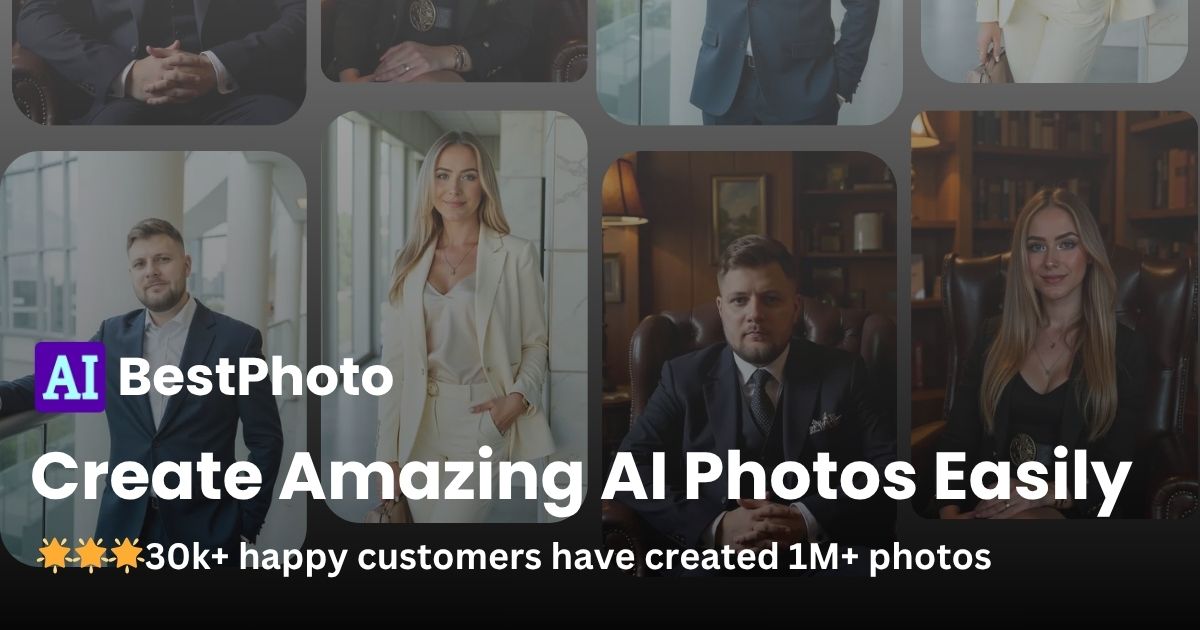
BestPhoto is an AI-powered photo generation platform that creates professional-quality headshots, portraits, and social media content from existing photos you already have. Rather than booking a photographer or studio session, you upload 10-15 photos of yourself and the AI generates dozens of high-quality variations — headshots for LinkedIn, dating profile pictures, professional portraits for business websites, and more.
The platform is aimed at professionals, job seekers, freelancers, and anyone who needs quality photos without the cost and logistics of a traditional photo shoot. The process is entirely cloud-based and takes roughly 40 minutes to 1 hour from upload to delivery, with email notification when results are ready.
How It Works
Step 1: Upload Your Photos
After signing up (free, no credit card required), you upload 10-15 clear photos of yourself. The platform recommends:
- Good lighting (natural light works well)
- Different angles (front-facing and slight turns)
- Various expressions
- Different backgrounds
- Avoid heavy filters, sunglasses, or partially covered faces
Step 2: AI Processing
The AI trains a personal model on your uploaded photos. This model is used to generate new images in various styles — professional studio headshots, creative portraits, themed content for specific platforms.
Step 3: Download and Use
Once generation completes (typically under 1 hour), you receive a pack of high-resolution photos ready for download. Paid plans include full commercial usage rights, meaning you can use them on LinkedIn, business websites, marketing materials, and social media.
Key Features
Free tier: New users receive free credits on signup with no credit card required. Free editing tools (background removal, style transfers) are also available without using credits.
Photorealistic results: The platform produces AI-generated images that are nearly indistinguishable from professional photography, suitable for LinkedIn, dating apps, and professional profiles.
Fast turnaround: Most headshot packs are ready in 40 minutes to 1 hour. Free editing tools produce results in seconds.
Privacy-first: Uploaded photos are used only to train your personal AI model and are never shared with third parties. You can delete your data at any time from account settings.
Commercial usage: Paid plans include full commercial usage rights across all generated images.
Pricing
| Plan | Price | Credits | Notes |
|---|---|---|---|
| Free | $0 | Limited free credits | No credit card required |
| Starter | ~$15-20 | Standard pack | Most popular for individuals |
| Pro | Higher tier | Extended packs | Full commercial rights included |
Exact current pricing should be checked at bestphoto.ai/pricing — the platform updates pricing periodically.
Practical Evaluation Checklist
- Sign up and claim free credits
- Upload 10-15 photos following the guidelines
- Wait for generation (40-60 minutes)
- Evaluate headshot quality across different styles
- Test the free editing tools (background removal, style transfer)
- Check commercial rights if you plan to use for business
- Review the privacy policy and data deletion process
FAQ
Q: How long does it take to get my photos? A: Most AI headshot packs are ready in 40 minutes to 1 hour. Free editing tools generate results in seconds. You receive an email notification when your photos are ready.
Q: Are the AI-generated photos realistic enough for professional use? A: Yes — the AI produces photorealistic results that are virtually indistinguishable from professional photography. Many users successfully use their AI headshots on LinkedIn, dating apps, and professional websites without disclosure.
Q: Can I use the photos commercially? A: Paid plans include full commercial usage rights. You can use generated images for LinkedIn, business websites, marketing materials, social media, and more. Check the pricing page for details on each plan.
Q: Is my data safe and private? A: Yes. Uploaded photos are used only to train your personal AI model and are never shared with third parties. You can delete your data at any time from your account settings. The platform uses enterprise-grade encryption.
Q: What if I am not satisfied with the results? A: The platform offers regeneration options. Higher quality settings may use more credits, but you can see the exact cost before confirming any action.
Conclusion
BestPhoto AI fills a specific niche: professional-quality photos without the cost and scheduling friction of a traditional photographer. The free tier makes it easy to test quality before committing to a paid plan. For job seekers, freelancers, and professionals who need quick, polished headshots, it is a practical alternative worth trying.
If you want to skip the photographer and get usable professional photos from your existing photo library, start with the free credits at bestphoto.ai.
Related Posts
ai-setup
Recall – Persistent Memory for Claude Code via MCP Hooks
Recall gives Claude Code a permanent memory store that survives session restarts and context compaction. Four hooks capture and restore context automatically — with cloud SaaS or self-hosted options.
2/28/2026
ai-setup
IonRouter – Fast Low-Cost AI Inference API
IonRouter is a YC W26 inference API routing open-source and fine-tuned models via an OpenAI-compatible endpoint, built on a C++ runtime optimized for GH200.
5/28/2026
review
Mosaic – Agentic Video Editing With a Node-Based Canvas
Mosaic lets you build and run multimodal AI video editing agents on a node-based canvas. Upload raw footage, design a workflow, and let AI handle the heavy.
5/28/2026