Badge My App – Free Product Hunt Badge Generator
Create Product Hunt badges for any app rank. Generate embed code or download images — free, no signup, works with any Product Hunt launch.
TL;DR
TL;DR: Badge My App is a free web tool that generates Product Hunt badges in multiple formats (Tailwind, HTML, React, image) for any app rank — no signup required.
Source and Accuracy Notes
- Project page: badgemy.app ← visited and verified
- HN launch thread: news.ycombinator.com/item?id=42538429 ← verified via HN Algolia API
- License: N/A (web tool, no source repo)
What Is Badge My App?
Badge My App is a single-page web tool that solves a specific, real problem for indie hackers and makers: displaying your Product Hunt rank on your own website or documentation after launching.
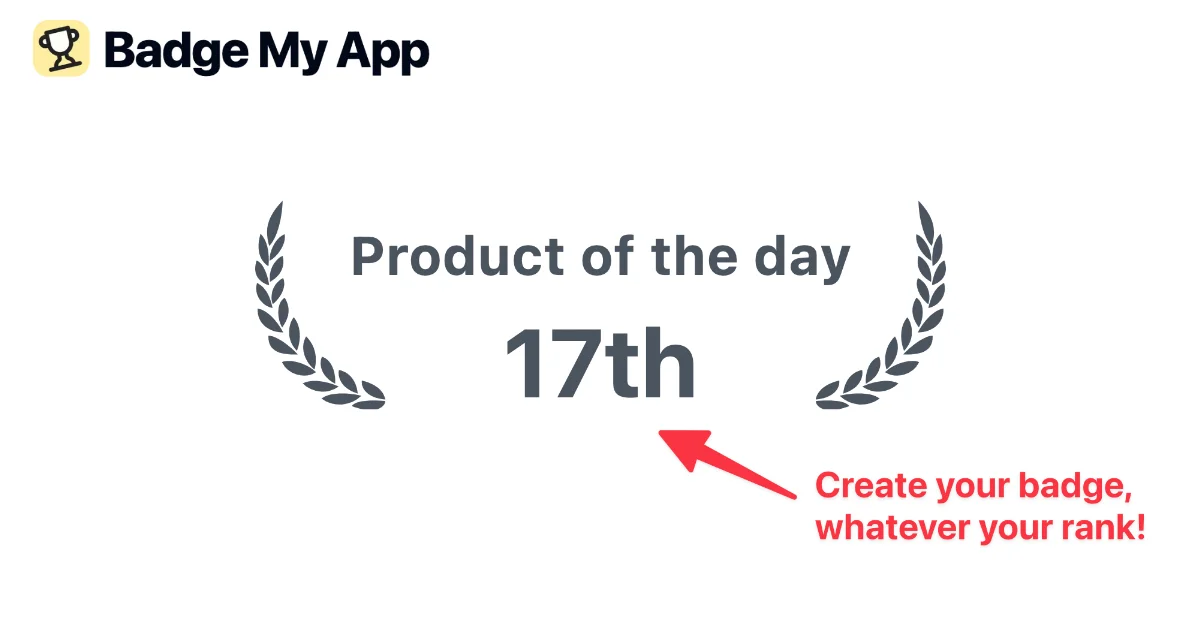
When you launch on Product Hunt, you get a badge from their embed widget — but only if you ranked in the top 5. If you launched at #17 or #42, the official widget does not support that. Badge My App fills that gap by letting you generate a badge for any rank.
The tool lives entirely in the browser with no backend. You customize three things:
- Title — the text overlay (e.g. “Product of the day”, “Product of the week”, or a custom string)
- Rank or Stars — show your numeric rank (#1st, #2nd) or your star rating
- Link — optional URL the badge points to (your Product Hunt page or your own site)
And then you pick your export format.
Export Formats
The tool outputs four formats:
- Tailwind CSS — a styled
<div>you drop into any Tailwind project - HTML — raw
<div>with inline SVG, works in any HTML page - React — JSX component with Tailwind classes
- Image — PNG or SVG download for use in static contexts
<svg xmlns="http://www.w3.org/2000/svg" viewBox="0 0 122 37">
  <path d="M9.37 36.29c4.22 1.63 5.94 .09 5.94-.89 -1.49-.13-5.07-.33-5.94 .89Z..."/>
  <!-- rank text -->
  <text x="61" y="22" text-anchor="middle" font-size="7" font-weight="bold">17th</text>
</svg>
The image export is a vector SVG at any resolution — no quality loss if you embed it on a retina display.
How to Use It
Step 1: Open badgemy.app
The page loads instantly. No cookie banner, no signup modal, no dark pattern asking for your email.
Step 2: Customize your badge
The form is on the left panel. Change the title to match your launch (“Product of the day” is the default), enter your rank number, and optionally paste your Product Hunt URL.
Step 3: Choose your format
Toggle between Code and Image tabs. For the code output, pick your framework (Tailwind / HTML / React). For image, pick PNG or SVG.
Step 4: Copy or download
The code block has a one-click copy button. The image has a download button.
Deeper Analysis
What makes this different from the official PH widget?
The official Product Hunt widget only works for top-5 products. It is also embedded as an <iframe> which can cause layout issues on documentation sites. Badge My App generates a standalone SVG or styled <div> that fits any design system.
Is it tied to Product Hunt’s brand?
Yes, and the author acknowledges this. The badges use Product Hunt’s color scheme and logo wordmark. This is fine for personal use — displaying your own launch rank on your own site. Don’t use it to impersonate a rank you did not achieve.
Is the source code available?
No public repo was listed at launch. The tool is a client-side single-page app (Next.js) with no backend. The generated badges are self-contained SVG/HTML with no external dependencies.
Practical Evaluation Checklist
- Works entirely in-browser, no server calls for badge generation
- Exports to Tailwind, HTML, React, PNG, SVG
- No signup or email required
- No tracking beyond basic analytics (PostHog, Google Analytics)
- Responsive — works on mobile for quick badge creation
- Custom rank beyond top-5 (the main differentiator from official PH widget)
Security Notes
The tool is a pure client-side app. There is no backend, no database, and no user accounts. The only external requests are for fonts (Google Fonts), analytics, and the Product Hunt API widget for the featured badge preview.
The generated badge code contains no third-party scripts — it is self-contained SVG or HTML.
FAQ
Q: Does this work for non-English Product Hunt launches? A: Yes. You can set any title text, so it works for any language Product Hunt.
Q: Can I use this for a client project? A: Yes. The generated badge code is yours to use on any site. No attribution required.
Q: Does it work for star ratings, not just rank? A: Yes. Toggle to Stars mode and enter your rating.
Q: Is there a batch mode for multiple products? A: No. The tool is designed for one badge at a time. For multiple products, you would run it once per product.
Conclusion
Badge My App is a focused, no-frills tool that solves one real pain point: showing a Product Hunt badge for ranks beyond the top 5. It is free, fast, and produces clean output in four formats. If you are preparing launch documentation, a README, or a landing page and want to display your rank prominently, this is the easiest way to do it — no design tools required.
Try it: badgemy.app
Related Posts
ai-setup
Recall – Persistent Memory for Claude Code via MCP Hooks
Recall gives Claude Code a permanent memory store that survives session restarts and context compaction. Four hooks capture and restore context automatically — with cloud SaaS or self-hosted options.
2/28/2026
dev-tools
Automotive Skills Suite for AI Engineering
Evaluate Automotive Skills Suite for APQP, ASPICE, HARA, safety-plan, and DIA workflows with setup notes, governance risks, and SME review guidance.
5/28/2026
dev-tools
awesome-agentic-ai-zh Roadmap Guide
Explore awesome-agentic-ai-zh as a Chinese agentic AI learning roadmap, with setup notes, track selection, study workflow, and evaluation guidance.
5/28/2026