TL;DR
TL;DR: Arcad puts a full parametric solid modeller directly in your browser — B-rep geometry via OCCT, no install, free to use, exports STEP/STL/3MF.
What Is Arcad?
Arcad is a browser-based parametric CAD application. It runs a real solid modelling kernel (OpenCASCADE Technology, or OCCT) compiled to WebAssembly, giving it the same geometric core that desktop CAD packages like FreeCAD rely on.
From the product description:
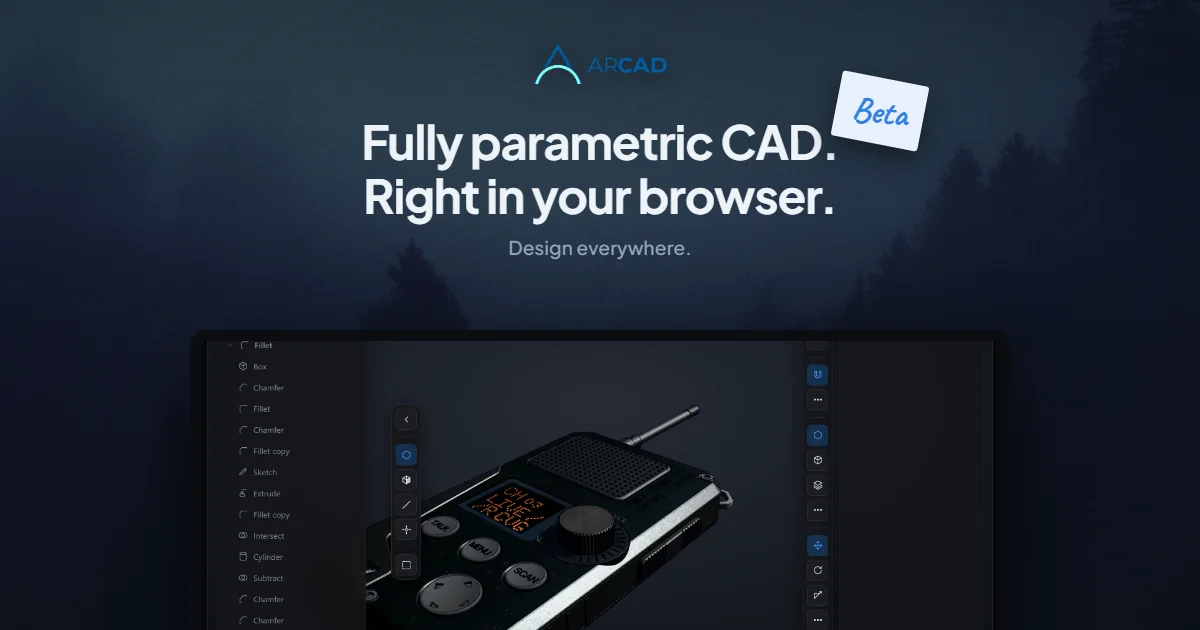
ARCAD is a free parametric CAD app that runs entirely in your browser — real solid modelling with a full B-rep kernel, on desktop, iPad and Android. Nothing to install. Export STEP, STL and 3MF.
The app loads a WASM-compiled OCCT kernel that handles boundary representation (B-rep) geometry — the same representation used by SolidWorks, Fusion 360, and NX. This is not a mesh-based tool or a 2D renderer. It builds and manipulates exact geometric solids.
Source and Accuracy Notes
- Project page: app.arcad.studio — verified live, OG image confirmed at
app.arcad.studio/branding/og.png - HN launch thread: Show HN: We made Arcad, a parametric CAD in the browser, free and no signup — 6 points
- License: not confirmed open-source (no public repository found; closed-source beta)
Setup Workflow
Arcad requires no installation. Open app.arcad.studio in any modern browser and start modelling.
System Requirements
Arcad works on desktop browsers (Chrome, Firefox, Safari, Edge) and mobile browsers on iPad and Android. The OCCT WASM payload is several megabytes; a stable internet connection is needed on first load.
First Steps
- Navigate to app.arcad.studio
- Wait for the OCCT WASM kernel to initialise (the boot spinner disappears once ready)
- Start a new sketch or import an existing model
Exporting Work
Arcad supports three export formats:
- STEP — ISO 10303 exchange format, the industry standard for CAD data interchange
- STL — triangle mesh format, compatible with most 3D printers
- 3MF — modern 3D manufacturing format that preserves full model metadata
Deeper Analysis
B-Rep vs. Mesh Modelling
Most browser-based 3D tools use mesh geometry — triangles arranged to approximate a surface. Arcad uses B-rep (boundary representation), which describes geometry as mathematically exact surfaces. This means:
- Dimensions are parametric — a 50mm圆柱 stays 50mm regardless of zoom or export scale
- Fillets, chamfers, and boolean operations work on true geometry, not approximated meshes
- Exports are usable in CAM pipelines and finite-element analysis tools that require exact geometry
The OCCT WASM Runtime
OCCT is the same geometric kernel used by FreeCAD, KiCad (for 3D footprint rendering), and several commercial CAD systems. Compiling it to WASM means the same C++ codebase runs in the browser without a plugin. The Arcad team handles the WASM compilation and memory management for the web environment.
No Signup Required
The landing page emphasises “free and no signup”. The app functions without creating an account, which is notable for a CAD tool — most browser-based parametric options require registration or have usage limits.
Practical Evaluation Checklist
- Runs in a standard browser without extensions or plugins
- Parametric feature tree (sketches, extrusions, fillets)
- B-rep geometry (not mesh-based approximation)
- Export to STEP, STL, and 3MF
- No install required
- Works on iPad and Android
- Open-source (not confirmed — no public repository found)
Security Notes
- All geometry processing happens client-side in the browser WASM runtime
- No CAD data is uploaded to a server (confirm with the vendor for enterprise use cases)
- Browser sandbox restricts file system access; export works through the browser download API
FAQ
Q: Is Arcad open source? A: The project does not appear to have a public source repository. The HN launch post and product page do not link to a GitHub or similar repo. Treat it as closed-source beta software.
Q: How does it compare to FreeCAD? A: FreeCAD is a full-featured desktop application with a larger plugin ecosystem. Arcad is browser-only and trades that ecosystem for zero-install convenience. Both use OCCT as the geometry kernel.
Q: Can I use it commercially? A: The product page states it is “free” with no signup. The full terms of use should be reviewed before commercial deployment.
Q: Does it work offline? A: After the initial WASM load, the browser caches the OCCT runtime. Brief connectivity is needed to reload the page; sustained offline use may not be reliable in current beta.
Q: What browsers are supported? A: Any modern browser with WebAssembly support — Chrome, Firefox, Safari, and Edge on desktop; Safari on iPad; Chrome on Android.
Conclusion
Arcad makes real parametric CAD accessible without any installation or account creation. The OCCT WASM runtime brings genuine solid modelling geometry to the browser — the kind of B-rep engine that powers industrial-grade desktop CAD tools. If you need to review or tweak a STEP file on a tablet, share a lightweight CAD workflow with a collaborator, or simply open a model without launching a desktop app, Arcad is worth keeping bookmarked.
Related Posts
ai-setup
Recall – Persistent Memory for Claude Code via MCP Hooks
Recall gives Claude Code a permanent memory store that survives session restarts and context compaction. Four hooks capture and restore context automatically — with cloud SaaS or self-hosted options.
2/28/2026
dev-tools
Automotive Skills Suite for AI Engineering
Evaluate Automotive Skills Suite for APQP, ASPICE, HARA, safety-plan, and DIA workflows with setup notes, governance risks, and SME review guidance.
5/28/2026
dev-tools
awesome-agentic-ai-zh Roadmap Guide
Explore awesome-agentic-ai-zh as a Chinese agentic AI learning roadmap, with setup notes, track selection, study workflow, and evaluation guidance.
5/28/2026