Arbory - Native iOS Dashboard for Plausible Analytics
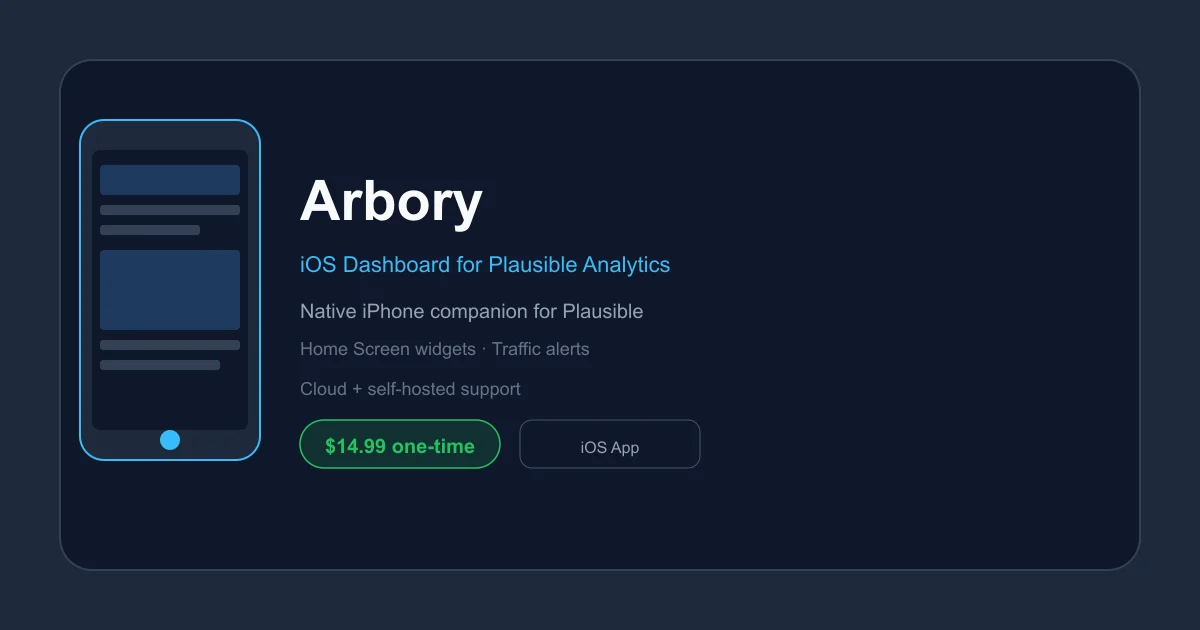
Arbory is a beautifully native iPhone companion for Plausible Analytics, bringing your traffic stats, Home Screen widgets, and real-time alerts directly to iOS.
TL;DR
TL;DR: Arbory is a native iPhone app that wraps Plausible Analytics into a beautifully designed mobile experience — complete with Home Screen widgets, real-time traffic alerts, and a one-time $14.99 price tag.
Source and Accuracy Notes
- Project page: arbory.io — verified live, August 2026
- Source repository: none (closed-source iOS app)
- License: proprietary (no open-source license)
- App Store: apps.apple.com/app/id6760103214 — verified accessible
- HN launch thread: news.ycombinator.com/item?id=47653221
What Is Arbory?
Arbory is a native iOS application that serves as a dedicated companion app for Plausible Analytics, the privacy-focused, open-source web analytics platform. Where Plausible’s own dashboard is designed for desktop browsers, Arbory reimagines that data for the iPhone — with iOS-native UI, Home Screen widgets, and push notification support.
The app was built by Jorijn in the Netherlands and launched on Hacker News in mid-2026.
Key Features
Home Screen Widgets
Arbory ships with small, medium, and large iOS widgets that display live visitor counts directly on your Home Screen — no need to open the app.
- Small widget: current visitor count
- Medium widget: traffic graph for the last 24 hours
- Large widget: detailed breakdown including page views, bounce rate, and top pages
Widgets update automatically via iOS background refresh, pulling fresh data from your Plausible instance.
Real-Time Traffic Alerts
The app can send push notifications when your traffic crosses thresholds you define — such as a sudden spike (3x above normal) or a drop to zero. Alerts are delivered natively through iOS, so they work even when the app is closed.
From the Arbory website, example notifications include:
245 visitors in the last hour, 3.2x above normal
Zero visitors in the last hour, normally sees ~42 at this time
Multi-Site Support
Arbory supports both Plausible Cloud and self-hosted Plausible instances. If you manage multiple websites, the app can display all of them in a single list with quick switching.
Native iOS Design
The app is built as a first-class iOS citizen, not a web wrapper. It uses:
- Face ID / Touch ID lock for privacy
- iOS-native navigation patterns
- System-wide dark mode support
- Background refresh for widget data
Pricing
Arbory uses a simple, one-time pricing model:
| Tier | Price | Includes |
|---|---|---|
| Free | $0 | One site, last 7 days, basic dashboard, Face ID lock |
| Pro | $14.99 (once) | Unlimited sites, full date range, widgets, traffic alerts, goals & events, all future updates |
There is no subscription. Pay once, own it forever.
Setup
Prerequisites
- An iPhone running iOS 16 or later
- A Plausible Analytics account (cloud or self-hosted)
- Your Plausible site API key
Step 1: Install Arbory
Download Arbory from the App Store:
https://apps.apple.com/app/id6760103214Step 2: Connect Your Plausible Account
- Open Arbory and tap Add Site
- Choose Plausible Cloud or Self-Hosted
- For Cloud: enter your Plausible email and password, or paste your API key
- For Self-Hosted: enter your self-hosted instance URL and API key
- Authorize the connection
Step 3: Configure Widgets
- Long-press on your iOS Home Screen
- Tap the + button in the top corner
- Search for Arbory
- Choose a widget size and tap Add Widget
- Position the widget as desired
Step 4: Set Up Traffic Alerts
- Open Arbory and go to Settings (gear icon)
- Tap Notifications
- Enable Traffic Alerts
- Set your threshold (e.g., alert when traffic is 2x above or below normal)
- Grant notification permission when prompted
Self-Hosted Plausible Setup
If you run your own Plausible instance, Arbory can connect to it too. You will need:
- Your self-hosted Plausible URL (e.g.,
https://analytics.yoursite.com) - An API key generated from your Plausible dashboard under Settings → API Keys
The self-hosted connection uses the same Plausible Statistics API that the official dashboard uses, so all features work identically to the cloud version.
Practical Evaluation Checklist
- App installs and launches without crashes on iOS 16+
- Plausible Cloud connection authenticates successfully
- Self-hosted Plausible connection works with custom URL
- Widgets display correct visitor counts matching Plausible dashboard
- Widgets refresh when manually triggered via iOS
- Traffic alerts fire when threshold conditions are met
- Face ID / Touch ID lock prevents unauthorized access
- Multiple sites can be added and switched between
- Dark mode renders correctly throughout the app
Security Notes
Arbory stores your Plausible credentials (API key) securely in the iOS Keychain, protected by your device passcode and biometric authentication (Face ID / Touch ID).
The app does not appear to collect any analytics on its own usage — the website uses Plausible for its own analytics, which is thematically appropriate.
As a closed-source iOS binary, source-level security review is not possible. If this is a concern for your threat model, treat it as you would any third-party iOS app with credential access.
FAQ
Q: Does Arbory work with self-hosted Plausible? A: Yes. Arbory supports both Plausible Cloud and self-hosted instances. You provide your own instance URL and an API key.
Q: Is there an Android version? A: No. Arbory is iOS-only. There is no Android or web app at this time.
Q: Can I use Arbory without a Plausible account? A: No. Arbory is purely a viewer/companion for existing Plausible Analytics data. You need an active Plausible site to pull data from.
Q: Does Arbory work offline? A: Partially. The app caches the last known data and displays it when offline. Real-time updates and alerts require an active internet connection.
Q: Does the $14.99 Pro purchase transfer to a new iPhone? A: Yes, via the standard iOS App Store purchase transfer mechanism (sign in with the same Apple ID on the new device).
Q: Are there any ads or tracking in Arbory? A: No. The app is ad-free and the website uses Plausible Analytics (which is privacy-respecting by design). There is no third-party user tracking.
Conclusion
Arbory fills a clear gap in the Plausible ecosystem: there was no native, mobile-first way to check your analytics on the go. The app solves that elegantly — widgets for at-a-glance stats, push alerts for anomalies, and a well-designed UI that feels at home on iOS.
The one-time $14.99 pricing is refreshingly simple compared to subscription fatigue. For indie hackers, small teams, or solo developers who rely on Plausible and want analytics on their lock screen, Arbory is a worthwhile addition.
If you need multi-device access or prefer web, Plausible’s own dashboard remains the canonical source of truth. But for daily mobile check-ins, Arbory makes the workflow significantly more pleasant.
Related Posts
ai-setup
Recall – Persistent Memory for Claude Code via MCP Hooks
Recall gives Claude Code a permanent memory store that survives session restarts and context compaction. Four hooks capture and restore context automatically — with cloud SaaS or self-hosted options.
2/28/2026
dev-tools
Automotive Skills Suite for AI Engineering
Evaluate Automotive Skills Suite for APQP, ASPICE, HARA, safety-plan, and DIA workflows with setup notes, governance risks, and SME review guidance.
5/28/2026
dev-tools
awesome-agentic-ai-zh Roadmap Guide
Explore awesome-agentic-ai-zh as a Chinese agentic AI learning roadmap, with setup notes, track selection, study workflow, and evaluation guidance.
5/28/2026