AppLaunchFlow – AI App Store Asset Generator
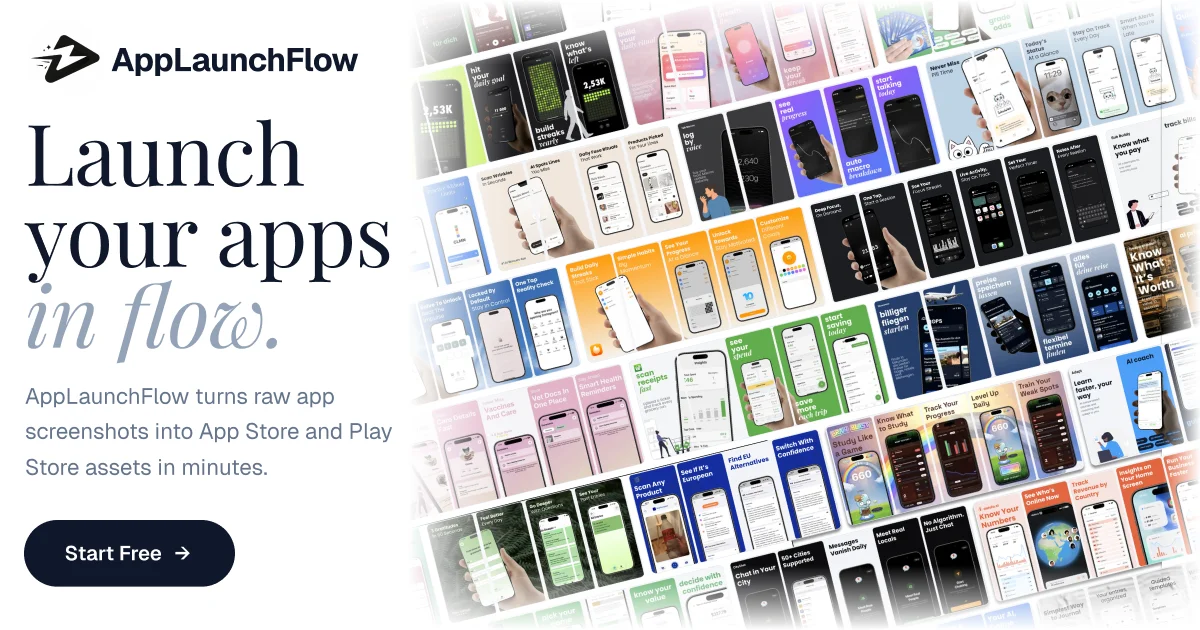
AppLaunchFlow uses AI to generate app store screenshots, ASO copy, promo videos, icons, and social graphics from a single workspace — streamlining the entire mobile go-to-market workflow.
TL;DR
TL;DR: AppLaunchFlow is an AI-powered workspace that generates app store screenshots, ASO copy, promo videos, icons, and social graphics in one place — cutting mobile go-to-market time from days to minutes.
Source and Accuracy Notes
- Official site: applaunchflow.com
- HN Launch: Show HN: AppLaunchFlow: AI tool that turns app screenshots into marketing assets
What Is AppLaunchFlow?
AppLaunchFlow is a browser-based tool that uses AI to automate the creation of app store marketing assets. Instead of hiring designers or manually crafting screenshots for every locale and device size, you feed it raw app screenshots and it generates localized variants, ASO-optimized copy, promotional videos, icons, and social media graphics.
The core workflow targets mobile developers, product managers, and indie app makers who need to ship across multiple app stores (iOS App Store, Google Play) and regional markets quickly.
Key capabilities:
- Screenshot generation — auto-resizes and annotates screenshots for all device sizes
- ASO copy — AI writes keyword-rich descriptions for app store listing optimization
- Promo video clips — turns static screenshots into short promotional videos
- Icon and social graphics — generates app icons and social media-ready assets
- Translation support — localizes assets for multiple regional markets
- Keyword tracking — monitors ASO keyword rankings over time
Setup Workflow
Step 1: Sign Up and Create a Workspace
Visit applaunchflow.com and create a free account. No credit card required for the trial tier.
Step 2: Import Your App Screenshots
Upload your raw app screenshots (PNG or JPG). AppLaunchFlow accepts batch uploads. Supported formats: PNG, JPG, HEIC. Recommended resolution: native device screenshots at 1242×2688 or 1170×2532 for iPhone models.
# Example: batch upload via URL (if supported)
# Most users will upload directly via the web UI
Step 3: Choose Asset Types to Generate
Select which outputs you need:
- Screenshot variants (annotated, localized)
- ASO description copy
- Promo video clips
- App icon variants
- Social media graphics (Instagram, Twitter, LinkedIn)
Step 4: Configure Localization and Device Targets
Set your target regions (US, EU, APAC) and device families (iPhone, iPad, Android). AppLaunchFlow generates per-device variants automatically.
Step 5: Generate and Download
Click Generate and wait 2–5 minutes depending on queue depth. Download individual assets or bulk-export as a ZIP.
Deeper Analysis
Where It Fits in the Toolchain
AppLaunchFlow sits between raw app development and app store submission. It replaces manual design work that would otherwise require Figma + a designer + localizationvendor.
Compared to doing this manually:
- Time savings: 10–20x for a single app across 5 locales
- Cost: a fraction of hiring a designer per locale
Strengths
- All-in-one workspace (screenshots + copy + video + icons)
- AI-generated ASO copy with keyword suggestions
- Multi-locale support in a single pass
- Fast generation turnaround (minutes)
Limitations
- Relies on uploaded screenshots as source material — does not generate UI from scratch
- Output quality depends on source screenshot resolution
- Relatively new tool; some features still in beta
Practical Evaluation Checklist
- Upload raw screenshots and verify output resolution matches device targets
- Run ASO copy generation and check keyword density
- Review generated promo video clips for visual coherence
- Test localization across 2–3 regional targets
- Download and inspect ZIP export structure
Security Notes
- AppLaunchFlow is a cloud-hosted SaaS; uploaded screenshots are stored on their servers
- Review their privacy policy before uploading pre-release app screenshots
- No enterprise SSO mentioned at this time
FAQ
Q: Does AppLaunchFlow generate the app UI from scratch? A: No. It requires source screenshots as input. It annotates, resizes, and localizes existing screenshots — it does not design the UI from a description.
Q: What file formats does it export? A: PNG for screenshots and icons, MP4 for promo videos, JPG for social graphics. ZIP export available for bulk download.
Q: How does it handle ASO keyword optimization? A: The AI generates description copy with keyword suggestions based on your app category and competitor analysis. You can override and refine before publishing.
Q: Is there an API? A: At launch, AppLaunchFlow is UI-first. API access may be added in future iterations.
Conclusion
AppLaunchFlow addresses a real pain point for mobile developers: the tedious work of creating and localizing app store assets across multiple platforms and regions. If you ship mobile apps regularly, it can meaningfully compress your go-to-market timeline. The tool is new and evolving, so watch for feature expansions.
Try it at applaunchflow.com.
Related Posts
ai-setup
Recall – Persistent Memory for Claude Code via MCP Hooks
Recall gives Claude Code a permanent memory store that survives session restarts and context compaction. Four hooks capture and restore context automatically — with cloud SaaS or self-hosted options.
2/28/2026
ai-setup
Sentrial – Catch AI Agent Failures Before Your Users Do
YC W26-backed AI agent observability platform. Trace sessions, detect silent regressions, and A/B test prompts in production before failures reach users.
5/28/2026
ai-setup
IonRouter – Fast Low-Cost AI Inference API
IonRouter is a YC W26 inference API routing open-source and fine-tuned models via an OpenAI-compatible endpoint, built on a C++ runtime optimized for GH200.
5/28/2026