AppLaunchFlow - AI App Store Asset Generator
AppLaunchFlow helps mobile teams generate App Store and Play Store screenshots, ASO copy, and translations faster with one web app built for launch prep.
TL;DR
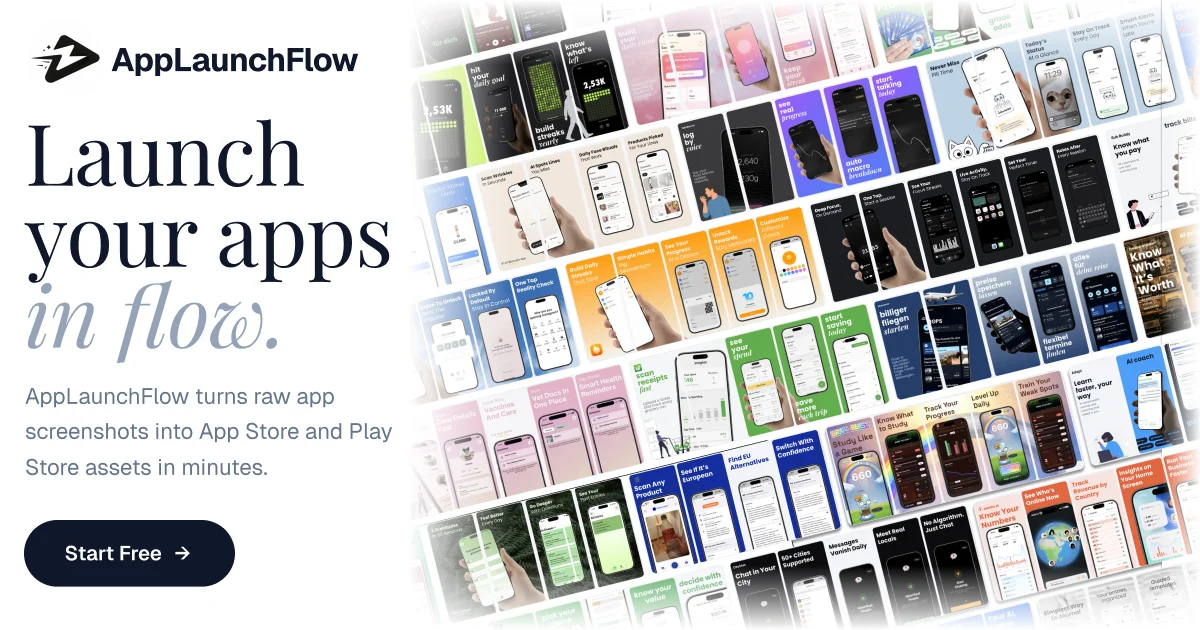
TL;DR: AppLaunchFlow turns raw mobile app screenshots into App Store and Play Store launch assets, adding AI-assisted layouts, copy, and translation flow in one browser tool.
Source and Accuracy Notes
- Official site: https://www.applaunchflow.com
- HN post: Show HN: AppLaunchFlow: AI tool that turns app screenshots into marketing assets
- Public homepage metadata and FAQ used for feature and positioning details
What Is AppLaunchFlow?
AppLaunchFlow is web app for mobile app launch prep. Instead of stitching together Figma templates, manual screenshot exports, App Store copy drafts, and translation work across separate tools, product puts those jobs into one flow aimed at iOS and Android teams.
Public homepage positions it around three core outputs:
- App Store screenshots
- Play Store screenshots
- ASO copy and translations
Target user is not only designer. Pitch leans toward developers, indie builders, and product teams who need launch assets fast without building full design pipeline first.
Setup Workflow
Step 1: Open workspace and start project
Go to applaunchflow.com and create project for your mobile app. Product runs in browser, so no local design app install needed.
Step 2: Upload existing app screenshots
Upload raw screenshots from your iOS or Android build. Public site says product analyzes uploaded screenshots to understand layout, colors, and content before helping generate store-ready assets.
Step 3: Generate screenshot layouts and copy
Use editor to produce higher-converting store visuals and supporting text. Homepage metadata and FAQ describe support for:
- Screenshot layout generation
- Headline and ASO copy generation
- App Store and Play Store asset formatting
This matters if team has product screenshots already but lacks polished merchandising assets.
Step 4: Translate for more markets
AppLaunchFlow also pitches translation support for screenshot text and listing copy. Public FAQ says layouts adjust for different text lengths so localized exports stay usable.
Step 5: Export for store submission
Export final images for App Store and Google Play listing flow. Public FAQ says tool supports phone and tablet screenshot sizes for both ecosystems.
Deeper Analysis
Problem product solves
Mobile launch work messy. Builders often finish app before they finish presentation layer around app. Then launch week becomes scramble across screenshot sizing, headline writing, localization, and last-minute visual cleanup.
AppLaunchFlow attacks that bottleneck. It is not app builder, not analytics stack, not attribution platform. It is packaging layer between finished product and app store submission.
Where it fits best
Good fit cases:
- Indie iOS or Android launches without dedicated designer
- Teams testing multiple screenshot variants for conversion lift
- Agencies shipping ASO assets for client apps
- Product teams localizing app listings into multiple languages
Less ideal cases:
- Teams already deep in custom Figma-to-export pipeline
- Brands needing pixel-perfect custom illustration system
- Orgs that require all marketing assets generated in-house with strict approval tooling
Why this launch has signal
HN pitch was clear and narrow: turn app screenshots into marketing assets. That focus is better than broad “AI for marketing” claims because buyer can map product to exact launch task fast.
Official homepage also stays concrete. It names deliverables users care about: screenshots, copy, translations. Narrow positioning usually means easier evaluation.
Practical Evaluation Checklist
- Test whether uploads preserve UI details from your raw screenshots
- Compare generated layouts against your current App Store conversion assets
- Verify export sizes for iPhone, iPad, and Android requirements
- Check whether generated ASO copy needs heavy manual editing
- Validate translation quality for your top target markets
- Confirm pricing and export limits before production launch week
Security Notes
AppLaunchFlow is hosted web app. You upload product screenshots and possibly pre-release marketing text to vendor infrastructure.
Before using it for unreleased apps:
- Review privacy policy and terms
- Avoid uploading sensitive internal roadmap material not needed for store assets
- Check whether team members can collaborate without sharing personal accounts
- Store any future API keys or credentials outside design files and outside exported assets
FAQ
Q: Is AppLaunchFlow only for iOS apps?
A: No. Public homepage and FAQ say it supports both App Store and Google Play assets, including phone and tablet screenshot sizes.
Q: Do I need design experience to use it?
A: Public FAQ says no. Product is positioned for developers and product teams, with template and editor flow meant to reduce need for Figma-heavy work.
Q: Can it help with localization?
A: Yes. Public site says it can translate screenshot text and listing copy, and that layouts adjust for different text lengths.
Q: Does it replace full ASO strategy?
A: No. It can speed asset creation and copy drafting, but ranking strategy, keyword research, testing, and market analysis still need human review.
Conclusion
AppLaunchFlow looks useful for teams stuck on last-mile app launch packaging. If your app is built but your store screenshots, copy, and localized assets are still bottleneck, this tool compresses that work into one browser flow. For indie mobile launches and small product teams, that can cut real time from release prep.
Related Posts
ai-setup
Recall – Persistent Memory for Claude Code via MCP Hooks
Recall gives Claude Code a permanent memory store that survives session restarts and context compaction. Four hooks capture and restore context automatically — with cloud SaaS or self-hosted options.
2/28/2026
dev-tools
Automotive Skills Suite for AI Engineering
Evaluate Automotive Skills Suite for APQP, ASPICE, HARA, safety-plan, and DIA workflows with setup notes, governance risks, and SME review guidance.
5/28/2026
dev-tools
awesome-agentic-ai-zh Roadmap Guide
Explore awesome-agentic-ai-zh as a Chinese agentic AI learning roadmap, with setup notes, track selection, study workflow, and evaluation guidance.
5/28/2026