Appaca - AI Workspace for Internal Ops Tools
Build and run custom internal tools in minutes with AI agents that understand your business, workflows, and operations. Free plan available.
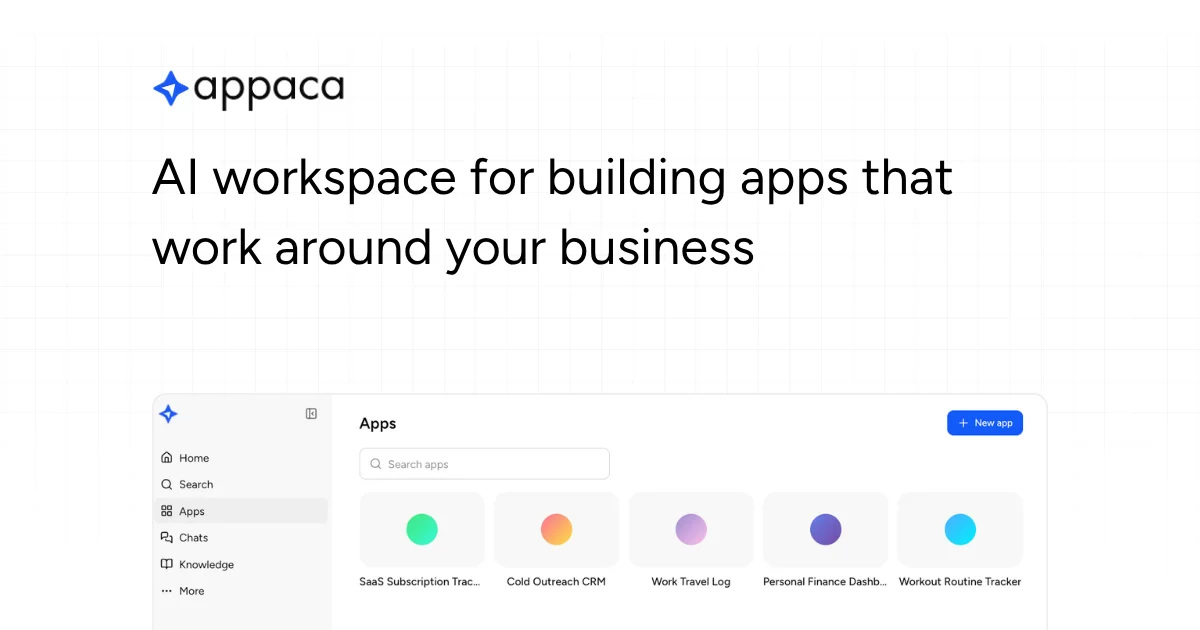
TL;DR
TL;DR: Appaca is an AI workspace where operators describe what their team needs and get a working internal tool — with a built-in database, team access controls, and no coding or deployment required.
Source and Accuracy Notes
- Project page: appaca.ai — verified June 30, 2026
- Pricing page: appaca.ai/pricing — verified June 30, 2026
- HN launch thread: news.ycombinator.com/item?id=48682461
- License: Proprietary (no open-source repo found)
What Is Appaca?
Appaca describes itself as an AI workspace for operators — a category it positions distinctly from developer-facing AI coding tools like Lovable, Replit, or v0. While those tools help you build apps to ship to customers, Appaca is designed for a different job: building the internal operational tools your business runs on day to day.
The pitch is simple: describe what your team needs in plain language, and Appaca generates a working app with a built-in database and team access controls. No coding. No deployment. No infrastructure management.
Use cases on the site include employee directories, employee onboarding assistants, SOP assistants, PRD generators, approval workflows, access reviews, customer health dashboards, custom CRMs, internal admin panels, and request management tools.
Core Features
AI-powered app generation Describe a business need in natural language. Appaca’s AI builds a working app around it — complete with data structure, forms, and workflow logic.
Built-in database Every app gets a structured database without needing to set up a separate backend or connect an external data source.
Team access controls Apps support workspace members and role-based access, so internal tools can be shared across teams with appropriate permissions.
Third-party integrations Appaca connects to Google Sheets, Airtable, Notion, Slack, and any service that exposes an API or webhook. This means internal tools can pull data from or push data to existing systems.
AI knowledge base Create a shared knowledge layer that AI agents reference when responding to team members — enabling context-aware assistance across different operational workflows.
Pre-built use case templates Starting points for common internal tools: employee directory, onboarding tracker, approval workflow, access review, customer health dashboard, and more.
Pricing
Appaca offers a free plan and three paid tiers:
| Plan | Monthly | Yearly | Key limits |
|---|---|---|---|
| Free | $0 | $0 | 100 AI credits/mo, 1 app |
| Pro | $59 | $47/mo | 1,000 AI credits/mo, 3 apps |
| Growth | $129 | $103/mo | 3,000 AI credits/mo, unlimited apps |
| Business | $259 | $207/mo | 10,000 AI credits/mo, unlimited AI coworkers |
| Enterprise | Custom | Custom | Unlimited credits, dedicated success manager, SSO, SLA |
AI credits are consumed based on task complexity. Appaca optimises tasks automatically to reduce credit usage. Top-ups are available for all paid plans.
How It Works
- Describe your need — type a plain-language description of the tool you want, e.g. “an intake form for our new employee onboarding process that sends a Slack message to HR when submitted.”
- Appaca generates the app — AI builds the data model, UI, and workflow logic. No code required.
- Customise and share — add fields, adjust logic, invite team members, set access levels.
- Connect existing tools — link to Google Sheets, Airtable, Slack, Notion, or any API-capable service.
Practical Evaluation Checklist
- Describe an internal process in plain language and see if the generated app covers the core workflow.
- Test the built-in database by adding a few records and verifying retrieval.
- Invite a team member and confirm access controls apply as expected.
- Connect a third-party service (e.g. a Google Sheet) and confirm data flows in both directions.
- Evaluate whether the AI credit consumption feels reasonable for your team’s usage frequency.
FAQ
Q: How is Appaca different from Lovable, Replit, or v0? A: Those tools are aimed at developers building customer-facing products. Appaca is purpose-built for internal operational tools — the spreadsheets, trackers, CRMs, and workflows that keep a business running. It sits closer to the “build internal tools” category than the “build and ship products” category.
Q: Do I need to know how to code? A: No. Appaca generates working apps from natural-language descriptions. No coding or deployment is required.
Q: What happens when AI credits run out? A: The free plan includes 100 credits per month. Paid plans include a monthly credit allowance. You can top up credits at any time. If you run out mid-month, new app generation pauses until credits are added.
Q: Can Appaca connect to our existing tools? A: Yes. Appaca integrates with Google Sheets, Airtable, Notion, Slack, and any service that has an API or webhook. As long as a third-party service exposes an interface, apps built in Appaca can communicate with it.
Q: Is there an on-premises or self-hosted option? A: No. Appaca is a cloud-hosted platform. Enterprise plans offer dedicated hosting with a custom domain, but the infrastructure is managed by Appaca.
Conclusion
Appaca targets a real gap in the internal tooling landscape: teams that need custom operational tools but lack developers to build them. By positioning at the intersection of AI generation and internal ops — rather than AI-assisted coding for products — it carves out a different audience and workflow.
The free plan makes it easy to test whether the AI generation quality matches your needs before committing to a paid tier. If your team spends significant time on manual tracking, approval routing, or data entry into third-party tools, Appaca is worth evaluating as an alternative to building spreadsheets or paying for off-the-shelf SaaS that does not quite fit your process.
Related Posts
ai-setup
Recall – Persistent Memory for Claude Code via MCP Hooks
Recall gives Claude Code a permanent memory store that survives session restarts and context compaction. Four hooks capture and restore context automatically — with cloud SaaS or self-hosted options.
2/28/2026
dev-tools
Dulus Terminal Agent Setup Guide
Set up Dulus as a terminal AI agent with native and Docker paths, installer profiles, WebChat ports, repo safety checks, and shell-access risks.
5/28/2026
dev-tools
OpenSquilla Agent Gateway Setup Guide
Set up OpenSquilla with uv, onboarding, OpenRouter env keys, gateway runtime, Git LFS model files, and migration paths from other agents.
5/28/2026