AnythingLLM - Desktop AI App With Private LLM and RAG
A full-featured desktop AI assistant that runs locally, supports multi-user workspaces, and connects to any LLM provider. MIT licensed, with built-in agents and document chat.
TL;DR
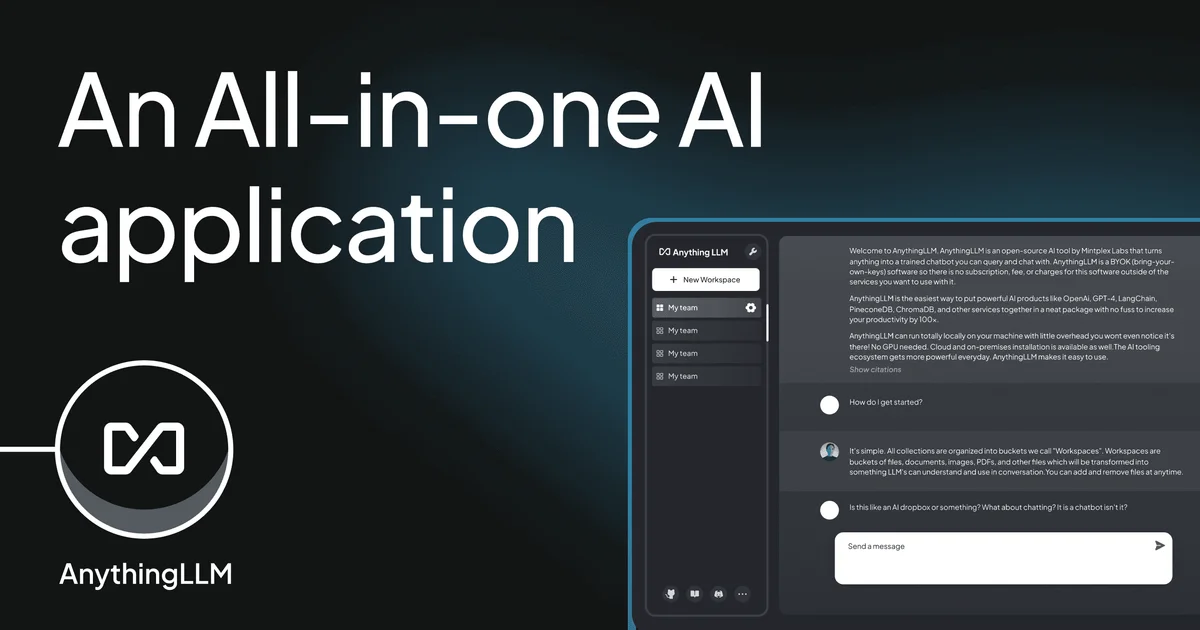
TL;DR: AnythingLLM is an open-source desktop AI assistant by Mintplex-Labs that runs locally, supports any LLM provider, and combines document RAG, multi-user workspaces, and built-in AI agents — all under an MIT license.
Source and Accuracy Notes
- Project page: anythingllm.com — verified OG image, product description
- Source repository: github.com/Mintplex-Labs/anything-llm — README read 2026-07-14
- License: MIT (verified via
LICENSEfile on GitHub — “Copyright (c) Mintplex Labs Inc.”) - HN launch thread: news.ycombinator.com/item?id=41457633 — Show HN: AnythingLLM – Open-Source, All-in-One Desktop AI Assistant
- Stars: 63,243 (verified via GitHub API, 2026-07-14)
- Topics:
agentic-ai,local-ai,rag,self-hosted-ai,vector-database
What Is AnythingLLM?
AnythingLLM is an open-source application built by Mintplex-Labs that lets you run a fully-featured private ChatGPT-style interface on your own machine. The project positions itself as “the all-in-one AI application you were looking for” — combining document ingestion, AI agents, multi-user support, and flexible LLM routing into a single desktop app.
Key capabilities from the README:
- Dynamic Model Routing — automatically routes chats to the best provider and model based on rules you define
- Automatic and User-Managed Memories — have your LLM remember important context across conversations
- Scheduled Tasks — run recurring prompts on a cron schedule with full agent capabilities
- Intelligent Tool Selection — enable unlimited tools for your models while reducing token usage by up to 80 percent per query
- No-code AI Agent builder — visual flow builder for creating custom agents
- MCP compatibility — works with the Model Context Protocol ecosystem
- Multi-modal support — both closed and open-source LLMs
- Multi-user instance support (Docker version) — permissioning per user without compromising instance security or IP privacy
- Custom Embeddable Chat widget (Docker version) — drop a chat interface into your website
- Document support — PDF, TXT, DOCX, and more with source citations in chat
The desktop app runs on Mac, Windows, and Linux. A Docker version is also available for server-side deployments.
Setup Workflow
Option 1 — Desktop App (easiest)
Download the installer for your platform from anythingllm.com/download.
# Verify checksum if available (check the download page)
ls ~/Downloads/AnythingLLM-*.dmg  # macOS example
```bash

After installing, you will be prompted to select an LLM provider and embedder model on first launch.

### Option 2 — Docker (self-hosted)

```bash
# Clone the repository
git clone https://github.com/Mintplex-Labs/anything-llm.git
cd anything-llm

# Start with Docker Compose
docker compose up -d
```bash

The Docker setup enables multi-user mode and the embeddable chat widget — features not available in the desktop-only build.

### Connecting an LLM Provider

AnythingLLM supports a wide range of LLM providers. In the app settings under **Model Provider**, you can configure:

- **OpenAI** (GPT-4o, GPT-4-turbo, etc.)
- **Anthropic** (Claude 3.5 Sonnet, etc.)
- **Azure OpenAI**
- **Ollama** (for fully local models)
- **LM Studio**
- **LocalAI**
- **Any OpenAI-compatible API endpoint**

```bash
# Example: If using Ollama locally
# In AnythingLLM settings:
#   Model Provider: Ollama
#   Base URL: http://localhost:11434
#   Model: llama3.2
Ingesting Documents
- Create a new Workspace in AnythingLLM
- Drag and drop PDF, TXT, DOCX, or other supported files into the workspace
- AnythingLLM will embed the documents using your chosen embedder model
- Chat with the document — responses include citations linking back to the source
Architecture Overview
AnythingLLM separates three concerns into discrete model roles:
| Role | Description |
|---|---|
| LLM | Handles reasoning, chat, and agent decisions |
| Embedder | Converts documents and queries into vector embeddings |
| Speech/TTS | Optional text-to-speech output |
This separation means you can pair a powerful cloud LLM (e.g. Claude 3.5) with a local embedder (e.g. nomic-embed-text via Ollama) for a privacy-preserving setup.
Vector storage is handled in-process by default. For larger deployments the Docker version supports external vector database backends.
How It Compares
| Feature | AnythingLLM | PrivateGPT | Open WebUI |
|---|---|---|---|
| Desktop app | Yes (cross-platform) | No | No |
| Multi-user support | Docker only | No | Yes |
| Built-in agents | Yes | Limited | Limited |
| MCP compatibility | Yes | No | No |
| Scheduling / cron jobs | Yes | No | No |
| Custom embed widget | Docker only | No | No |
| License | MIT | Apache 2.0 | MIT |
AnythingLLM’s advantage is breadth — combining RAG, agents, scheduling, and multi-user features in a single coherent product rather than stitching together separate tools.
Practical Evaluation Checklist
- Download and launch desktop app
- Configure at least one LLM provider (Ollama recommended for fully offline testing)
- Create a workspace and ingest a PDF or text document
- Ask a question about the ingested document and verify citation links appear
- Explore the agent builder under the Agents tab
- If using Docker: test multi-user login and workspace permissioning
- Verify MCP server connection if you have an MCP-compatible tool
Security Notes
- All document processing and embedding happens locally when using Ollama or LM Studio as the backend
- No telemetry or phone-home is documented in the README
- The Docker version supports per-user permissioning within shared workspaces
- API keys for cloud LLM providers are stored locally and not transmitted to third parties beyond the provider itself
- As with any AI tool handling sensitive documents, review your internal data handling policies before ingesting confidential material
FAQ
Q: Does AnythingLLM work completely offline? A: Yes, if you use Ollama or LM Studio as both your LLM and embedder backend. No internet connection is required for chat or document RAG in that configuration.
Q: What is the difference between the desktop app and the Docker version? A: The desktop app is for single-user local use. The Docker version adds multi-user support, the embeddable chat widget, and is better suited for team or server deployments.
Q: Can I use my own vector database? A: The desktop app uses in-process vector storage by default. The Docker deployment supports external vector database configurations for larger-scale setups.
Q: Does it support multimodal models? A: Yes. AnythingLLM supports multimodal models for both chat and document understanding, including vision-capable open-source models.
Q: How is the “Intelligent Tool Selection” different from standard function calling? A: According to the project docs, it dynamically selects from unlimited available tools while optimizing token usage — claiming up to 80 percent token reduction per query compared to naive function calling approaches.
Conclusion
AnythingLLM fills the gap between bare-bones local AI setups and fully-managed SaaS products. It runs on your own hardware, supports a wide range of LLM providers, and packs RAG, agents, scheduling, and multi-user features into a single coherent application. The MIT license means you can inspect, modify, and deploy it freely — making it a strong choice for developers and teams who want a private, configurable AI workspace without building it from scratch.
Related Posts
ai-setup
Recall – Persistent Memory for Claude Code via MCP Hooks
Recall gives Claude Code a permanent memory store that survives session restarts and context compaction. Four hooks capture and restore context automatically — with cloud SaaS or self-hosted options.
2/28/2026
ai-setup
Sentrial – Catch AI Agent Failures Before Your Users Do
YC W26-backed AI agent observability platform. Trace sessions, detect silent regressions, and A/B test prompts in production before failures reach users.
5/28/2026
ai-setup
IonRouter – Fast Low-Cost AI Inference API
IonRouter is a YC W26 inference API routing open-source and fine-tuned models via an OpenAI-compatible endpoint, built on a C++ runtime optimized for GH200.
5/28/2026