Airtop: Cloud Browser API for AI Agents — Setup & Use
Airtop lets AI agents drive cloud browsers via Puppeteer, Playwright, or natural language. Handles bot detection, proxies, and captchas. Full setup guide, pricing breakdown, and alternatives.
TL;DR
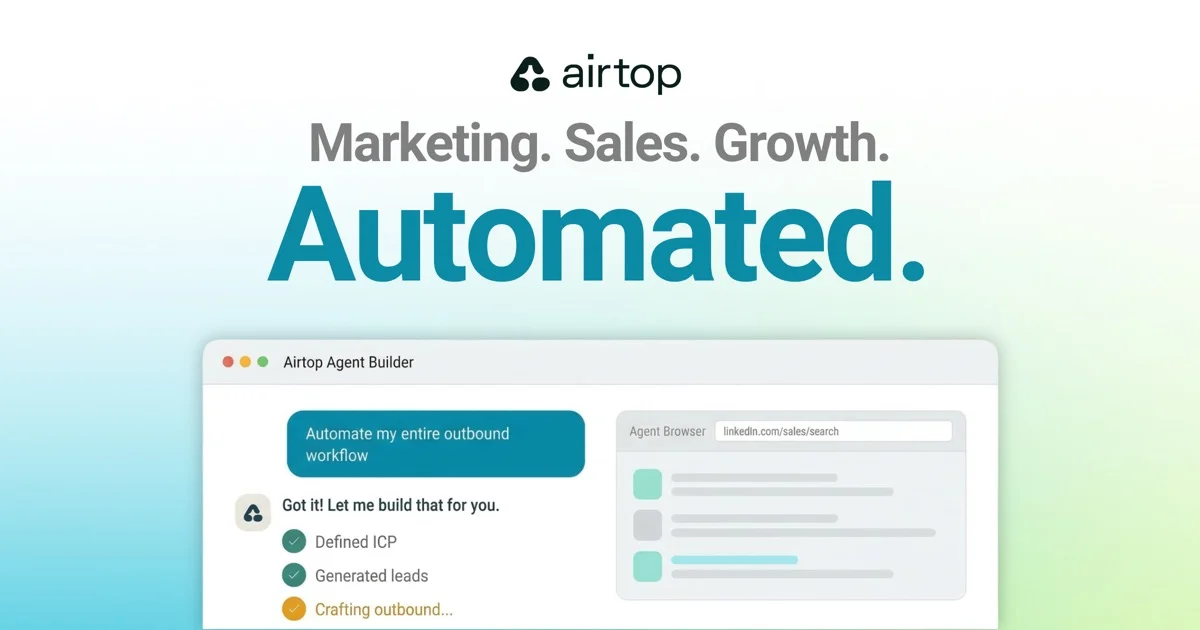
TL;DR: Airtop is a managed cloud browser that lets your AI agent drive any website through natural-language prompts, Puppeteer/Playwright/Selenium, or a hosted live view. It handles bot detection, residential proxies, captchas, and authenticated sessions, so your agent can log in to LinkedIn, scrape pricing pages, or fill forms without you spinning up a browser fleet.
Source and Accuracy Notes
- Product page: airtop.ai
- Quick start: docs.airtop.ai/guides/getting-started/quick-start.md
- Documentation index (for AI agents): docs.airtop.ai/llms.txt
- Show HN launch: Show HN: Intelligent Browser for Web Automation Powered by AI (Nov 2024, 25 points)
- Pricing: airtop.ai/pricing
What Is Airtop?
Airtop is a cloud browser platform. Instead of installing Puppeteer on your laptop and praying the IP doesn’t get blocked, you call client.sessions.create() and Airtop spins up a remote browser you can drive from anywhere.
The platform ships three control surfaces that compose cleanly:
- Natural-language AI APIs —
pageQuery,paginatedExtraction,formFilling,monitor— describe what you want in a prompt, the service returns structured output. - CDP bridge for Puppeteer, Playwright, and Selenium — you can drop in your existing scripts unchanged and they’ll run against Airtop’s hosted browser via the
cdpWsUrlfield on the session. - Live view — a sharable URL where a human can watch the agent work, take over, or hand control back.
The product targets the most painful part of running a browser fleet: anti-bot infrastructure. Airtop provides managed residential proxies, captcha solving, persistent profiles with cookies, and Chrome extension loading. The “Mark” product (their headful browser) is even SOC 2 Type 2 compliant on the enterprise plan.
Why a Cloud Browser for Agents?
Anyone who has tried to scrape a site, fill out 50 lead forms, or log into LinkedIn at scale hits the same five walls:
- Infrastructure complexity — keeping a warm pool of browser instances running, updated, and patched eats engineering time.
- Cost — idle browsers cost money. Spinning up a new Chrome per request is slow.
- Fragile selectors — Puppeteer scripts break every time the site changes its CSS.
- Bot detection — Cloudflare, PerimeterX, DataDome, residential proxy requirements.
- Authentication — handling 2FA, SSO, OAuth flows, and saved cookies across runs.
Airtop wraps all of these into a single API. You get a session, you drive it, you terminate it when you’re done. Credits are billed by session time, with a proxy: true flag for the integrated residential proxy (or bring your own from a list of recommended providers).
Setup Workflow
Step 1: Get an API key
Create a free account at the Airtop Portal. The free tier includes 1,000 credits and one deployed agent, with a 14-day trial of the headful Mark browser.
Step 2: Install the SDK
Airtop ships an official SDK for both Node and Python. Pick your poison:
# Node
npm i -s @airtop/sdk

# Python
pip install airtop
```bash

### Step 3: Create a session and load a page

Here's the minimum viable agent. It creates a browser session, opens the Airtop homepage, and uses AI to summarize what it sees.

```typescript
import { AirtopClient } from '@airtop/sdk';

const apiKey = process.env.AIRTOP_API_KEY!;
const client = new AirtopClient({ apiKey });

const session = await client.sessions.create();
const window = await client.windows.create(session.data.id, {
  url: 'https://www.airtop.ai',
});

const summary = await client.windows.pageQuery(
  session.data.id,
  window.data.windowId,
  { prompt: 'Summarize the contents of the page in one short paragraph.' }
);

console.log(summary.data.modelResponse);
await client.sessions.terminate(session.data.id);
```bash

The Python equivalent is symmetric:

```python
from airtop import Airtop

client = Airtop(api_key="YOUR_AIRTOP_API_KEY")
session = client.sessions.create()
window = client.windows.create(session.data.id, url="https://www.airtop.ai")
summary = client.windows.page_query(
    session.data.id,
    window.data.window_id,
    prompt="Summarize the contents of the page in one short paragraph.",
)
print(summary.data.model_response)
client.sessions.terminate(session.data.id)
```bash

### Step 4: Drop in Puppeteer if you need low-level control

If you already have a Puppeteer/Playwright/Selenium script, point it at the session's CDP endpoint:

```typescript
import puppeteer from 'puppeteer-core';

const session = await client.sessions.create();
const browser = await puppeteer.connect({
  browserWSEndpoint: session.data.cdpWsUrl,
  headers: { authorization: `Bearer ${apiKey}` },
});

const page = await browser.newPage();
await page.goto('https://news.ycombinator.com');
const titles = await page.$$eval('.titleline > a', (els) =>
  els.map((e) => e.textContent)
);

console.log(titles);
await client.sessions.terminate(session.data.id);
```bash

### Step 5: Use a residential proxy when sites block you

Pass `proxy: true` to the integrated US-based residential proxy, or `proxy: { country: 'US', sticky: true }` for a 30-minute sticky IP. To bring your own proxy, configure it under your account and pass the proxy ID instead — Airtop won't bill you for bandwidth in that case.

```typescript
await client.sessions.create({
  configuration: { proxy: true },
});
```bash

### Step 6: Save authenticated profiles across runs

Airtop persists cookies and local storage under a named profile. Have a user log in once via live view, save the profile, and your agent can pick it up later without re-authenticating.

```typescript
const session = await client.sessions.create({
  configuration: { profileName: 'linkedin-marketer' },
});
Practical Use Cases
Airtop’s recipe library shows the kinds of pipelines people actually build:
- Lead generation from therapist directories — drop in a URL, get a CSV of names, emails, and personalized outreach messages. The official recipe combines Airtop with LangGraph.
- SEC S-1 filing scraping — extract recent filings and structure them into JSON.
- LinkedIn data extraction behind authentication — log in once via live view, save the profile, then bulk extract.
- Competitor price monitoring — schedule a monitor with
client.windows.monitor()to alert on a condition. - Customer review response agent — fetch new reviews, draft replies, queue them for human approval.
Pricing Reality Check
The credit system can be a footgun if you don’t understand it. Airtop bills by browser session time and by AI token usage. The free tier gives you 1,000 credits, which is enough for a few dozen page queries. A month of 24/7 monitoring will eat through Starter ($26/month) fast.
Plan tier cheat sheet:
| Plan | Price | Credits/mo | Concurrent sessions | Deployed agents |
|---|---|---|---|---|
| Free | $0 | 1,000 | 3 | 1 |
| Starter | $26 | 30K–150K | 3 | 10 |
| Professional | $170 | 225K–500K | 30 | 30 |
| Enterprise | $502 | 775K–1.5M | 100 | Unlimited |
If you’re doing production work, the proxy add-on is worth budgeting for — Cloudflare and DataDome will eat your free requests in minutes.
When Airtop Is the Wrong Tool
- You have a clean REST API available — use the API, not a browser. Airtop can’t be faster than a direct integration.
- You need pixel-perfect scraping at terabyte scale — for that volume, dedicated scrapers (Zyte, ScraperAPI, Apify) are more cost-efficient.
- You’re building a single-user dev tool, not an agent — local Puppeteer is simpler and free.
Practical Evaluation Checklist
Before you commit, run these in order:
- Can you complete your one core flow (login, navigate, extract, fill form) with the free tier?
- Does the integrated proxy bypass your target site’s bot detection?
- Can you save and restore authenticated sessions reliably?
- Is the per-credit cost predictable for your monthly volume?
- Does your use case fit the SOC 2 boundary, or do you need a self-hosted alternative?
Security Notes
Airtop runs remote browsers on your behalf. Treat the live view URL as sensitive — anyone with the link can drive the browser. Use short-lived tokens for live view, and never expose the URL publicly. The SOC 2 Type 2 boundary is on the Mark (headful) browser, not the legacy headless tier. If you handle PHI, payment data, or anything regulated, double-check that the data flow stays inside the Mark tier.
FAQ
Q: How is Airtop different from local Puppeteer?
A: Local Puppeteer runs Chrome on your machine. Airtop runs Chrome in their cloud and exposes it via API. You trade a per-session credit cost for not having to manage browser infrastructure, anti-bot, or residential proxies yourself.
Q: Can I use my own OpenAI/Anthropic key with Airtop?
A: Airtop’s pageQuery and AI APIs use their managed model (currently GPT-class, billed in credits). For full control, drive the browser through Puppeteer and call your own LLM from your code.
Q: Does Airtop work for sites with aggressive bot detection?
A: Yes — that’s the main reason to use it. The integrated residential proxy, captcha solving, and profile persistence handle most anti-bot systems. For the hardest targets (some banks, Netflix), the integrated proxy has known restrictions.
Q: How do live views work?
A: Airtop generates a sharable URL where a human can watch the agent’s browser, take over the mouse/keyboard, and hand control back. Useful for handling 2FA prompts or debugging what the agent sees.
Q: Can I self-host Airtop?
A: No — it’s a SaaS-only product. If you need self-hosted browser automation, look at Steel.dev, Anchor Browser, or running Playwright on a Kubernetes cluster.
Conclusion
Airtop is the cleanest “cloud browser for agents” product I’ve tested. The SDK is small, the docs are excellent (and ship with a proper llms.txt for AI agent consumption), the Puppeteer bridge means I can keep my existing scripts, and the live view + profile persistence makes auth flows actually workable. The credit pricing model is the main risk — once you scale beyond 30K credits a month, you should be pressure-testing the per-action cost.
If you’re building a coding agent, lead-gen tool, or research scraper that needs to log in to real websites, Airtop is worth a 30-minute spike. Start with the free tier, run the lead-generation recipe end-to-end, and see whether the credit math works for your volume.
Related Posts
ai-setup
Recall – Persistent Memory for Claude Code via MCP Hooks
Recall gives Claude Code a permanent memory store that survives session restarts and context compaction. Four hooks capture and restore context automatically — with cloud SaaS or self-hosted options.
2/28/2026
dev-tools
Automotive Skills Suite for AI Engineering
Evaluate Automotive Skills Suite for APQP, ASPICE, HARA, safety-plan, and DIA workflows with setup notes, governance risks, and SME review guidance.
5/28/2026
dev-tools
awesome-agentic-ai-zh Roadmap Guide
Explore awesome-agentic-ai-zh as a Chinese agentic AI learning roadmap, with setup notes, track selection, study workflow, and evaluation guidance.
5/28/2026