Airbolt - Drop an AI Chat Into Your React App in 3 Lines
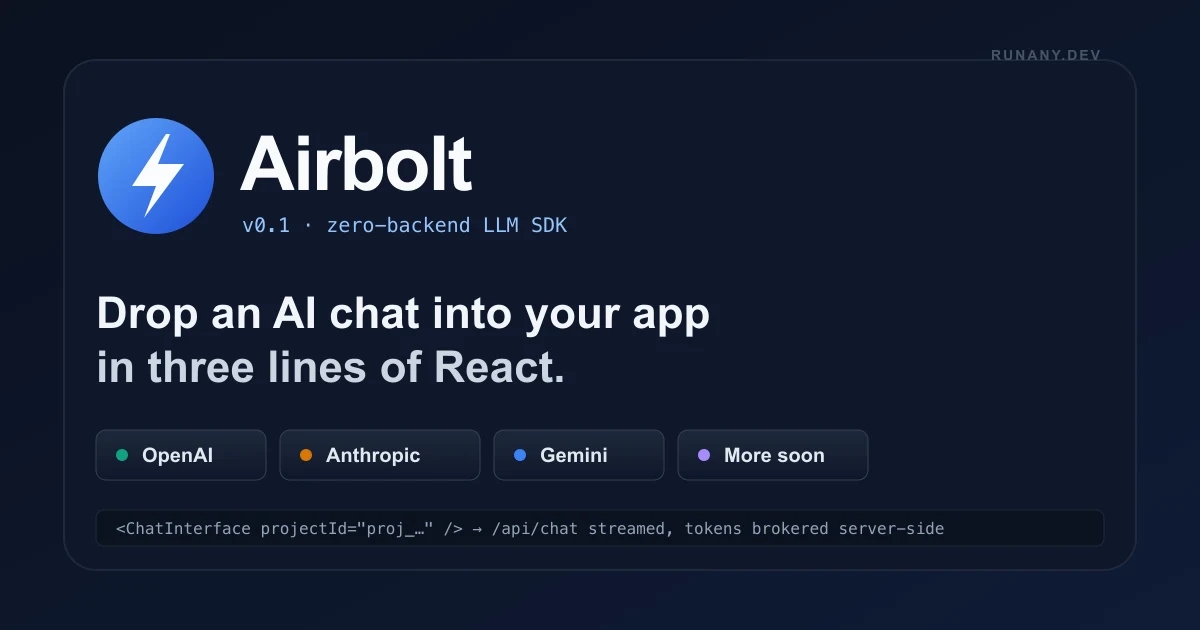
Airbolt is a zero-backend LLM SDK that drops a working AI chat into any React app in three lines. Bring your own OpenAI keys; the SDK encrypts them with AES-256-GCM and rate-limits per user.
TL;DR
TL;DR: Airbolt is a drop-in React component and JS/TS SDK that ships a working OpenAI chat into any web app with a three-line install. It removes the API route, the streaming plumbing, the state machine, the retry logic, and the secret-storage boilerplate — your API key is encrypted at rest with AES-256-GCM and the SDK brokers every request through a rate-limited server-side proxy.
Source and Accuracy Notes
- Official site: airbolt.ai
- SDK docs: airbolt.ai/docs
- Show HN launch: news.ycombinator.com/item?id=44398630 — 10 points, 9 comments
- Pricing at time of writing: free in public beta; multi-provider support listed as “coming soon”
Airbolt is in active public beta. The landing page lists “OpenAI” as the currently supported provider, with Anthropic and Gemini queued for an upcoming release. If you read this post months later, the provider list is the first thing to re-verify on the official docs page.
What Is Airbolt?
Airbolt is a hosted LLM proxy plus a React SDK that turns the standard “add an AI chat to my app” job into a three-line install. Instead of writing a Next.js API route, picking an LLM client library, wiring up streaming, managing message state, handling retries, and storing API keys safely, you import <ChatInterface projectId="..." />, paste a project ID, and ship.
The architecture is a classic two-tier split:
┌──────────────────┐         ┌────────────────────┐         ┌──────────────┐
│  Your React App  │  HTTPS  │   Airbolt Proxy    │  HTTPS  │  OpenAI API  │
│  (browser / SSR) │ ──────▶ │  (tokens, rate     │ ──────▶ │  GPT-4o-mini │
│  ChatInterface   │ ◀────── │   limits, retries) │ ◀────── │  GPT-4o      │
└──────────────────┘  stream └────────────────────┘  stream └──────────────┘
                              ▲
                              │  AES-256-GCM
                              │  at rest
                        ┌──────────────┐
                        │  Your BYOK   │
                        │  (encrypted) │
                        └──────────────┘
```bash

The browser never holds your OpenAI key. It authenticates with a short-lived, project-scoped token issued by Airbolt, the proxy adds your real key, and the response streams back. The SDK handles the streaming protocol, message state, and error recovery so the app code only has to render the chat.

## Why "Zero Backend" Matters for AI Features

The pitch sounds like marketing until you have actually shipped a chat feature end-to-end. A real, production-quality AI chat in a React app requires at least seven things, all of which the SDK has to either provide or integrate:

- A backend route to accept prompts and proxy the LLM call
- A streaming transport (SSE or fetch streams) to get tokens in real time
- Message state management with optimistic updates and abort controllers
- An authentication boundary that knows which user is making the call
- Rate limiting to prevent one user from draining your OpenAI quota
- A retry and backoff policy for transient 429s and 5xx errors
- A safe place to store your OpenAI key that is not a `.env` file committed to git

A lean implementation in a Next.js app is ~200 lines across a client component, an API route, and a couple of provider helpers. Airbolt replaces that with a single import and a project ID. The trade-off is that you take a hosted dependency: the proxy has to be available, the SDK version has to be pinned, and your data plane is a third party that sees your prompts.

For prototypes, internal tools, hackathon projects, and small SaaS apps, that trade-off is almost always correct. For production consumer apps with strict data-handling rules, the cost-benefit needs a real review.

## Setup Workflow

Airbolt is a hosted platform with a managed dashboard. The setup is in the browser plus an SDK install.

### Step 1: Create a project in the dashboard

Go to [airbolt.ai](https://www.airbolt.ai) and sign up. Once you are in, create a new project. The dashboard will hand you a `projectId` that looks like `proj_abc123...`. No credit card is required during the public beta.

### Step 2: Add your OpenAI key

In the project settings, paste your OpenAI API key. The key is stored encrypted with AES-256-GCM and is only used to satisfy chat requests against your project. The Airbolt proxy never returns your key to the browser and never logs the raw key value in request traces.

### Step 3: Install the SDK

```bash
npm install @airbolt/sdk
# or
pnpm add @airbolt/sdk
yarn add @airbolt/sdk
```bash

The package is published on npm and ships TypeScript types out of the box.

### Step 4: Drop in the chat component

```tsx
import { ChatInterface } from '@airbolt/sdk/react';

export default function App() {
  return <ChatInterface projectId="proj_your_project_id" />;
}
```bash

That is the full integration. The component renders a chat thread, manages the input, streams the assistant response, and shows errors on a transient failure. You can drop it into a route, a modal, or a sidebar without further wiring.

### Step 5: Customize the UI when you outgrow the default

If you need full control over the look, drop down to the lower-level hooks:

```tsx
import { useAirboltChat } from '@airbolt/sdk/react';

export function CustomChat() {
  const { messages, input, setInput, send, isStreaming, error } =
    useAirboltChat({ projectId: 'proj_your_project_id' });

  return (
    <div>
      {messages.map((m) => (
        <p key={m.id}><b>{m.role}:</b> {m.content}</p>
      ))}
      <form onSubmit={send}>
        <input value={input} onChange={(e) => setInput(e.target.value)} />
        <button disabled={isStreaming}>Send</button>
      </form>
      {error && <p>Error: {error.message}</p>}
    </div>
  );
}
```bash

The same hooks are exposed for vanilla JavaScript and TypeScript consumers, so the SDK is not coupled to React at the lower level — only the prebuilt `<ChatInterface>` is.

## Feature Surface

The public docs page lists the following as "included out of the box":

- Secure API proxy — the browser talks to Airbolt, Airbolt talks to OpenAI
- Encrypted key storage (BYOK) with AES-256-GCM at rest
- Per-user rate limiting and short-lived session tokens
- Streaming responses over server-sent events
- Usage logging and request telemetry in the dashboard
- Built-in error handling and retry policy for transient failures
- Drop-in React components with TypeScript types
- Multiple-provider support is listed as "coming soon" in the FAQ

The SDK follows semantic versioning, so breaking changes arrive on major bumps. The official guidance is to pin the exact version in production.

## What "Zero Backend" Actually Skips

The headline is "no backend code", but the real value is what the proxy takes off your plate. For comparison, the equivalent Next.js code that Airbolt replaces looks like this.

The client component:

```tsx
// pages/index.tsx (Next.js Pages Router)
import { useState } from 'react';

type Message = { id: string; role: 'user' | 'assistant'; content: string };

export default function Chat() {
  const [messages, setMessages] = useState<Message[]>([]);
  const [input, setInput] = useState('');
  const [loading, setLoading] = useState(false);

  async function sendMessage(e: React.FormEvent) {
    e.preventDefault();
    if (!input.trim()) return;
    const userMessage: Message = {
      id: String(Date.now()),
      role: 'user',
      content: input,
    };
    setMessages((prev) => [...prev, userMessage]);
    setInput('');
    setLoading(true);
    try {
      const res = await fetch('/api/chat', {
        method: 'POST',
        headers: { 'Content-Type': 'application/json' },
        body: JSON.stringify({
          messages: [...messages, userMessage].map((m) => ({
            role: m.role,
            content: m.content,
          })),
        }),
      });
      if (!res.ok) throw new Error('Request failed');
      const data = await res.json();
      setMessages((prev) => [
        ...prev,
        { id: String(Date.now() + 1), role: 'assistant', content: data.reply ?? '' },
      ]);
    } catch {
      setMessages((prev) => [
        ...prev,
        { id: String(Date.now() + 2), role: 'assistant', content: 'Sorry, something went wrong.' },
      ]);
    } finally {
      setLoading(false);
    }
  }

  return (
    <div className="chat">
      <div className="messages">
        {messages.map((m) => (
          <div key={m.id} className={m.role === 'user' ? 'user' : 'assistant'}>
            {m.content}
          </div>
        ))}
      </div>
      <form onSubmit={sendMessage} className="input">
        <input
          value={input}
          onChange={(e) => setInput(e.target.value)}
          placeholder="Ask something..."
          disabled={loading}
        />
        <button type="submit" disabled={loading || !input.trim()}>
          {loading ? 'Sending...' : 'Send'}
        </button>
      </form>
    </div>
  );
}
```bash

The API route that fronts OpenAI:

```ts
// pages/api/chat.ts
import type { NextApiRequest, NextApiResponse } from 'next';
import OpenAI from 'openai';

const client = new OpenAI({ apiKey: process.env.OPENAI_API_KEY });

export default async function handler(req: NextApiRequest, res: NextApiResponse) {
  if (req.method !== 'POST') return res.status(405).end();
  try {
    const { messages } = req.body as {
      messages: { role: 'user' | 'assistant' | 'system'; content: string }[];
    };
    const completion = await client.chat.completions.create({
      model: 'gpt-4o-mini',
      messages,
    });
    res.status(200).json({ reply: completion.choices[0]?.message?.content ?? '' });
  } catch {
    res.status(500).json({ error: 'AI provider request failed' });
  }
}
That pair of files is roughly 200 lines including styling and the message type, before you add streaming, abort logic, retries, and rate limits. The Airbolt equivalent is the eight lines shown in Step 4.
Security Notes
The most important security claim is the BYOK model. The browser never sees your real OpenAI key. It authenticates to the Airbolt proxy with a short-lived, project-scoped session token, the proxy attaches your key server-side, and the response streams back. The key is stored encrypted with AES-256-GCM and is never returned by any API endpoint.
Things to verify yourself before going to production:
- Pin the SDK version. A malicious or compromised SDK update could in theory MITM your prompts.
- Read the Airbolt data-handling policy. Your prompts are seen by the proxy and may be logged.
- Add your own auth layer. The SDK does not currently ship “bring your own auth” — that is on the roadmap.
- Watch the rate-limit defaults. Per-user rate limits are enabled, but you will need to tune them to your plan and abuse model.
- Treat multi-tenant deployments carefully. If you embed the chat in a B2B app, a single project ID shared across tenants is the wrong shape — ask the Airbolt team about per-tenant project provisioning.
The threat model is the standard one for hosted AI proxies: you trust Airbolt with prompt confidentiality, the absence of prompt training on your data, and the durability of the key-storage system. If any of those are red lines, self-hosting with a direct OpenAI call is the correct move.
Practical Evaluation Checklist
Walk through this list before you commit to Airbolt for a non-trivial project:
- Is OpenAI the only provider you need today? Multi-provider is listed as coming soon — pin a date before you bet on the roadmap.
- Can your app accept the Airbolt data plane as a trusted dependency? Prompts leave your origin and reach Airbolt’s servers.
- Does the dashboard expose usage logs at the granularity you need? If you need per-user cost attribution, confirm it ships.
- Are the per-user rate limits configurable from the dashboard, or only on a paid plan?
- Does the SDK support server-side rendering (RSC) for Next.js, or do you need to wrap it in a client component?
- Can you override the system prompt globally and per-conversation from the SDK?
- Is there a webhook for usage events so your billing system can charge back per chat?
- What is the SLA for the proxy in production? Public beta terms are not enterprise-grade.
FAQ
Q: Does Airbolt expose my OpenAI key to the browser? A: No. The browser authenticates with a short-lived, project-scoped session token. Your real OpenAI key lives in Airbolt’s encrypted key store and is only attached server-side to outbound requests to OpenAI.
Q: Which AI models does Airbolt support today? A: OpenAI models (GPT-4o, GPT-4o-mini, and the rest of the chat-completions family) at launch. The landing page and FAQ explicitly list multi-provider support — Anthropic, Google Gemini, and others — as coming in an upcoming release.
Q: How is Airbolt priced? A: The product is free to use during the public beta. You still pay OpenAI directly for token usage on your own key. There is no Airbolt markup on token spend, and no credit card is required to sign up.
Q: Can I use Airbolt in production today? A: Yes, with the usual caveats. The SDK follows semantic versioning, the team recommends pinning the SDK version, and the public beta status means you should not bet on enterprise-grade SLAs until the pricing and support tiers ship.
Q: Does the SDK support streaming? A: Yes. Streaming is included out of the box, which is one of the main reasons the proxy exists in the first place — server-sent events from OpenAI are not trivial to plumb through a Next.js API route.
Q: Can I bring my own authentication? A: Not yet. “Bring your own auth” is listed as a coming-soon item on the landing page. Today, the trust boundary is the project ID plus the short-lived session token.
Q: What happens if Airbolt is down? A: Your chat stops working. There is no built-in fallback to a direct OpenAI call. If you need high availability, you would have to ship a parallel non-Airbolt integration and switch on incident.
Q: Is the SDK open source? A: The SDK is published on npm and the company is publicly listed, but no public source repository was found in the public materials at time of writing. If open-source SDK code matters to you for security review, ping the team before you commit.
Q: Can I use Airbolt outside React?
A: Yes. The lower-level hooks and a vanilla JavaScript/TypeScript API are exposed. The prebuilt <ChatInterface> is the React-only convenience, but the proxy and the streaming protocol are not React-specific.
Conclusion
Airbolt is a tight, well-scoped product: a hosted LLM proxy plus a React SDK that collapses the standard “add an AI chat to my app” job to three lines. The trade-off is the standard hosted-AI trade-off — your prompts leave your origin and your API key is stored by a third party — and Airbolt is upfront about it.
If you are building a prototype, an internal tool, a hackathon project, or a small SaaS that just needs a working chat this week, the SDK is worth a one-hour spike. If you are shipping a regulated consumer product or a B2B platform with strict data-handling rules, the right next step is a security review of the proxy and a plan to either self-host the equivalent or wait for the “bring your own auth” roadmap item to land.
The free public beta is the lowest-cost way to find out which side of that line you are on.
Related Posts
ai-setup
Recall – Persistent Memory for Claude Code via MCP Hooks
Recall gives Claude Code a permanent memory store that survives session restarts and context compaction. Four hooks capture and restore context automatically — with cloud SaaS or self-hosted options.
2/28/2026
dev-tools
Automotive Skills Suite for AI Engineering
Evaluate Automotive Skills Suite for APQP, ASPICE, HARA, safety-plan, and DIA workflows with setup notes, governance risks, and SME review guidance.
5/28/2026
dev-tools
awesome-agentic-ai-zh Roadmap Guide
Explore awesome-agentic-ai-zh as a Chinese agentic AI learning roadmap, with setup notes, track selection, study workflow, and evaluation guidance.
5/28/2026