Afelyon – Turn Jira Tickets into GitHub PRs with AI
Autonomous AI agent that reads Jira or ClickUp tickets, analyzes your codebase, and opens production-ready pull requests on GitHub. Docker one-liner setup.
TL;DR
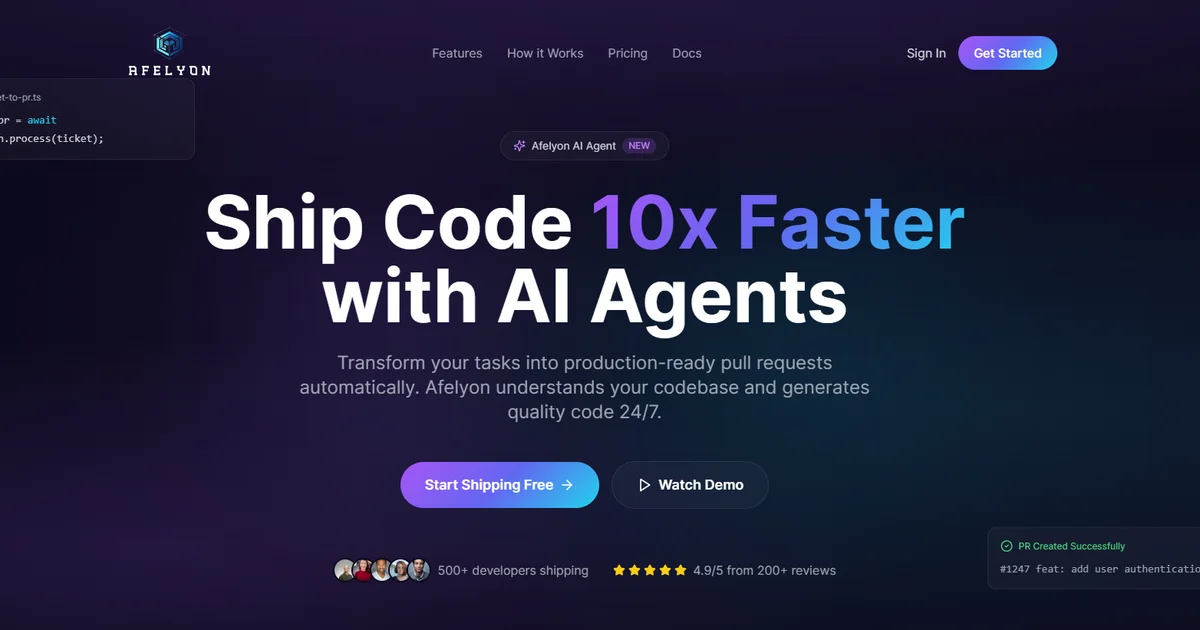
TL;DR: Afelyon is a self-hosted AI agent that watches your Jira or ClickUp board, reads ticket descriptions, analyzes your codebase, and opens a detailed pull request on GitHub — automatically, without human intervention.
Source and Accuracy Notes
- Project page: afelyon.com
- HN launch thread: news.ycombinator.com/item?id=46835389
- License: Proprietary (self-hosted option available — code never leaves your infrastructure)
What Is Afelyon?
Most AI coding tools work from your cursor position or a chat prompt. Afelyon takes a different angle — it starts from the ticket, not the code. You create a Jira or ClickUp ticket with a description and acceptance criteria, and Afelyon autonomously:
- Clones your repository
- Analyzes your codebase to understand conventions, patterns, and framework structure
- Generates a complete code implementation matching the ticket requirements
- Runs your test suite
- Opens a pull request with a detailed description of what changed and why
According to the HN launch thread, the team built Afelyon to solve a specific bottleneck: the gap between “ticket created” and “PR ready for review.” They used it internally for months before open-sourcing the platform.
Tech Stack
The self-hosted version ships with Docker and uses:
- TypeScript throughout the stack
- Fastify for the API server
- Next.js for the web dashboard
- Claude AI as the reasoning engine
- PostgreSQL + pgvector for data storage
- BullMQ + Redis for job orchestration
Integrations
Afelyon currently supports:
- Project management: Jira, ClickUp
- Version control: GitHub
- Notifications: Slack
Coming soon: GitLab and Linear integrations.
Pricing
Afelyon offers a tiered pricing model (from the product site):
- Free — self-hosted trial
- $99/month — solo/team plan
- $299/month — professional plan
- $799/month — enterprise plan
A 30-day money-back guarantee applies to all paid plans.
Security
The product site states SOC 2 compliance with end-to-end encryption. Enterprise customers can self-host, ensuring source code never leaves their infrastructure.
Setup Workflow
Prerequisites
- Docker and Docker Compose installed
- A Jira or ClickUp account (API access)
- A GitHub account with repository access
- A Claude AI API key
Step 1: Deploy with Docker Compose
git clone https://github.com/afelyon/afelyon
cd afelyon
docker compose up -d
The Fastify API server, Next.js dashboard, Redis broker, and PostgreSQL instance all start together.
Step 2: Connect Your Integrations
Open the dashboard at http://localhost:3000 and authorize:
- GitHub — install the Afelyon GitHub App on your repositories
- Jira or ClickUp — paste your API credentials and project key
- Claude AI — enter your API key in the settings panel
Step 3: Create a Ticket
In Jira or ClickUp, create a ticket with:
- A clear description of the feature or bug fix
- Acceptance criteria listed out
- Any relevant context (design docs, mockups, prior tickets)
Afelyon monitors your project board and picks up new tickets automatically.
Step 4: Review the Pull Request
Afelyon opens a PR on GitHub with:
- A summary of the code changes
- Reference to the original ticket
- Test results from your CI pipeline
- A checklist of acceptance criteria marked complete or not met
You review, comment, merge — or request changes by adding a comment on the ticket.
Deeper Analysis
Why Ticket-First Matters
Traditional AI coding assistants (Copilot, Cursor, Claude Code) work best when you already know what to type. They assume a developer is in the driver’s seat. Afelyon reverses this — it treats the ticket as the source of truth, which better reflects how most engineering teams actually work.
The gap between ticket creation and first code review is where projects stall. Afelyon collapses that cycle by making the ticket the trigger, not the prompt.
Self-Hosted vs. Cloud
The self-hosted deployment keeps your code on-premises. This is meaningfully different from hosted AI coding tools that send your codebase to third-party APIs. For teams in regulated industries or those with strict IP policies, this may be the deciding factor.
Comparison with Alternatives
- GitHub Copilot: Chat-based, requires a developer actively coding. Afelyon requires no developer involvement after ticket creation.
- Rowboat: Local AI coworker with memory and built-in surfaces. Afelyon is narrower in scope but deeper on the ticket-to-PR automation loop.
- Copilot+ Agents (Microsoft): Requires a Copilot license and Microsoft ecosystem. Afelyon is stack-agnostic.
Practical Evaluation Checklist
- Can it understand complex multi-file changes?
- Does it handle framework-specific conventions (React patterns, Django models, etc.)?
- How does it behave when the codebase lacks sufficient context for a ticket?
- Does the self-hosted version require ongoing maintenance?
- How accurate are the acceptance criteria checkboxes in the PR description?
Security Notes
- SOC 2 compliance claimed — verify with Afelyon sales before enterprise deployment
- Self-hosted option means your code never reaches third-party servers
- BullMQ + Redis stack requires standard job queue hardening (Redis authentication, network segmentation)
- Claude AI API calls send ticket descriptions and code snippets to Anthropic’s API — account for this in your data classification
FAQ
Q: Does Afelyon work with monorepos? A: The HN launch thread does not specify monorepo support. Check the self-hosted docs for current scope.
Q: What happens if the generated code fails tests? A: Afelyon opens the PR regardless and includes the test failure output. You review and iterate by commenting on the Jira ticket.
Q: Can I self-host without paying for Claude API usage? A: The self-hosted version still requires a Claude AI API key. Running Afelyon incurs Claude API costs proportional to ticket volume.
Q: Is the source code open? A: The HN post says “open-sourcing the full platform.” Verify the GitHub org at github.com/afelyon for the current open-source status.
Conclusion
Afelyon targets a specific, real problem: the ticket-to-first-commit lag that clogs engineering backlogs. By making the project management tool the trigger and GitHub PR the output, it fits into existing team workflows without requiring developers to learn a new tool.
The self-hosted Docker deployment is the strongest differentiator for security-conscious teams. If you want AI-assisted code delivery that starts from Jira rather than a chat prompt, Afelyon is worth evaluating.
Related Posts
ai-setup
Recall – Persistent Memory for Claude Code via MCP Hooks
Recall gives Claude Code a permanent memory store that survives session restarts and context compaction. Four hooks capture and restore context automatically — with cloud SaaS or self-hosted options.
2/28/2026
dev-tools
Automotive Skills Suite for AI Engineering
Evaluate Automotive Skills Suite for APQP, ASPICE, HARA, safety-plan, and DIA workflows with setup notes, governance risks, and SME review guidance.
5/28/2026
dev-tools
awesome-agentic-ai-zh Roadmap Guide
Explore awesome-agentic-ai-zh as a Chinese agentic AI learning roadmap, with setup notes, track selection, study workflow, and evaluation guidance.
5/28/2026