Zotero: open-source reference manager with a local API
Zotero is a free, AGPL-licensed reference manager for collecting papers, extracting metadata and citing sources. Version 10 adds a scriptable local API.
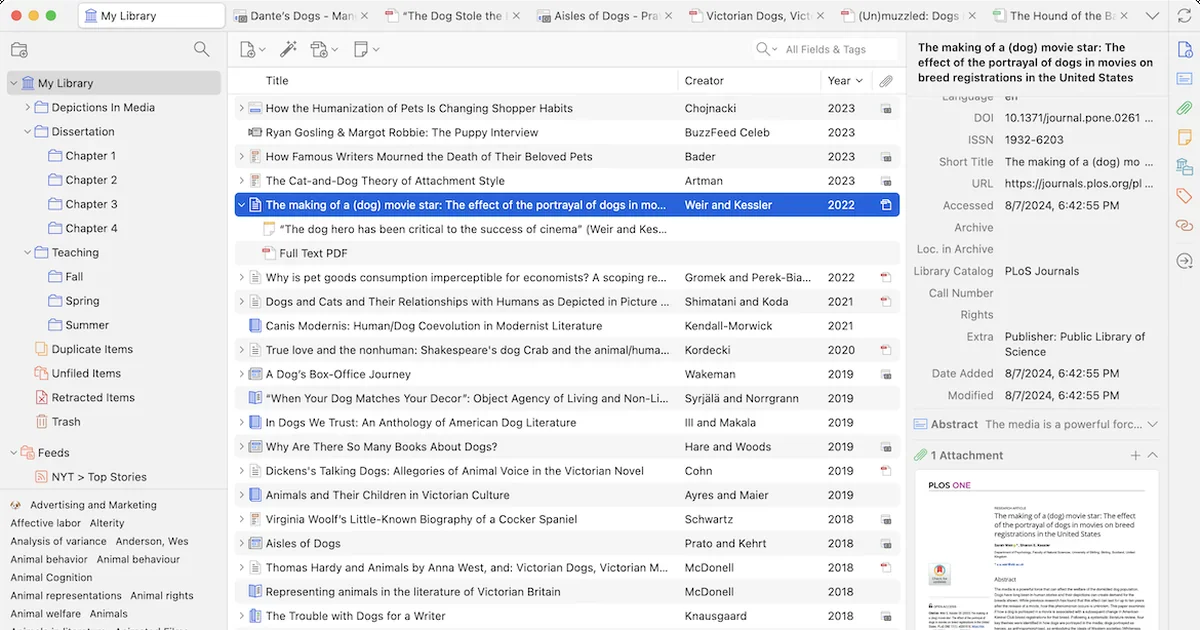
TL;DR: Zotero keeps every paper you have read in one place, pulls the citation metadata out of a PDF for you, and writes the bibliography when you are done. It is free, AGPL licensed, and run by a nonprofit rather than a growth team. What changed in version 10 is the part that makes it worth wiring into your own scripts: the desktop app now exposes a local HTTP API on your own machine, so a shell command can read your library without touching the web.
What it is
Zotero is a reference manager. You point a browser extension at a paper, it saves the PDF and fills in the title, authors, journal, DOI and everything else, and then when you write you pick the citation from a menu and Zotero types the reference in the right style for whatever document you are in.
The interesting part is how much of that is the open-source layer. The reference data is a plain SQLite database on your disk. The desktop client is JavaScript and Electron, with about 15,700 stars on GitHub and a commit history going back to 2011. The project started at George Mason University and now sits with the Corporation for Digital Scholarship, a nonprofit, and the licence is AGPLv3.
Everything you collect lives locally unless you turn on sync. When you do turn it on, Zotero splits the job in two. Data syncing covers items, tags, notes, attachments metadata and collections, and it is free and unlimited. File syncing covers the PDFs themselves, and that is the part with a price tag.
Why it matters
The alternative to a reference manager is a folder of PDFs named paper_v2_FINAL.pdf and a notes application you half remember. The gap that Zotero fills is not storage, it is the metadata. It reads the PDF’s embedded identifiers, or falls back to a lookup service, and writes a structured record you can query. That record is what makes citation insertion, bibliography generation and duplicate detection possible.
For researchers the practical payoff is a library that survives a decade of tooling churn, because the file format is a database you can inspect and the export formats are boring and well documented. You can always get your references out as BibTeX, RIS, CSL JSON, or a Zotero RDF dump.
There is also a quieter audience: people automating parts of their own workflow. Zotero has shipped a Web API for years, but it is a hosted service with rate limits and an account, and every call goes over the network. Version 10 changes that for local tooling by giving the running desktop app its own HTTP endpoint.
Getting it running
Installers exist for macOS, Windows and Linux, and mobile apps cover iOS and Android. The desktop client is where the work happens, and the browser extension (Zotero Connector) is what captures pages into it.
The Linux build is a straightforward AppImage or a tarball:
# Download the Linux x86_64 build, extract, and run it directly
curl -LO https://download.zotero.org/client/release/10.0.6/Zotero_linux-x86_64.tar.bz2
tar xf Zotero_linux-x86_64.tar.bz2
cd Zotero_linux-x86_64
./zotero
Zotero installs a Connector into Firefox and Chrome automatically from the preferences pane. In Safari on macOS it is a separate App Store download, and on macOS 11 and 12 the old connector has to be restored manually.
To use the local API you have to enable it once, in Settings, then Advanced, then the box labelled “Allow other applications on this computer to communicate with Zotero”. Until you tick it, every request to the local port comes back 403 Forbidden.
The local API
With that enabled, the running app serves the same API shape as the hosted one, under a different prefix:
# List the top-level collections in your library
curl -s http://localhost:23119/api/users/0/collections | head -c 400
Reads need no authentication at all, which is the detail that makes this easy to script. The port only listens on the loopback interface, and the documentation is explicit that you should not forward it, since any local process can read the library.
Pagination is off by default here, because nothing is crossing a network. You get the whole result set in one response.
Writing is where version 10 adds real structure. A write needs a key, and the key is not something you create in advance, it is granted at runtime through a dialog in the app:
# Request write permission for a local tool
curl -s -X POST http://localhost:23119/api/local/authorize \
  -H "Content-Type: application/json" \
  -d '{"appName":"My Script"}'
The user sees a prompt naming your application and can allow it once or remember the decision. The response carries a 32-character key that you pass as the Zotero-API-Key header on each write. If the user picks the one-time option the key is consumed on first use, so your script needs to handle a 401 by asking again.
Version 10 also introduces a Zotero-Server-ID header on every local response. It identifies the specific Zotero instance and database, it survives restarts and upgrades, and it changes if you point your client at a different library. On writes the header is mandatory and a missing one is rejected with 428 Precondition Required. A mismatch against a cached ID gives you 412 Precondition Failed, which tells the client it is talking to a different library than the one it cached and it should start over.
One more trap worth knowing about. In version 10 the version numbers the local API returns are local counters maintained by your own instance, and they have no relationship to the versions the hosted Web API reports. Any client that compares a stored version against a fresh one across an upgrade should discard its cache rather than try to reconcile the numbers.
What sync costs you
| Plan | Storage | Price |
|---|---|---|
| Free | 300 MB | $0 |
| Individual | 2 GB | $20 per year |
| Individual | 6 GB | $60 per year |
| Individual | Unlimited | $120 per year |
Data syncing stays free and unlimited at every tier. Only the attached files are metered, and if you never turn on file syncing you can leave your PDFs on the machine that downloaded them.
The free alternative is WebDAV, which Zotero supports for personal libraries. Group libraries cannot use it, and the developers are explicit that they cannot support third-party WebDAV servers.
What to watch for
The web server is where Zotero stops being self-hosted. There is no supported way to run your own sync server, so “my references live on my disk” is only true until you want the library on a second machine. If avoiding someone else’s server matters to you, WebDAV is the escape hatch, and the group-library limitation is the sharp edge on it.
There is a specific warning in the docs worth repeating: never point the Zotero data directory straight into a cloud storage folder. The documentation says it is extremely likely to corrupt your database, because the client writes SQLite files in ways a sync daemon will not preserve. The safe version of that idea is to close Zotero, copy the whole directory to a synced folder, and restore it the same way later.
The AGPLv3 licence is the other thing to look at. It is a genuine open-source licence and the whole codebase is available, but the network clause means anyone offering Zotero as a hosted service has obligations. If your plan is to run Zotero for other people and keep the result proprietary, this is the licence to think about first.
The PDF reader is the feature most people actually judge the tool by, and it is good. You get text selection, annotations with colour and tags, a notes editor that links back to the highlighted span, and a Read Aloud mode that reads the document aloud and follows along with the highlight. Version 10 also reworked the PDF reader’s rendering, including a fix for documents that use JPEG2000 images, which had been a known cause of slow rendering.
Source and Accuracy Notes
- Project page: https://www.zotero.org/ — verified via direct visit, current version 10.0.6 listed on the download page
- Source repository: https://github.com/zotero/zotero — 15,787 stars, 1,165 forks, 1,619 open issues, JavaScript, last pushed 2026-10-29
- License: AGPLv3 — verified from the COPYING file in the repository, copyright held by the Corporation for Digital Scholarship
- Version and release date: 10.0.6 released 2026-10-07, and 10.0 released 2026-08-17, both confirmed from the project changelog
- Local API behaviour: read from the official local API documentation, last updated 2026-07-29
- Storage pricing: 300 MB free, then 2 GB at $20, 6 GB at $60 and unlimited at $120 per year — verified from the Zotero storage page
- HN launch thread: https://news.ycombinator.com/item?id=22694891 — “Zotero: Personal Research Assistant”, 945 points and 150 comments, 2020-03-26
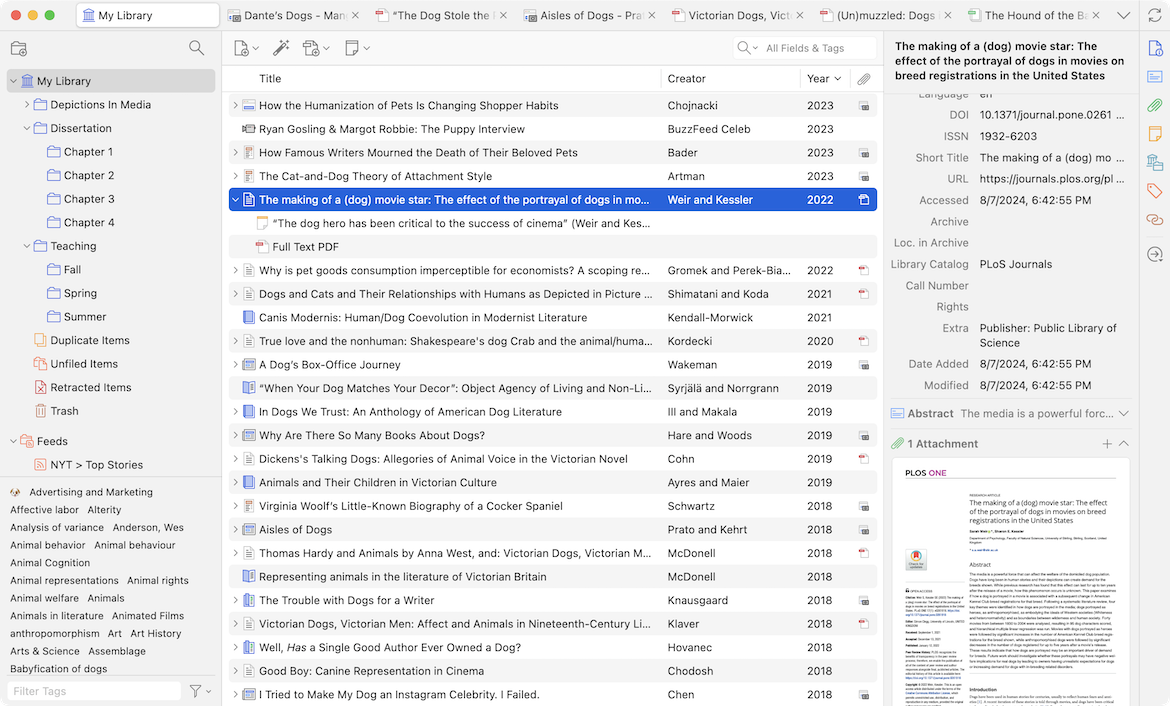
- Thumbnail source: https://www.zotero.org/static/images/home/screenshot-7.0.png — the project’s own library screenshot, cropped to 1200x630
Related Posts
dev-tools
Automotive Skills Suite for AI Engineering
Evaluate Automotive Skills Suite for APQP, ASPICE, HARA, safety-plan, and DIA workflows with setup notes, governance risks, and SME review guidance.
5/28/2026
dev-tools
awesome-agentic-ai-zh Roadmap Guide
Explore awesome-agentic-ai-zh as a Chinese agentic AI learning roadmap, with setup notes, track selection, study workflow, and evaluation guidance.
5/28/2026
dev-tools
Baguette iOS Simulator Automation Guide
Set up Baguette for iOS Simulator automation, web dashboards, device farms, gesture input, streaming, and camera testing with Xcode caveats.
5/28/2026