YoBulk - Open-Source AI CSV Importer
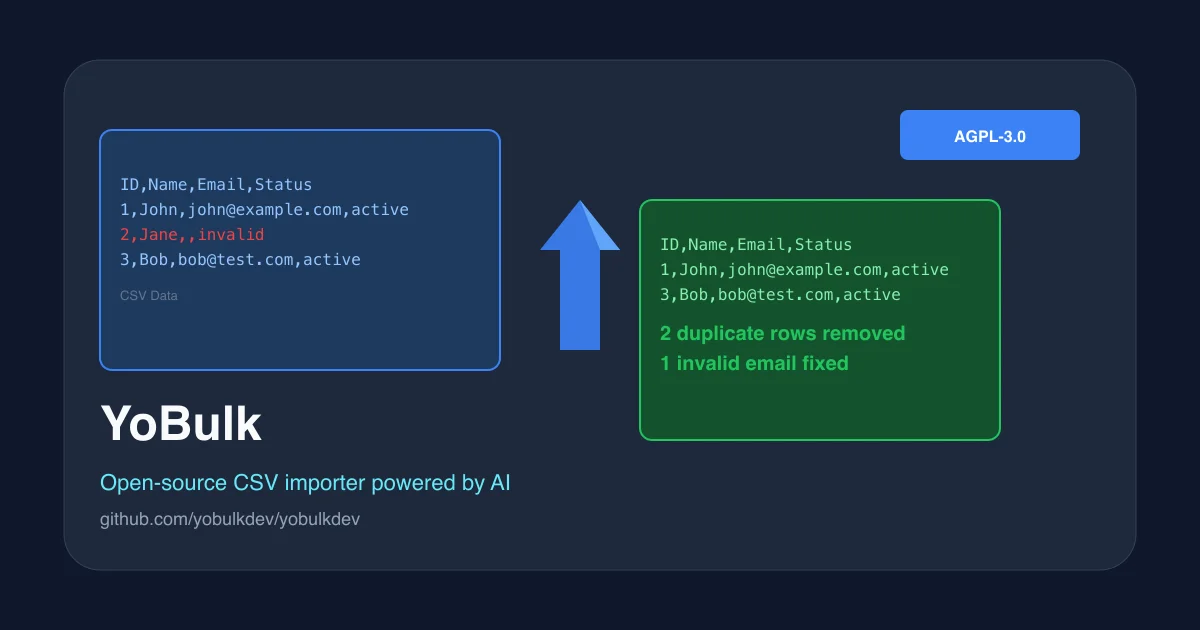
YoBulk is an open-source React SDK and self-hosted platform that uses AI to clean, validate, and deduplicate CSV data on import. Embed it in your React app or run it via Docker.
TL;DR
TL;DR: YoBulk is an open-source React SDK and self-hosted platform that uses AI to validate, deduplicate, and cleanse CSV data on import — embed the widget in your React app or run it as a standalone service via Docker.
Source and Accuracy Notes
- Project page: yobulk.dev
- Documentation: doc.yobulk.dev
- Source repository: github.com/yobulkdev/yobulkdev
- License: AGPL-3.0 (verified via GitHub API
license.spdx_id) - HN launch thread: news.ycombinator.com/item?id=34881286 (Show HN, 2023-02-21)
What Is YoBulk?
YoBulk is an open-source business-to-business data exchange and onboarding platform purpose-built for CSV files. It uses AI (GPT by default, configurable to other models) to automatically detect and fix data quality issues — invalid emails, duplicate rows, inconsistent formatting, missing values — without manual cleaning scripts.
The project ships as both a standalone web application (hosted at yobulk.dev or self-hosted) and a React SDK you embed directly in your product. The React SDK lets you drop an “Import CSV” button into any React app, pre-configured with validation rules, and hand off to business users for self-service data onboarding.
From the project’s own description:
“YoBulk is an open source business-to-business data exchange and onboarding platform for CSV files.”
The core GitHub repo (yobulkdev/yobulkdev) carries these topics: csv-import, csv-parser, datacleaning, embeddable, javascript, languagemodel, mongodb, nextjs, open-source, react, streaming.
Setup Workflow
Option 1: Embed the React SDK
Install the embed package:
npm install yoembed-react-sdk
```bash

Or clone and use the sample React app directly:

```bash
git clone https://github.com/yobulkdev/yoembed-sample-react-app.git
cd yoembed-sample-react-app
npm install
npm run dev
```bash

Generate an Import ID from your YoBulk dashboard, then integrate the import button into your React component:

```jsx
import { YoBulkButton } from "yoembed-react-sdk";

function App() {
  return (
    <YoBulkButton
      importId="your-import-id"
      onComplete={(data) => console.log("Cleaned data:", data)}
    />
  );
}
```bash

### Option 2: Self-Hosted with Docker

Clone the repo and spin up with Docker Compose:

```bash
git clone https://github.com/yobulkdev/yobulkdev.git
cd yobulkdev
docker-compose up -d
```bash

Or run the container directly:

```bash
docker run --rm -it -p 5050:5050/tcp yobulk/yobulk
```bash

The self-hosted version runs on MongoDB for storage and OpenAI for the AI cleaning logic.

### Option 3: Local Development

```bash
git clone https://github.com/yobulkdev/yobulkdev.git
cd yobulkdev
yarn install
yarn run dev
How the AI Cleaning Works
When a user uploads a CSV, YoBulk’s pipeline applies these steps:
- Schema detection — reads column headers and infers expected types (email, date, string, numeric).
- Validation rules — preset rules you define per column (required, unique, format).
- AI-powered fixes — GPT rewrites clearly bad values (e.g.
"gmal.com"→"gmail.com"for email domains) and flags ambiguous ones for human review. - Deduplication — removes exact duplicate rows.
- Export — downloads the cleaned CSV or sends it to your backend via webhook.
The developer configures validation rules at setup time; the end user never touches rule configuration.
Deeper Analysis
Why this is useful over writing a Python/pandas script:
- Business users get a UI, not a terminal. They can self-serve CSV imports without developer involvement.
- The AI normalization handles edge cases that regex rules miss (domain typos, inconsistent capitalization in names, etc.).
- Embeddable SDK means you don’t have to build import infrastructure at all — YoBulk handles the whole flow.
Limitations to know:
- Default AI backend is OpenAI — you need an API key. Self-hosting with a different LLM is possible but not officially documented.
- MongoDB is required for the self-hosted version — no PostgreSQL or other SQL backend option.
- The tool is built for flat CSV files; nested JSON or multi-sheet Excel files are not supported.
- The project has not had a GitHub release tag since 2023 (only commits to
main) — versioning is based on commit SHA.
Practical Evaluation Checklist
- Requires MongoDB (self-hosted) or YoBulk cloud (SaaS)
- OpenAI API key required for AI features (self-hosted)
- React app required to embed the SDK (not vanilla JS)
- Supports data export to CSV only — no native DB write-back
- AGPL-3.0 license — must open-source your modifications if you use the SDK in a commercial product
Security Notes
- CSV data is processed in memory during import; YoBulk does not persist data long-term unless you use the hosted cloud version.
- The self-hosted version runs entirely on your infrastructure — no data leaves your server.
- The hosted cloud version periodically clears unused data (biweekly, per the launch HN post).
- As with any AI-powered data tool, validate the AI’s corrections before blindly importing — GPT can confidently “fix” correct data.
FAQ
Q: Can I use YoBulk without OpenAI? A: The self-hosted version currently relies on OpenAI for AI cleaning. Support for other LLM providers is not documented.
Q: Does it handle multi-sheet Excel files? A: No — YoBulk works with flat CSV files only.
Q: Is there a hosted / SaaS option? A: Yes, cloud.yobulk.dev offers a hosted version with free access to AI features. You can also self-host using the Docker image.
Q: What’s the license? A: AGPL-3.0. Using the React SDK in a commercial closed-source product requires you to open-source your modifications.
Conclusion
YoBulk fills a specific gap: giving business users a clean, AI-assisted CSV import flow without you having to build and maintain it yourself. The embeddable React SDK is the strongest part of the offering — it turns a complex data-cleaning problem into a UI widget you drop into any React app. If you already have a MongoDB-backed data pipeline and want to offer self-service CSV onboarding to your customers, YoBulk is worth a look.
Related Posts
dev-tools
Automotive Skills Suite for AI Engineering
Evaluate Automotive Skills Suite for APQP, ASPICE, HARA, safety-plan, and DIA workflows with setup notes, governance risks, and SME review guidance.
5/28/2026
dev-tools
awesome-agentic-ai-zh Roadmap Guide
Explore awesome-agentic-ai-zh as a Chinese agentic AI learning roadmap, with setup notes, track selection, study workflow, and evaluation guidance.
5/28/2026
dev-tools
Baguette iOS Simulator Automation Guide
Set up Baguette for iOS Simulator automation, web dashboards, device farms, gesture input, streaming, and camera testing with Xcode caveats.
5/28/2026