Umami: privacy-first web analytics you can self-host
Umami is a MIT-licensed self-hostable web analytics tool with no cookies, a Docker install, and a built-in MCP endpoint so an AI agent can query traffic data.
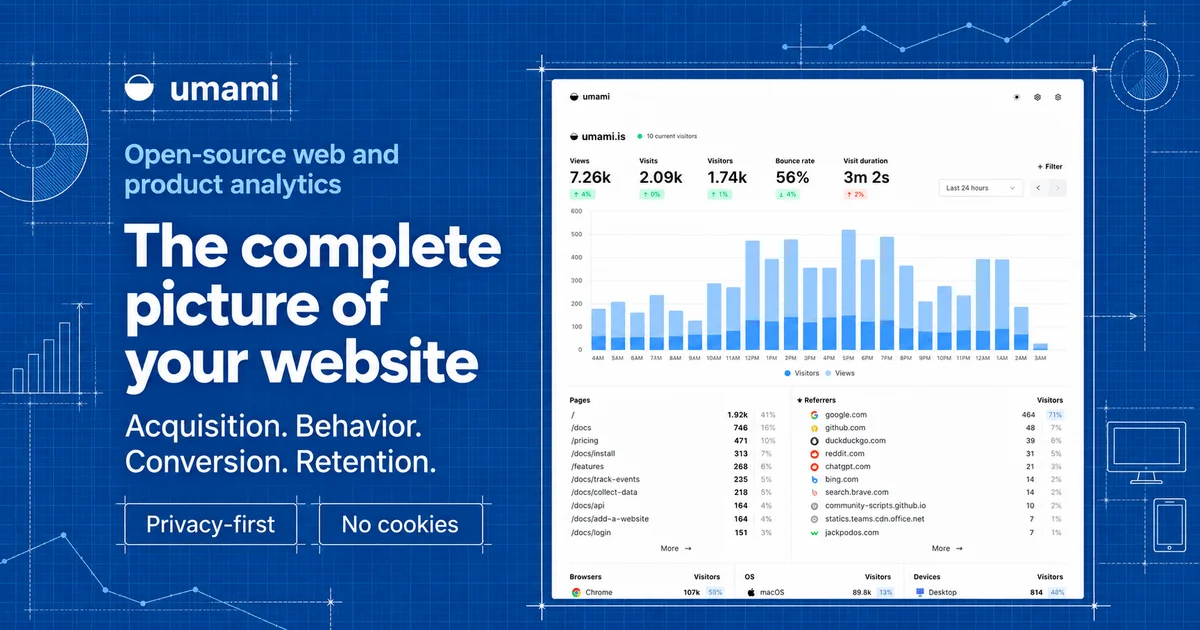
TL;DR: Umami is a MIT-licensed web analytics platform you can run on your own Postgres, or use hosted for free up to 100K events a month. It sets no cookies, tracks pageviews from a single script tag, and since v3 it exposes an MCP endpoint so an AI agent can query your traffic data directly. The catch is v3 dropped MySQL, so an older instance needs migrating first.
What Umami is
Umami started in 2020 as a straight alternative to Google Analytics and has since grown into a fuller product-analytics surface. The current pitch is traffic, campaigns, behavior, conversions, and revenue in one place, sold both as a hosted service and as the open-source project underneath it.
The self-hosted build is a single Node.js application sitting on top of Postgres. The repository carries 39,769 stars and 8,437 forks, is MIT licensed, and is written in TypeScript. The latest release is v3.4.1, published October 23, 2026, and the last commit landed a day before this post.
What it collects is deliberately narrow: pageviews, sessions, referrers, browser, device, country, plus whatever custom events you declare. No cookies, no fingerprinting, and no user identity unless you hand it one.
What v3 added
v3.0.0 shipped on November 7, 2025, and it is not a small release. The pieces that matter most:
- A rebuilt interface. Reports that used to share one screen now live on their own pages, with a site switcher in the nav.
- Filters that live in the URL. Every filter is encoded in the query string, so a filtered view is a link you can paste to a teammate.
- Segments and cohorts. Saved filter sets, plus groups of users defined by a shared event inside a time window, trackable over time for retention analysis.
- Links and pixels. Short redirect URLs under
/qand invisible image beacons under/p, which is how you measure opens on a newsletter. - A dedicated admin page for managing users, teams, and websites.
The breaking change is the one to plan around: MySQL support is gone. Postgres 12.14 or newer is now the only supported database, and the project publishes a migration guide for anyone who was on the old one.
Getting it running
Docker is the path most people should take. The compose file in the repository wires the application to a Postgres 15 container, and the image also ships on Docker Hub.
docker pull docker.umami.is/umami-software/umami:latestBuilding from source needs Node.js 18.18+ and Postgres 12.14+. The build step creates your tables on first run and seeds a login, so there is no separate migration step to remember.
git clone https://github.com/umami-software/umami.git
cd umami
pnpm install

cat > .env <<'ENV'
DATABASE_URL=postgresql://username:mypassword@localhost:5432/mydb
APP_SECRET=replace-me-with-a-random-string
ENV

pnpm run build
pnpm run start
The app comes up on port 3000. The seeded credentials are username admin and password umami, so change them before the instance is reachable from anywhere but your own machine.
Two environment variables are worth setting on day one. TWO_FACTOR_ENCRYPTION_KEY takes a 64-character hex string, and until it is present, two-factor authentication cannot be enabled or required for any account.
openssl rand -hex 32The second is MCP_ENABLED, which is off by default and covered further down.
Connecting the tracker
Adding a site takes one script tag. The tracker pulls the website ID from a data-website-id attribute and posts events to /api/send.
<script
  defer
  src="https://analytics.example.com/script.js"
  data-website-id="b59e9c65-ae32-47f1-8400-119fcf4861c4"
></script>
Event data rides along on the element itself. Any attribute prefixed with data-umami-event- gets picked up, so a button can carry its own payload without a line of custom JavaScript.
<button
  data-umami-event-signup-plan="pro"
  data-umami-event-signup-source="hero"
>
  Start free trial
</button>
If you are using the hosted service instead of your own instance, the snippet is the same with https://cloud.umami.is/script.js as the source.
The MCP endpoint
This is the part worth paying attention to if agents do work on your behalf. The MCP route is a remote Streamable HTTP server speaking protocol revision 2026-07-28, and it is stateless.
Authentication is a bearer token. The request path runs from that token into the @umami/mcp package, then into @umami/api-client, and finally into the same API route handlers and user or team authorization the web interface uses. MCP never touches the database directly, so the permission model is not a second, looser system bolted on beside the UI.
Turn it on with MCP_ENABLED=1, then create an API key under Settings, API keys.
What running it yourself buys
| Cloud Hobby | Cloud Pro | Self-hosted | |
|---|---|---|---|
| Cost | $0/month | $20/month | Your server |
| Events included | 100K/month | 1M/month | Unlimited |
| Overage | None | $0.00003 per event | None |
| Websites | 1 | 20 | Unlimited |
| Data retention | 6 months | 2 years | Until you delete it |
| Team members | None | 10 | Unlimited |
| API and MCP access | No | Yes | Yes |
The Business tier at $200 a month adds session replays, heatmaps, white-labeling, and a streaming API. Enterprise sells SAML single sign-on, an uptime SLA, custom retention, and invoice billing.
What self-hosting actually changes is volume and retention. There is no cap on how many events you record and no clock running out on your history. What it costs is a Postgres instance and the job of keeping it patched.
What to watch for
The Postgres-only requirement in v3 is what breaks older deployments. If you have a v2 instance running MySQL, the upgrade is not a pull and restart.
The default admin password is printed in the README, which makes it public knowledge. Change it, and set the 2FA key, before you point a domain at the instance.
Session replay and heatmaps are paid features. Self-hosting does not unlock them, whatever a community build might claim.
The tracker posts to wherever your script tag points, and COLLECT_API_HOST lets you separate collection from the dashboard. Most single-domain setups never touch it. Split-traffic setups do.
Source and Accuracy Notes
- Project page: https://umami.is, verified via direct visit on 2026-10-29
- Source repository: umami-software/umami, TypeScript, 39,769 stars and 8,437 forks on 2026-10-29
- Latest release: v3.4.1, published 2026-10-23; v3.0.0 published 2025-11-07
- License: MIT, verified from the LICENSE file in the repository
- Stack for v3: Next.js 15.5.3 and Prisma 6.18.0, per the v3.0.0 release notes
- Pricing read from the Umami pricing page on 2026-10-29
- HN launch thread: https://news.ycombinator.com/item?id=24198329, 820 points on 2020-08-18
Related Posts
dev-tools
AgentMesh – Define AI Agent Teams in YAML
Define multi-agent AI workflows in YAML and run them locally with one command. AgentMesh brings Docker Compose patterns to AI agent orchestration.
5/28/2026
dev-tools
Cicada – FOSS CI/CD That Replaces YAML With a Real Language
Cicada replaces GitHub Actions and GitLab CI YAML configs with a custom functional DSL, letting you write pipelines using variables, functions, and shell.
5/29/2026
dev-tools
Voker – Analytics for AI Agents
Voker is an agent analytics platform that gives engineering teams structured visibility into how their AI agents behave, perform, and cost — without digging.
5/29/2026