Set: a local-first Markdown notes app with serverless sync
Set is an open source Markdown notes app for Mac, Windows and Linux. Pages stay as plain files on your own disk, and devices sync directly with no account.
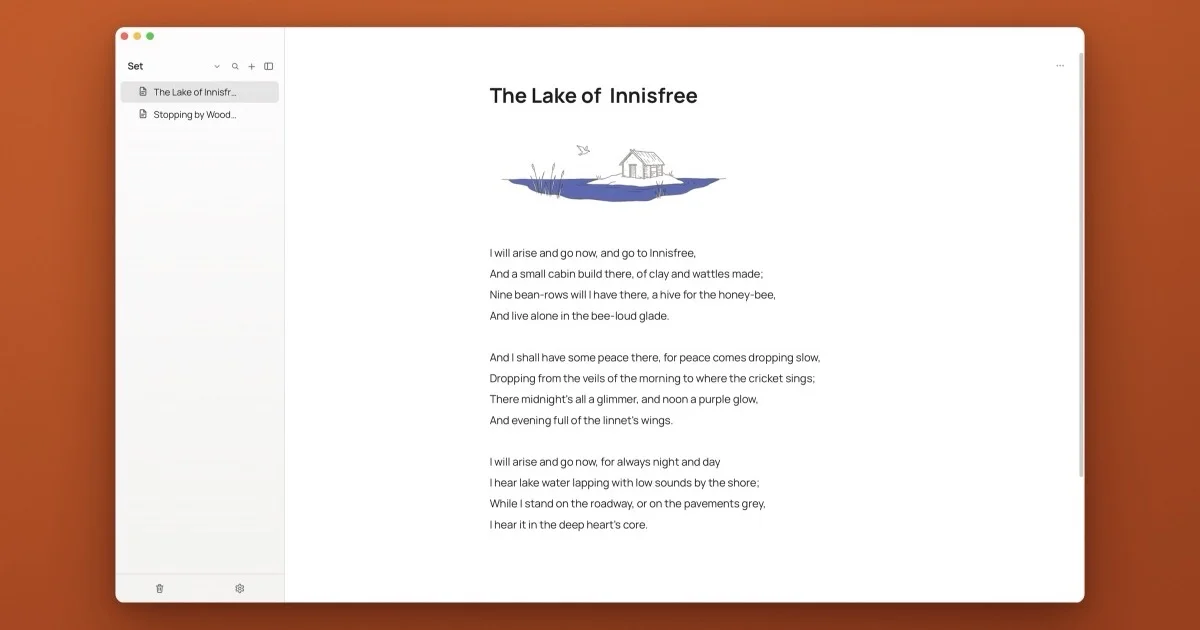
TL;DR: Set stores every page as a plain Markdown file in a folder you pick, then syncs your devices directly to each other. No account, no cloud, no subscription. A local MCP server also lets Claude, Cursor and other agents read and search what you wrote.
What it is
Set is a desktop notes app built around one idea: the document is the file. You point it at a folder, and each page becomes a Markdown file inside that folder, readable by any other editor you own. What Set adds on top of plain files is the part that makes people keep a notes app open all day: a block editor with a slash command menu, nested pages in a sidebar tree, to-dos, tables, toggles, quotes, code blocks, equations and images, plus a quick switcher on Cmd-K that searches both titles and body text.
The feature list covers more ground than you would expect from an app with 10 GitHub stars.
- Block editor with a
/command menu and Markdown shortcuts - Nested pages you reorder by drag and drop
- Contexts, separate top-level workspaces with their own page trees
- Quick switcher on Cmd-K across titles and content
- Page locking, and a trash you can restore from
- Device-to-device sync with no server and no account
- A local MCP server so AI assistants can search your notes
- On-device dictation that works offline
- Light and dark themes, accent colors and rebindable shortcuts
It runs on macOS, Windows and Linux, with a web build if you just want to poke at it in a browser. The desktop app is Tauri 2 over a Rust core, with a Svelte 5 and TypeScript interface, TipTap for the editor, KaTeX for equations, whisper.cpp for dictation, and iroh for the sync layer. Everything is free, the code is public under AGPL-3.0, and there is no paid plan to upgrade to.
Why it matters
Most note apps want an account. Notion needs one so it can serve your pages from its own servers, and Obsidian charges for sync once you want your notes on a second machine. Both are reasonable choices, and both put a server between you and your writing. That server is where the subscription comes from, and also where the export you never test comes from.
Set takes the other route. Pages are files in a folder you choose, so the app is a convenience layer rather than the place your data actually lives. Change a note in a terminal editor and Set picks the edit up on its next scan. Uninstall Set and you still have the Markdown, readable by anything.
So this is not a “Notion alternative” pitch in the usual sense. You are not buying a better workspace. You are picking a notes tool that keeps its promises by not needing a backend at all.
Getting it running
The site links every platform straight to the GitHub releases page, and the asset names stay stable across releases, so you can pull them directly:
# macOS (universal build)
curl -L -o Set.dmg https://github.com/rootstring/set/releases/latest/download/Set-macOS.dmg
open Set.dmg
# then drag Set.app into Applications

# Windows (x64 installer)
curl -L -o Set-setup.exe https://github.com/rootstring/set/releases/latest/download/Set-Windows-x64-setup.exe

# Linux (Debian, Ubuntu)
curl -L -o set.deb https://github.com/rootstring/set/releases/latest/download/Set-linux-amd64.deb
sudo apt install ./set.deb

# Linux (any distro, portable)
curl -L -o Set.AppImage https://github.com/rootstring/set/releases/latest/download/Set-linux-x86_64.AppImage
chmod +x Set.AppImage && ./Set.AppImage
On first launch you choose a notes folder and Set starts reading whatever is already in it. Everything lands under that folder as one Markdown file per page:
my-notes/
  Work/
    Standups/
      2026-11-03.md
  Personal/
    Lisbon.md
If you would rather work on the code, the repository is a normal Tauri app and the dev loop is short:
git clone https://github.com/rootstring/set.git
cd set
pnpm install
pnpm tauri dev
How the sync works
This is the part that separates Set from a folder of Markdown files you have to sync yourself.
Two devices pair using a short code and then talk to each other directly. There is no relay in the middle: iroh provides encrypted, authenticated QUIC with NAT traversal, so the two apps open an authenticated channel even when they sit behind different home routers. A page deleted on one device arrives as a deletion on the other rather than as a second copy. When two edits collide, Set runs a three-way merge of the note, and when it cannot tell which version you wanted it keeps both.
The tradeoff is that sync only happens when you ask for it. Nothing syncs on save, no background connection is held open, and there is no timer. You press Sync now, Set flushes whatever is still sitting in the autosave queue, connects to each paired device in turn with a 20 second timeout, runs one round, and hangs up.
That is a deliberate design, and it is the thing to understand before you commit to it. If you are used to a notes app that quietly keeps a server copy current, the absence of a sync indicator will read as something being broken until the habit changes.
Letting an agent read your notes
Set ships a local MCP server called set-mcp. It lets Claude Desktop, Claude Code, Cursor and other clients search and read your notes, and it runs over stdio on your own machine, so the notes never travel to anyone else.
Turn on Agent access in Settings, copy the prompt the app hands you, and paste it into your agent. The agent registers the server in its own config:
name: set
command: /absolute/path/to/set-mcp
The binary ships inside the app, so there is nothing extra to install. On macOS it lives inside the Set.app bundle, the Debian and RPM packages drop it into /usr/bin, and the AppImage build copies it into Set’s own folder because the AppImage mount path changes on every launch.
Access is off until you turn it on, and read-only is the fallback mode. Read mode exposes four tools: list contexts, list pages, read a page and search across titles, breadcrumbs and body text. A second mode, read and add, also unlocks creating pages and contexts. Even then the agent cannot edit, move or delete the pages you already have. Every call gets appended to a capped activity log that Settings can show you.
How it compares
| Notion | Obsidian | Set | |
|---|---|---|---|
| Where notes live | Notion’s servers | Local Markdown files | Local Markdown files |
| Account required | Yes | For sync and publishing | No |
| Sync | Included | Paid add-on | Free, device to device |
| Price | Free tier, then paid | Free, sync costs extra | Free, no paid plan |
| Shared editing | Yes | Community plugins | Not planned |
| AI access | Built-in agents | Community plugins | Local MCP server |
| License | Proprietary | Proprietary | AGPL-3.0 |
Read that as a set of tradeoffs rather than a scoreboard. Notion wins the moment you need two people typing in the same document. Set wins the moment you want your notes to remain readable with the app uninstalled.
What to watch for
Set is in beta. The latest release is v0.0.4 from September 23, 2026, and the repository shows 10 stars and a single open issue. The project is young and it is one person, rootstring, shipping it alongside a blog.
The AGPL-3.0 license is the other piece to understand before you get attached. It is strong copyleft: distribute a modified version and you have to publish your changes under the same terms, and the Set name and icon are explicitly excluded from the license, so any fork has to be renamed. For personal use none of that applies.
Also worth knowing before you install. There is no phone app yet, phones are promised but not shipped. There is no shared editing and no plan for it, since Set is built for one person. And dictation runs through whisper.cpp on your own machine, with v0.0.4 switching to a quantized whisper small model for speed. If dictation accuracy on your accent and vocabulary matters, that is the feature to test first, and it covers 15 languages.
Source and Accuracy Notes
- Project page: https://writewithset.com : verified via direct visit
- Web build and app: https://app.writewithset.com : verified via direct visit
- Source repository: github.com/rootstring/set : license AGPL-3.0, latest release v0.0.4 published 2026-09-23
- Download assets: https://github.com/rootstring/set/releases/latest : macOS, Windows and Linux builds checked with HTTP 200
- HN launch thread: https://news.ycombinator.com/item?id=49770603 : 11 points on 2026-09-19
- Changelog: https://writewithset.com/changelog
Related Posts
dev-tools
TrustClaw Deployment and Security Guide
Deploy TrustClaw with Vercel, Composio, Neon, Upstash, and AI Gateway while planning env vars, cron limits, public signup, and cost controls.
5/28/2026
dev-tools
Raindrop Workshop Agent Debugging Guide
Set up Raindrop Workshop for local agent traces, tool-call debugging, replay workflows, SQLite storage, instrumentation, and eval repair loops.
5/28/2026
ai-setup
IonRouter – Fast Low-Cost AI Inference API
IonRouter is a YC W26 inference API routing open-source and fine-tuned models via an OpenAI-compatible endpoint, built on a C++ runtime optimized for GH200.
5/28/2026