RunsOn – Self-Hosted GitHub Actions Runners on AWS
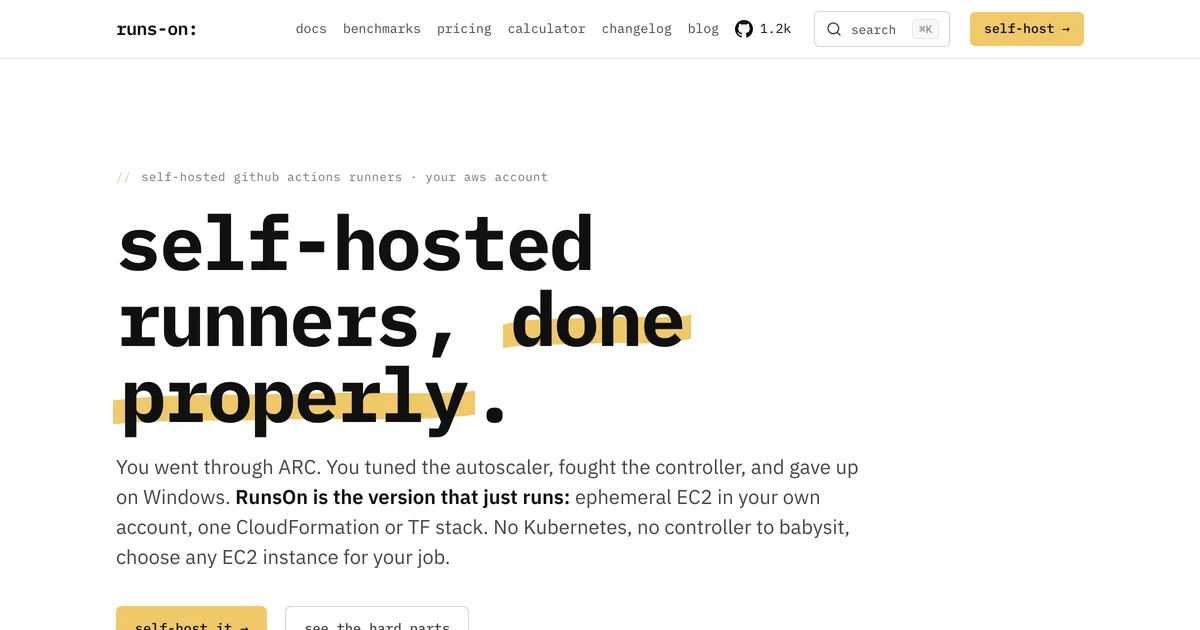
Spin up ephemeral EC2 runners in your own AWS account per job. CloudFormation or Terraform stack, 7-12x cheaper than GitHub-hosted runners, GPU instances included.
TL;DR
TL;DR: RunsOn replaces GitHub-hosted runners with ephemeral EC2 instances in your own AWS account — spin up a fresh runner per job, tear it down when done, and pay 7–12x less per minute.
Source and Accuracy Notes
- Product site: https://runs-on.com
- Documentation: https://docs.runs-on.com
- GitHub: https://github.com/runs-on/runs-on
What Is RunsOn?
RunsOn is a self-hosted runner management platform that deploys a CloudFormation or Terraform stack to your AWS account. Instead of registering a persistent agent, each GitHub Actions job triggers the launch of a fresh EC2 instance, runs your workflow steps, then terminates. No babysitting a long-lived machine, no runner pool to manage.
The key differentiator from classic self-hosted runners is the ephemeral model: GitHub thinks it is talking to a normal runner, but the underlying machine is provisioned on-demand and destroyed after the job. This gives you the cost savings of self-hosting with the security and isolation of a clean machine every time.
Core features:
- Ephemeral EC2 runners (one instance per job, destroyed after)
- CloudFormation or Terraform stack deployment
- Per-job instance type selection (including GPU instances)
- Runs on any GitHub plan (free, team, enterprise)
- 7–12x cost reduction vs. GitHub-hosted runners
Setup Workflow
Step 1: Deploy the CloudFormation Stack
The fastest path is the AWS CloudFormation console. Clone the repo and deploy:
git clone https://github.com/runs-on/runs-on.git
cd runs-on/infrastructure/cloudformation
aws cloudformation deploy \
  --stack-name runs-on \
  --template-file runner.yaml \
  --capabilities CAPABILITY_IAM \
  --parameter-overrides \
    GitHubOrganization=YOUR_ORG \
    Repository=YOUR_REPO \
    RunnerType=t3.medium
```text

The stack creates:
- An IAM role with least-privilege permissions for the runner
- A Security Group allowing outbound HTTPS to GitHub
- A VPC subnet for the EC2 instances
- An S3 bucket for runner logs
- An Auto Scaling Group (max size = 1 for ephemeral behavior)

### Step 2: Register the Runner with GitHub

After the stack deploys, retrieve the registration token from GitHub and run the setup script on the provisioned instance. RunsOn's setup script handles:

```bash
# The runner registration script (run once per instance boot)
./setup.sh --url https://github.com/YOUR_ORG/YOUR_REPO --token $GITHUB_TOKEN
```bash

GitHub sees a normal `self-hosted` label. Your workflow YAML does not need to change — just set `runs-on: self-hosted` and RunsOn handles the rest.

### Step 3: Run a Workflow

```yaml
name: CI

on: [push]

jobs:
  build:
    runs-on: self-hosted
    steps:
      - uses: actions/checkout@v4
      - name: Build
        run: npm ci && npm run build
      - name: Test
        run: npm test
```bash

The first job trigger launches a `t3.medium` (or your configured default). After the job completes, the instance terminates. The next job launches a new, clean instance.

### GPU Runners

For ML or CUDA-based builds, select a GPU instance type in your workflow:

```yaml
jobs:
  gpu-build:
    runs-on: self-hosted
    steps:
      - name: CUDA build
        run: |
          nvidia-smi
          make build CUDA_HOME=/usr/local/cuda
```bash

Instance types like `g4dn.xlarge` (NVIDIA T4) or `p3.2xlarge` (V100) are available. You pay AWS EC2 spot pricing for the GPU instance — significantly less than GitHub's hosted GPU runners.

## Deeper Analysis

### Why Ephemeral Matters

Traditional self-hosted runners are persistent: one machine runs hundreds or thousands of jobs over months. This creates three problems:

1. **Disk buildup** — npm caches, Docker layers, and build artifacts accumulate, eventually slowing jobs or causing out-of-space errors.
2. **Secret rotation** — long-lived runners hold tokens in memory. If a runner is compromised, every job secrets is exposed.
3. **State leakage** — a step in Job A can affect Job B if cleanup is imperfect. Ephemeral runners eliminate this class of bugs entirely.

RunsOn's ephemeral model gives you a clean machine for every job. The overhead of provisioning a new EC2 instance (typically 60–90 seconds for a t3.medium) is usually much less than the cost of the disk/state problems it avoids.

### Cost Comparison

GitHub-hosted runners are priced per minute. A standard `ubuntu-latest` runner costs **$0.008/minute** (4 vCPU, 16 GB RAM). For a team running 1000 minutes of CI per day:

| Provider | Cost/month (approx) |
|---|---|
| GitHub hosted (ubuntu-large) | ~$240 |
| RunsOn + AWS t3.medium spot | ~$20–35 |
| RunsOn + AWS t3.medium on-demand | ~$60–80 |

GPU jobs are even more dramatic: GitHub's `windows-latest` GPU runner is not even available; their Linux GPU runners start at **$0.40/minute** for a runner with an Nvidia T4. RunsOn on a `g4dn.xlarge` spot instance runs around **$0.10–0.15/minute** for the same GPU.

### Architecture Under the Hood

The CloudFormation stack provisions:

```text
GitHub Webhook (job.requested)
        ↓
  RunsOn API Server (lightweight, stateless)
        ↓
  AWS EC2 Auto Scaling (desired=1, max=1)
        ↓
  New EC2 Instance boots (Ubuntu 22.04 LTS)
        ↓
  Runner registration script contacts GitHub
        ↓
  Job executes on fresh instance
        ↓
  On completion: instance terminates, ASG scales to 0
The “API server” is a small process that watches the GitHub webhook events and drives the ASG. It can run as a Lambda, a tiny ECS task, or even on the same instance that hosts the CloudFormation stack. The RunsOn repo ships a reference deployment for each option.
Practical Evaluation Checklist
- Authentication: GitHub Personal Access Token or GitHub App token registered per-repo
- Ephemeral behavior: one job = one EC2 instance, terminated after job
- Setup complexity: one CloudFormation stack, no Kubernetes, no controller
- Instance selection: any EC2 type including GPU (g4dn, p3, p4)
- Cost: pay AWS EC2 prices only (spot recommended for 60–80% off)
- Runner labels: standard GitHub Actions
runs-on: self-hostedwith custom labels - Logs: S3 bucket for all job logs, retained according to your S3 lifecycle policy
- macOS: not yet supported (Linux and Windows only as of mid-2026)
- Scaling: ASG handles parallel jobs by launching multiple instances
Security Notes
- Runner IAM role follows least privilege — you define what the job can access in AWS
- EC2 instances run in your own VPC, isolated from other customers
- No data persists on the runner after termination (ephemeral disk is default for EC2)
- GitHub PAT or App token stays in AWS Secrets Manager or Parameter Store, not in the instance user data
- For private repos, RunsOn supports GitHub App authentication which scoped per-repo tokens
FAQ
Q: How is this different from scaling runner sets with labels? A: Standard self-hosted runner sets still run on persistent machines. RunsOn uses the runner set infrastructure but pairs it with an ASG that scales to zero after each job, making every runner effectively ephemeral.
Q: Do I need to manage the EC2 instances myself? A: No. The ASG handles lifecycle — provisioning and termination are automatic. You choose the instance type; RunsOn and the ASG handle the rest.
Q: Can I use spot instances to save money? A: Yes. Spot instances are the recommended configuration and can reduce costs by 60–80% vs. on-demand. RunsOn’s reference CloudFormation template supports both.
Q: Does RunsOn support macOS runners? A: Not yet. macOS on EC2 requires dedicated Apple hardware which AWS does not offer. macOS support is on the roadmap but no ETA as of mid-2026.
Q: What happens if a spot instance is interrupted mid-job?
A: GitHub Actions will re-queue the job and RunsOn will launch a new instance. Configure your workflow with concurrency groups to avoid duplicate runs during spot interruptions.
Conclusion
RunsOn solves the core tension in CI/CD: you want the convenience of GitHub-hosted runners (no infrastructure to manage) but the cost savings of self-hosting (pay only for what you use). Its ephemeral model removes the biggest operational headache of traditional self-hosted runners — state accumulation and secret exposure — while keeping the setup simple: one CloudFormation stack.
For GPU-heavy workflows, the economics are even more compelling. If your team is paying for GitHub’s hosted GPU runners or burning money on a shared monster machine, RunsOn lets you trade that for spot-priced AWS GPU instances with zero infrastructure overhead.
Try it: deploy the CloudFormation stack, point a workflow at runs-on: self-hosted, and watch the EC2 console as a fresh machine boots, runs your job, and vanishes. The runner lifecycle becomes invisible — which is exactly how good infrastructure should feel.
Related Posts
ai-setup
Recall – Persistent Memory for Claude Code via MCP Hooks
Recall gives Claude Code a permanent memory store that survives session restarts and context compaction. Four hooks capture and restore context automatically — with cloud SaaS or self-hosted options.
2/28/2026
dev-tools
Automotive Skills Suite for AI Engineering
Evaluate Automotive Skills Suite for APQP, ASPICE, HARA, safety-plan, and DIA workflows with setup notes, governance risks, and SME review guidance.
5/28/2026
dev-tools
awesome-agentic-ai-zh Roadmap Guide
Explore awesome-agentic-ai-zh as a Chinese agentic AI learning roadmap, with setup notes, track selection, study workflow, and evaluation guidance.
5/28/2026