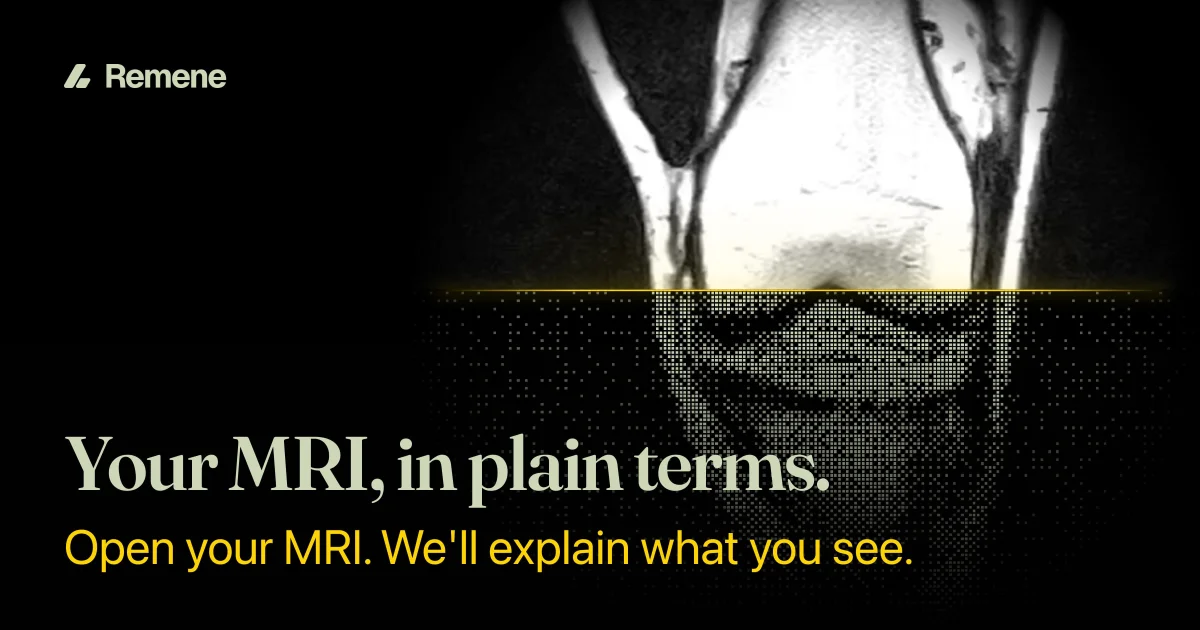
TL;DR: Remene takes the folder of DICOM files from the MRI CD your clinic gave you and turns it into plain language, with every explanation pointing back at the exact slice it came from. Browsing your images is free, and one $9.99 payment per study unlocks the analysis, your report translated, an optional AI second opinion and a print-ready PDF for your appointment. The files are de-identified before any AI sees them.
What it is
Remene is a browser app for reading your own MRI. You come back from the scanner with a CD or a USB stick holding hundreds of DICOM files, and a report written for a radiologist. Those files usually have no file extension, so double-clicking them does nothing on a modern machine.
Drag the folder onto Remene’s upload page and the study opens in a browser viewer. You scroll slice by slice, drag for brightness, adjust contrast, zoom in with a ruler, on a computer or a phone. That part is free and unlimited.
For $9.99 once per study, Remene analyses the images, translates the report, lets you ask questions grounded in your own study, optionally requests a separate AI second opinion, and assembles a 15 to 20 page PDF for the consultation. There is no subscription and nothing to cancel.
Why it matters
The gap between the scan and the appointment is where most people get stuck. You are handed a CD and a page of jargon, then told to come back in three weeks. Meanwhile you have no idea what “degenerative tear of the posterior horn of the medial meniscus” means for you specifically.
The obvious workaround is asking a chatbot, and it does not work well. According to Remene’s own comparison (based on ChatGPT’s free and Plus plans as of September 2026), ChatGPT does not open DICOM files at all, and its free plan accepts only a handful of files a day. You end up pasting screenshots, and the answer shifts depending on how you phrase the question.
| Capability | Remene | ChatGPT and other chatbots | Searching online |
|---|---|---|---|
| Takes the whole folder from your CD | Yes | No | No |
| Removes your name and details before AI sees the files | Yes | No | Not applicable |
| Has your complete study, not a few screenshots | Yes | No | No |
| Shows the slice and region behind every explanation | Yes | No | No |
| Explains your report in plain words | Yes | Yes | No |
| Says when it is adding general information | Yes | No | No |
| A document to bring to your doctor | Yes | No | No |
None of this makes Remene a diagnosis. It is a reading aid that arrives before the appointment instead of during it.
Getting it running
There is no installation. Copy the image folder off the disc, create an account, drop the folder on the upload page. The disc usually looks like this:
MRI_CD/
├── DICOM/
│   ├── IM000001
│   ├── IM000002
│   ├── IM000003
│   └── ...
├── DICOMDIR
└── Viewer.exe
DICOMDIR is the disc’s table of contents and the DICOM folder holds the images. The Viewer.exe is usually a Windows-only program that the clinic added, and on a Mac it will not start at all. Copy the folder across instead of installing it:
cp -R /Volumes/MRI_CD/DICOM ~/Desktop/mri-study
find ~/Desktop/mri-study -type f | head -20
If your clinic sent a download link instead, upload the ZIP as it is. Note that Safari on a Mac unzips automatically, so what lands in Downloads is a folder, and you upload that folder. If the link only shows images on a web page, ask the clinic for the original DICOM files.
Results are usually ready in about 30 minutes.
What the $9.99 unlock includes
Five things switch on after the single payment, and they are all tied to your own study rather than to general medical knowledge:
- AI analysis linked to your images. Each anatomical structure gets three lines: what it is, what can be seen, and what you could ask. Every one of them points at the slice and region it came from, so you can check it yourself.
- Your report in plain language. Photograph the pages, upload the PDF or paste the text. The original stays untouched alongside the translation, word for word.
- An AI second opinion, on request. A separate result, explicitly asked for and labelled “AI diagnostic opinion: not reviewed by a doctor”. Where it disagrees with the radiologist, Remene tells you to check with your doctor.
- Answers about your MRI. The assistant answers from your analysed images and your report, and says so when it is adding general information instead.
- Consultation preparation. One PDF with the explanations, the images, a glossary and space for notes.
The analysis also uses a fixed vocabulary. A structure is marked “typical appearance”, “worth asking your doctor”, or “cannot be assessed on these images”. The third one is a statement about the images, not about you.
Connecting an AI assistant
Remene also runs an MCP server at a single address, so an assistant such as Claude or ChatGPT can read your studies directly instead of working from screenshots:
{
  "mcpServers": {
    "remene": {
      "type": "http",
      "url": "https://remene.si/mcp"
    }
  }
}
You approve the connection in the browser and your password stays with Remene. Claude and Cursor, which can read files on your computer, can push DICOM files and a report straight into your account. ChatGPT sends you a link to the upload page and adds pasted text instead.
What to watch for
De-identification is real but it is rule-based. Remene cleans the files following the DICOM PS3.15 confidentiality profile, removes identifiers, replaces image codes and shifts dates while keeping sex and an age bracket. Series with text burnt into the image are excluded from analysis. The site’s own wording is that this check cannot guarantee every visible identifying detail is caught.
The report you upload is the exception. It may contain your name, so it is stored separately and encrypted with access limited to the account owner. When reading it requires AI, original pages may go to the provider to extract the text, with identifying details stripped from the extracted text afterwards. Remene configures its requests not to save responses for API retrieval, but it says plainly that the provider’s own processing and retention terms still apply. That is the part worth thinking about before you upload a document containing your name.
The limits are stated on the site rather than hidden. Remene is not a second read by a radiologist, it does not discuss treatment, and the chat cannot invent a finding. If images are missing, sequences are mismatched or the quality is poor, the honest output is “cannot be assessed on these images”, and the absence of a displayed finding does not mean everything is normal. It is not an emergency service either, and the page tells you to call 112 or go to an emergency department for severe or rapidly worsening symptoms.
Usage analytics run through Google Analytics with your consent, sending event names, status codes and a broad region category such as “spine” or “joint”, plus a pseudonymous identifier. Images, report text, messages and patient identifiers are not sent to telemetry. Deleting a study removes its files, its report and its results, and you can request full account deletion from the app or write to [email protected].
The service runs in English, Romanian and Hungarian, with Romanian and Hungarian versions on remene.ro. Pricing is $9.99 per study with taxes included, listed in seven countries, paid through Stripe with the invoice sent by email.
Source and Accuracy Notes
- Project page: https://remene.si — verified via direct visit on 2026-11-09
- Pricing: https://remene.si/pricing — verified via direct visit
- Data protection: https://remene.si/data-protection — verified via direct visit
- Medical limitations: https://remene.si/medical-limitations — verified via direct visit
- MCP server: https://remene.si/mcp-server — verified via direct visit
- Source repository: none published, the product is closed source
- HN launch thread: https://news.ycombinator.com/item?id=50351830 (11 points, 2026-11-03)
Related Posts
dev-tools
Dulus Terminal Agent Setup Guide
Set up Dulus as a terminal AI agent with native and Docker paths, installer profiles, WebChat ports, repo safety checks, and shell-access risks.
5/28/2026
dev-tools
OpenSquilla Agent Gateway Setup Guide
Set up OpenSquilla with uv, onboarding, OpenRouter env keys, gateway runtime, Git LFS model files, and migration paths from other agents.
5/28/2026
dev-tools
RMUX Terminal Multiplexer Guide
Set up RMUX for detachable agent terminals, tmux-like sessions, Rust SDK control, diagnostics, migration checks, and terminal automation.
5/28/2026