RefundHalt - Auto Contest App Store Refunds
RefundHalt automatically replies to App Store and Google Play refund requests with usage evidence, helping app developers keep revenue that would otherwise be lost. No SDK, setup in 2 minutes.
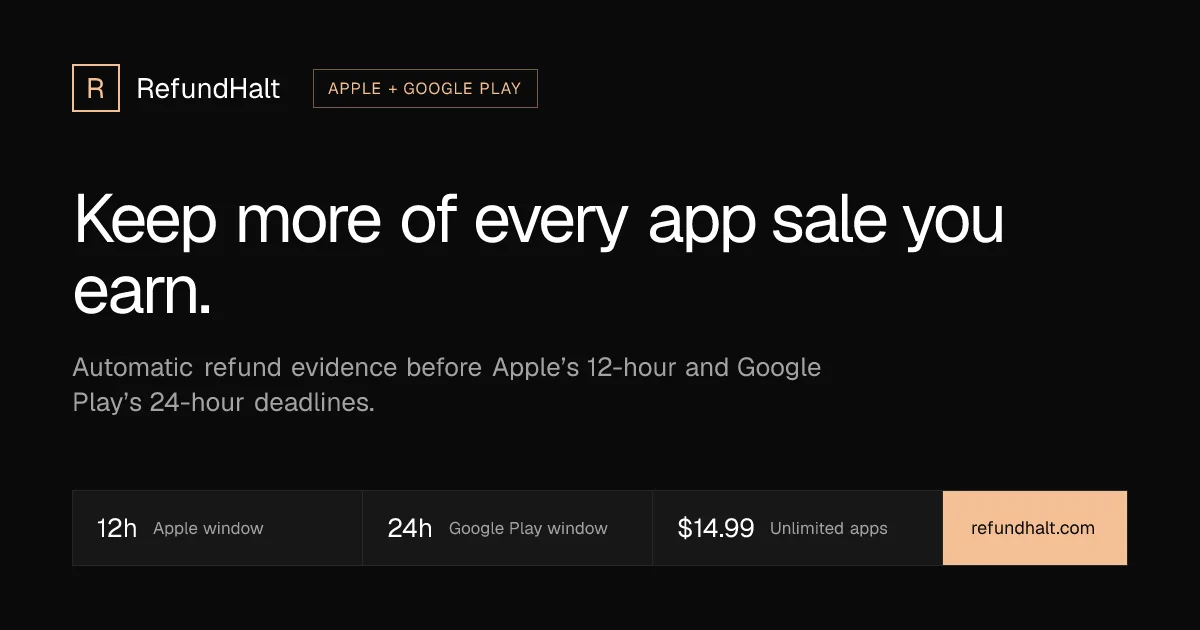
TL;DR
TL;DR: RefundHalt hooks into Apple and Google Play’s official refund notification systems and replies automatically with usage evidence — contesting unfair refund requests without any SDK or code changes.
Source and Accuracy Notes
- Project page: refundhalt.com ← visited and verified (2026-07-28)
- HN launch thread: news.ycombinator.com/item?id=48977293
- Apple CONSUMPTION_REQUEST docs: developer.apple.com/documentation/appstoreserverapi/send_consumption_information ← verified
- Google Play chargeback docs: support.google.com/googleplay/android-developer ← verified
What Is RefundHalt?
RefundHalt is an automatic refund protection service for iOS and Android apps. When a user requests a refund through the App Store or Google Play, RefundHalt intercepts the notification and replies with usage evidence — proof that the purchase was consumed, the digital good was delivered, or the subscription was active.
The core problem it solves: app developers lose revenue to chargeback disputes and “item not received” refund claims they never get a chance to contest. Apple gives developers 12 hours to respond to a CONSUMPTION_REQUEST notification; Google gives 24 hours for chargeback reviews. Most developers miss these windows because there is no native alerting system. An unanswered request is usually approved by default.
RefundHalt sits on the official notification endpoints from both stores and fires back automatically — no SDK, no code changes, no app update required.
How It Works
iOS: App Store Server Notifications V2
Apple’s CONSUMPTION_REQUEST notification fires when a user contacts Apple about a refund. Developers have 12 hours to call the Send Consumption Information endpoint with supporting evidence.
RefundHalt acts as a relay: point Apple’s notification URL at your RefundHalt endpoint, upload your In-App Purchase key, and RefundHalt forwards every signed event to up to 10 downstream destinations (your backend, RevenueCat, Adapty, or Apphud) while also responding to Apple on your behalf.
Apple requires customer consent before sharing consumption data. Most developers add a short line to their privacy policy or terms of service.
Google Play: Chargeback Review Responses
When Google Play asks for evidence on a chargeback dispute, RefundHalt responds within the 24-hour window with usage events, timestamps, and IP addresses via the orders.reviewrefund endpoint.
Google recently announced that chargeback costs will be shared with developers for orders placed after August 3, 2026 — making automated response particularly financially significant for Android developers.
Setup Workflow
Setup takes under 5 minutes with no SDK deployment.
Step 1: iOS Setup
- In App Store Connect, set your App Store Server Notifications URL to your RefundHalt endpoint.
- Upload your In-App Purchase key to RefundHalt.
- Add a consent line to your privacy policy (RefundHalt provides the exact wording).
- RefundHalt relays raw signed events to your existing stack via webhook forwarding.
Apple allows one server notifications URL per app. RefundHalt handles this by relaying to up to 10 downstream destinations simultaneously.
Step 2: Android Setup
- In Play Console, paste the RefundHalt topic name into your refund settings.
- Invite the RefundHalt service account.
- No code, no SDK — it starts working within a day.
Deeper Analysis
What evidence does it send?
For iOS, RefundHalt calls the Send Consumption Information endpoint with:
- Purchase receipt data (transaction ID, purchase date, expiration)
- Subscription or in-app purchase status
- Custom consumption metadata from your backend
For Google Play, it sends order delivery state, item consumption status, and usage timestamps via orders.reviewrefund.
The service pulls from RevenueCat, Adapty, or Apphud if you already use them — or directly from your backend webhook stream.
What it cannot do:
An unanswered refund request is not always denied — it is usually approved. RefundHalt makes sure a response is always sent on time, including nights and weekends. The final decision rests with the store.
Security:
Store credentials are encrypted with AES-256-GCM envelope encryption and a rotatable key ring. Webhook deliveries are OIDC-verified.
Pricing
Verified from the RefundHalt pricing page (2026-07-28):
- Monthly: $14.99 per app per month
- Yearly: $39.99 per app per year
- 7-day free trial on each plan
- All plans include both iOS and Android, encrypted credential storage, and deadline-safety fallback
- Prices exclude VAT
Three tiers are offered:
- Starter — up to 3 apps across both stores
- Standard — up to 20 apps
- Pro — unlimited apps
A live counter on the site reported over $1.2M in revenue kept in the last 30 days across RefundHalt customers, with approximately 76% of contested requests declined in the user’s favor.
Practical Evaluation Checklist
Before integrating:
- Check your App Store Connect refund report (Trends → Proceeds → Transaction Type: Refund) to establish your baseline refund rate
- Verify with your legal advisor that adding a consumption data consent line to your privacy policy meets your jurisdiction’s requirements
- Confirm your In-App Purchase key is set up in App Store Connect before pointing notifications at RefundHalt
- For Google Play: test a chargeback scenario in sandbox before going live
- Review what evidence your backend can supply to strengthen future contest cases
Security Notes
- AES-256-GCM envelope encryption for stored credentials
- OIDC-verified webhook deliveries
- Keys never leave the encryption vault
- Raw signed events relay to your backend — RefundHalt does not store or reprocess your event data
FAQ
Q: Do I need my customer’s consent to share usage data?
Apple requires customer consent before consumption data is shared. You do not need a popup. Most developers add a short line to their privacy policy or terms of service. Ask your legal advisor for guidance specific to your jurisdiction.
Q: Do I need to add an SDK or change my app?
No. RefundHalt uses the official store notification APIs on both platforms — App Store Server Notifications V2 for iOS and Play Console topic-based notifications for Android. No SDK, no app update, no code review required.
Q: Can RefundHalt stop every refund?
No. Whether a refund is ultimately granted or denied depends on the store. RefundHalt makes sure your usage evidence is always part of that decision. An unanswered request is usually approved. With RefundHalt, a response is always sent on time.
Q: What happens if I do not respond to a refund request?
Apple gives you 12 hours; Google gives you 24. In practice, an unanswered request is usually approved. Responding costs nothing and puts your side into the decision.
Q: What is changing on Google Play in 2026?
Google announced that chargeback costs will be shared with developers for orders placed after August 3, 2026. This makes automated response to chargebacks financially significant for Android developers who previously absorbed chargeback fees.
Conclusion
RefundHalt solves a narrow but painful problem: developers losing revenue to refund requests they never knew existed until the window had closed. By hooking into Apple’s and Google’s official notification infrastructure, it responds automatically with usage evidence — no SDK, no app changes, no ongoing maintenance.
For studios running subscriptions or in-app purchases on iOS and Android, the 7-day free trial is low-risk to evaluate. At $14.99 per app per month, the economics make sense if you are losing more than that to unjustified refund requests each month — and many developers are surprised by how much that number actually is when they check App Store Connect for the first time.
Next steps:
- Check your refund rate in App Store Connect and Play Console financial reports
- Try the 7-day free trial on a single app
- Review what evidence your backend can supply to strengthen future contest cases
Related Posts
dev-tools
Automotive Skills Suite for AI Engineering
Evaluate Automotive Skills Suite for APQP, ASPICE, HARA, safety-plan, and DIA workflows with setup notes, governance risks, and SME review guidance.
5/28/2026
dev-tools
awesome-agentic-ai-zh Roadmap Guide
Explore awesome-agentic-ai-zh as a Chinese agentic AI learning roadmap, with setup notes, track selection, study workflow, and evaluation guidance.
5/28/2026
dev-tools
Baguette iOS Simulator Automation Guide
Set up Baguette for iOS Simulator automation, web dashboards, device farms, gesture input, streaming, and camera testing with Xcode caveats.
5/28/2026